
مركز المساعدة - أدلة الإعداد واستكشاف الأخطاء
التثبيت
لتأكيد ما إذا كان جهاز Mac يستخدم معالج Intel أو Apple Silicon:
- انقر على أيقونة Apple في الزاوية العلوية اليسرى من الشاشة
- اختر "حول هذا Mac"
- في النافذة المنبثقة، تحقق من معلومات "الرقاقة أو المعالج". إذا بدأت بـ Intel، فهي معالج Intel، وإلا فهي معالج Apple Silicon
- 1.
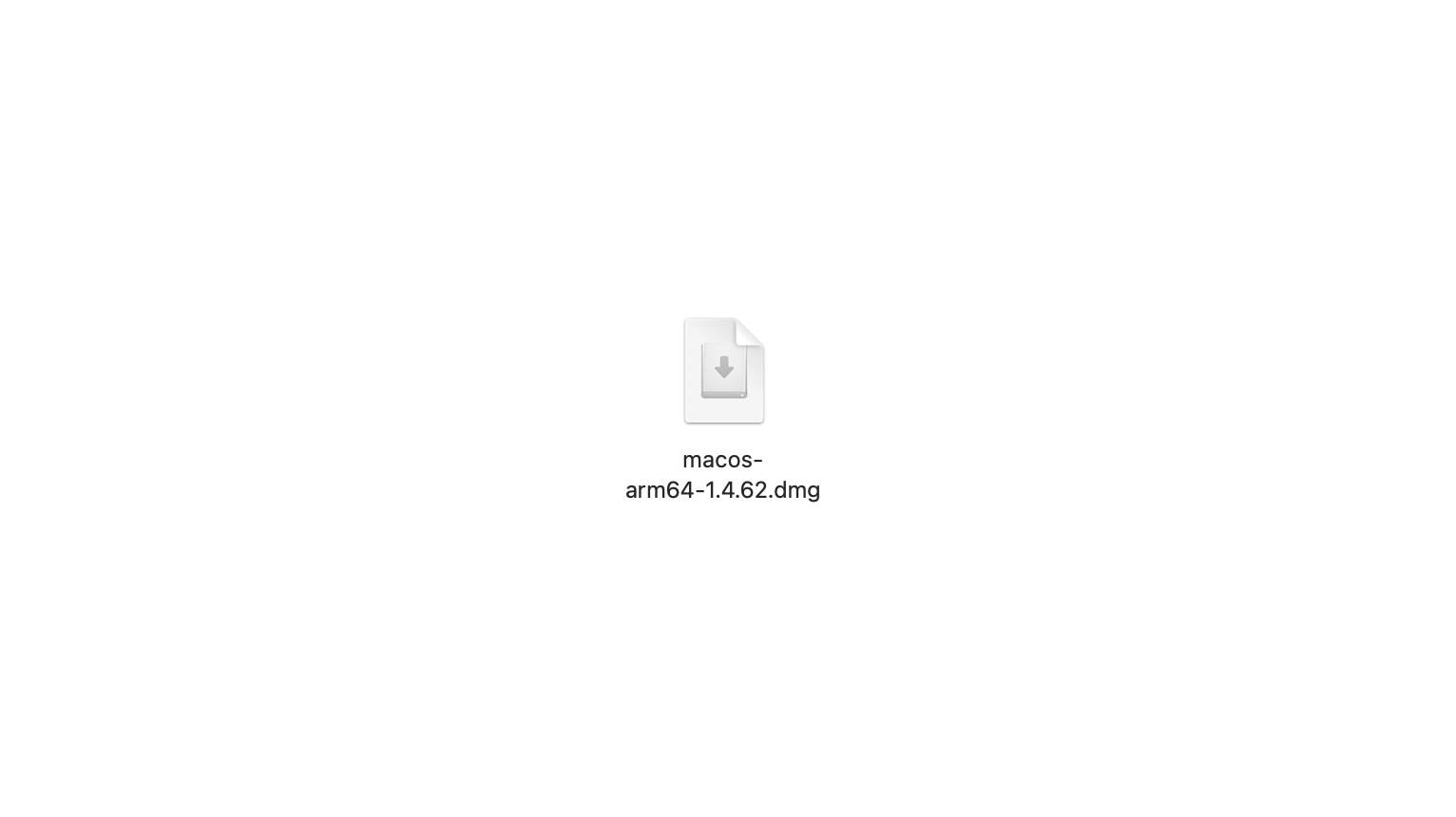
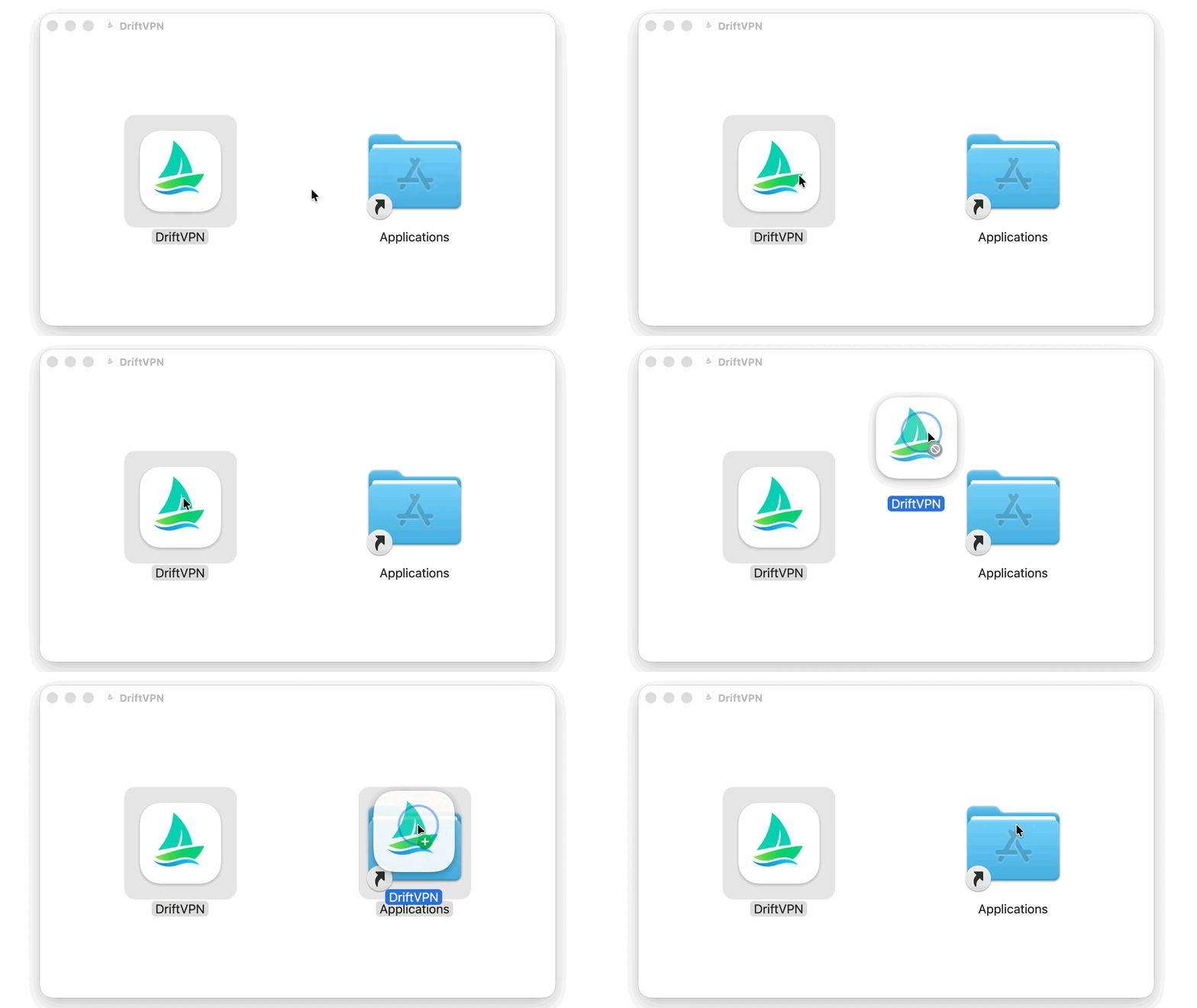
بعد تنزيل مثبت macOS، افتح ملف .dmg واسحب VPN إلى تطبيقات.
- 2.
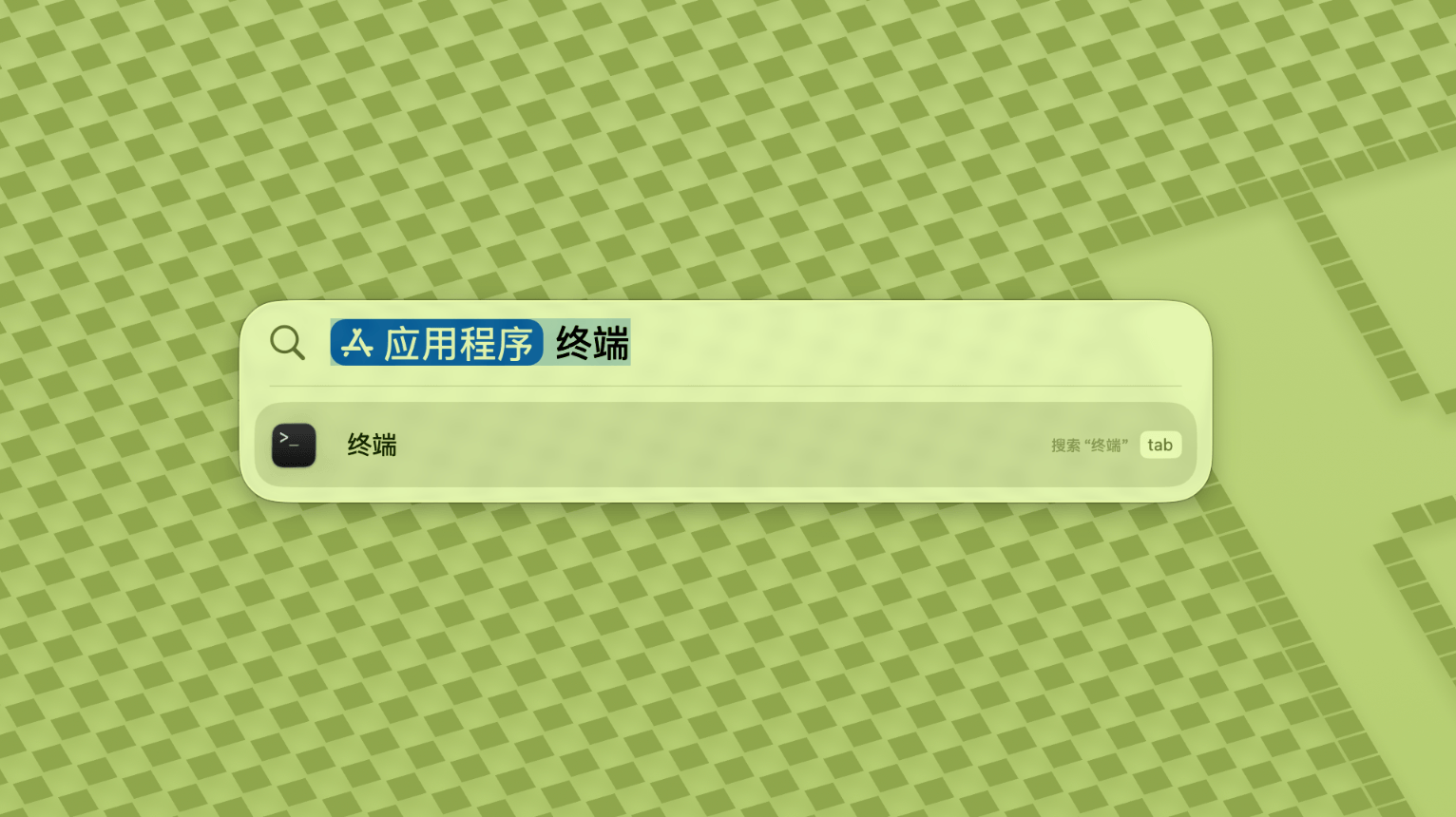
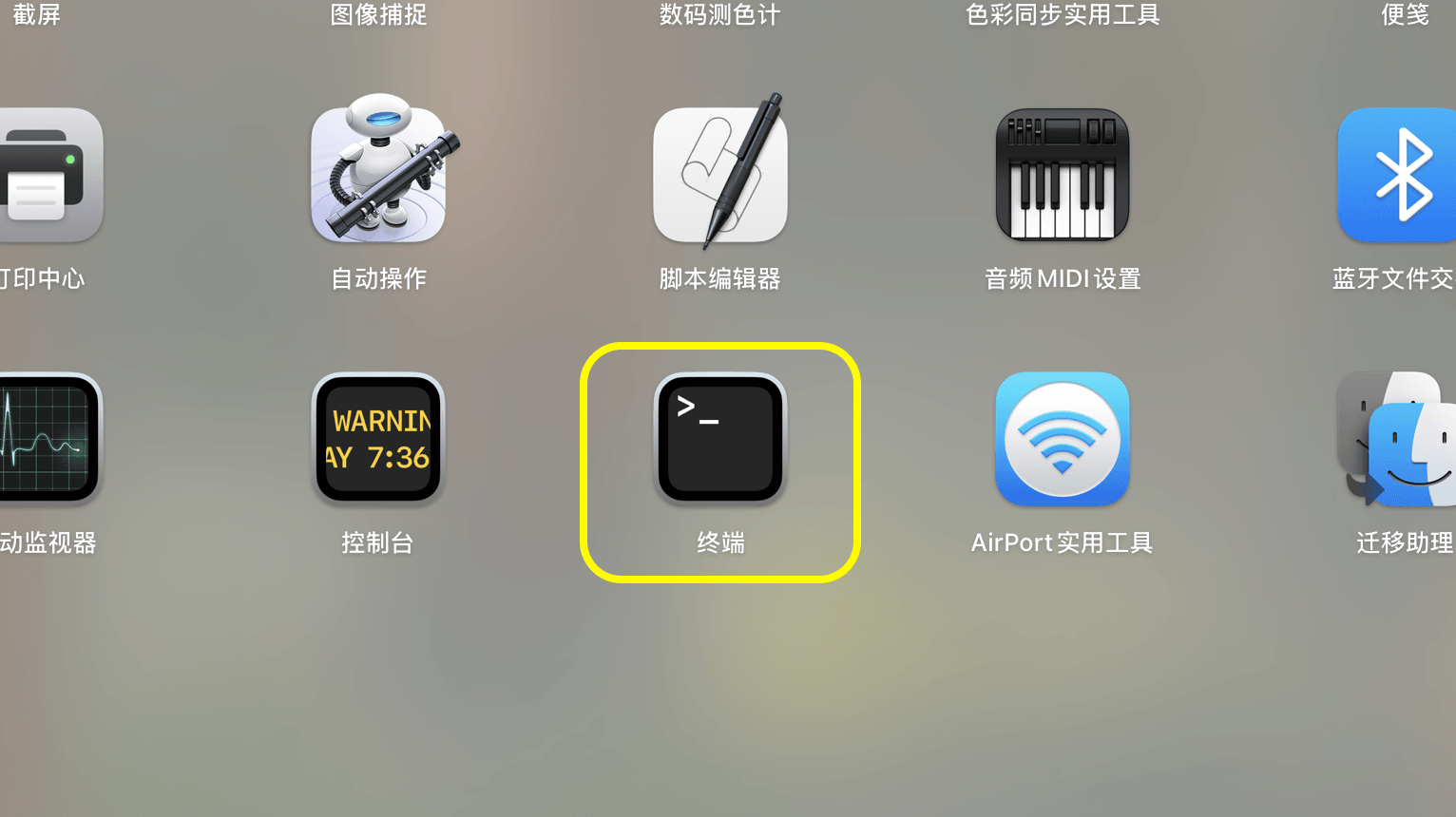
افتح Launchpad أو Spotlight، ثم ابحث عن Terminal وافتحه.
- 3.
الصق الأمر أدناه في Terminal واضغط Enter. أدخل كلمة مرور تسجيل الدخول إلى Mac عند المطالبة؛ لن تظهر الأحرف أثناء الكتابة. اضغط Enter مرة أخرى عند الانتهاء.
sudo xattr -rd com.apple.quarantine /Applications/DriftVPN.app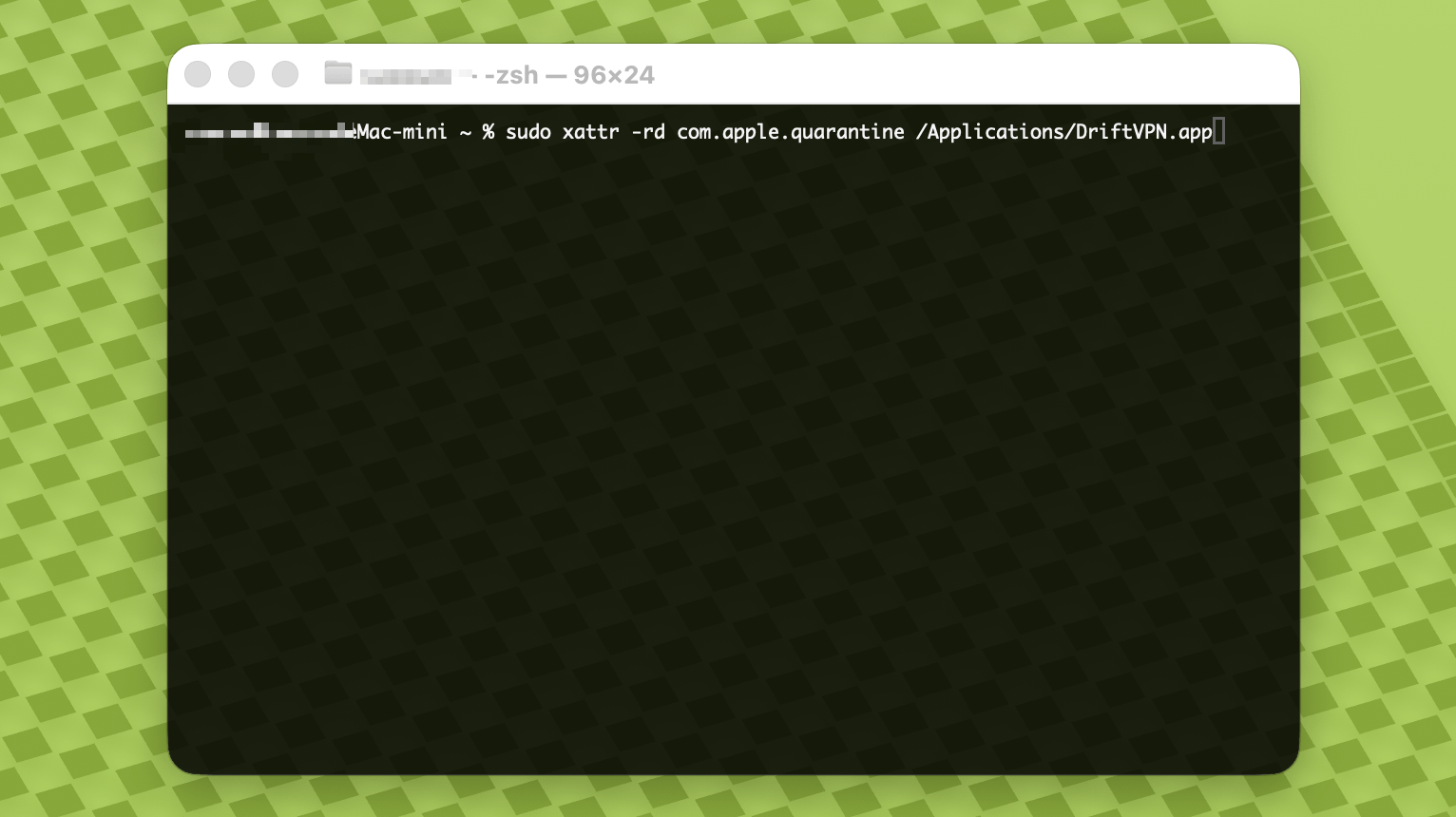
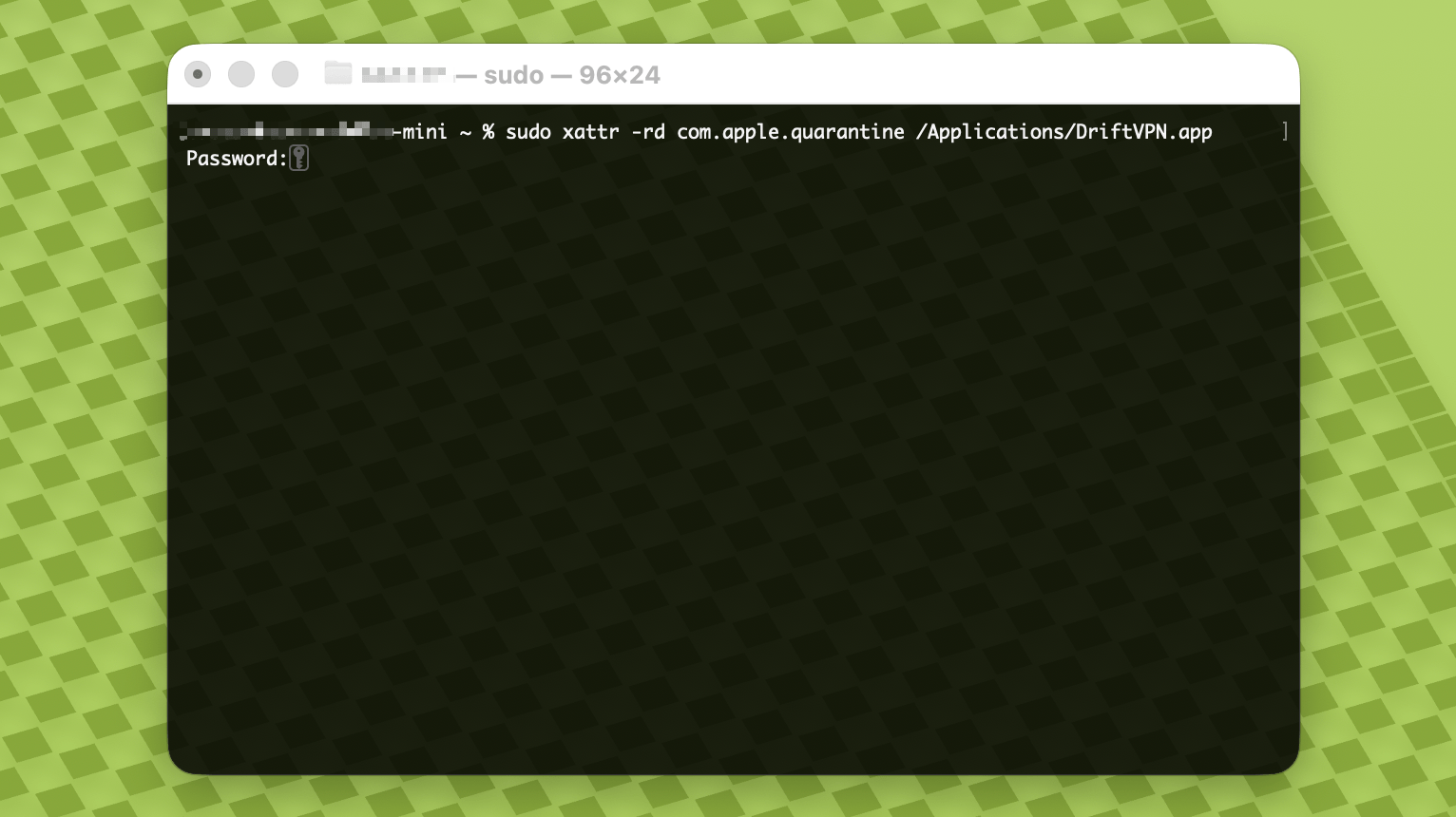
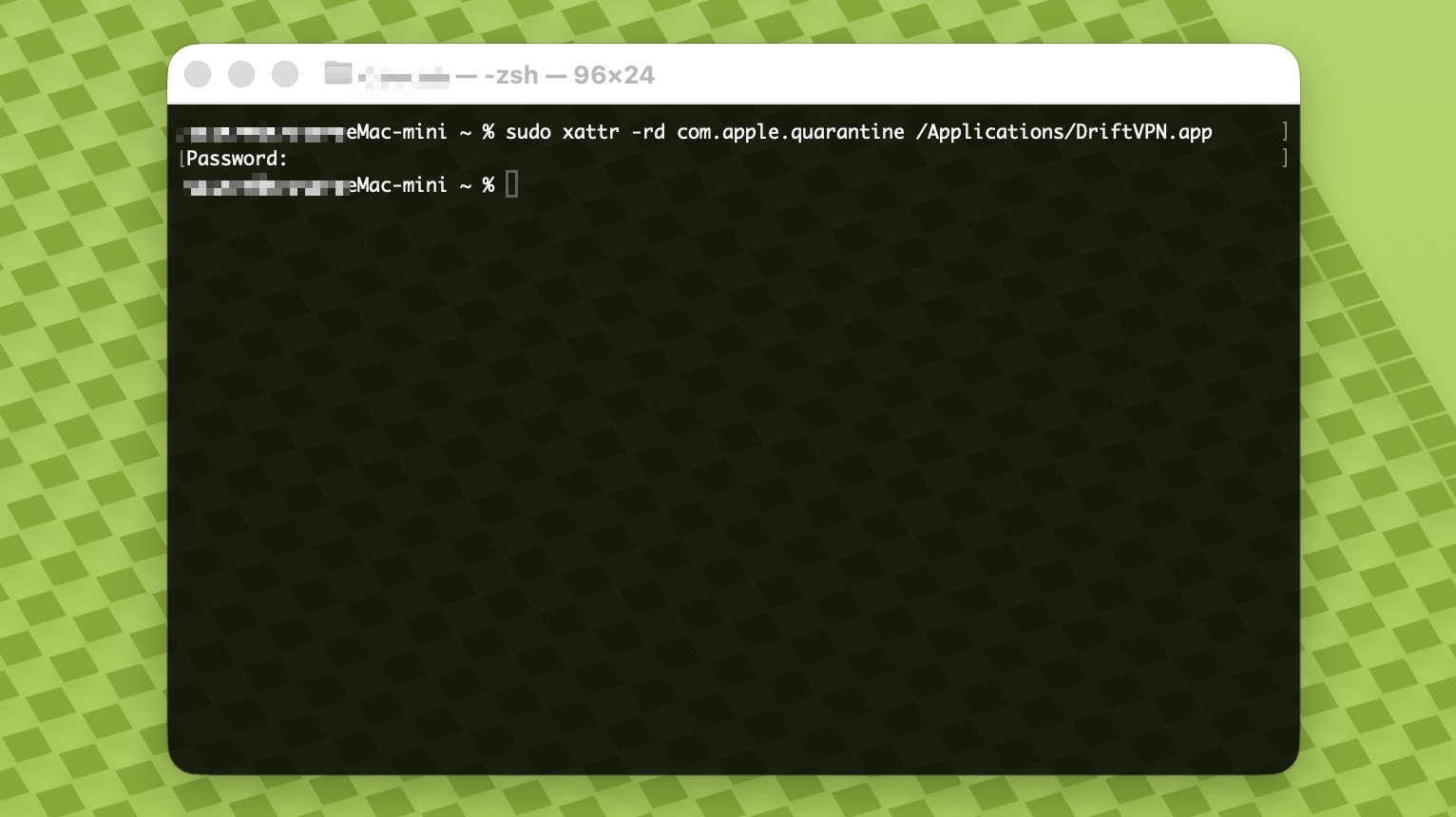
- 4.
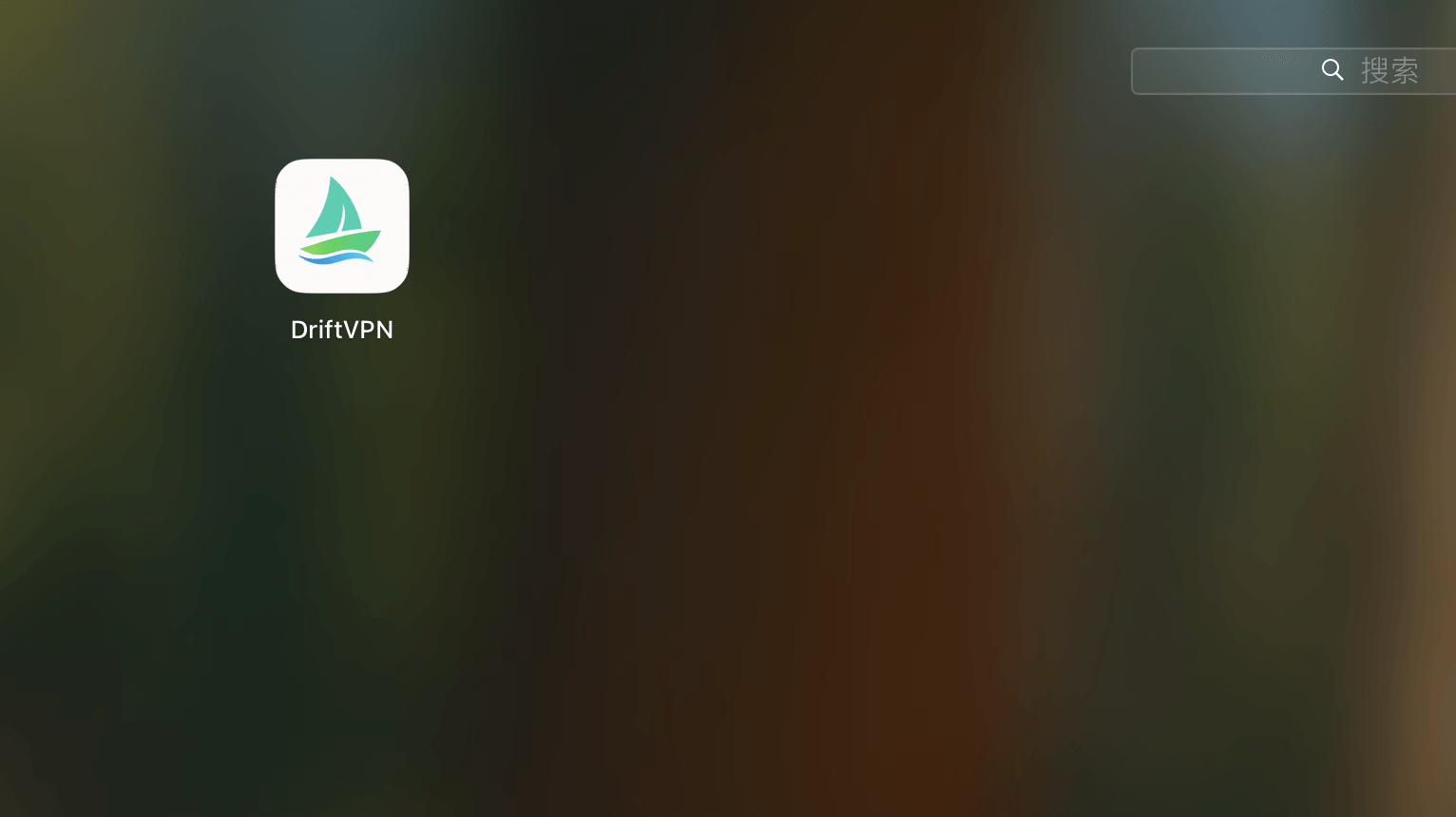
بعد انتهاء الأمر، ابحث عن VPN أو افتحه من تطبيقات.
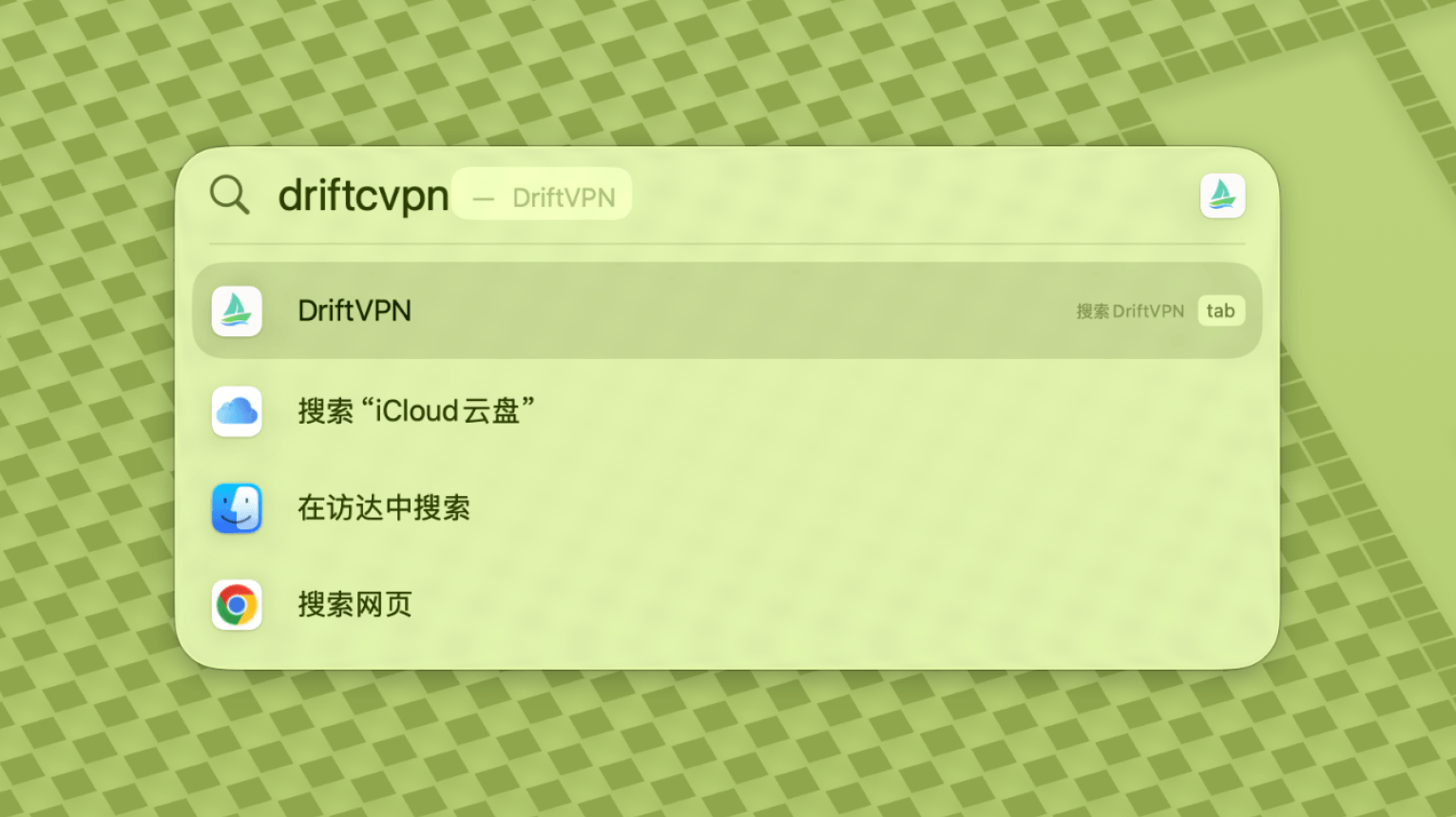
- 5.
إذا استمر macOS في حظر التطبيق، انتقل إلى إعدادات النظام ← الخصوصية والأمان وانقر على فتح على أي حال في قسم الأمان. إذا ظهر أن التطبيق تالف، نزّل أحدث مثبت مرة أخرى وكرر الأمر أعلاه.
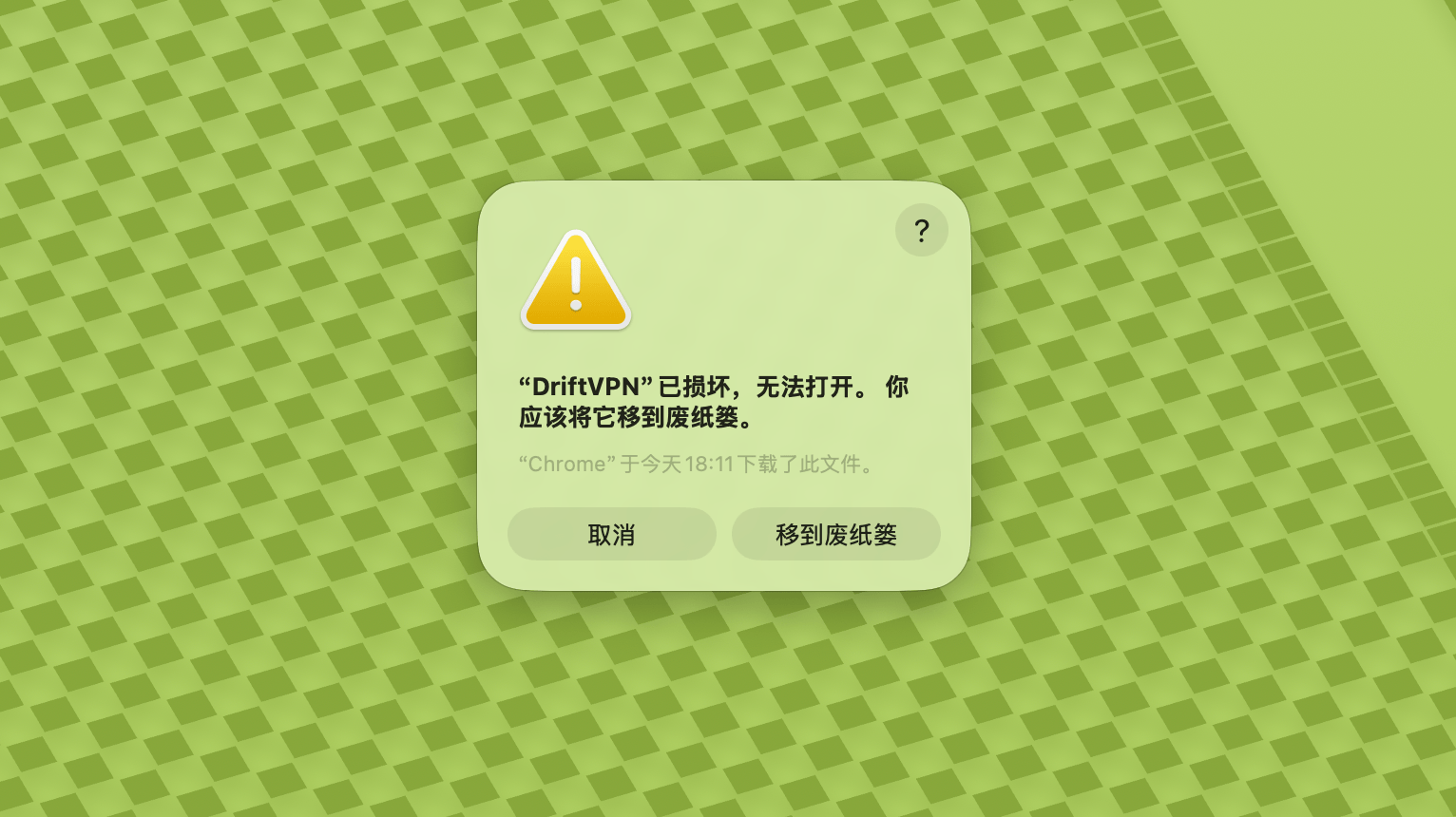
إذا لم تتمكن من فتح VPN على macOS، انتقل إلى إعدادات النظام ← الخصوصية والأمان، قم بالتمرير إلى قسم الأمان وانقر على فتح على أي حال.
لتأكيد ما إذا كان جهاز الكمبيوتر الذي يعمل بنظام Windows يستخدم معالج x64 أو ARM64 أو x86 (32 بت):
- افتح أداة معلومات النظام. اضغط Win + R، اكتب msinfo32 ثم اضغط Enter
- انتقل إلى ملخص النظام → نوع النظام، ستجد معلومات بنية النظام
رسالة خطأ: ملف البروكسي القابل للتنفيذ غير موجود. أو رسالة: الملف يحتوي على فيروس أو برنامج غير مرغوب فيه محتمل. الحل:
الطريقة الأولى:
- افتح 'الإعدادات' → 'الخصوصية والأمان' → 'مركز أمان Windows' → 'الحماية من الفيروسات والتهديدات'
- انقر على 'إدارة الإعدادات'
- في الأسفل، أضف أو احذف الاستثناءات وأضف مجلد تثبيت Drift إلى الاستثناءات
الطريقة الثانية:
- افتح 'الإعدادات' → 'الخصوصية والأمان' → 'مركز أمان Windows' → 'الحماية من الفيروسات والتهديدات'
- انقر على 'إدارة الإعدادات'
- أوقف 'الحماية في الوقت الفعلي'
إذا تعذر على التطبيق الاتصال بعد التشغيل على Windows، فعادةً ما يقوم جدار حماية Windows Defender بحظره. الحلول:
الطريقة الأولى: إضافة استثناء عبر لوحة التحكم
- اضغط Win + S وابحث: لوحة التحكم
- انتقل إلى: النظام والأمان → جدار حماية Windows Defender
- على اليسار، انقر: السماح لتطبيق أو ميزة عبر جدار حماية Windows Defender
- في الزاوية اليمنى العليا، انقر: تغيير الإعدادات
- انقر: السماح لتطبيق آخر
- انقر: استعراض واختر ملف .exe الخاص بك (المسار الافتراضي: C:\Users\[المستخدم]\AppData\Local\VPN\QingZhou.exe)
- بعد الإضافة، حدد: خاصة وعامة (إذا كنت بحاجة إلى الوصول إلى الشبكة الخارجية)
- انقر: موافق
الطريقة الثانية: إنشاء قواعد في جدار حماية Windows Defender مع الأمان المتقدم
- اضغط Win + S وابحث عن 'جدار حماية Windows Defender مع الأمان المتقدم' وافتحه
- انقر على 'قواعد الوارد' على اليسار → انقر على 'قاعدة جديدة' على اليمين
- اختر: برنامج → التالي
- اختر 'مسار هذا البرنامج'، واستعرض لاختيار ملف .exe الخاص بك → التالي
- اختر: السماح بالاتصال → التالي
- حدد: المجال، الخاص، العام (عادةً الكل) → التالي
- أدخل اسمًا (مثل DriftVpn Inbound) → إنهاء
- كرر الخطوات مع 'قواعد الصادر' (اختر 'قواعد الصادر' على اليسار؛ التدفق مماثل)
يمكنك تنزيل وتثبيت VPN على Android كما يلي:
- افتح صفحة التنزيل الرسمية واختر Android.
- نزّل حزمة تثبيت Android على هاتفك أو جهازك اللوحي.
- افتح ملف APK المنزَّل من قسم التنزيلات في المتصفح أو مدير الملفات.
- إذا طلب Android إذناً لتثبيت تطبيقات من مصادر غير معروفة، امنح الإذن للمتصفح أو مدير الملفات الحالي، ثم أكمل التثبيت.
قد تحفظ بعض المتصفحات أو الأنظمة ملف APK بامتداد .zip. تعامل مع ذلك كما يلي:
- لا تقم بفك ضغط الملف.
- افتح مدير الملفات وأعد تسمية الملف المنزَّل بتغيير الامتداد من .zip إلى .apk.
- انقر على ملف .apk الذي أعدت تسميته لتثبيته.
- إذا لم تتمكن من إعادة التسمية، نزّل الملف مرة أخرى أو استخدم متصفحاً آخر لتنزيل ملف APK.
لأسباب تتعلق بالسياسات، لا يتوفر VPN في متجر تطبيقات الصين. يمكنك تنزيله بـ:
- تحتاج إلى معرف Apple من خارج الصين (مثل الولايات المتحدة أو اليابان أو هونغ كونغ وغيرها)
- التبديل إلى الحساب من خارج الصين في App Store
- البحث عن 'VPN' للعثور عليه وتنزيله
- إذا لم يكن لديك معرف Apple خارجي، يمكنك البحث عبر الإنترنت عن شروحات حول كيفية تسجيل معرف Apple خارجي مجاني
الحساب
إذا نسيت كلمة مرور تسجيل الدخول، يمكنك إعادة تعيينها باتباع الخطوات التالية:
- انتقل إلى صفحة تسجيل الدخول وانقر على 'نسيت كلمة المرور؟'
- أدخل عنوان بريدك الإلكتروني المسجل
- تحقق من بريدك الإلكتروني للحصول على رمز تحقق مكون من 6 أرقام (صالح لمدة 5 دقائق)
- أدخل رمز التحقق وكلمة المرور الجديدة لإكمال إعادة التعيين
مشكلات الدفع
طرق الدفع المدعومة حاليًا هي:
- Visa/Mastercard
إذا كنت بحاجة إلى إلغاء اشتراكك، فتأكد أولاً من المنصة التي اشتركت من خلالها. تختلف خطوات الإلغاء حسب المنصة، وإلغاء تثبيت التطبيق لا يُلغي الاشتراك تلقائياً.
الاشتراك عبر الموقع الرسمي
الخطوات:
- انتقل إلى الموقع الرسمي وسجّل الدخول من الزاوية العلوية اليمنى.
- بعد تسجيل الدخول، انقر على «حسابي – الخطة والفواتير» في الزاوية العلوية اليمنى.
- انقر على زر الإدارة بجانب تفاصيل خطتك.
- أوقف اشتراكك عبر صفحة Stripe.
iOS
إذا اشتركت عبر App Store على iPhone أو iPad، قم بالإلغاء من خلال Apple:
- افتح الإعدادات على iPhone أو iPad.
- اضغط على اسم حساب Apple الخاص بك في الأعلى.
- اضغط على الاشتراكات.
- اختر اشتراك VPN.
- اضغط على إلغاء الاشتراك.
إذا كنت تستخدم جهاز iOS ولكنك اشتركت عبر الموقع الرسمي، فاتبع خطوات «الاشتراك عبر الموقع الرسمي» أعلاه.
Android
اشتراكات Android خارج Google Play تُعالج عبر Stripe. راجع «الاشتراك عبر الموقع الرسمي» أعلاه للإلغاء.
Android – Google Play
إذا اشتركت عبر Google Play، قم بالإلغاء من خلال Google Play:
- افتح Google Play.
- اضغط على أيقونة الملف الشخصي في الزاوية العلوية اليمنى.
- انتقل إلى المدفوعات والاشتراكات.
- اضغط على الاشتراكات.
- اختر اشتراك VPN.
- اضغط على إلغاء الاشتراك واتبع التعليمات.
Mac
اشتراكات Mac خارج Mac App Store تُعالج عبر Stripe. راجع «الاشتراك عبر الموقع الرسمي» أعلاه للإلغاء.
Mac – App Store
إذا اشتركت عبر Mac App Store، قم بالإلغاء من خلال Apple:
- افتح App Store على جهاز Mac.
- انقر على اسم حسابك.
- انقر على إعدادات الحساب.
- ابحث عن الاشتراكات وانقر على إدارة.
- اختر اشتراك VPN.
- انقر على إلغاء الاشتراك.
Windows
راجع «الاشتراك عبر الموقع الرسمي» أعلاه للإلغاء.
الاستخدام
يمكنك بدء تجربة VPN المجانية باتباع الخطوات التالية:
- سجّل حساباً على الموقع الرسمي أو في أي تطبيق عميل
- سجّل الدخول إلى حسابك في أي تطبيق عميل
- انقر على زر التشغيل في الصفحة الرئيسية لبدء استخدام الخدمة
إذا كان لديك رمز تفعيل، يمكنك استرداده بعد تسجيل الدخول:
- سجّل الدخول إلى حسابك على الموقع أو في تطبيق العميل.
- انقر على حسابي في الزاوية العلوية اليمنى، ثم اختر استرداد رمز التفعيل من القائمة المنسدلة.
- أدخل رمز التفعيل وأكّد الاسترداد.
- بعد نجاح الاسترداد، ستتم إضافة الباقة أو الميزة المقابلة إلى حسابك تلقائياً.
- إذا لم تظهر رسالة نجاح، فهذا يعني أن رمز التفعيل قد استُخدم بالفعل.
- بعد التفعيل، أعد تشغيل التطبيق حتى تسري الباقة أو الميزة.
يدعم VPN حالياً المنصات التالية:
- Android (الهواتف والأجهزة اللوحية)
- iOS (iPhone وiPad، يتطلب متجر تطبيقات من خارج الصين)
- macOS (يدعم شرائح Intel وApple Silicon)
- Windows (يدعم بنية x64)
يدعم الحساب الواحد ما يصل إلى 3 أجهزة متصلة في الوقت نفسه. يمكنك تثبيت العميل وتسجيل الدخول على المزيد من الأجهزة؛ الحد ينطبق فقط على عدد الأجهزة المتصلة في الوقت نفسه. إذا تم تجاوز الحد، فسيتم فصل أقدم جهاز متصل تلقائياً. لا يدعم العميل حالياً فصل الأجهزة الأخرى أو تسجيل خروجها بنقرة واحدة. لتحرير مكان متصل، افصل الاتصال أو سجّل الخروج يدوياً على ذلك الجهاز.
يتحكمان في حركة المرور التي تمر عبر VPN:
- يُرسل الوكيل العام معظم حركة مرور الشبكة عبر VPN. استخدمه عندما تريد أن تستخدم جميع التطبيقات والمواقع اتصال الوكيل.
- يُوجِّه التوجيه الذكي فقط حركة المرور التي تحتاج إلى تسريع أو تحسين الوصول. تبقى حركة المرور المحلية والقابلة للوصول مباشرةً على الشبكة الأصلية، وهو ما يكون أفضل عادةً للاستخدام اليومي.
- تغطي قواعد VPN المدمجة معظم الاحتياجات، ويمكنك أيضاً إضافة قواعد الوكيل الخاصة بك.
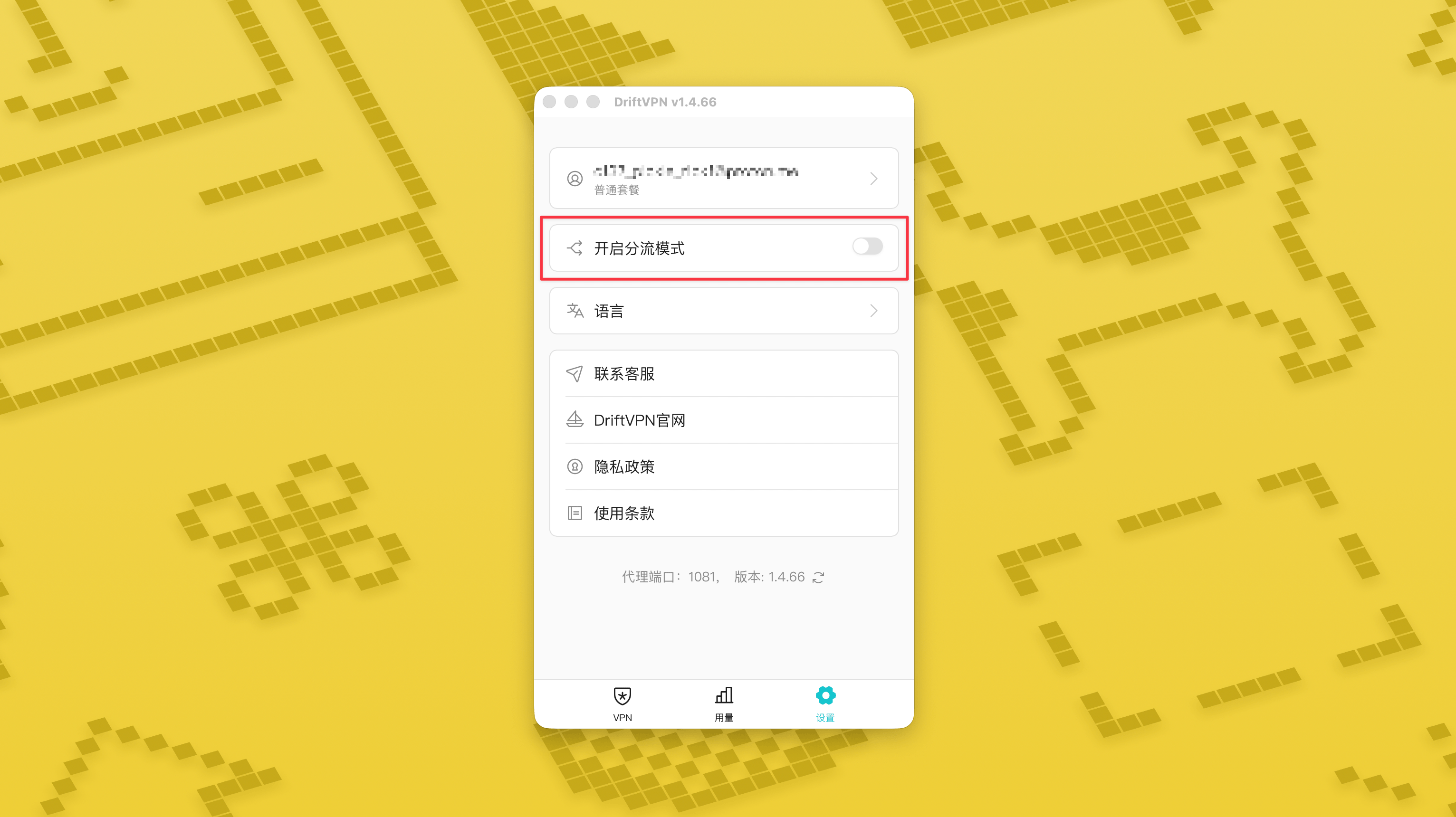
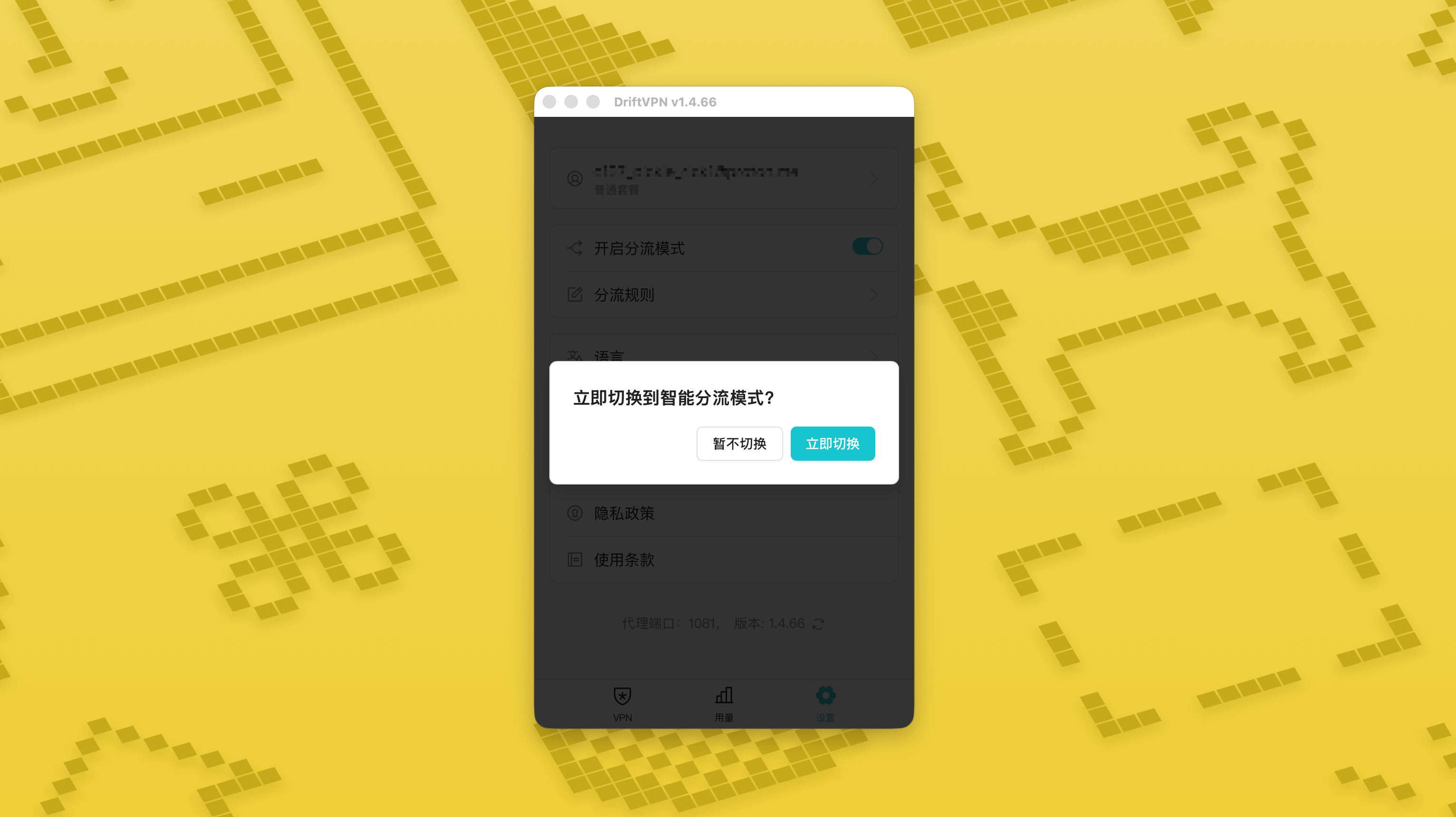
- 1.
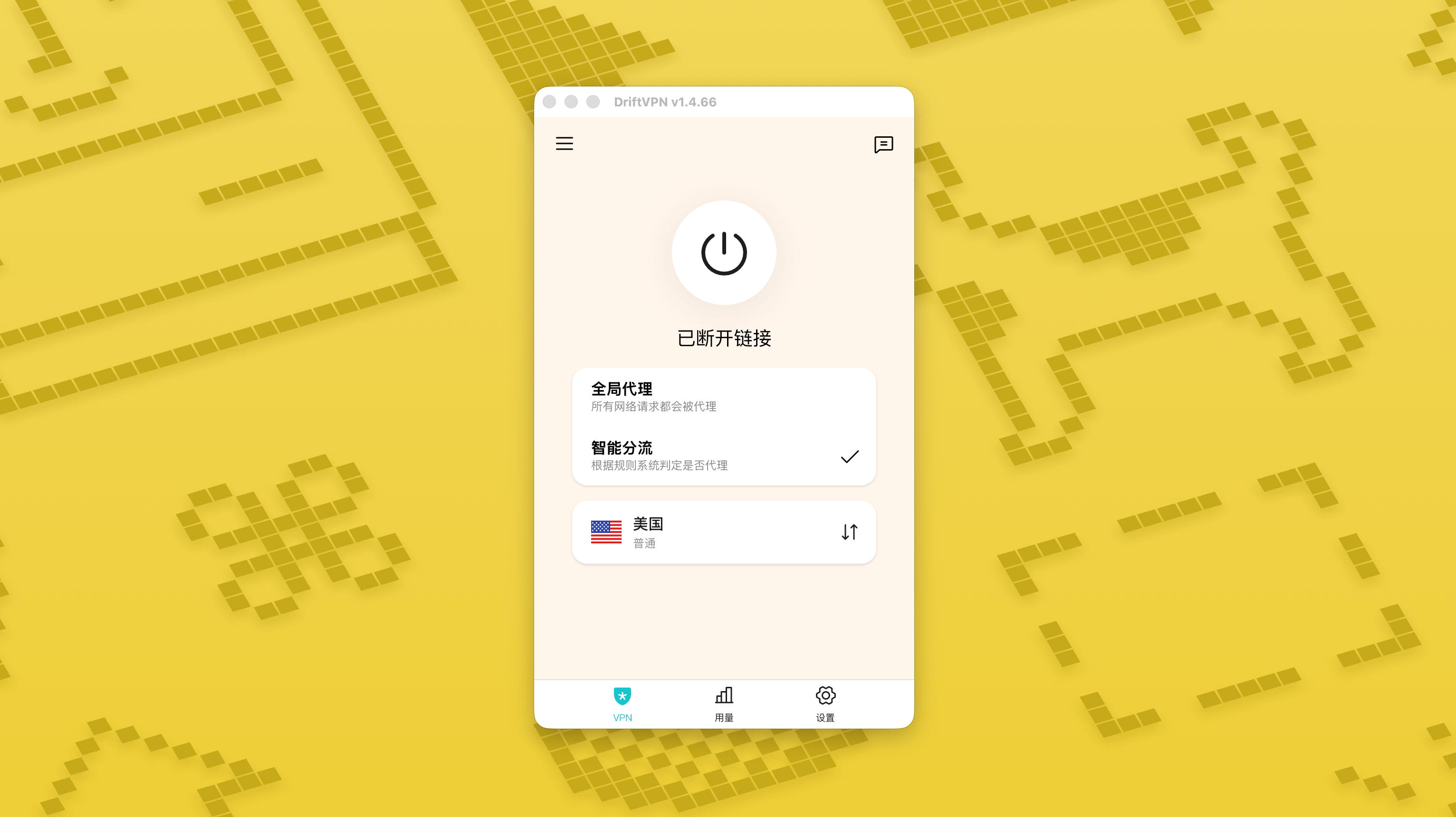
في صفحة الإعدادات، فعّل مفتاح وضع التوجيه الذكي ثم اضغط على «التبديل الآن» لتفعيله.
- 2.
بعد التفعيل، يمكنك التبديل بين «الوكيل العام» و«التوجيه الذكي» من الصفحة الرئيسية.
- 3.
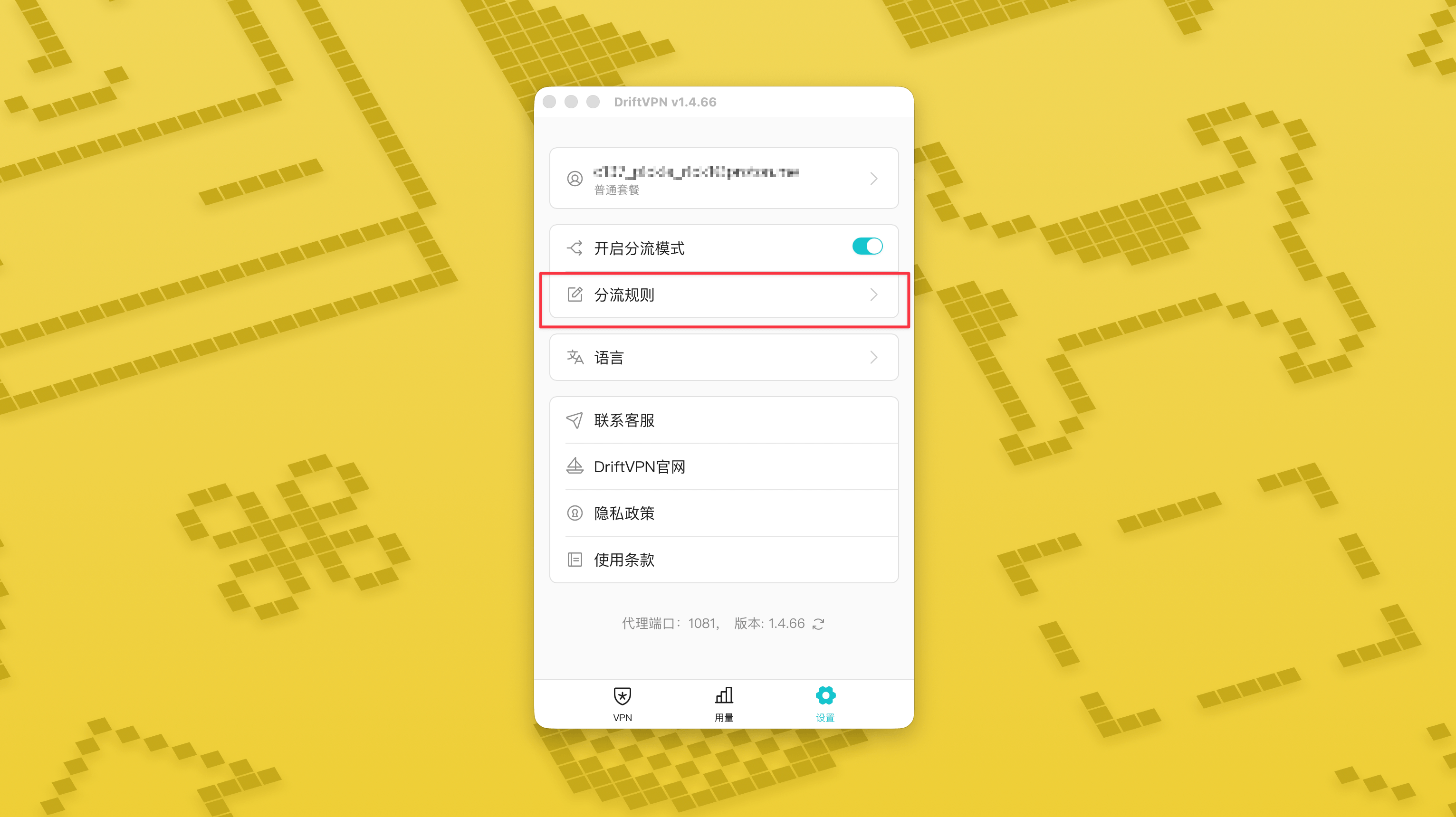
بعد تشغيل وضع التوجيه الذكي، ستظهر صفحة «قواعد التوجيه» في الإعدادات.
- 4.
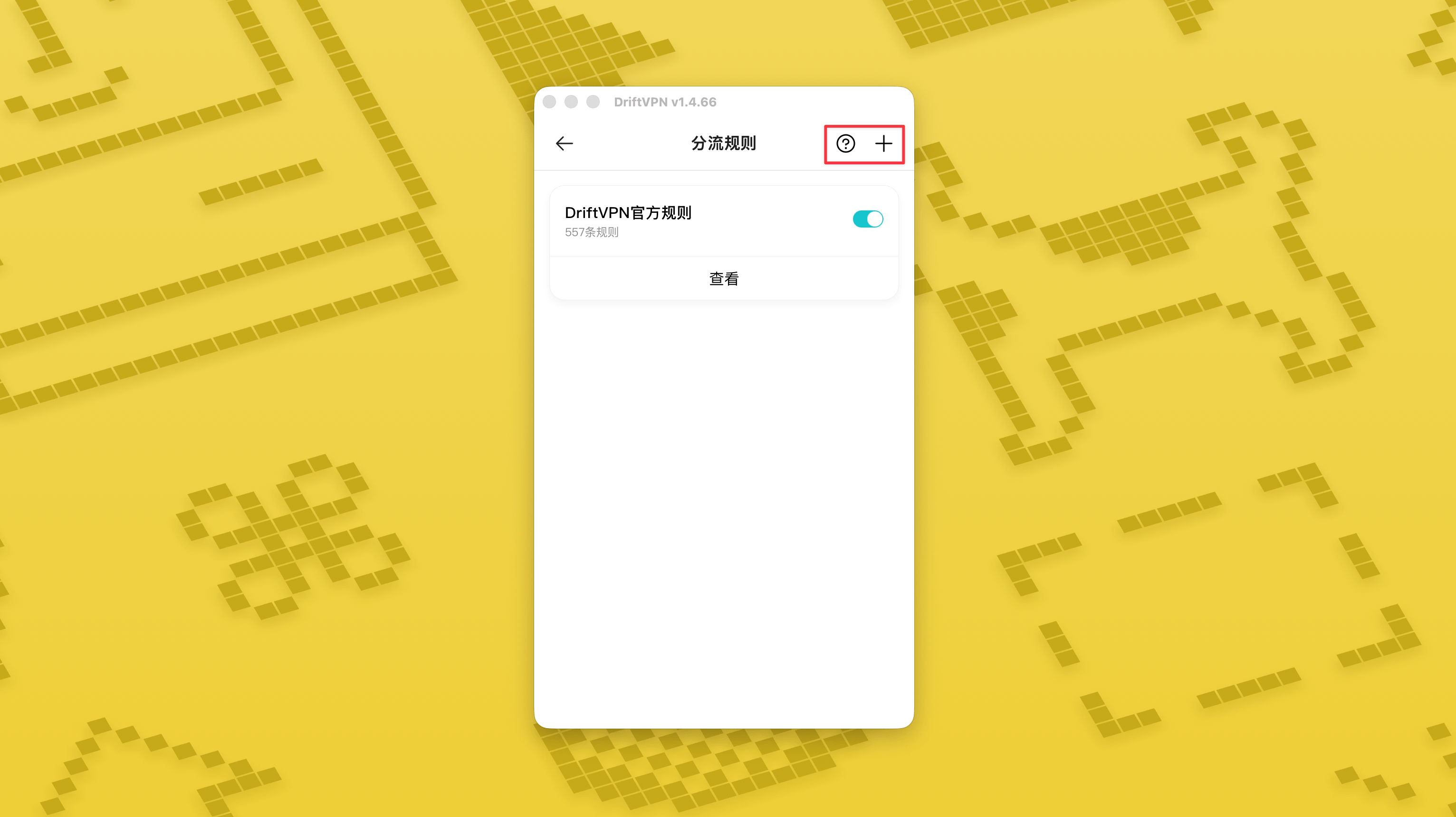
في أعلى يمين صفحة «قواعد التوجيه»، اضغط على زر «+» لإضافة قاعدة جديدة، واضغط على زر «?» لمعرفة كيفية كتابة القواعد. ويمكن تفعيل أو تعطيل كل مجموعة قواعد عبر المفتاح الخاص بها.
إذا كنت تستخدم بالفعل أداة وكيل مثل Clash، يمكنك استخدام DriftVPN كوكيل أمامي ثم الاتصال بوكيل IP السكني كمخرج نهائي. هذا مناسب للمستخدمين المتقدمين الذين يحتاجون إلى "إنشاء اتصال عبر DriftVPN أولاً، ثم الوصول إلى الموقع المستهدف عبر IP سكني".
منفذ الوكيل المحلي الافتراضي لـ DriftVPN هو . إذا كان هذا المنفذ مستخدماً بالفعل من قِبل برنامج آخر، سيحاول العميل تلقائياً المنفذ التالي، مثل 、. عند التهيئة، يرجى استخدام منفذ الوكيل المحلي المعروض حالياً في العميل (تحقق من رقم المنفذ في أسفل صفحة إعدادات VPN بعد الاتصال الناجح).
باستخدام عميل Clash / Mihomo الذي يدعم تسلسل الوكيل كمثال، يمكنك تهيئته كما يلي:
proxies: - name: "轻舟VPN 前置代理" type: http server: 127.0.0.1 port: 9527 - name: "住宅IP落地" type: http server: your-residential-proxy.example.com port: 12345 username: "your-username" password: "your-password"proxy-groups: - name: "轻舟VPN + 住宅IP" type: relay proxies: - "轻舟VPN 前置代理" - "住宅IP落地" - name: "PROXY" type: select proxies: - "轻舟VPN + 住宅IP" - DIRECTrules: - MATCH,PROXY
ملاحظات:
- يجب استبدال معلومات وكيل IP السكني أعلاه بالعنوان والمنفذ واسم المستخدم وكلمة المرور الفعلية التي يوفرها مزود الخدمة.
- إذا لم يكن منفذ الوكيل المحلي المعروض حالياً في DriftVPN هو 9527، يرجى تغيير المنفذ في التهيئة إلى المنفذ الفعلي.
- يجب ملء نوع وكيل IP السكني الخاص بك وفقاً للبروتوكول الذي يوفره مزود الخدمة. القيم الشائعة هي http أو socks5.
- يختلف دعم تسلسل الوكيل بين عملاء Clash المختلفة. إذا لم تنجح التهيئة، تأكد من أن نواة العميل الحالية تدعم مجموعة الوكيل من نوع relay.
- هذا الاستخدام مناسب للمستخدمين المتقدمين المعتادين على تهيئة Clash. يُوصى للمستخدمين العاديين باستخدام الوكيل العام أو التوجيه الذكي المدمج في عميل DriftVPN.
نعم. إذا كان الوصول غير مستقر، قم بالتبديل إلى مسار آخر وحاول مرة أخرى.
يمكنك اختيار مسار بناءً على حالة الاستخدام الحالية:
- للاستخدام اليومي، إذا لم يكن زمن الاستجابة مهماً، فأي مسار مناسب.
- إذا كان زمن الاستجابة مهماً، اختر عقدة أقرب جغرافياً إليك.
- إذا كنت بحاجة إلى الوصول إلى مواقع أو خدمات بقيود IP إقليمية، مثل محتوى البث الحصري لمنطقة معينة، اختر عقدة في البلد أو المنطقة المقابلة.
نقدم دعم العملاء فقط للمشكلات التالية:
- مشكلات تسجيل الدخول إلى الحساب
- مشكلات الدفع / الطلبات
- عدم توفر الخدمة بالكامل، مثل عدم القدرة على الاتصال
الحالات التالية خارج نطاق دعم العملاء:
- مشكلات التجربة الشخصية مثل التقطّع أو البطء أو عدم استقرار السرعة
- بطء الوصول إلى منصات خارجية، مثل المواقع أو التطبيقات
- مشكلات ناتجة عن بيئة الشبكة المحلية أو الجهاز أو مزود الخدمة أو عوامل مشابهة لدى المستخدم
- مشكلات ناتجة عن عدم اتباع الدليل الرسمي أو تعديل الإعدادات يدويًا
- تتأثر جودة الشبكة بشكل كبير بمزود الخدمة المحلي والمسارات الدولية، لذلك لا يمكن للمنصة ضمان تجربة الوصول في جميع المناطق والأوقات.
إذا واجهت أي مشكلة، يمكنك التواصل معنا من خلال الطرق التالية:
- أرسل مشكلتك عبر صفحة 'التعليقات' وسنرد عليك بالبريد الإلكتروني.الذهاب إلى صفحة التعليقات
- أرسل بريداً إلكترونياً إلى بريد الدعم الخاص بنا:support@qz.run
- تواصل معنا على Telegram:@driftvpn_offical