
Hilfezentrum - Einrichtungsanleitungen und Fehlerbehebung
Installation
So überprüfen Sie, ob Ihr Mac einen Intel- oder Apple-Silicon-Prozessor verwendet:
- Klicken Sie auf das Apple-Symbol oben links auf dem Bildschirm
- Wählen Sie "Über diesen Mac"
- Im angezeigten Fenster prüfen Sie die Informationen zu "Chip oder Prozessor". Beginnt es mit Intel, ist es ein Intel-Prozessor, andernfalls ein Apple-Silicon-Prozessor
- 1.
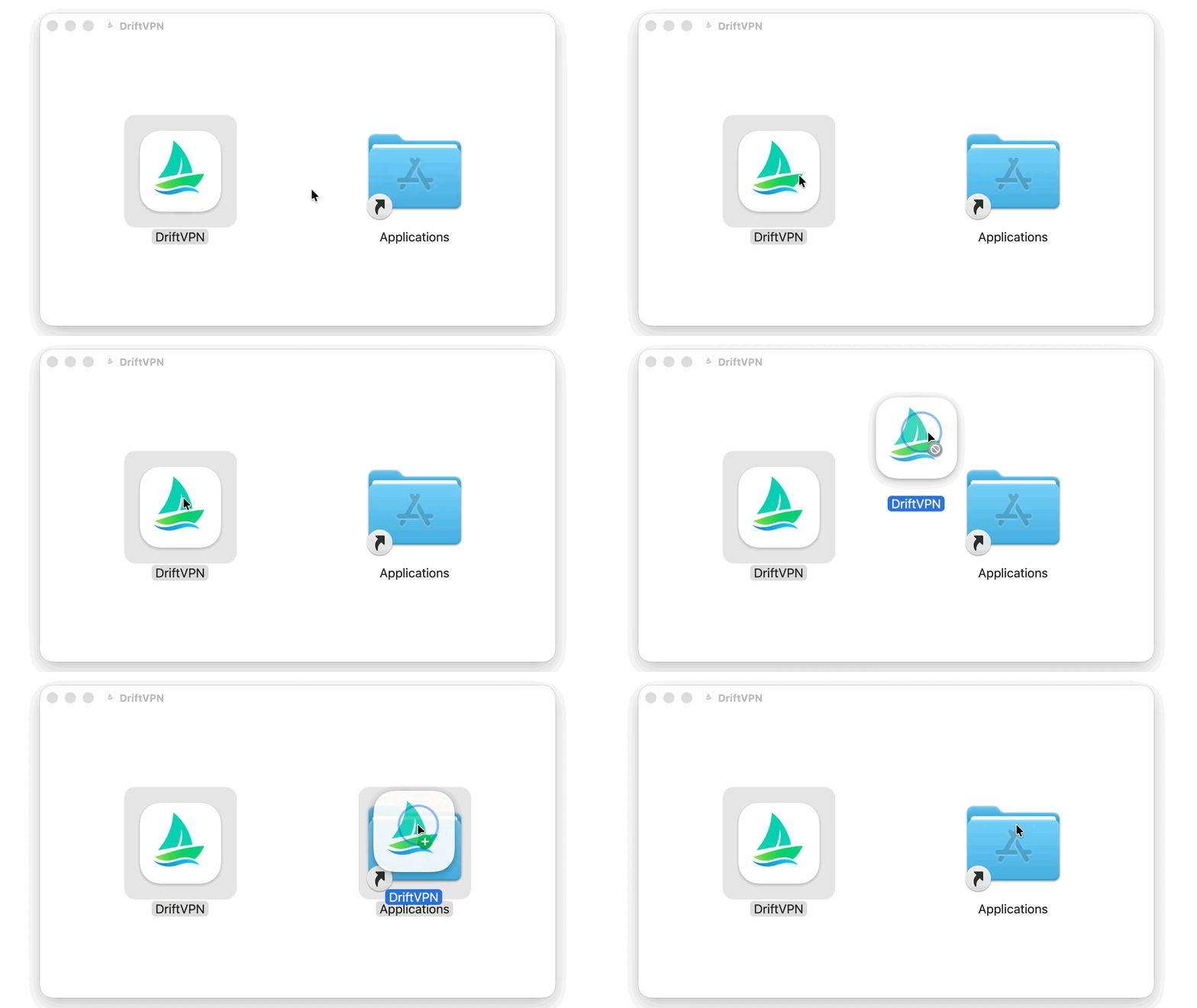
Öffnen Sie nach dem Herunterladen des macOS-Installationsprogramms die .dmg-Datei und ziehen Sie VPN in den Ordner Programme.
- 2.
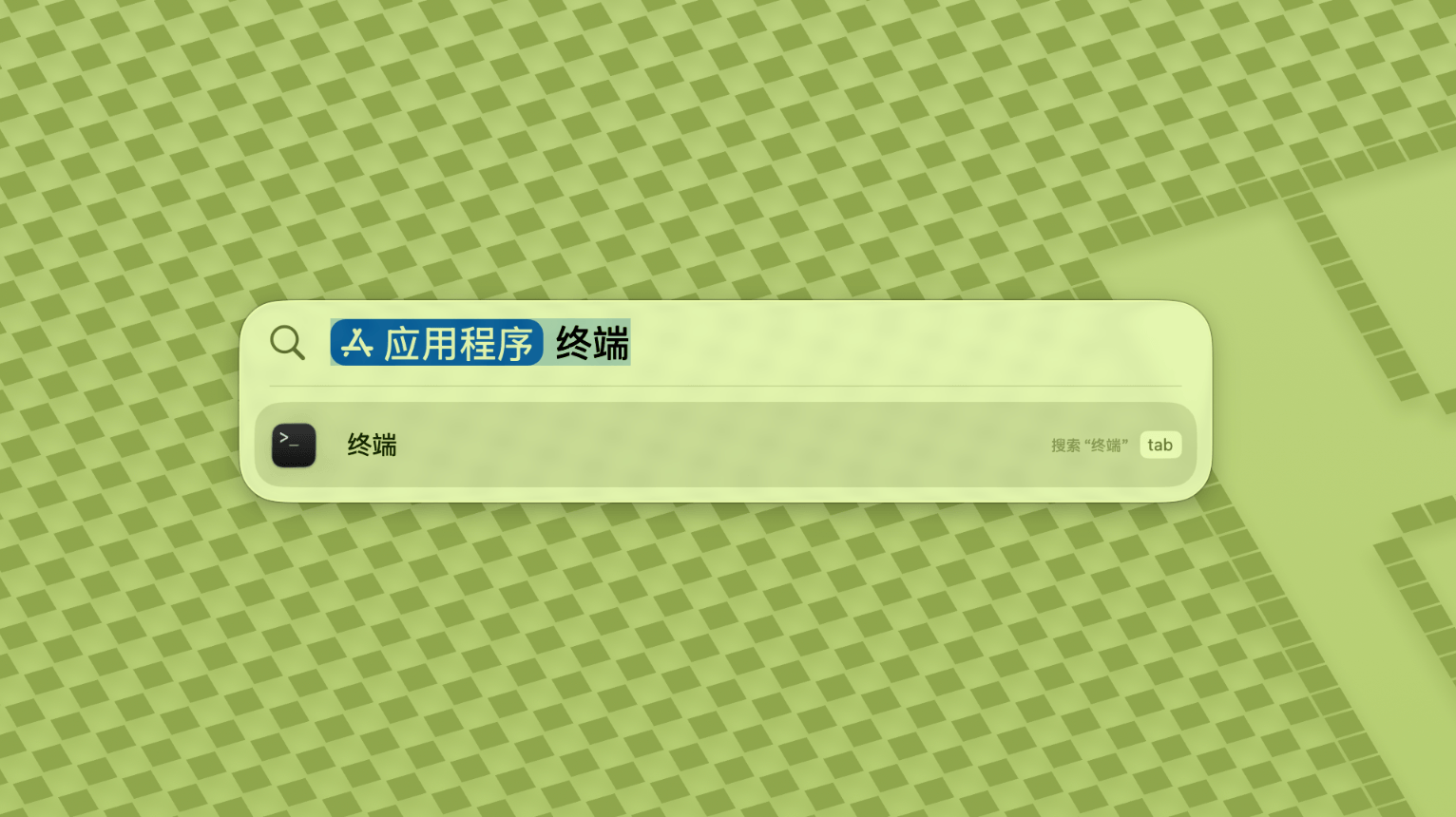
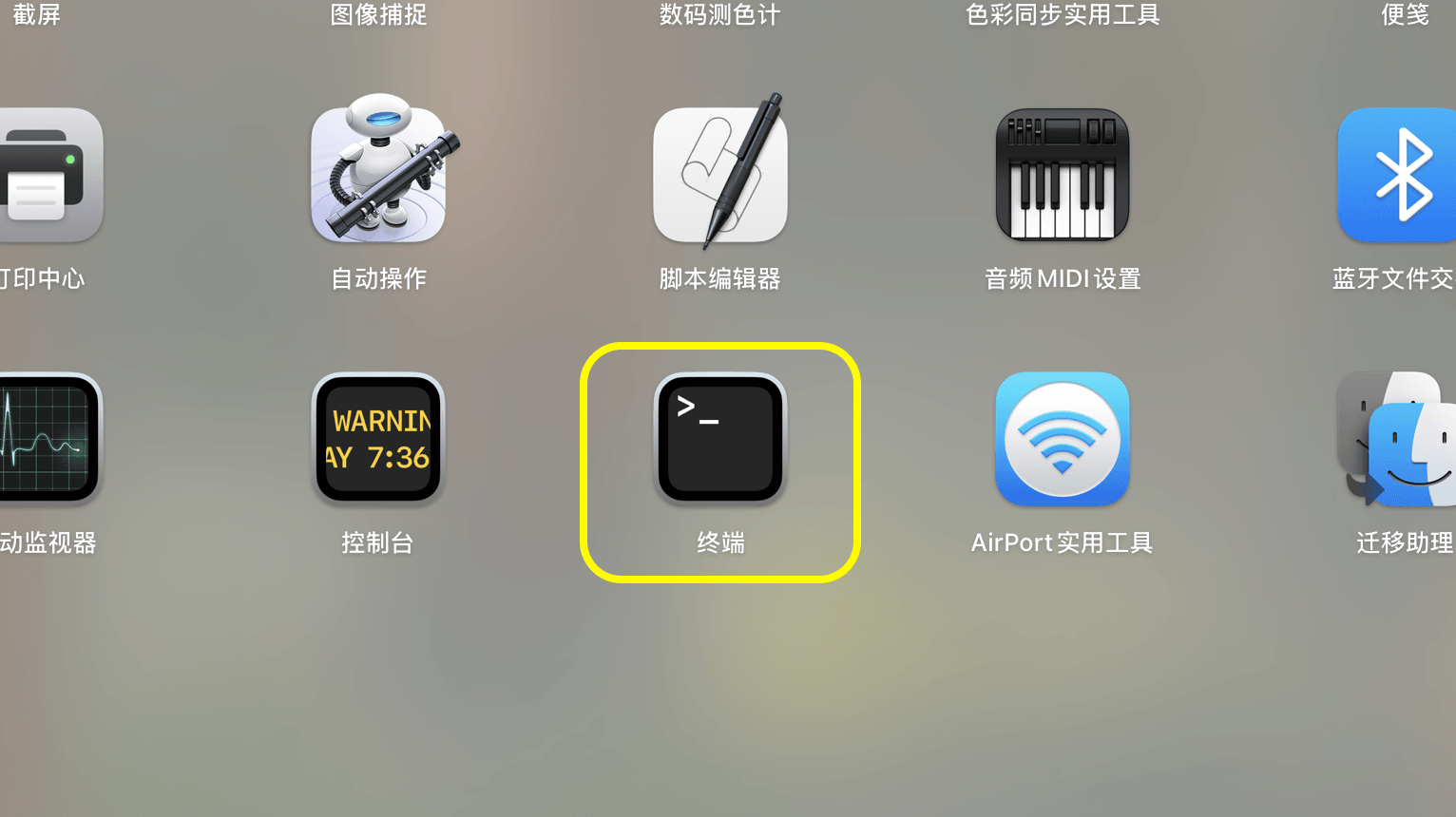
Öffnen Sie Launchpad oder Spotlight und suchen Sie dann nach Terminal und öffnen Sie es.
- 3.
Fügen Sie den folgenden Befehl in das Terminal ein und drücken Sie Enter. Geben Sie bei Aufforderung Ihr Mac-Anmeldekennwort ein; während der Eingabe werden keine Zeichen angezeigt. Drücken Sie nach der Eingabe erneut Enter.
sudo xattr -rd com.apple.quarantine /Applications/DriftVPN.app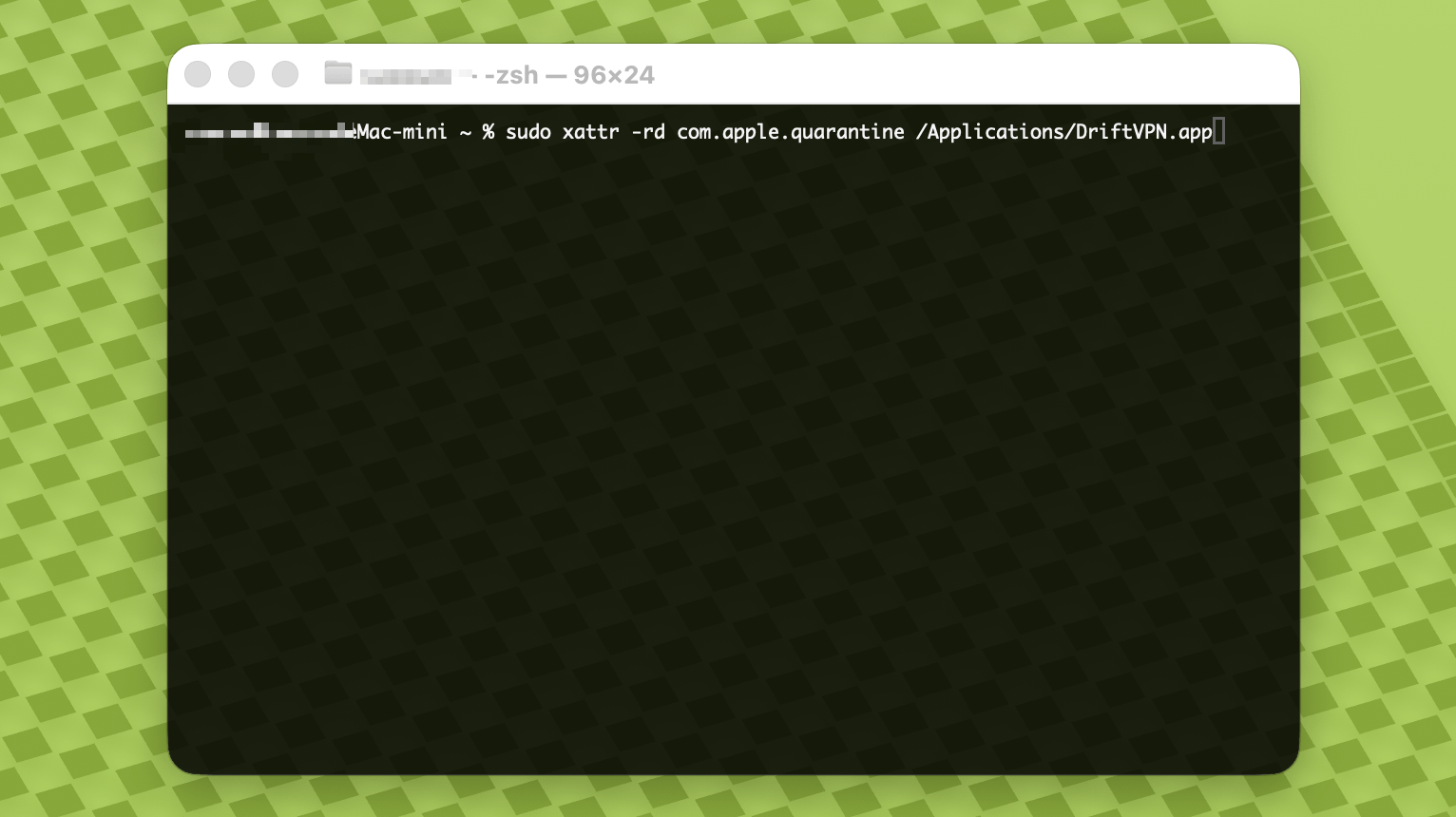
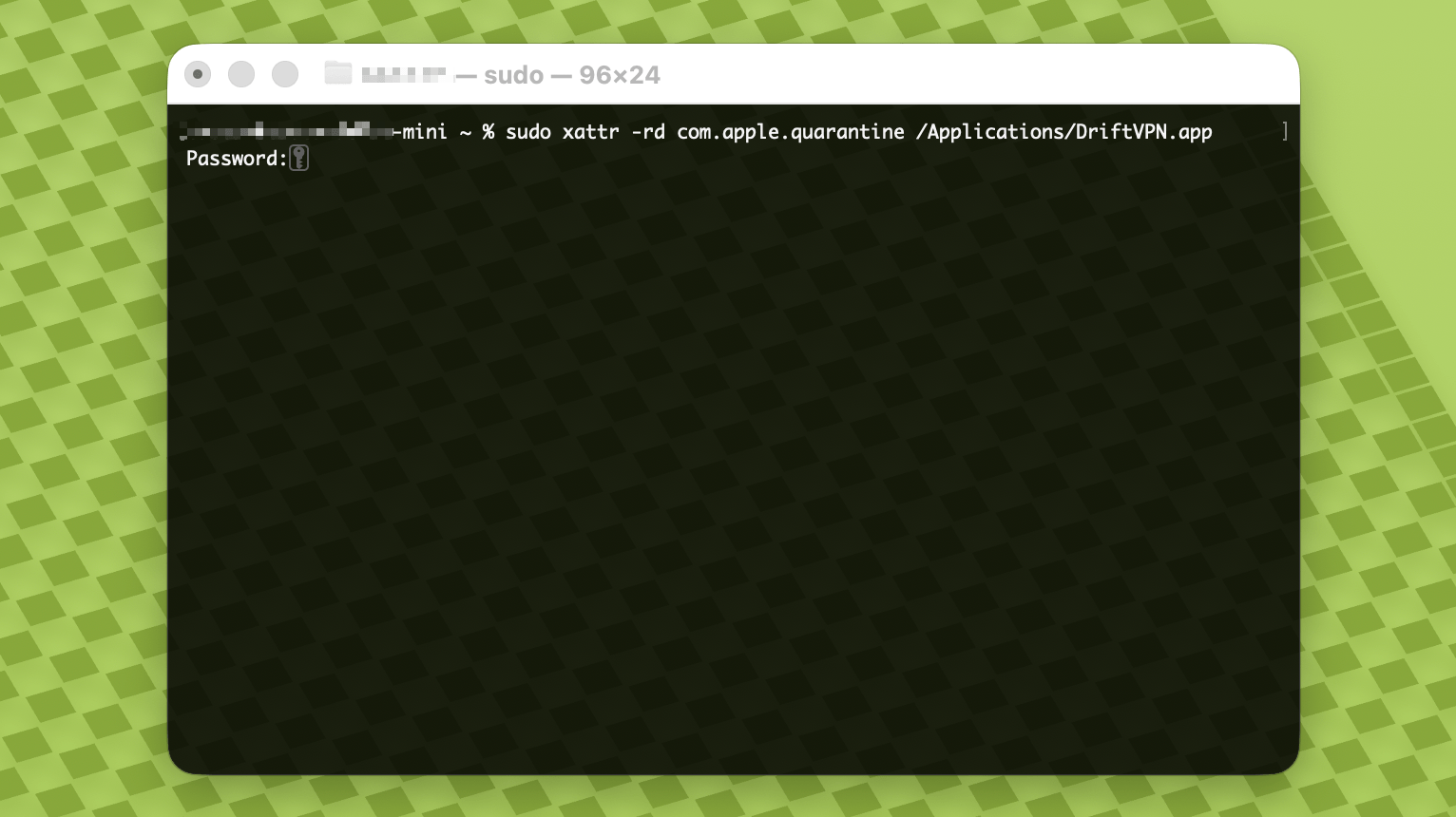
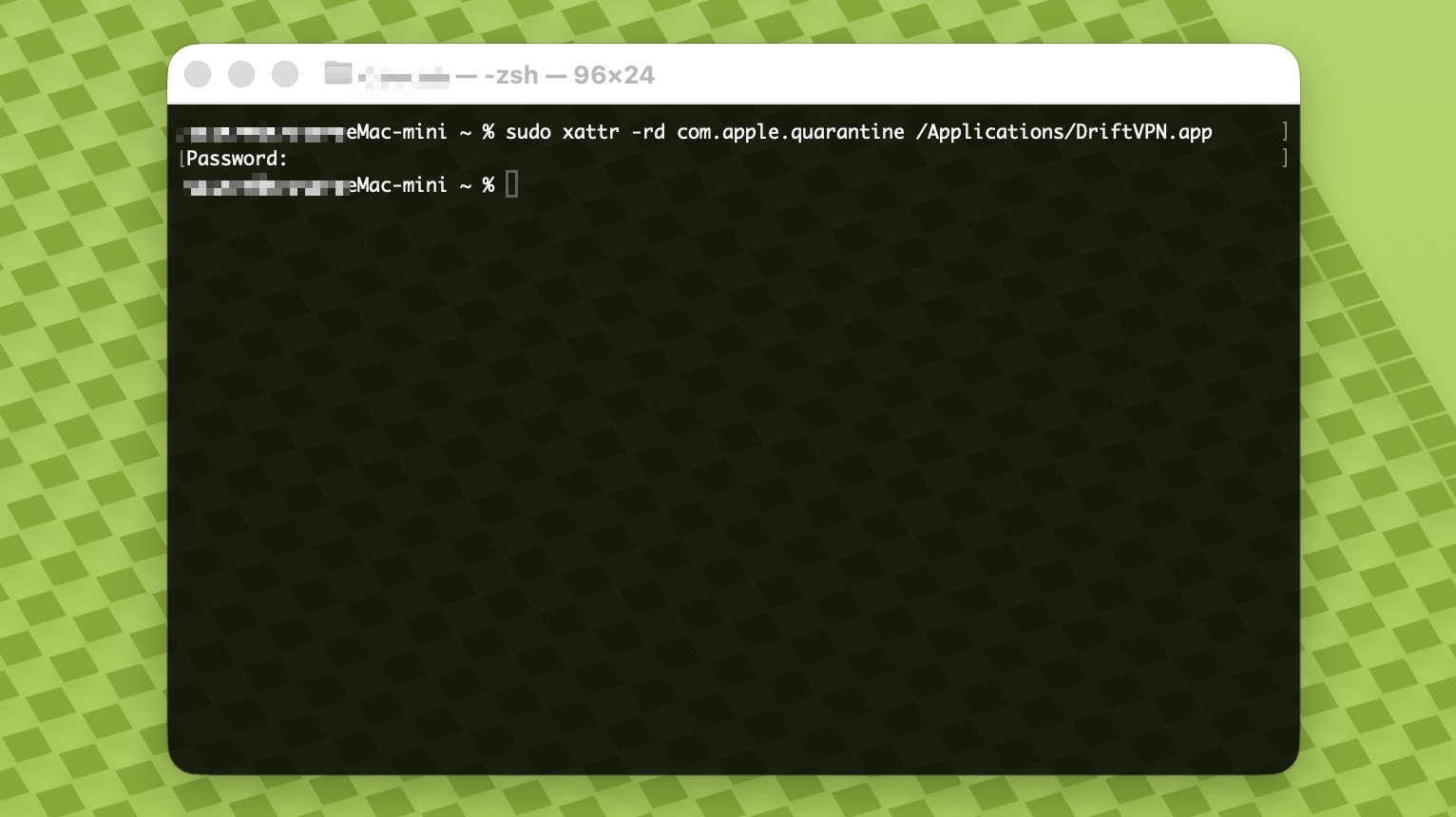
- 4.
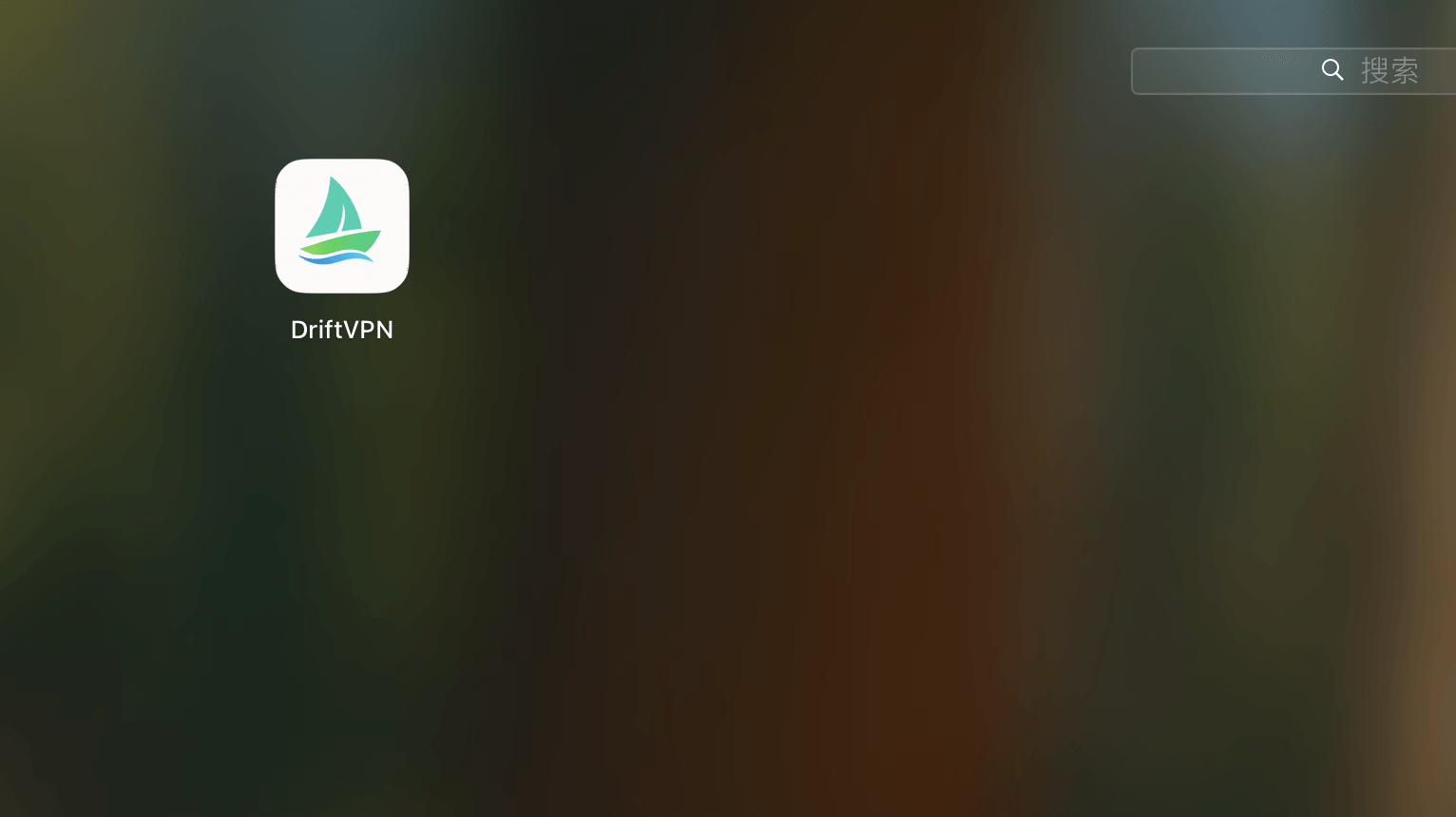
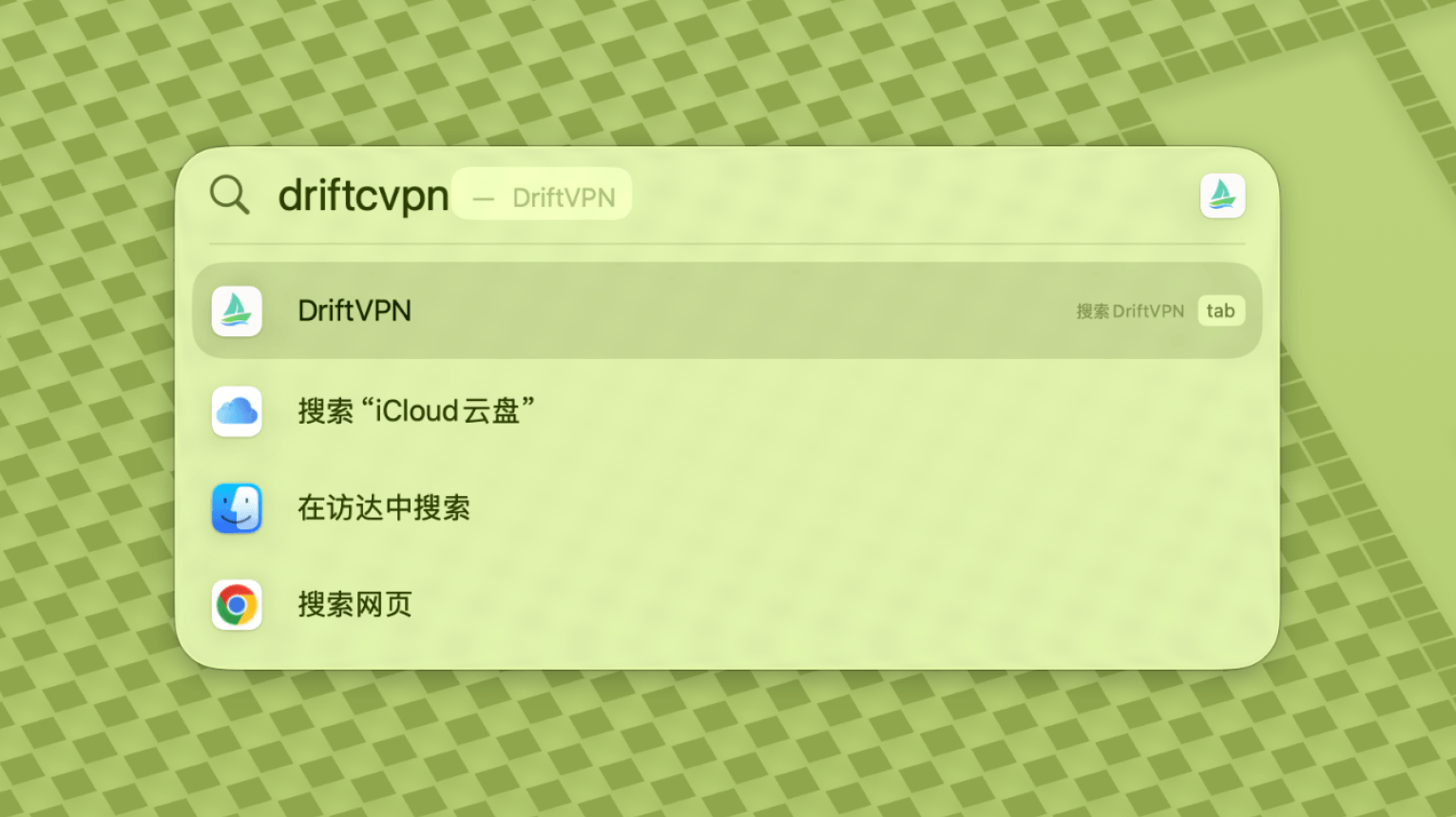
Suchen Sie nach Abschluss des Befehls nach VPN oder öffnen Sie es aus dem Ordner Programme.
- 5.
Wenn macOS die App weiterhin blockiert, gehen Sie zu Systemeinstellungen → Datenschutz & Sicherheit und klicken Sie im Abschnitt Sicherheit auf Dennoch öffnen. Wenn die Meldung erscheint, dass die App beschädigt ist, laden Sie das neueste Installationsprogramm erneut herunter und wiederholen Sie den obigen Befehl.
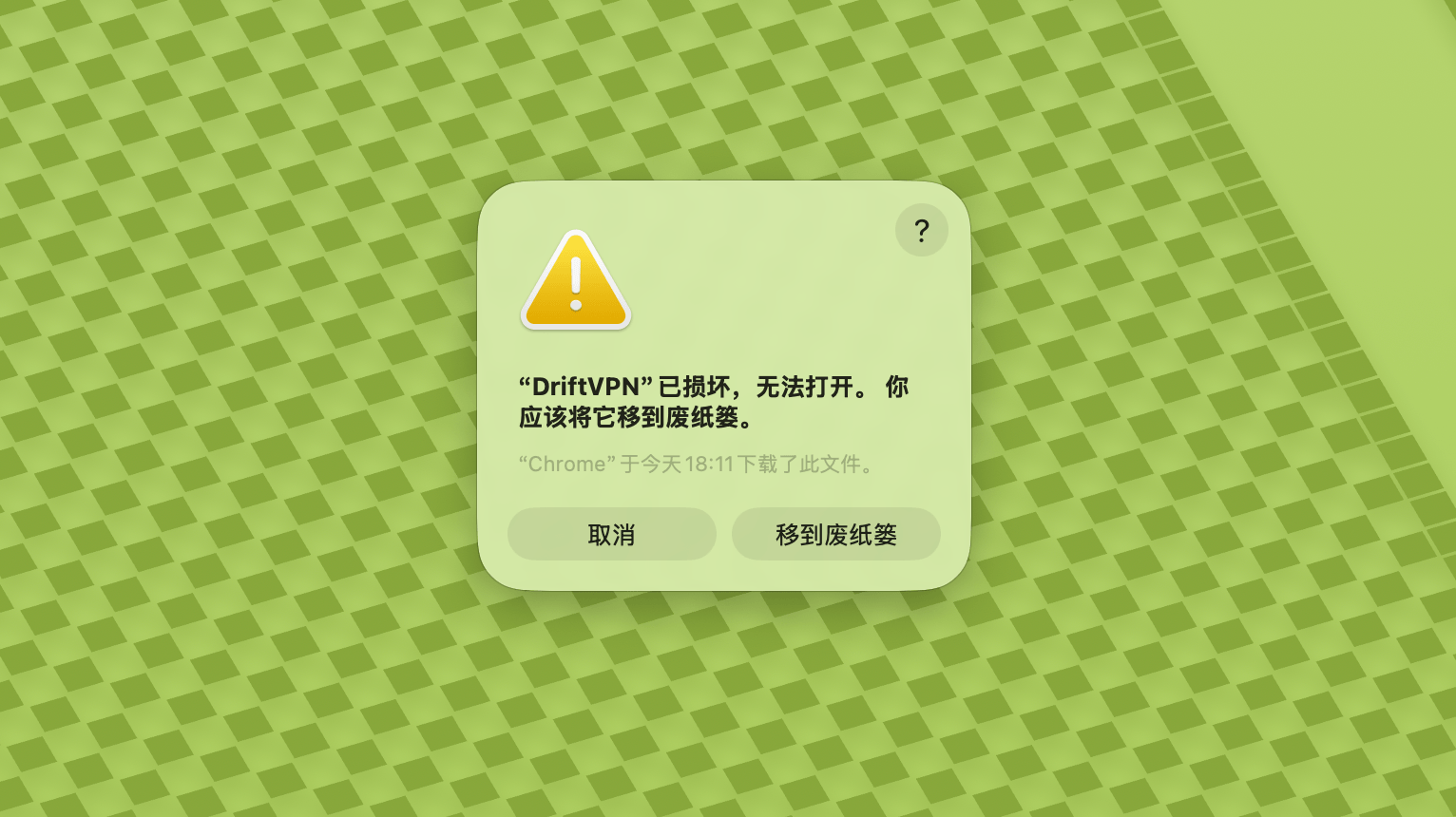
Wenn Sie VPN auf macOS nicht öffnen können, gehen Sie zu Systemeinstellungen → Datenschutz & Sicherheit, scrollen Sie zum Abschnitt Sicherheit und klicken Sie auf Dennoch öffnen.
So überprüfen Sie, ob Ihr Windows-Computer einen x64-, ARM64- oder x86 (32-Bit)-Prozessor verwendet:
- Öffnen Sie das Systeminformations-Tool. Drücken Sie Win + R, geben Sie msinfo32 ein und drücken Sie Enter
- Gehen Sie zu Systemübersicht → Systemtyp, dort sehen Sie die Systemarchitektur-Informationen
Fehlermeldung: Die Proxy-Executable existiert nicht. Oder: Die Datei enthält einen Virus oder potenziell unerwünschte Software. Lösung:
Methode 1:
- Öffnen Sie 'Einstellungen' → 'Datenschutz & Sicherheit' → 'Windows-Sicherheitscenter' → 'Viren- & Bedrohungsschutz'
- Klicken Sie auf 'Einstellungen verwalten'
- Unten fügen Sie Ausnahmen hinzu oder entfernen sie und fügen das Drift-Installationsverzeichnis zu den Ausnahmen hinzu
Methode 2:
- Öffnen Sie 'Einstellungen' → 'Datenschutz & Sicherheit' → 'Windows-Sicherheitscenter' → 'Viren- & Bedrohungsschutz'
- Klicken Sie auf 'Einstellungen verwalten'
- Deaktivieren Sie den 'Echtzeitschutz'
Wenn die App nach dem Start unter Windows keine Verbindung herstellen kann, wird sie normalerweise von der Windows Defender Firewall blockiert. Lösungen:
Methode 1: Ausnahme über die Systemsteuerung hinzufügen
- Drücken Sie Win + S und suchen Sie: Systemsteuerung
- Gehen Sie zu: System und Sicherheit → Windows Defender Firewall
- Klicken Sie links auf: Eine App oder ein Feature durch die Windows Defender Firewall zulassen
- Klicken Sie oben rechts auf: Einstellungen ändern
- Klicken Sie auf: Andere App zulassen
- Klicken Sie auf: Durchsuchen und wählen Sie Ihre .exe-Datei (Standardpfad: C:\Users\[Benutzer]\AppData\Local\VPN\QingZhou.exe)
- Aktivieren Sie nach dem Hinzufügen: Privat und Öffentlich (wenn externer Netzwerkzugriff erforderlich ist)
- Klicken Sie auf: OK
Methode 2: Regeln in Windows Defender Firewall mit erweiterter Sicherheit erstellen
- Drücken Sie Win + S, suchen Sie 'Windows Defender Firewall mit erweiterter Sicherheit' und öffnen Sie sie
- Klicken Sie links auf 'Eingehende Regeln' → rechts auf 'Neue Regel'
- Wählen Sie: Programm → Weiter
- Wählen Sie 'Dieser Programmpfad', navigieren Sie zu Ihrer .exe-Datei → Weiter
- Wählen Sie: Verbindung zulassen → Weiter
- Aktivieren Sie: Domäne, Privat, Öffentlich (normalerweise alle) → Weiter
- Geben Sie einen Namen ein (z. B. DriftVpn Inbound) → Fertig stellen
- Wiederholen Sie die Schritte für 'Ausgehende Regeln' (wählen Sie links 'Ausgehende Regeln'; der Ablauf ist identisch)
Sie können VPN für Android wie folgt herunterladen und installieren:
- Öffnen Sie die offizielle Download-Seite und wählen Sie Android.
- Laden Sie das Android-Installationspaket auf Ihr Telefon oder Tablet herunter.
- Öffnen Sie die heruntergeladene APK-Datei aus Ihren Browser-Downloads oder dem Dateimanager.
- Wenn Android nach der Berechtigung zum Installieren unbekannter Apps fragt, erlauben Sie dies für den aktuellen Browser oder Dateimanager und setzen Sie dann die Installation fort.
Einige Browser oder Systeme speichern die APK-Datei möglicherweise mit einer .zip-Erweiterung. Gehen Sie wie folgt vor:
- Entpacken Sie die Datei nicht.
- Öffnen Sie den Dateimanager und benennen Sie die heruntergeladene Datei um, indem Sie die Endung von .zip in .apk ändern.
- Tippen Sie auf die umbenannte .apk-Datei, um sie zu installieren.
- Wenn Sie sie nicht umbenennen können, laden Sie sie erneut herunter oder verwenden Sie einen anderen Browser zum Herunterladen der APK.
Aus Richtliniengründen ist VPN im chinesischen App Store nicht verfügbar. Sie können es wie folgt herunterladen:
- Sie benötigen eine nicht-chinesische Apple-ID (z. B. USA, Japan, Hongkong usw.)
- Wechseln Sie im App Store zum nicht-chinesischen Konto
- Suchen Sie nach 'VPN', um es zu finden und herunterzuladen
- Wenn Sie keine ausländische Apple-ID haben, können Sie online nach Anleitungen zur kostenlosen Registrierung einer ausländischen Apple-ID suchen
Konto
Wenn Sie Ihr Anmeldekennwort vergessen haben, können Sie es mit diesen Schritten zurücksetzen:
- Gehen Sie zur Anmeldeseite und klicken Sie auf 'Passwort vergessen?'
- Geben Sie Ihre registrierte E-Mail-Adresse ein
- Prüfen Sie Ihre E-Mails auf einen 6-stelligen Bestätigungscode (gültig für 5 Minuten)
- Geben Sie den Bestätigungscode und Ihr neues Passwort ein, um das Zurücksetzen abzuschließen
Zahlungsfragen
Derzeit werden die folgenden Zahlungsmethoden unterstützt:
- Visa/Mastercard
Wenn du dein Abonnement kündigen möchtest, stelle zunächst fest, über welche Plattform du es abgeschlossen hast. Der Kündigungsweg unterscheidet sich je nach Plattform. Das Deinstallieren der App kündigt das Abonnement nicht automatisch.
Website-Abonnement
Schritte:
- Gehe auf die offizielle Website und melde dich oben rechts mit deinem Konto an.
- Klicke nach dem Einloggen oben rechts auf „Mein Konto – Tarif & Abrechnung".
- Klicke auf die Schaltfläche „Verwalten" neben deinen Tarifdetails.
- Kündige dein Abonnement auf der Stripe-Seite.
iOS
Wenn du über den App Store auf iPhone oder iPad abonniert hast, kündige über Apple:
- Öffne die Einstellungen auf deinem iPhone oder iPad.
- Tippe oben auf deinen Apple-Kontonamen.
- Tippe auf „Abonnements".
- Wähle das VPN-Abonnement aus.
- Tippe auf „Abonnement kündigen".
Wenn du ein iOS-Gerät verwendest, aber tatsächlich über die Website abonniert hast, folge den obigen Schritten unter „Website-Abonnement".
Android
Android-Abonnements außerhalb des Google Play Store werden über Stripe abgewickelt. Kündige gemäß den Anweisungen unter „Website-Abonnement" oben.
Android – Google Play
Wenn du über Google Play abonniert hast, kündige über Google Play:
- Öffne Google Play.
- Tippe oben rechts auf dein Profilbild.
- Gehe zu „Zahlungen & Abonnements".
- Tippe auf „Abonnements".
- Wähle das VPN-Abonnement aus.
- Tippe auf „Abonnement kündigen" und folge den Anweisungen.
Mac
Abonnements außerhalb des Mac App Store werden über Stripe abgewickelt. Kündige gemäß den Anweisungen unter „Website-Abonnement" oben.
Mac – App Store
Wenn du über den Mac App Store abonniert hast, kündige über Apple:
- Öffne den App Store auf deinem Mac.
- Klicke auf deinen Kontonamen.
- Klicke auf „Kontoeinstellungen".
- Suche „Abonnements" und klicke auf „Verwalten".
- Wähle das VPN-Abonnement aus.
- Klicke auf „Abonnement kündigen".
Windows
Kündige gemäß den Anweisungen unter „Website-Abonnement" oben.
Nutzung
Sie können Ihre VPN-Testversion mit diesen Schritten starten:
- Registrieren Sie ein Konto auf der offiziellen Website oder in einem beliebigen Client
- Melden Sie sich in einem beliebigen Client bei Ihrem Konto an
- Tippen Sie auf der Startseite auf die Schaltfläche zum Umschalten, um den Dienst zu nutzen
Wenn Sie einen Aktivierungscode haben, können Sie ihn nach dem Einloggen einlösen:
- Melden Sie sich auf der Website oder im Client bei Ihrem Konto an.
- Klicken Sie oben rechts auf Mein Konto und wählen Sie dann aus dem Dropdown-Menü Aktivierungscode einlösen.
- Geben Sie den Aktivierungscode ein und bestätigen Sie die Einlösung.
- Nach erfolgreicher Einlösung wird das entsprechende Paket oder die Leistung automatisch zu Ihrem Konto hinzugefügt.
- Wenn keine Erfolgsmeldung erscheint, wurde der Aktivierungscode bereits verwendet.
- Starten Sie nach der Aktivierung die App neu, damit das Paket oder die Leistung wirksam wird.
VPN unterstützt derzeit die folgenden Plattformen:
- Android (Smartphones und Tablets)
- iOS (iPhone und iPad, erfordert einen nicht-chinesischen App Store)
- macOS (unterstützt sowohl Intel- als auch Apple-Silicon-Chips)
- Windows (unterstützt x64-Architektur)
Ein Konto unterstützt bis zu 3 Geräte gleichzeitig online. Sie können den Client auf weiteren Geräten installieren und sich dort anmelden; begrenzt ist nur die Anzahl der gleichzeitig verbundenen Geräte. Wird das Limit überschritten, wird das zuerst verbundene Gerät automatisch getrennt. Der Client unterstützt derzeit keine Ein-Klick-Funktion, um andere Geräte zu trennen oder abzumelden. Um einen Online-Platz freizugeben, trennen Sie die Verbindung oder melden Sie sich auf dem jeweiligen Gerät manuell ab.
Sie steuern, welcher Datenverkehr durch das VPN geleitet wird:
- Globaler Proxy leitet den größten Teil des Netzwerkverkehrs durch das VPN. Verwenden Sie ihn, wenn alle Apps und Websites die Proxy-Verbindung nutzen sollen.
- Smart Routing leitet nur den Datenverkehr über den Proxy, der Beschleunigung oder Zugangsoptimierung benötigt. Lokaler und direkt erreichbarer Datenverkehr bleibt im ursprünglichen Netzwerk, was für den täglichen Gebrauch in der Regel besser ist.
- Die integrierten VPN-Regeln decken die meisten Anforderungen ab, und Sie können auch eigene Proxy-Regeln hinzufügen.
- 1.
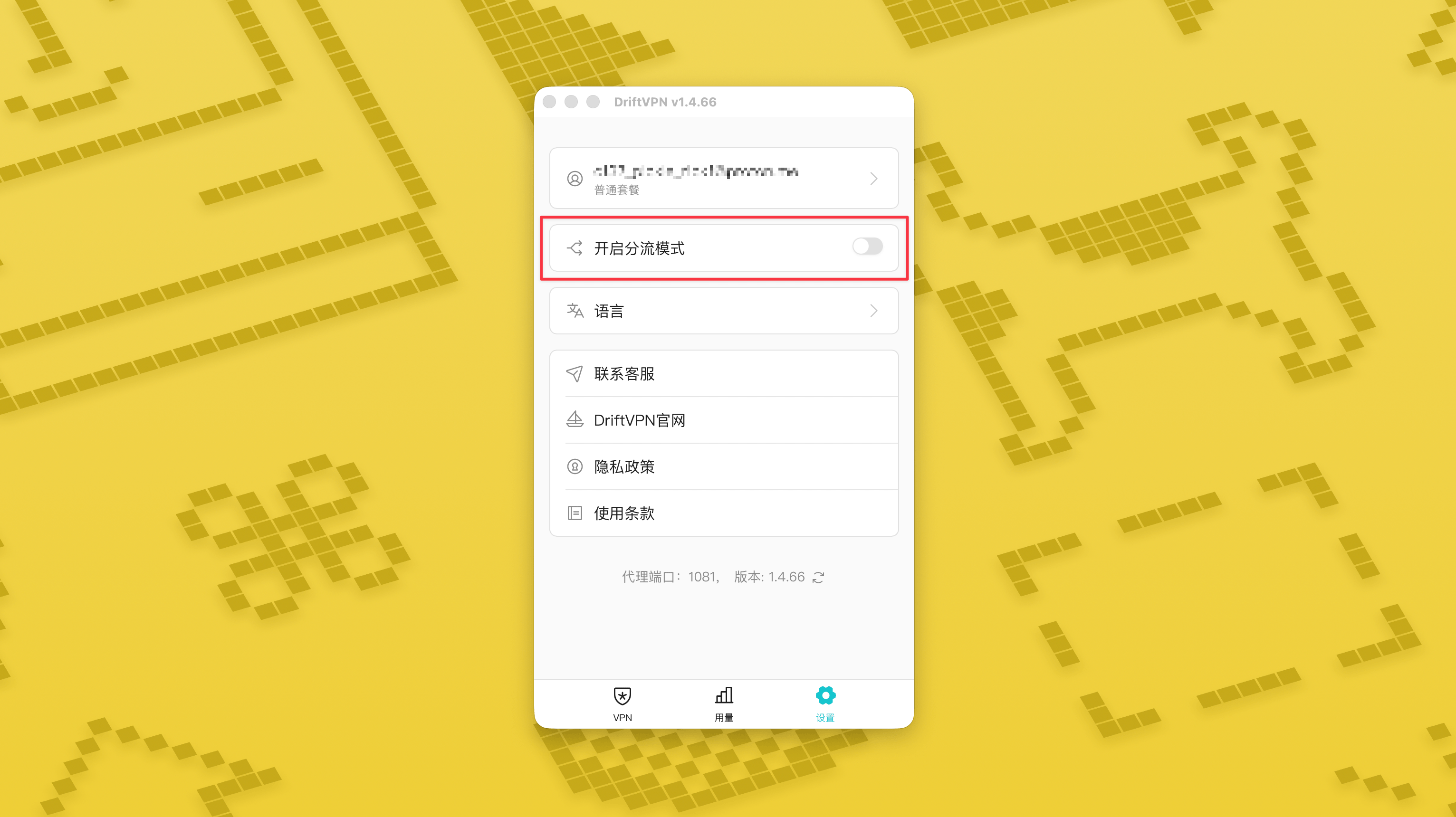
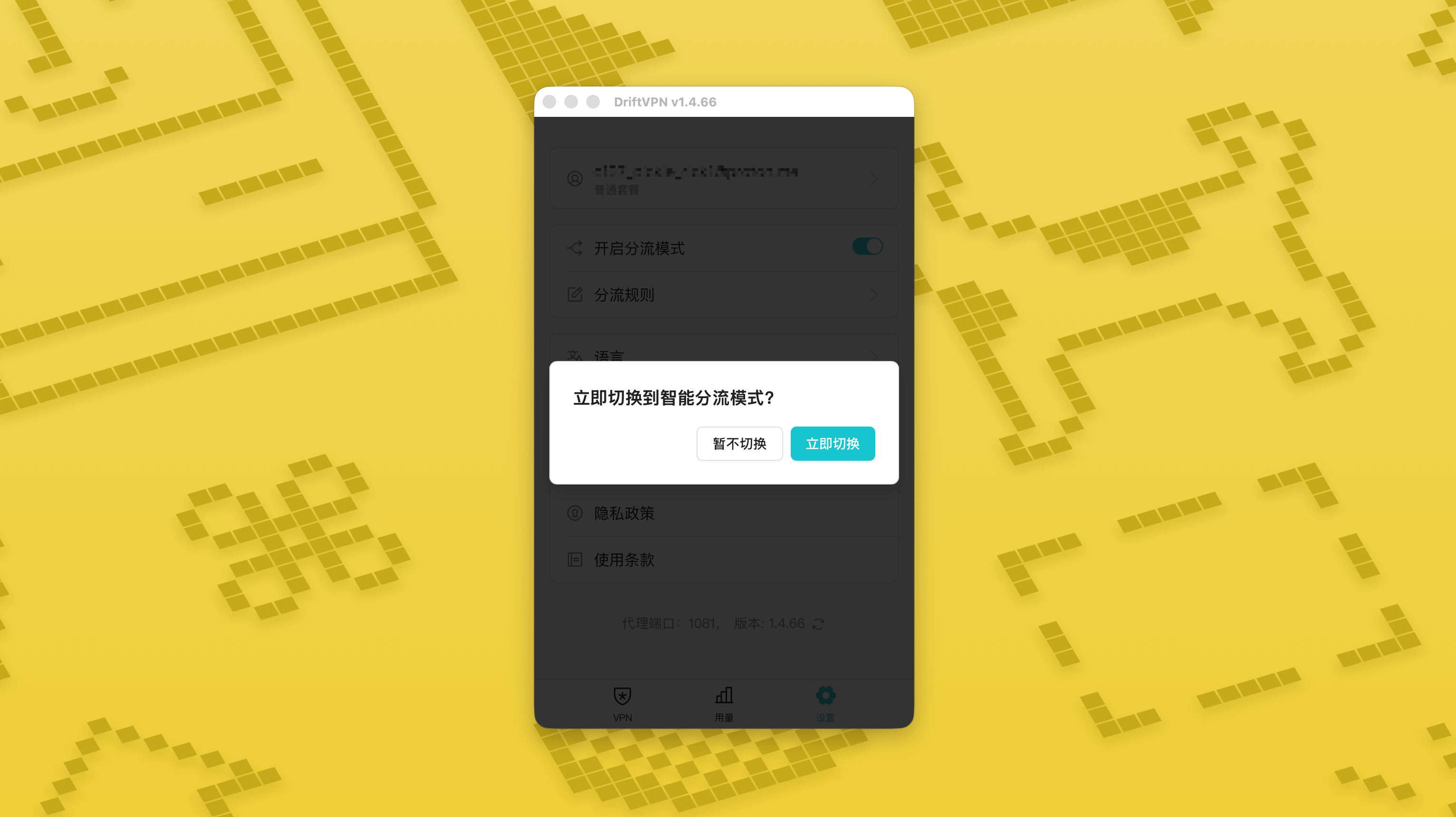
Aktivieren Sie auf der Seite „Einstellungen“ den Schalter für den Smart-Routing-Modus und tippen Sie anschließend auf „Jetzt wechseln“, um ihn einzuschalten.
- 2.
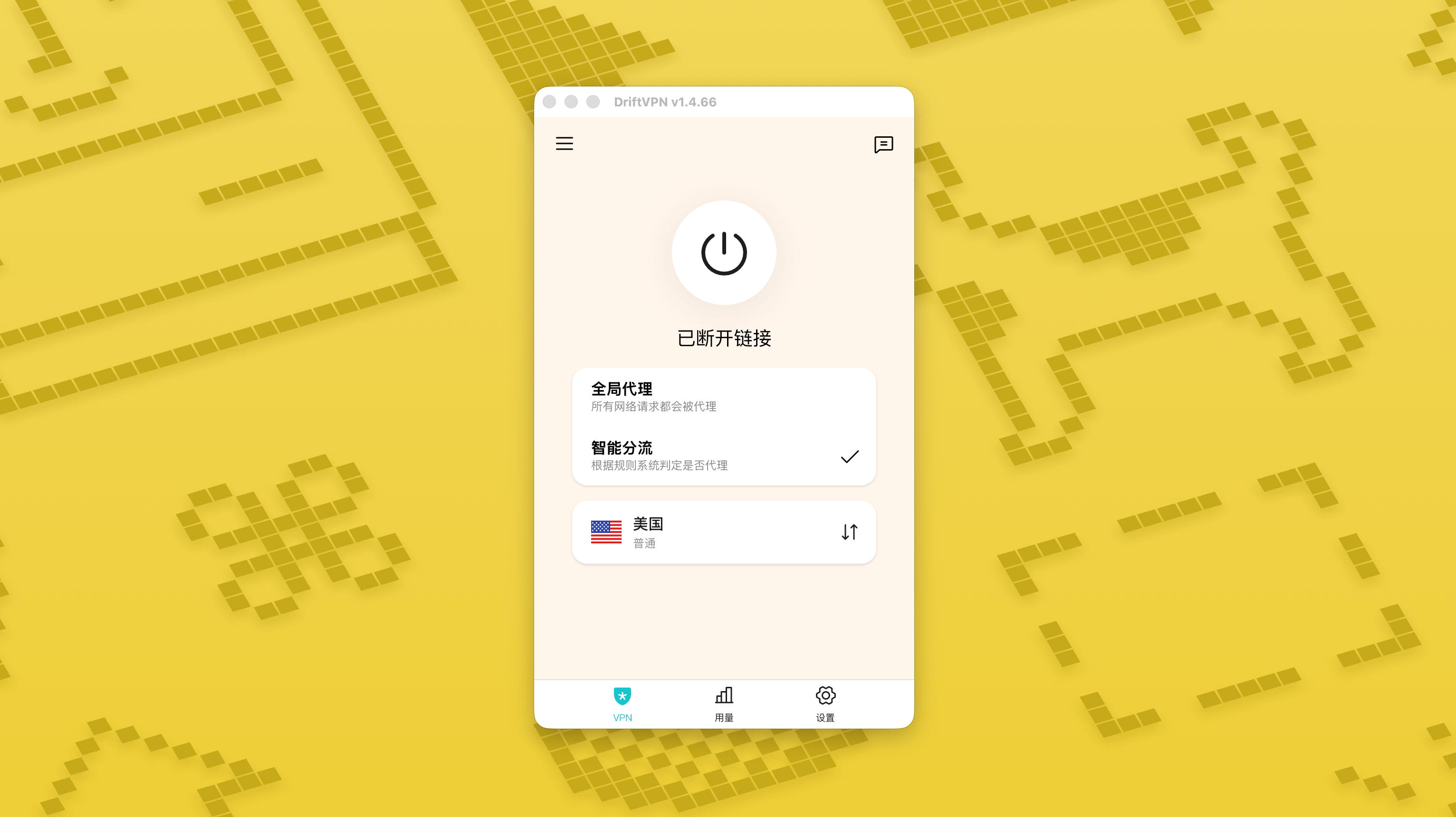
Nach dem Aktivieren können Sie auf der Startseite zwischen „Globaler Proxy“ und „Smart Routing“ wechseln.
- 3.
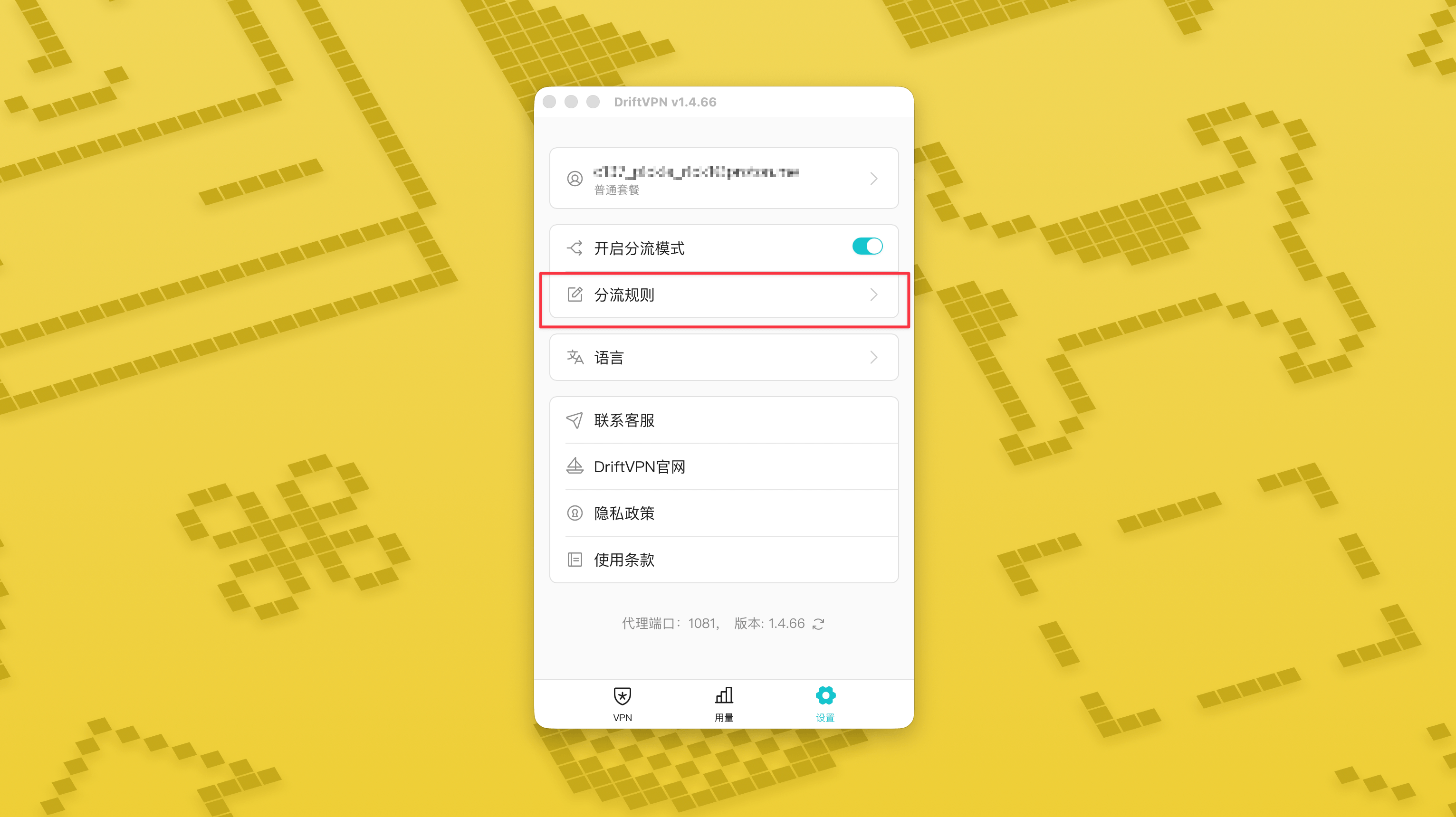
Sobald der Smart-Routing-Modus eingeschaltet ist, erscheint auf der Einstellungsseite die Seite „Routing-Regeln“.
- 4.
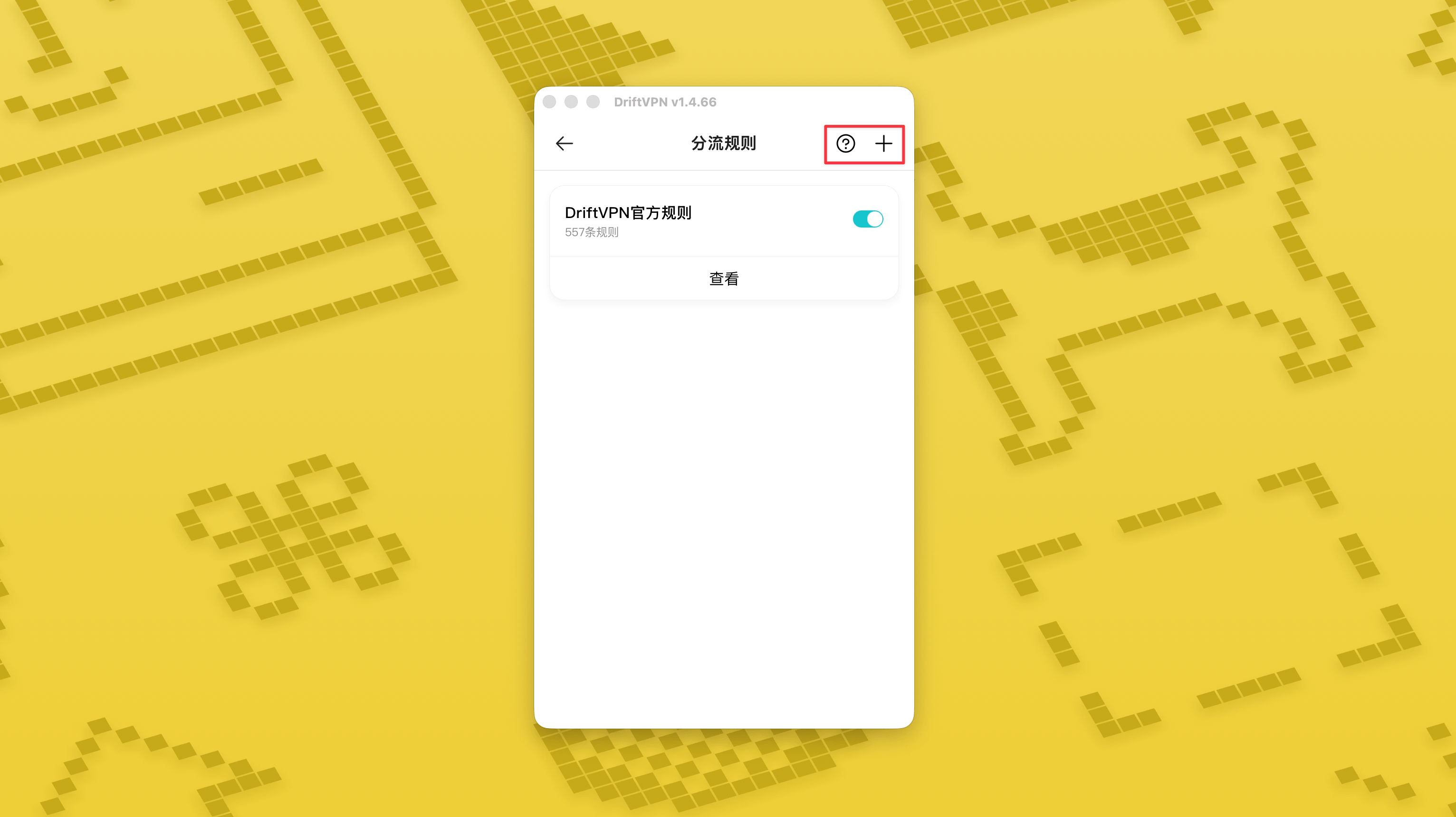
Tippen Sie oben rechts auf der Seite „Routing-Regeln“ auf die Schaltfläche „+“, um eine neue Regel hinzuzufügen, oder auf „?“, um zu sehen, wie Regeln geschrieben werden. Jede Regelgruppe kann über ihren Schalter aktiviert oder deaktiviert werden.
Wenn Sie bereits ein Proxy-Tool wie Clash verwenden, können Sie DriftVPN als Front-End-Proxy verwenden und sich dann mit Ihrem Wohnheim-IP-Proxy als letzten Ausgang verbinden. Dies ist für fortgeschrittene Benutzer geeignet, die "zunächst eine Verbindung über DriftVPN herstellen und dann über eine Wohnheim-IP auf die Zielwebsite zugreifen" möchten.
Der Standard-lokale-Proxy-Port für DriftVPN ist . Wenn dieser Port bereits von einem anderen Programm verwendet wird, versucht der Client automatisch den nächsten Port, wie z. B. 、. Bitte verwenden Sie beim Konfigurieren den aktuell im Client angezeigten lokalen Proxy-Port (überprüfen Sie die Portnummer unten auf der VPN-Einstellungsseite nach einer erfolgreichen Verbindung).
Am Beispiel eines Clash / Mihomo-Clients, der Proxy-Ketten unterstützt, können Sie es wie folgt konfigurieren:
proxies: - name: "轻舟VPN 前置代理" type: http server: 127.0.0.1 port: 9527 - name: "住宅IP落地" type: http server: your-residential-proxy.example.com port: 12345 username: "your-username" password: "your-password"proxy-groups: - name: "轻舟VPN + 住宅IP" type: relay proxies: - "轻舟VPN 前置代理" - "住宅IP落地" - name: "PROXY" type: select proxies: - "轻舟VPN + 住宅IP" - DIRECTrules: - MATCH,PROXY
Hinweise:
- Die oben genannten Wohnheim-IP-Proxy-Informationen müssen durch die tatsächliche Adresse, den Port, den Benutzernamen und das Passwort ersetzt werden, die von Ihrem Dienstanbieter bereitgestellt werden.
- Wenn der derzeit in DriftVPN angezeigte lokale Proxy-Port nicht 9527 ist, ändern Sie bitte den Port in der Konfiguration auf den tatsächlichen Port.
- Der Typ Ihres Wohnheim-IP-Proxys sollte gemäß dem von Ihrem Dienstanbieter bereitgestellten Protokoll ausgefüllt werden. Häufige Werte sind http oder socks5.
- Die Unterstützung für Proxy-Ketten variiert je nach Clash-Client. Wenn die Konfiguration nicht funktioniert, bestätigen Sie bitte, dass der aktuelle Client-Kern den Relay-Typ-Proxy-Gruppe unterstützt.
- Diese Verwendung ist für fortgeschrittene Benutzer geeignet, die mit der Clash-Konfiguration vertraut sind. Regulären Benutzern wird empfohlen, den integrierten Globalen Proxy oder Smart Routing im DriftVPN-Client zu verwenden.
Ja. Wenn der Zugriff instabil ist, wechseln Sie zu einer anderen Route und versuchen Sie es erneut.
Sie können eine Route basierend auf Ihrem aktuellen Anwendungsfall wählen:
- Für den täglichen Gebrauch, wenn Sie sich keine Sorgen um die Latenz machen, ist jede Route in Ordnung.
- Wenn die Latenz wichtig ist, wählen Sie einen Knoten, der geografisch näher an Ihnen liegt.
- Wenn Sie auf Websites oder Dienste mit IP-Regionsbeschränkungen zugreifen müssen, wie z. B. regionexklusive Streaming-Inhalte, wählen Sie einen Knoten im entsprechenden Land oder der entsprechenden Region.
Wir bieten Kundensupport nur für die folgenden Probleme an:
- Probleme bei der Kontoanmeldung
- Zahlungs- / Bestellprobleme
- Dienst vollständig nicht verfügbar, z. B. keine Verbindung möglich
Die folgenden Fälle liegen außerhalb unseres Kundensupports:
- Subjektive Nutzungsprobleme wie Verzögerungen, langsame oder instabile Geschwindigkeit
- Langsamer Zugriff auf Drittplattformen wie Websites oder Apps
- Probleme, die durch lokale Netzwerkumgebung, Gerät, Anbieter oder ähnliche Faktoren des Nutzers verursacht werden
- Probleme, die entstehen, weil die offizielle Anleitung nicht befolgt oder Einstellungen eigenständig geändert wurden
- Die Netzwerkqualität wird stark vom lokalen Anbieter und internationalen Leitungen beeinflusst. Diese Plattform kann daher nicht in allen Regionen und Zeiträumen eine gute Zugriffserfahrung garantieren.
Wenn Sie auf Probleme stoßen, können Sie uns über die folgenden Methoden kontaktieren:
- Reichen Sie Ihr Problem über die Seite 'Feedback' ein, und wir antworten per E-Mail.Zum Feedback gehen
- Senden Sie eine E-Mail an unsere Support-E-Mail-Adresse:support@qz.run
- Kontaktieren Sie uns auf Telegram:@driftvpn_offical