
مرکز راهنمایی - راهنمای نصب و رفع مشکلات
نصب
برای تأیید اینکه آیا مک شما از پردازنده Intel یا Apple Silicon استفاده میکند:
- روی آیکون Apple در گوشه بالا سمت چپ صفحه کلیک کنید
- "درباره این مک" را انتخاب کنید
- در پنجره باز شده، اطلاعات "تراشه یا پردازنده" را بررسی کنید. اگر با Intel شروع شود، پردازنده Intel است، در غیر این صورت Apple Silicon است
- 1.
پس از دانلود نصبکننده macOS، فایل .dmg را باز کنید و VPN را به Applications بکشید.
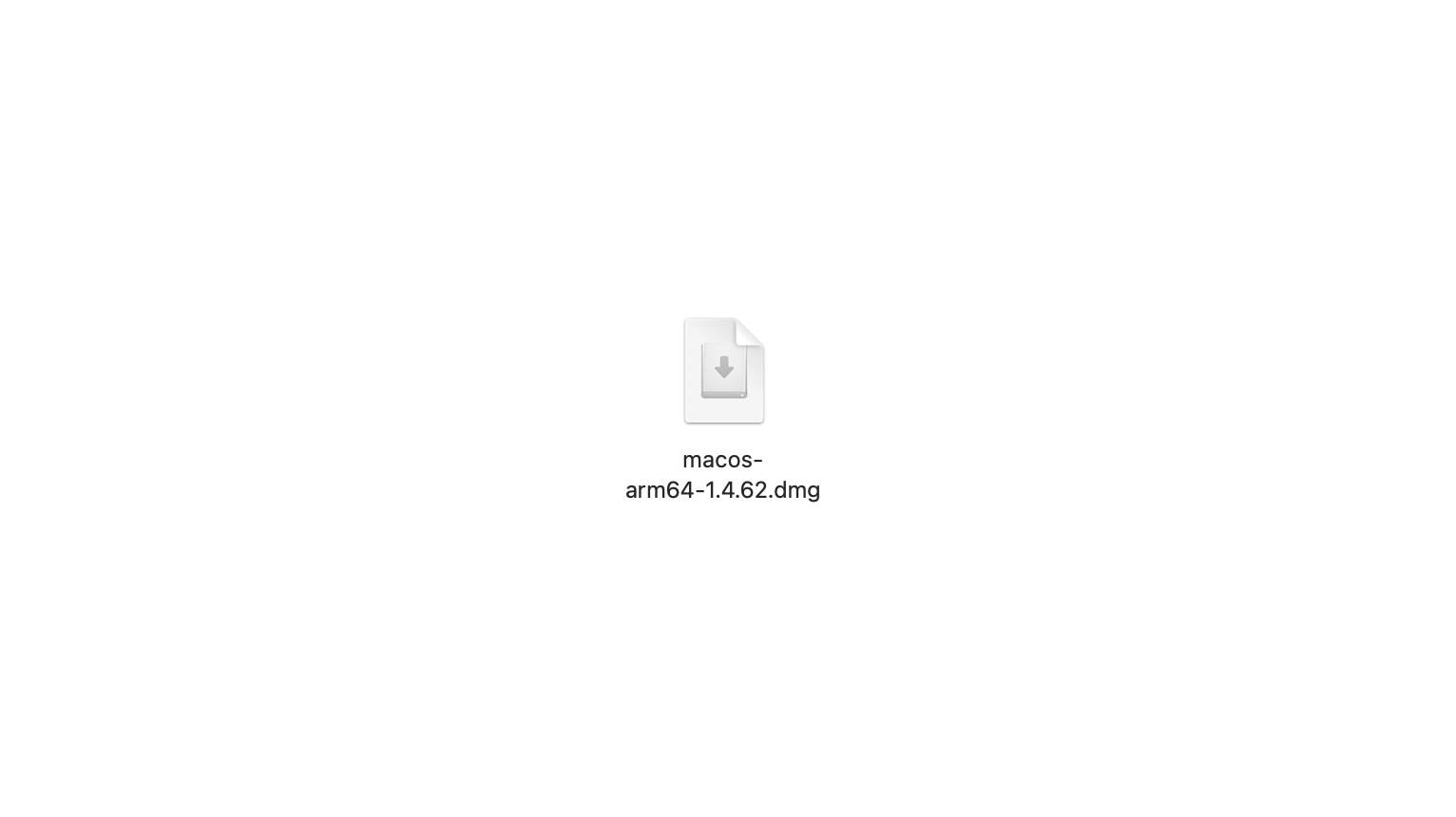
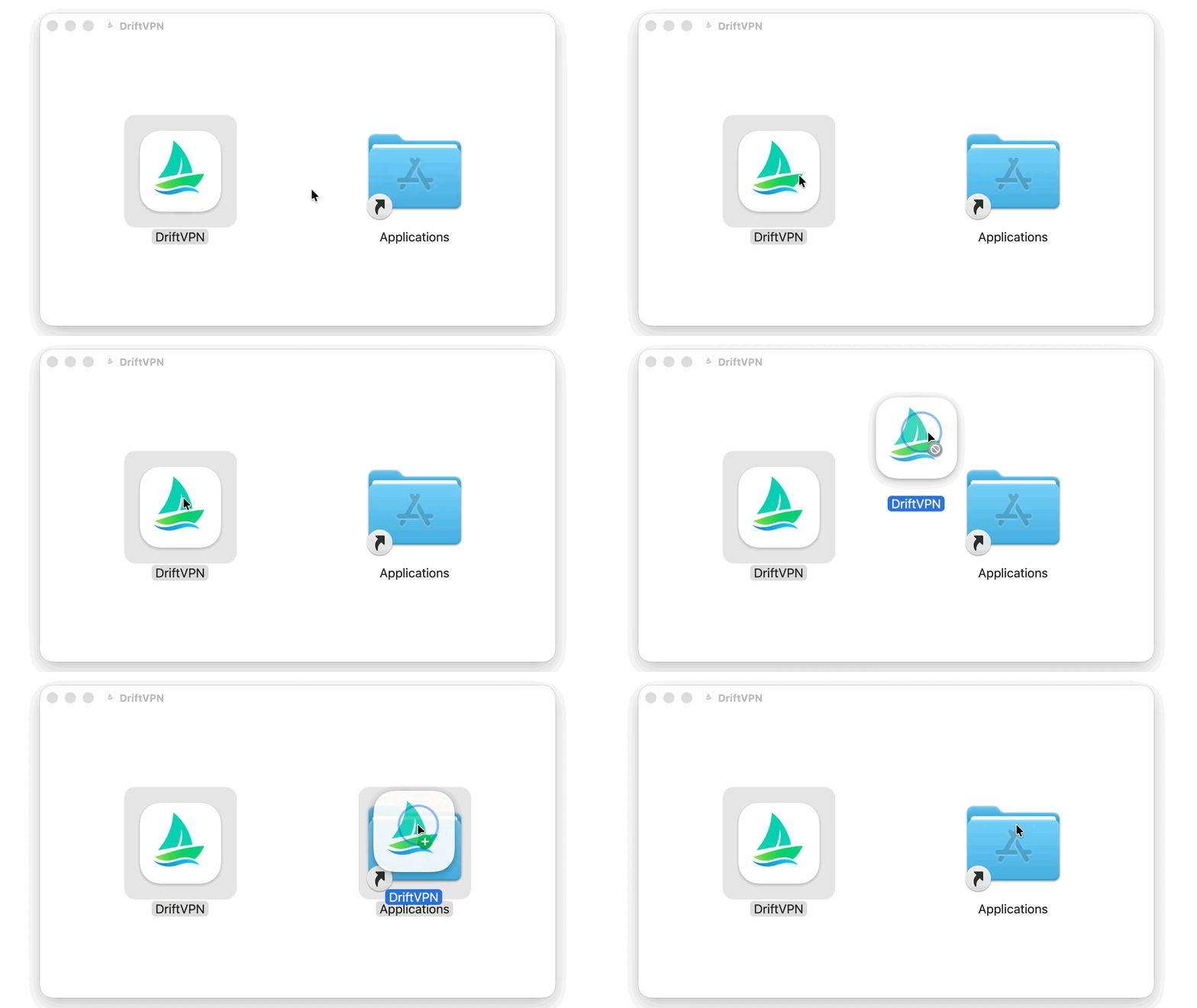
- 2.
Launchpad یا Spotlight را باز کنید، سپس Terminal را جستجو و باز کنید.
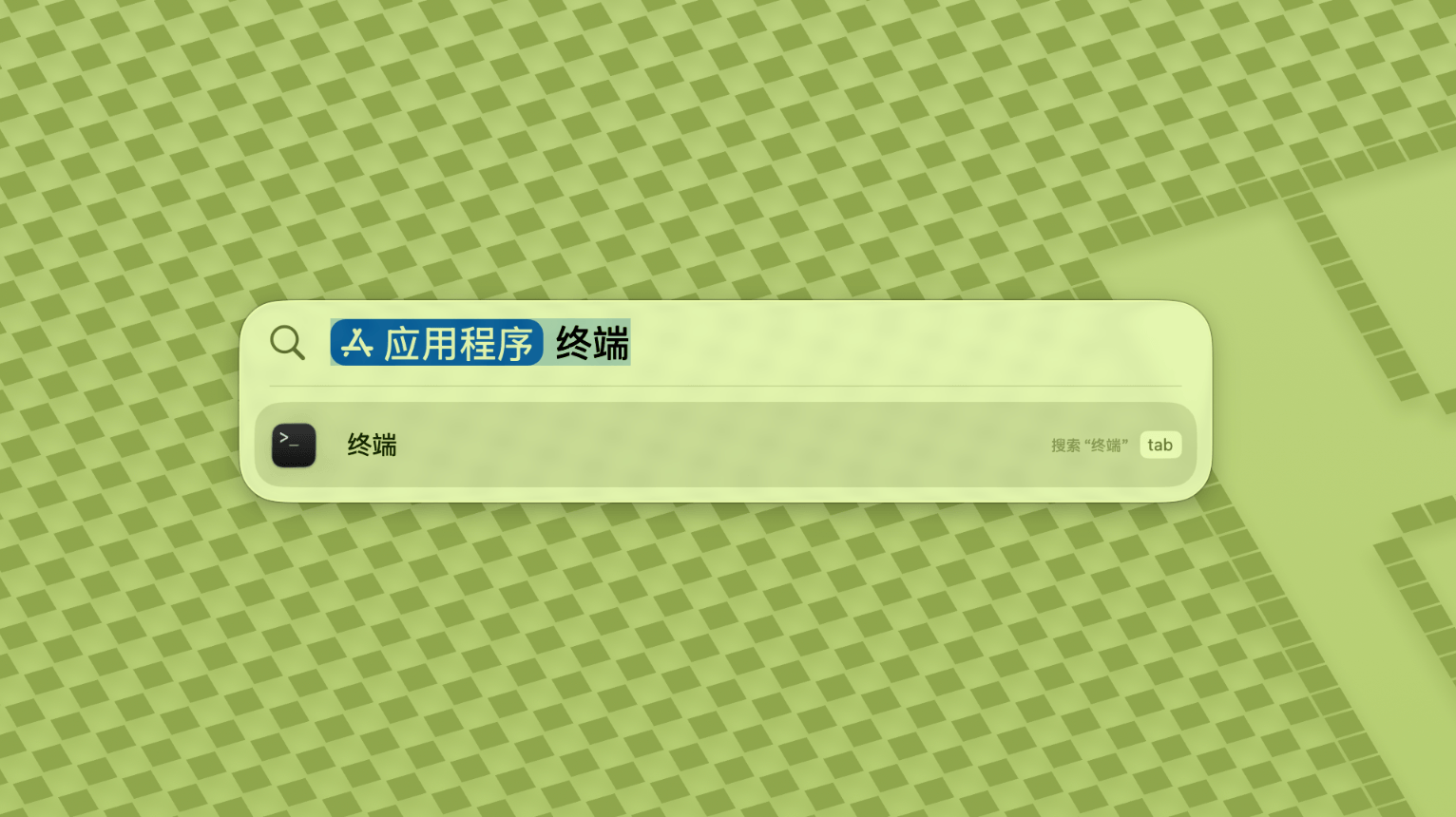
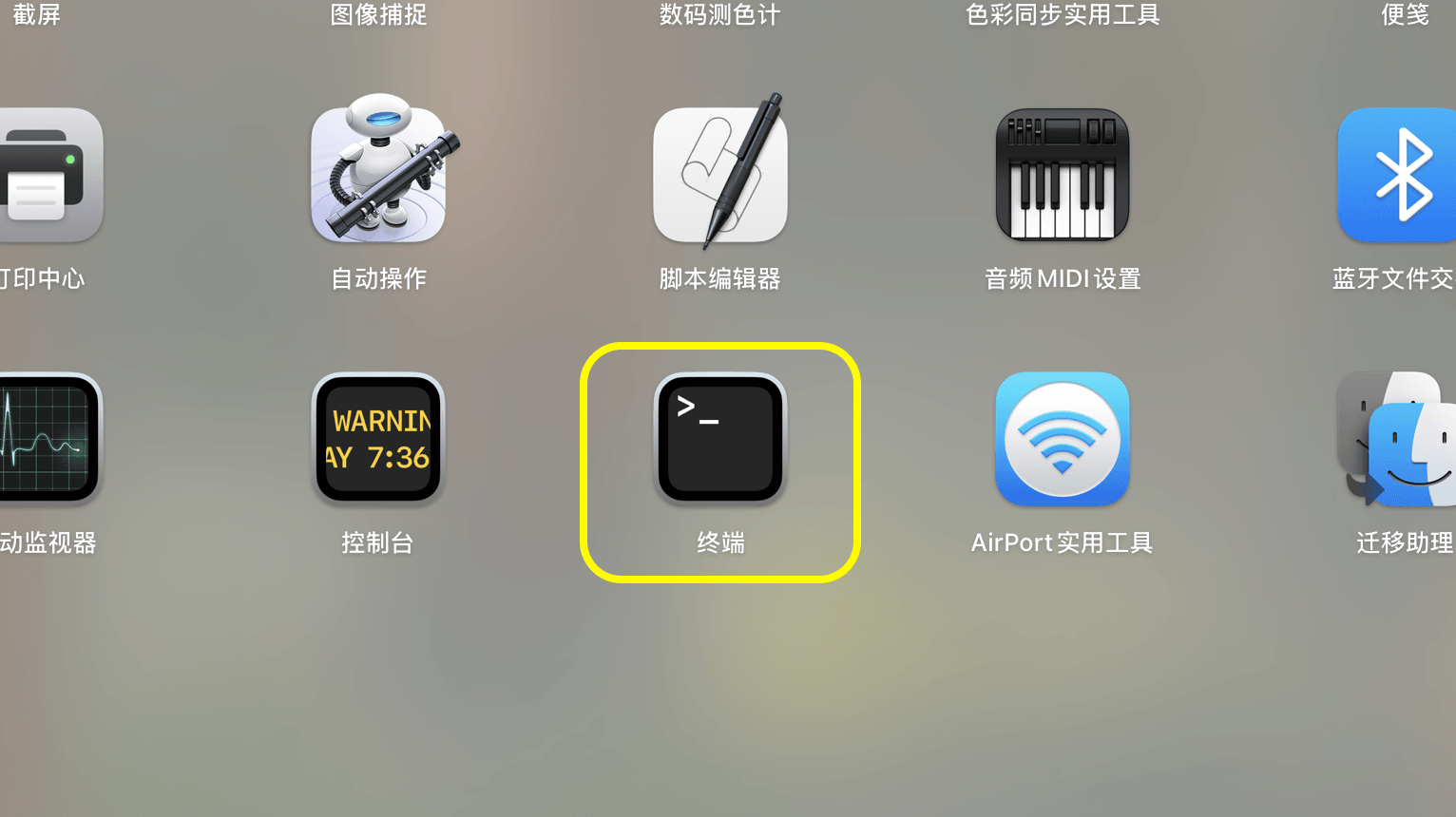
- 3.
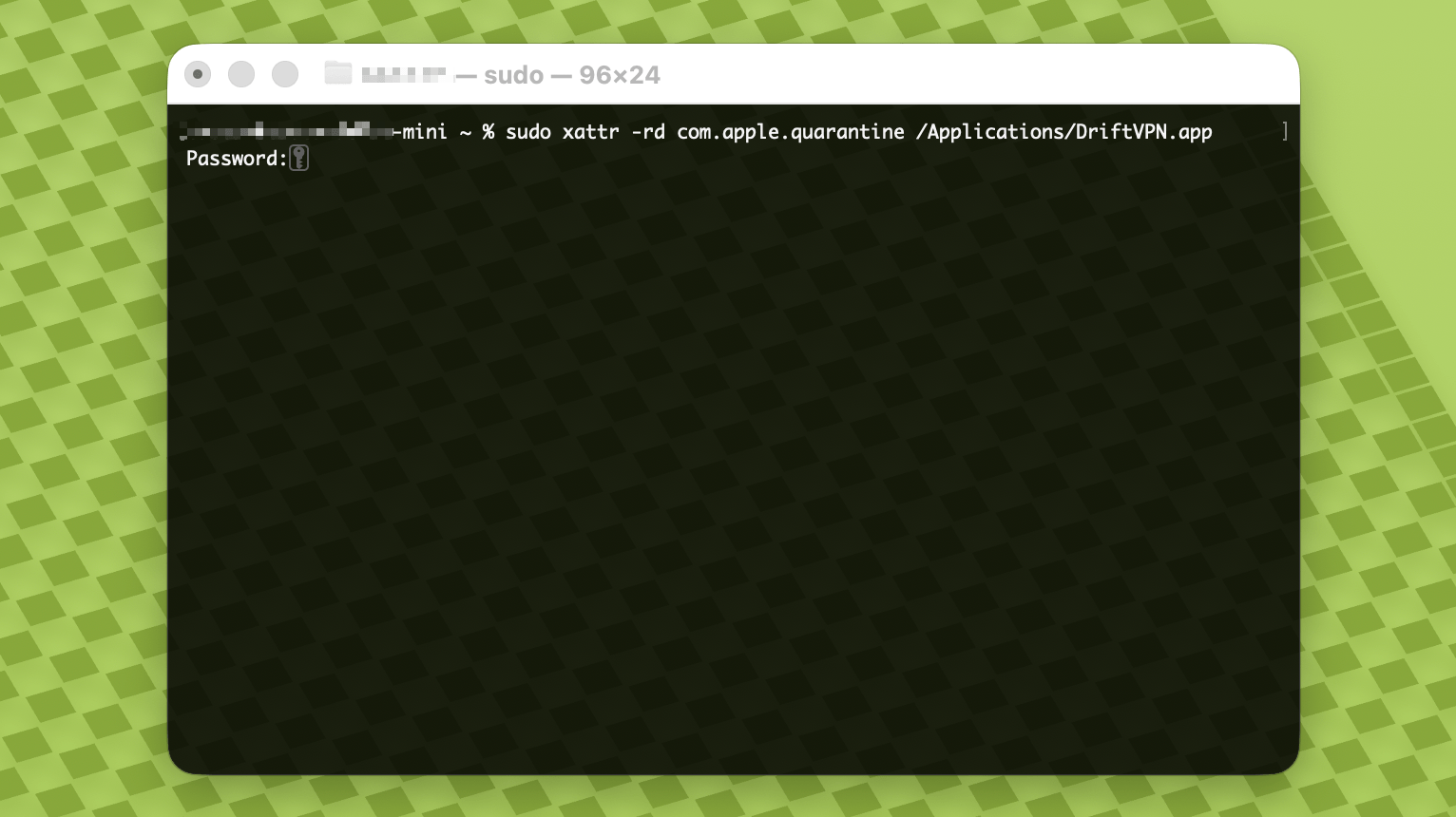
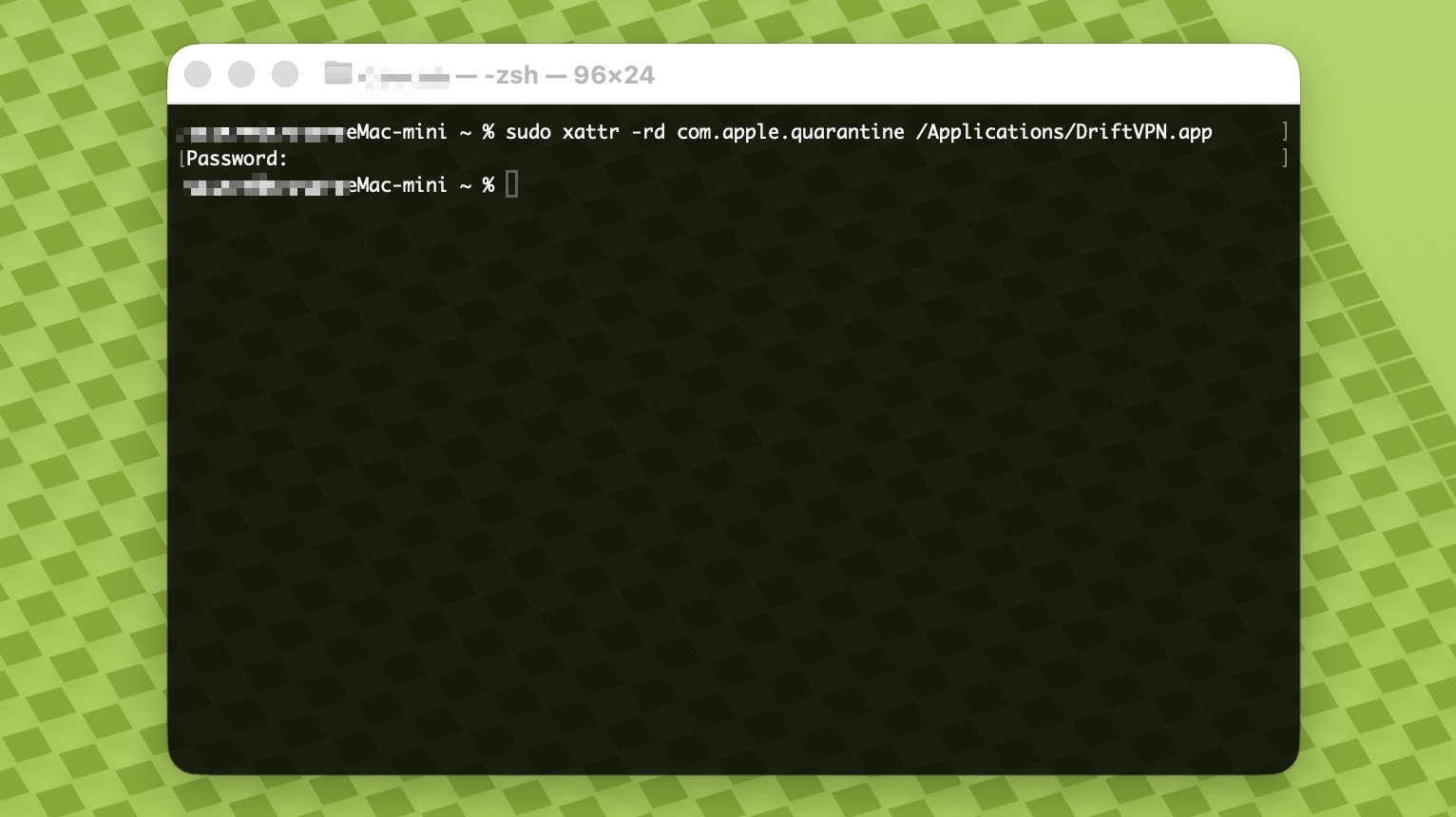
دستور زیر را در Terminal جایگذاری کنید و Enter را فشار دهید. هنگام درخواست، رمز ورود Mac خود را وارد کنید؛ کاراکترها در حین تایپ نمایش داده نمیشوند. پس از اتمام دوباره Enter را فشار دهید.
sudo xattr -rd com.apple.quarantine /Applications/DriftVPN.app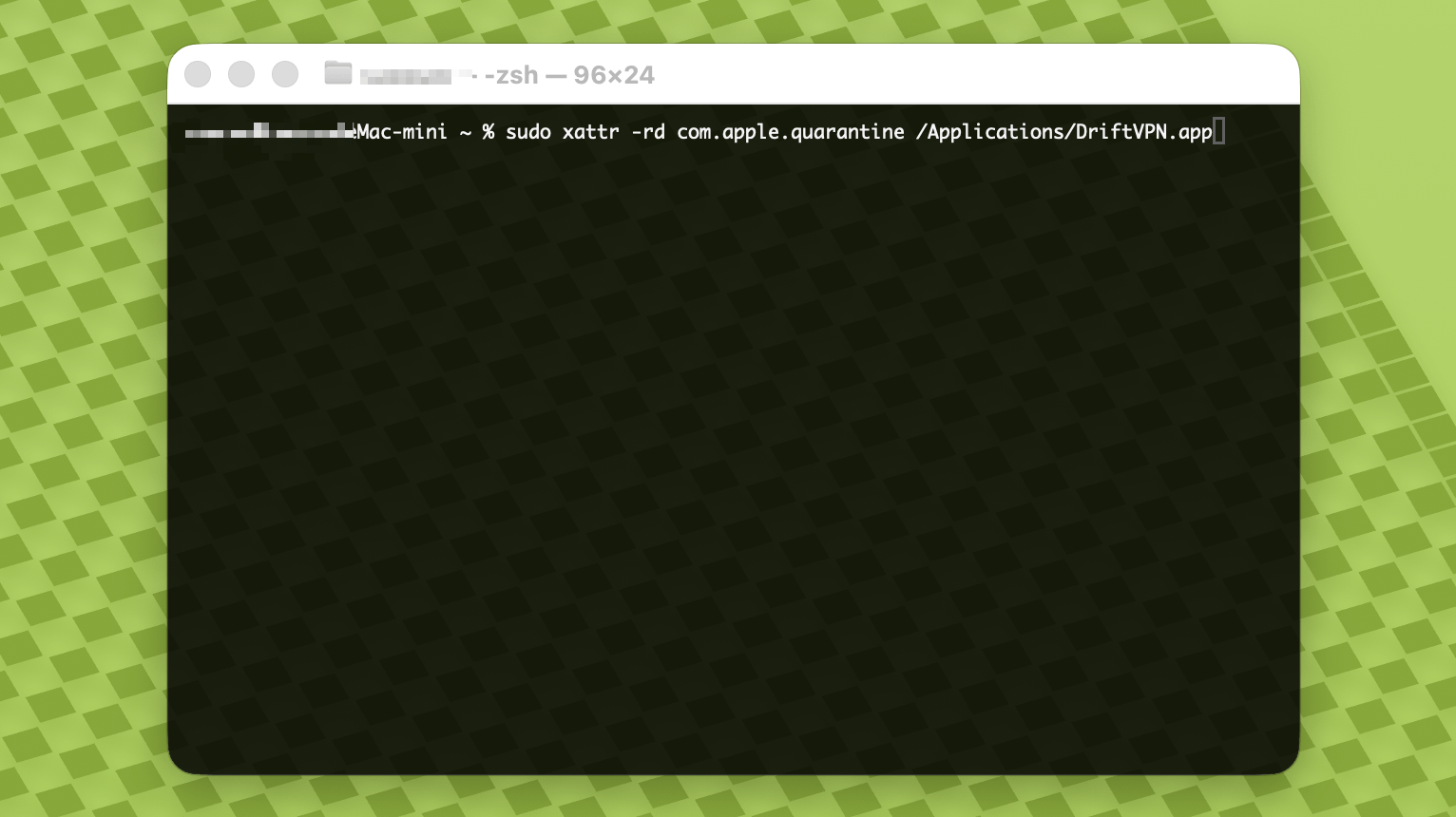
- 4.
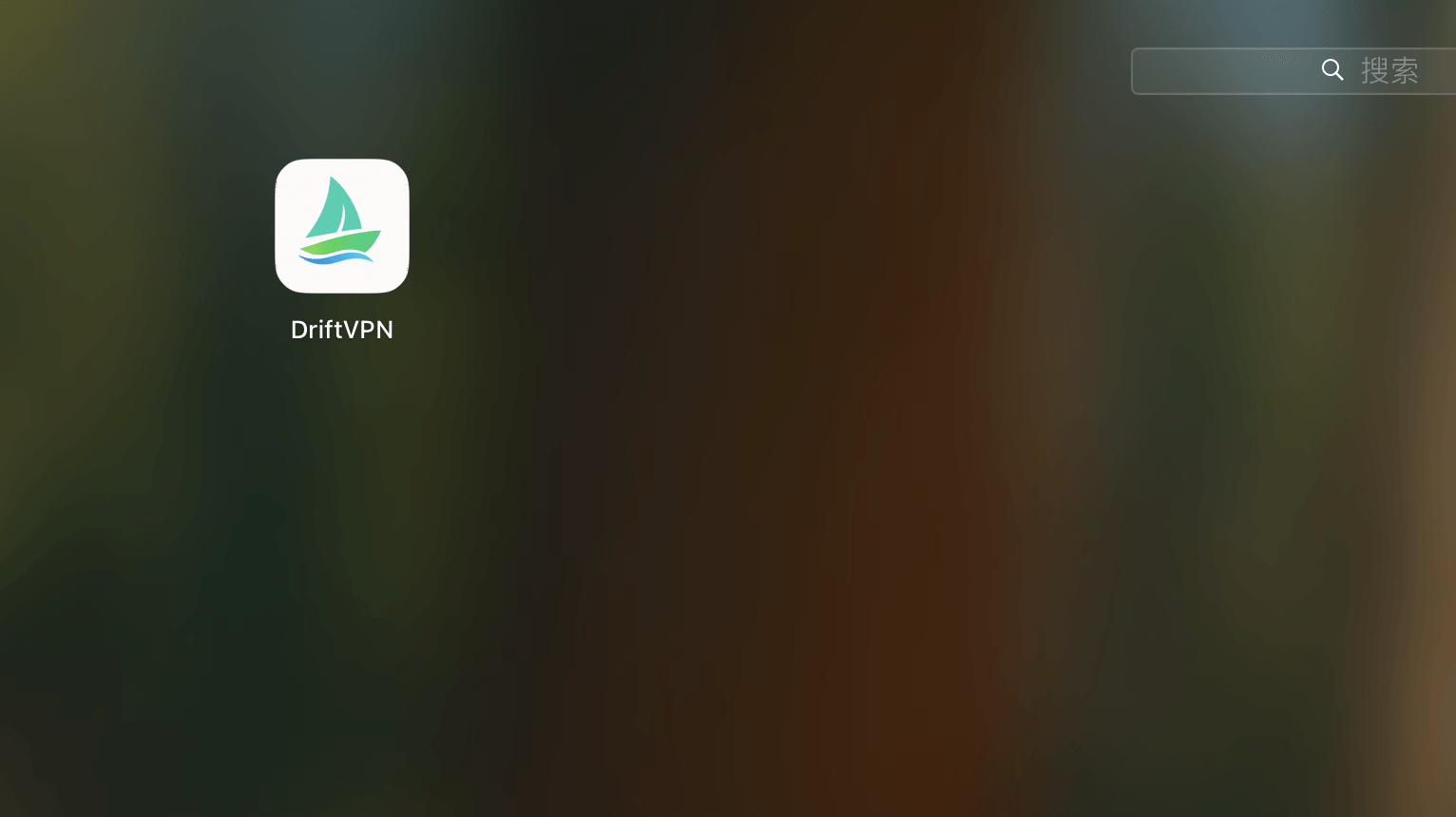
پس از اتمام دستور، VPN را جستجو کنید یا از Applications باز کنید.
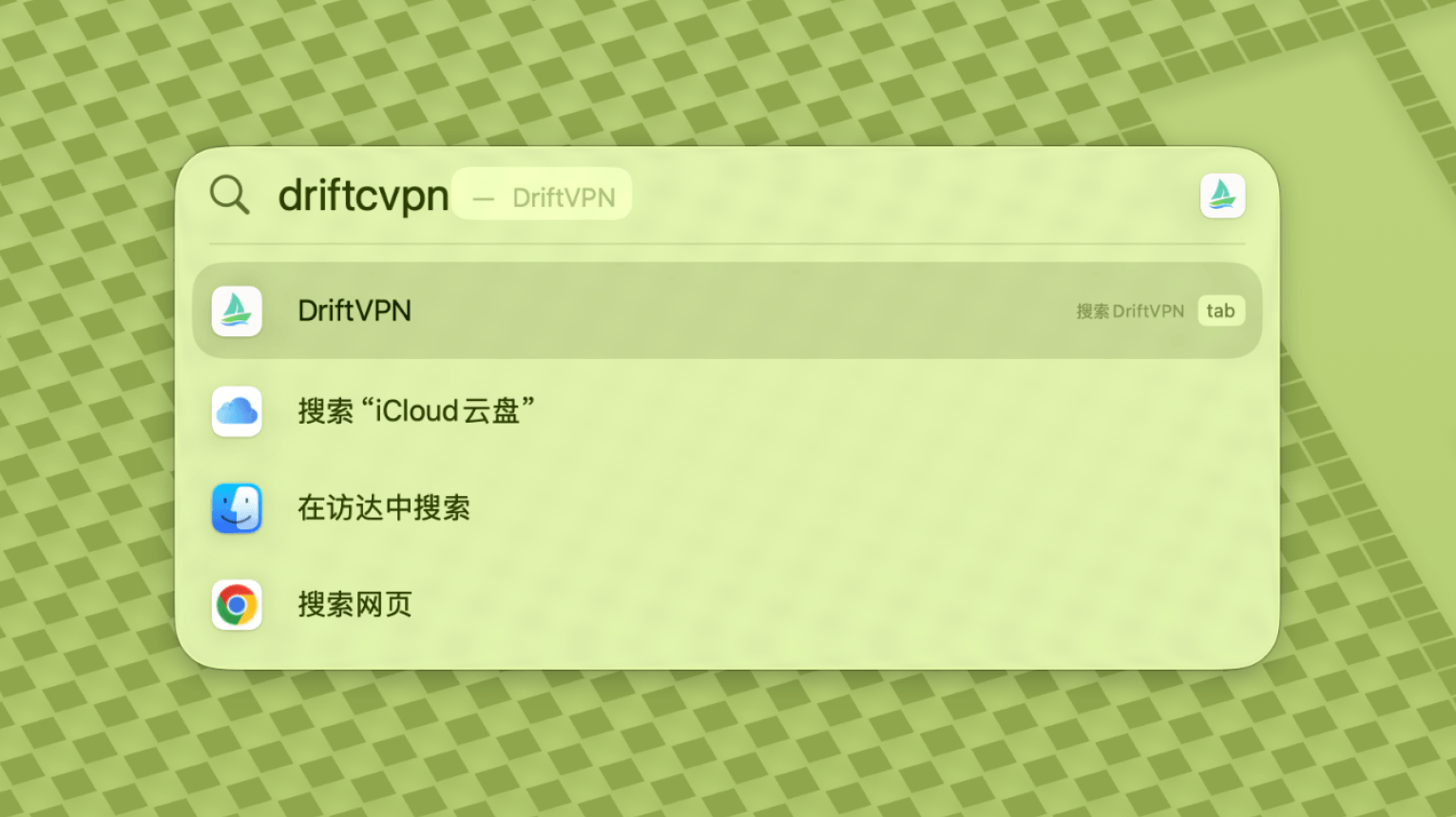
- 5.
اگر macOS هنوز برنامه را مسدود میکند، به تنظیمات سیستم → حریم خصوصی و امنیت بروید و در بخش امنیت روی باز کردن به هر حال کلیک کنید. اگر گفت برنامه آسیب دیده، آخرین نصبکننده را دوباره دانلود کنید و دستور بالا را تکرار کنید.
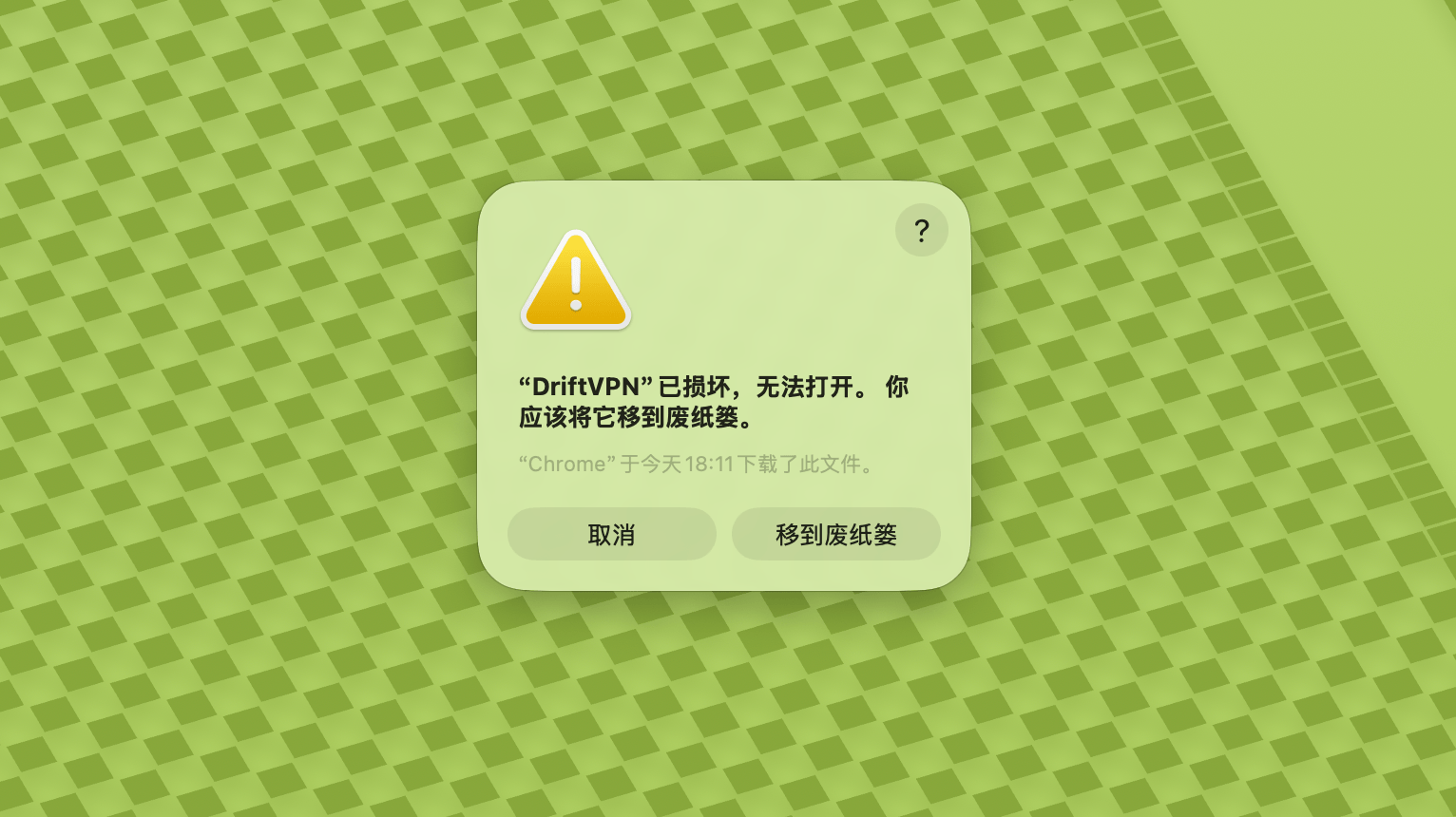
اگر نمیتوانید VPN را در macOS باز کنید، به تنظیمات سیستم → حریم خصوصی و امنیت بروید، به بخش امنیت پایین بروید و روی باز کردن به هر حال کلیک کنید.
برای تأیید اینکه آیا رایانه ویندوز شما از پردازنده x64، ARM64 یا x86 (32 بیت) استفاده میکند:
- ابزار اطلاعات سیستم را باز کنید. Win + R را فشار دهید، msinfo32 را تایپ کنید و سپس Enter را فشار دهید
- به خلاصه سیستم → نوع سیستم بروید، اطلاعات معماری سیستم را خواهید دید
پیام خطا: فایل اجرایی پروکسی وجود ندارد. یا پیام: فایل حاوی ویروس یا نرمافزار بالقوه ناخواسته است. راه حل:
روش اول:
- "تنظیمات" → "حریم خصوصی و امنیت" → "مرکز امنیت ویندوز" → "محافظت در برابر ویروس و تهدیدات" را باز کنید
- روی "مدیریت تنظیمات" کلیک کنید
- در پایین، استثناها را اضافه یا حذف کنید و پوشه نصب Drift را به استثناها اضافه کنید
روش دوم:
- "تنظیمات" → "حریم خصوصی و امنیت" → "مرکز امنیت ویندوز" → "محافظت در برابر ویروس و تهدیدات" را باز کنید
- روی "مدیریت تنظیمات" کلیک کنید
- "محافظت در زمان واقعی" را خاموش کنید
اگر برنامه پس از اجرا در ویندوز نمیتواند متصل شود، معمولاً فایروال Windows Defender آن را مسدود میکند. راهحلها:
روش اول: افزودن استثنا از طریق کنترل پنل
- Win + S را فشار دهید و جستجو کنید: کنترل پنل
- بروید به: System and Security → Windows Defender Firewall
- در سمت چپ کلیک کنید: Allow an app or feature through Windows Defender Firewall
- در گوشه بالا سمت راست کلیک کنید: Change settings
- کلیک کنید: Allow another app
- کلیک کنید: Browse و فایل .exe خود را انتخاب کنید (مسیر پیشفرض: C:\Users\[user]\AppData\Local\VPN\QingZhou.exe)
- پس از افزودن، علامت بزنید: Private و Public (اگر به دسترسی شبکه خارجی نیاز دارید)
- کلیک کنید: OK
روش دوم: ایجاد قوانین در Windows Defender Firewall with Advanced Security
- Win + S را فشار دهید، 'Windows Defender Firewall with Advanced Security' را جستجو کنید و آن را باز کنید
- روی 'Inbound Rules' در سمت چپ کلیک کنید → 'New Rule' در سمت راست
- انتخاب کنید: Program → Next
- 'This program path' را انتخاب کنید، فایل .exe خود را انتخاب کنید → Next
- انتخاب کنید: Allow the connection → Next
- علامت بزنید: Domain، Private، Public (معمولاً همه) → Next
- نامی وارد کنید (مانند DriftVpn Inbound) → Finish
- مراحل را برای 'Outbound Rules' تکرار کنید ('Outbound Rules' را از سمت چپ انتخاب کنید؛ جریان یکسان است)
میتوانید VPN را برای اندروید به شکل زیر دانلود و نصب کنید:
- صفحه دانلود رسمی را باز کنید و اندروید را انتخاب کنید.
- پکیج نصب اندروید را روی تلفن یا تبلت خود دانلود کنید.
- فایل APK دانلود شده را از دانلودهای مرورگر یا مدیر فایل باز کنید.
- اگر اندروید درخواست اجازه نصب برنامههای ناشناخته کرد، برای مرورگر یا مدیر فایل فعلی اجازه دهید و نصب را ادامه دهید.
برخی مرورگرها یا سیستمها ممکن است فایل APK را با پسوند .zip ذخیره کنند. به شکل زیر عمل کنید:
- فایل را از حالت فشرده خارج نکنید.
- مدیر فایل را باز کنید و نام فایل دانلود شده را تغییر دهید، پسوند را از .zip به .apk تغییر دهید.
- روی فایل .apk تغییر نام یافته بزنید تا نصب شود.
- اگر نمیتوانید نام را تغییر دهید، دوباره دانلود کنید یا از مرورگر دیگری برای دانلود APK استفاده کنید.
به دلایل سیاسی، VPN در App Store چین در دسترس نیست. میتوانید آن را به این صورت دانلود کنید:
- به یک Apple ID غیر چینی نیاز دارید (مثلاً ایالات متحده، ژاپن، هنگ کنگ و غیره)
- در App Store به حساب غیر چینی تغییر دهید
- برای یافتن و دانلود 'VPN' را جستجو کنید
- اگر Apple ID خارجی ندارید، میتوانید آموزشهای آنلاین را برای ثبت Apple ID خارجی رایگان جستجو کنید
حساب
اگر رمز ورود خود را فراموش کردید، میتوانید با دنبال کردن این مراحل آن را بازنشانی کنید:
- به صفحه ورود بروید و روی 'رمز عبور را فراموش کردم؟' کلیک کنید
- آدرس ایمیل ثبت شده خود را وارد کنید
- ایمیل خود را برای کد تأیید ۶ رقمی (معتبر برای ۵ دقیقه) بررسی کنید
- کد تأیید و رمز عبور جدید خود را وارد کنید تا بازنشانی کامل شود
پرداخت
در حال حاضر روشهای پرداخت زیر پشتیبانی میشوند:
- Visa/Mastercard
اگر نیاز به لغو اشتراک دارید، ابتدا مشخص کنید از کدام پلتفرم اشتراک گرفتهاید. روش لغو در هر پلتفرم متفاوت است و حذف برنامه بهطور خودکار اشتراک را لغو نمیکند.
اشتراک از طریق سایت رسمی
مراحل:
- به سایت رسمی بروید و از گوشه بالا سمت راست وارد حساب خود شوید.
- پس از ورود، روی «حساب من – طرح و صورتحساب» در گوشه بالا سمت راست کلیک کنید.
- روی دکمه مدیریت کنار اطلاعات طرح کلیک کنید.
- اشتراک خود را در صفحه Stripe لغو کنید.
iOS
اگر از App Store در iPhone یا iPad اشتراک گرفتهاید، از طریق Apple لغو کنید:
- تنظیمات را در iPhone یا iPad باز کنید.
- روی نام حساب Apple خود در بالا ضربه بزنید.
- روی اشتراکها ضربه بزنید.
- اشتراک VPN را انتخاب کنید.
- روی لغو اشتراک ضربه بزنید.
اگر از دستگاه iOS استفاده میکنید اما از طریق سایت رسمی اشتراک گرفتهاید، مراحل «اشتراک از طریق سایت رسمی» بالا را دنبال کنید.
Android
اشتراکهای Android که از Google Play نیستند از طریق Stripe پردازش میشوند. برای لغو به بخش «اشتراک از طریق سایت رسمی» بالا مراجعه کنید.
Android – Google Play
اگر از Google Play اشتراک گرفتهاید، از طریق Google Play لغو کنید:
- Google Play را باز کنید.
- روی آیکون پروفایل در گوشه بالا سمت راست ضربه بزنید.
- به پرداختها و اشتراکها بروید.
- روی اشتراکها ضربه بزنید.
- اشتراک VPN را انتخاب کنید.
- روی لغو اشتراک ضربه بزنید و دستورالعملها را دنبال کنید.
Mac
اشتراکهای Mac که از Mac App Store نیستند از طریق Stripe پردازش میشوند. برای لغو به بخش «اشتراک از طریق سایت رسمی» بالا مراجعه کنید.
Mac – App Store
اگر از Mac App Store اشتراک گرفتهاید، از طریق Apple لغو کنید:
- App Store را در Mac باز کنید.
- روی نام حساب خود کلیک کنید.
- روی تنظیمات حساب کلیک کنید.
- اشتراکها را پیدا کنید و روی مدیریت کلیک کنید.
- اشتراک VPN را انتخاب کنید.
- روی لغو اشتراک کلیک کنید.
Windows
برای لغو به بخش «اشتراک از طریق سایت رسمی» بالا مراجعه کنید.
استفاده
میتوانید آزمایشی VPN را با این مراحل شروع کنید:
- یک حساب در وبسایت رسمی یا در هر کلاینتی ثبت کنید
- در هر کلاینتی وارد حساب خود شوید
- برای شروع استفاده از سرویس روی دکمه سوئیچ در صفحه اصلی بزنید
اگر کد فعالسازی دارید، میتوانید پس از ورود آن را بازخرید کنید:
- در وبسایت یا کلاینت وارد حساب خود شوید.
- روی حساب من در گوشه بالا-راست کلیک کنید، سپس بازخرید کد فعالسازی را از منوی کشویی انتخاب کنید.
- کد فعالسازی را وارد کنید و بازخرید را تأیید کنید.
- پس از موفقیت بازخرید، پکیج یا مزیت مربوطه بهصورت خودکار به حساب شما اضافه میشود.
- اگر پیام موفقیت ظاهر نشد، کد فعالسازی قبلاً استفاده شده است.
- پس از فعالسازی، برنامه را مجدداً راهاندازی کنید تا پکیج یا مزیت اعمال شود.
VPN در حال حاضر از پلتفرمهای زیر پشتیبانی میکند:
- اندروید (تلفنها و تبلتها)
- iOS (iPhone و iPad، نیاز به App Store غیر چینی دارد)
- macOS (از هر دو تراشه Intel و Apple Silicon پشتیبانی میکند)
- Windows (از معماری x64 پشتیبانی میکند)
هر حساب حداکثر از ۳ دستگاه آنلاین همزمان پشتیبانی میکند. میتوانید کلاینت را روی دستگاههای بیشتری نصب کنید و با همان حساب وارد شوید؛ محدودیت فقط برای تعداد دستگاههای متصل در یک زمان است. اگر از این محدودیت عبور شود، قدیمیترین دستگاه متصل بهصورت خودکار قطع میشود. کلاینت در حال حاضر امکان قطع اتصال یا خروج دادن دستگاههای دیگر با یک کلیک را ندارد. برای آزاد کردن ظرفیت آنلاین، روی همان دستگاه بهصورت دستی اتصال را قطع کنید یا خارج شوید.
آنها کنترل میکنند که کدام ترافیک از طریق VPN میرود:
- Proxy Global بیشتر ترافیک شبکه را از طریق VPN ارسال میکند. از آن استفاده کنید وقتی میخواهید همه برنامهها و وبسایتها از اتصال proxy استفاده کنند.
- مسیریابی هوشمند فقط ترافیکی را که به شتابدهی یا بهینهسازی دسترسی نیاز دارد پروکسی میکند. ترافیک محلی و قابل دسترس مستقیم در شبکه اصلی باقی میماند، که معمولاً برای استفاده روزانه بهتر است.
- قوانین VPN داخلی بیشتر نیازها را پوشش میدهد، و میتوانید قوانین proxy خود را نیز اضافه کنید.
- 1.
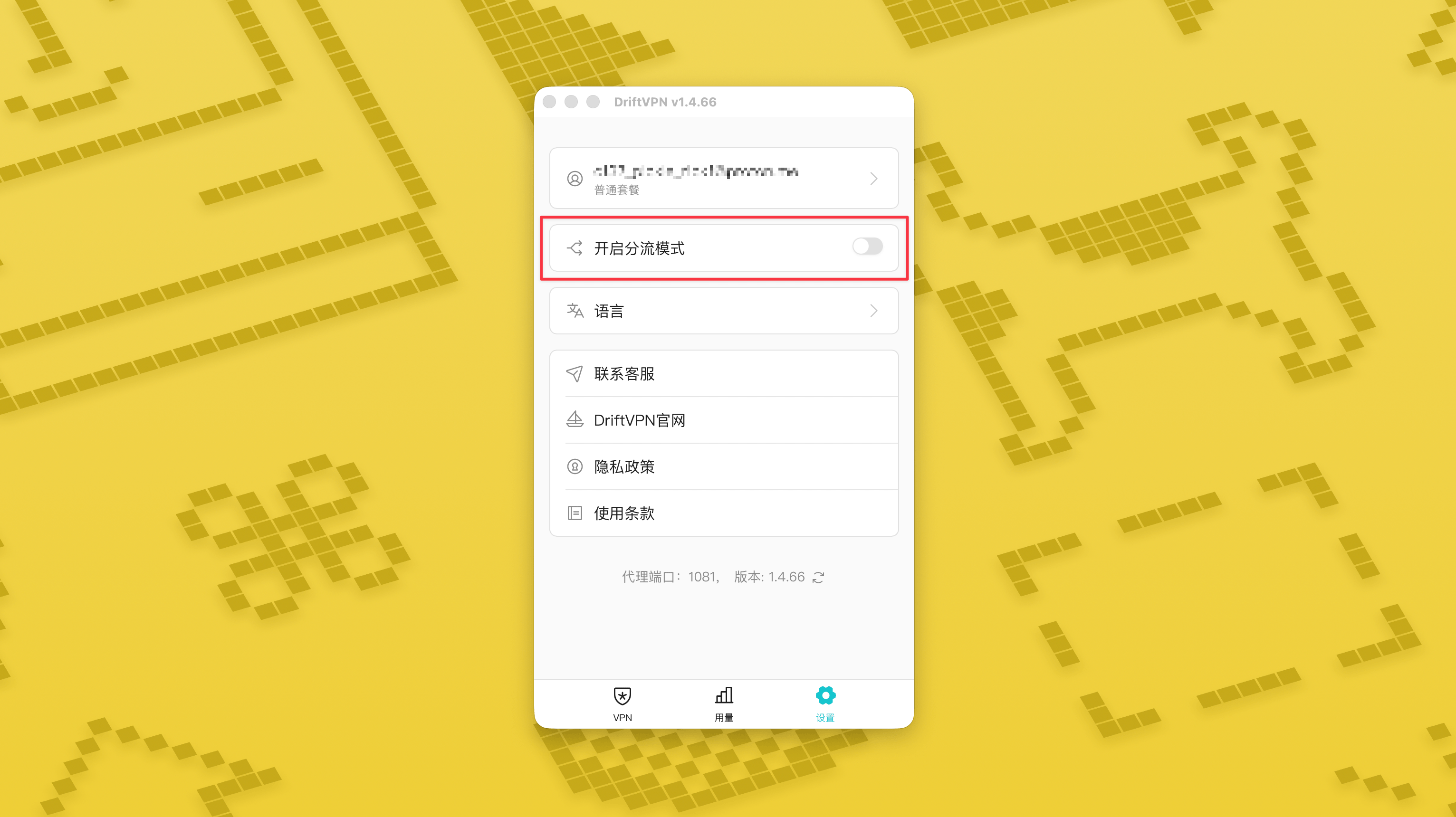
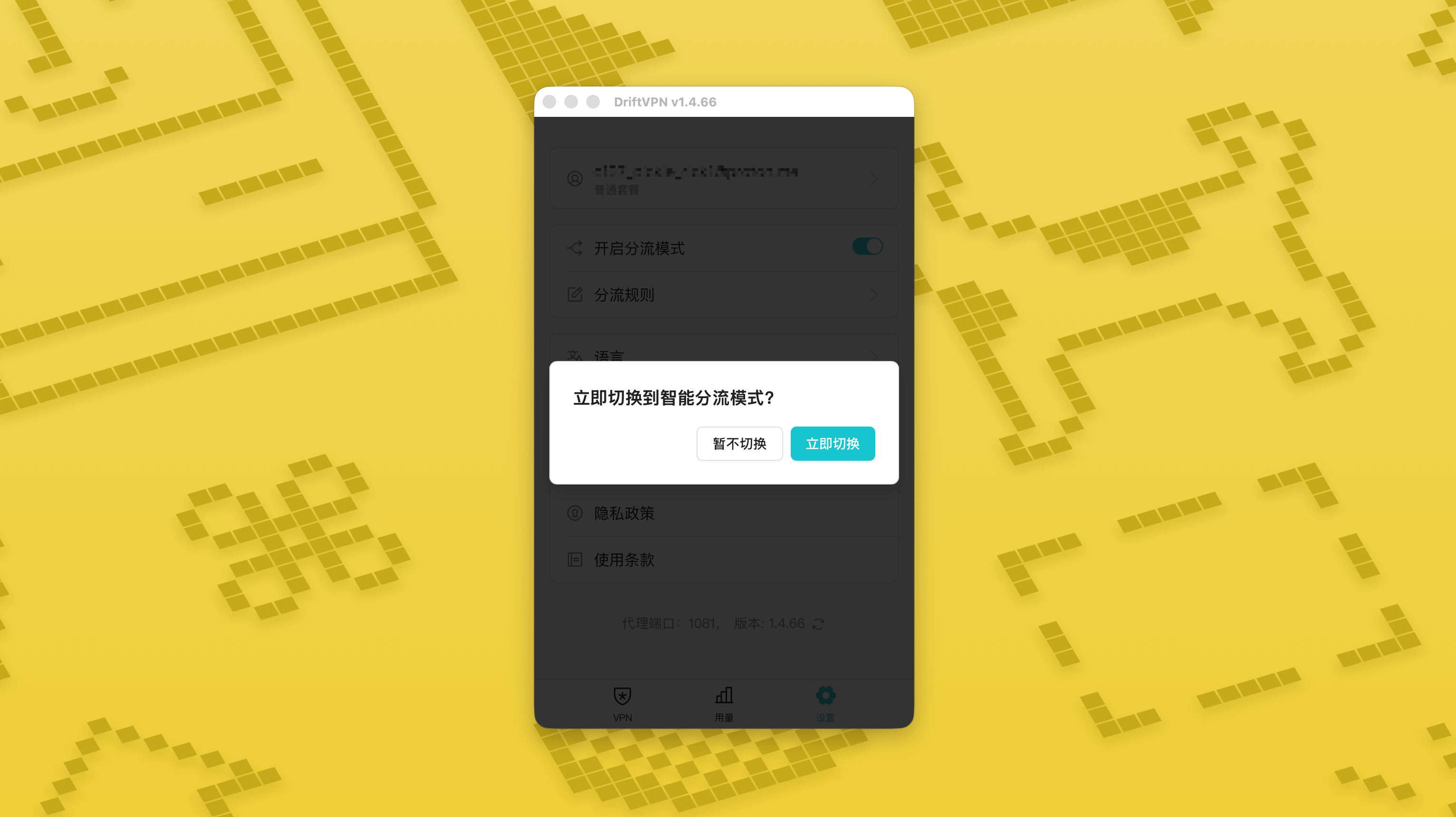
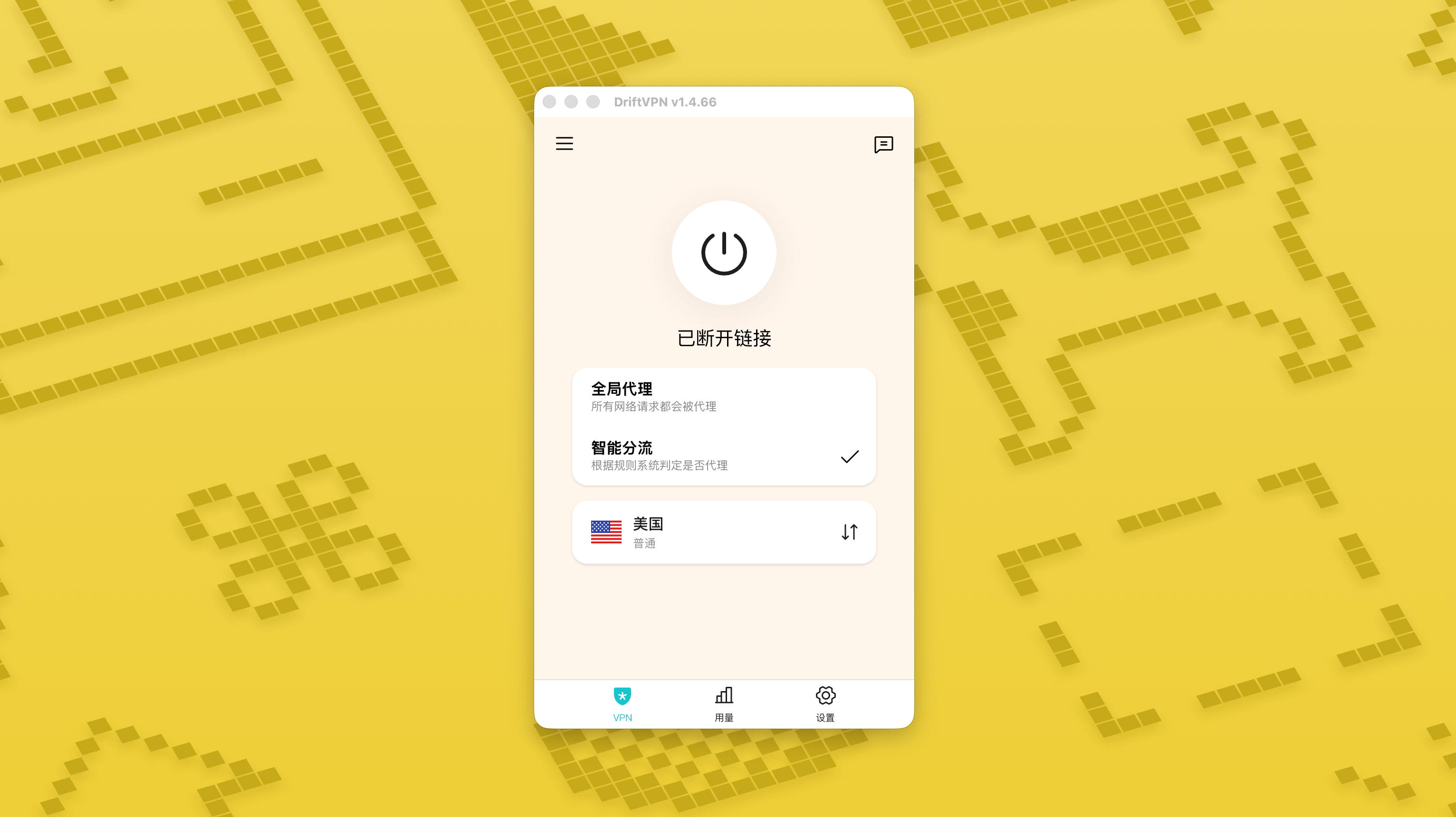
در صفحه تنظیمات، کلید حالت مسیریابی هوشمند را روشن کنید و سپس روی «همین حالا تغییر بده» بزنید تا فعال شود.
- 2.
پس از فعال شدن، میتوانید در صفحه اصلی بین «پروکسی سراسری» و «مسیریابی هوشمند» جابهجا شوید.
- 3.
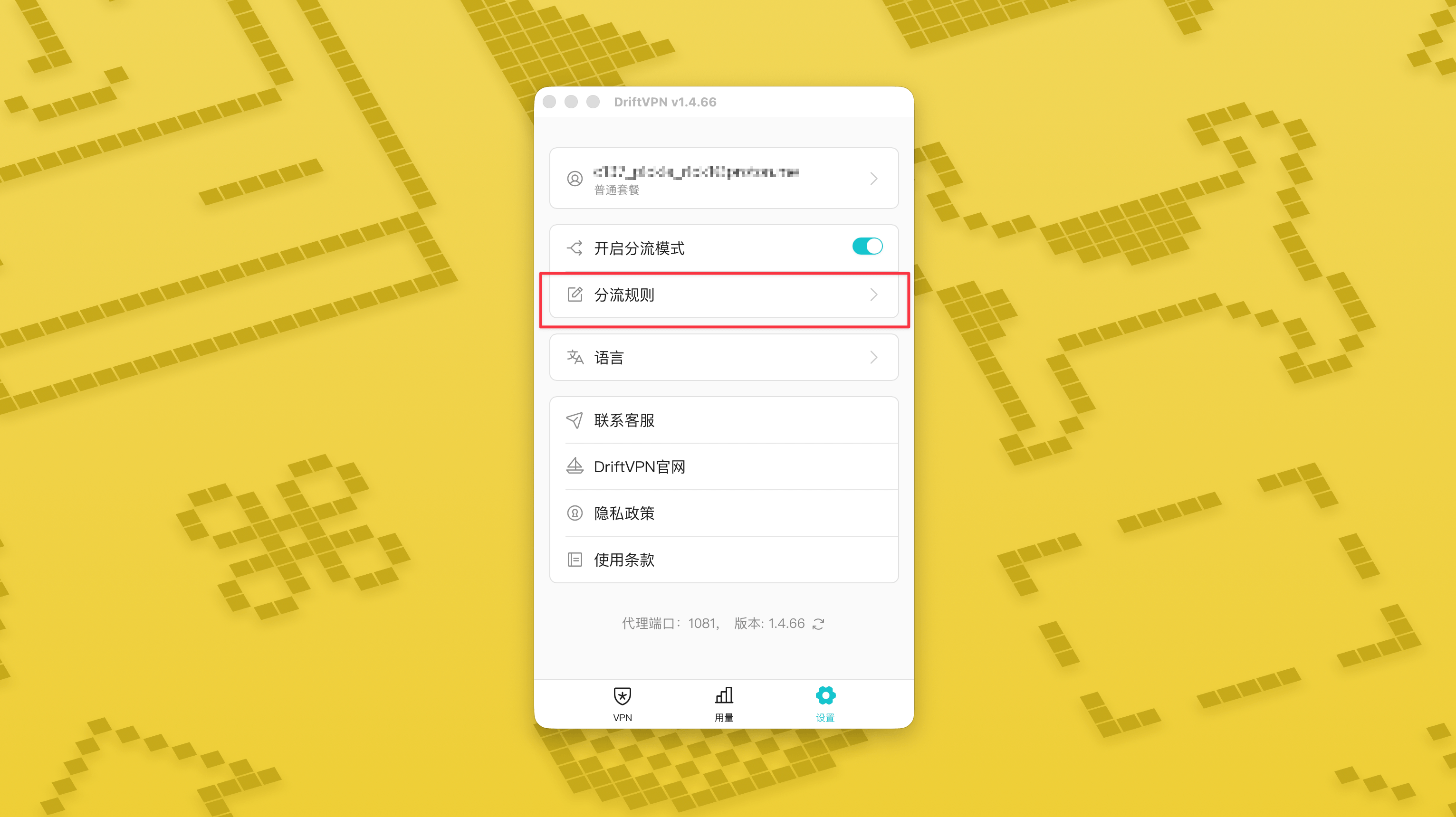
بعد از روشن کردن حالت مسیریابی هوشمند، صفحه «قوانین مسیریابی» در تنظیمات ظاهر میشود.
- 4.
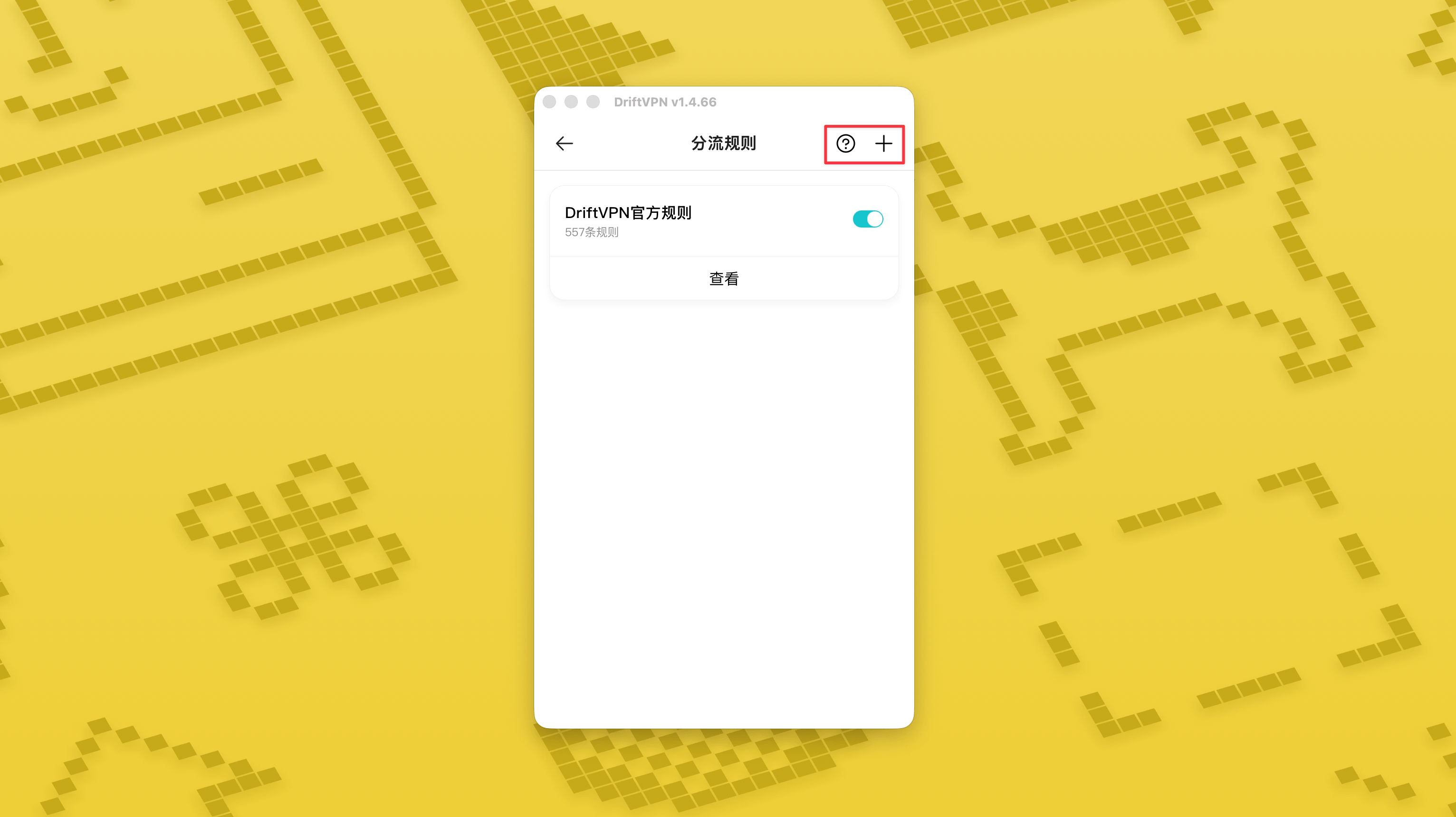
در گوشه بالا-راست صفحه «قوانین مسیریابی»، روی دکمه «+» بزنید تا قانون جدید اضافه کنید و روی دکمه «?» بزنید تا نحوه نوشتن قوانین را ببینید. هر گروه قانون را میتوان با کلید خودش فعال یا غیرفعال کرد.
اگر از ابزار proxy مانند Clash استفاده میکنید، میتوانید از DriftVPN به عنوان proxy جلویی استفاده کنید و سپس به proxy IP مسکونی خود به عنوان خروجی نهایی متصل شوید. این برای کاربران پیشرفتهای مناسب است که نیاز دارند "ابتدا از طریق DriftVPN اتصال برقرار کنند، سپس از طریق IP مسکونی به وبسایت مقصد دسترسی پیدا کنند".
پورت پیشفرض proxy محلی DriftVPN است. اگر آن پورت توسط برنامه دیگری استفاده میشود، کلاینت بهطور خودکار پورت بعدی را امتحان میکند، مانند 、. هنگام پیکربندی، لطفاً از پورت proxy محلی که در حال حاضر در کلاینت نشان داده میشود استفاده کنید (شماره پورت را در پایین صفحه تنظیمات VPN پس از اتصال موفق بررسی کنید).
با استفاده از کلاینت Clash / Mihomo که از زنجیره proxy پشتیبانی میکند به عنوان مثال، میتوانید آن را به شکل زیر پیکربندی کنید:
proxies: - name: "轻舟VPN 前置代理" type: http server: 127.0.0.1 port: 9527 - name: "住宅IP落地" type: http server: your-residential-proxy.example.com port: 12345 username: "your-username" password: "your-password"proxy-groups: - name: "轻舟VPN + 住宅IP" type: relay proxies: - "轻舟VPN 前置代理" - "住宅IP落地" - name: "PROXY" type: select proxies: - "轻舟VPN + 住宅IP" - DIRECTrules: - MATCH,PROXY
نکات:
- اطلاعات proxy IP مسکونی بالا باید با آدرس، پورت، نام کاربری و رمز عبور واقعی ارائه شده توسط ارائهدهنده سرویس شما جایگزین شود.
- اگر پورت proxy محلی که در حال حاضر در DriftVPN نشان داده میشود ۹۵۲۷ نباشد، لطفاً پورت در پیکربندی را به پورت واقعی تغییر دهید.
- نوع proxy IP مسکونی شما باید بر اساس پروتکل ارائه شده توسط ارائهدهنده سرویس شما پر شود. مقادیر رایج http یا socks5 هستند.
- پشتیبانی از زنجیره proxy در کلاینتهای مختلف Clash متفاوت است. اگر پیکربندی کار نکرد، تأیید کنید که هسته کلاینت فعلی از گروه proxy نوع relay پشتیبانی میکند.
- این استفاده برای کاربران پیشرفته آشنا با پیکربندی Clash مناسب است. به کاربران عادی توصیه میشود از Proxy Global داخلی یا مسیریابی هوشمند در کلاینت DriftVPN استفاده کنند.
بله. اگر دسترسی ناپایدار است، به مسیر دیگری بروید و دوباره امتحان کنید.
میتوانید بر اساس مورد استفاده فعلی خود یک مسیر انتخاب کنید:
- برای استفاده روزانه، اگر به تأخیر اهمیت نمیدهید، هر مسیری مناسب است.
- اگر تأخیر مهم است، یک گره که از نظر جغرافیایی به شما نزدیکتر است انتخاب کنید.
- اگر نیاز به دسترسی به وبسایتها یا سرویسهایی با محدودیتهای ناحیه IP دارید، مانند محتوای پخش جریانی اختصاصی ناحیه، یک گره در کشور یا ناحیه مربوطه انتخاب کنید.
ما فقط برای مشکلات زیر پشتیبانی مشتری ارائه میکنیم:
- مشکلات ورود به حساب
- مشکلات پرداخت / سفارش
- عدم دسترسی کامل به سرویس، مانند ناتوانی در اتصال
موارد زیر خارج از دامنه پشتیبانی مشتری هستند:
- مشکلات تجربه شخصی مانند لگ، سرعت پایین یا ناپایداری سرعت
- کندی دسترسی به پلتفرمهای شخص ثالث، مانند وبسایتها یا اپلیکیشنها
- مشکلات ناشی از محیط شبکه محلی، دستگاه، اپراتور یا عوامل مشابه مربوط به کاربر
- مشکلات ناشی از دنبال نکردن آموزش رسمی یا تغییر دستی تنظیمات
- کیفیت شبکه بهشدت تحت تأثیر اپراتور محل کاربر و مسیرهای بینالمللی است، بنابراین این پلتفرم نمیتواند تجربه دسترسی را در همه مناطق و زمانها تضمین کند.
اگر با مشکلی مواجه شدید، میتوانید از طریق روشهای زیر با ما تماس بگیرید:
- مشکل خود را از طریق صفحه 'بازخورد' ارسال کنید، ما از طریق ایمیل پاسخ خواهیم داد.رفتن به بازخورد
- ایمیلی به ایمیل پشتیبانی ما ارسال کنید:support@qz.run
- از طریق Telegram با ما تماس بگیرید:@driftvpn_offical