
Centre d'Aide - Guides d'Installation et Dépannage
Installation
Pour vérifier si votre Mac utilise un processeur Intel ou Apple Silicon :
- Cliquez sur l'icône Apple en haut à gauche de l'écran
- Sélectionnez "À propos de ce Mac"
- Dans la fenêtre qui s'affiche, vérifiez les informations "Puce ou Processeur". Si cela commence par Intel, c'est un processeur Intel, sinon c'est un Apple Silicon
- 1.
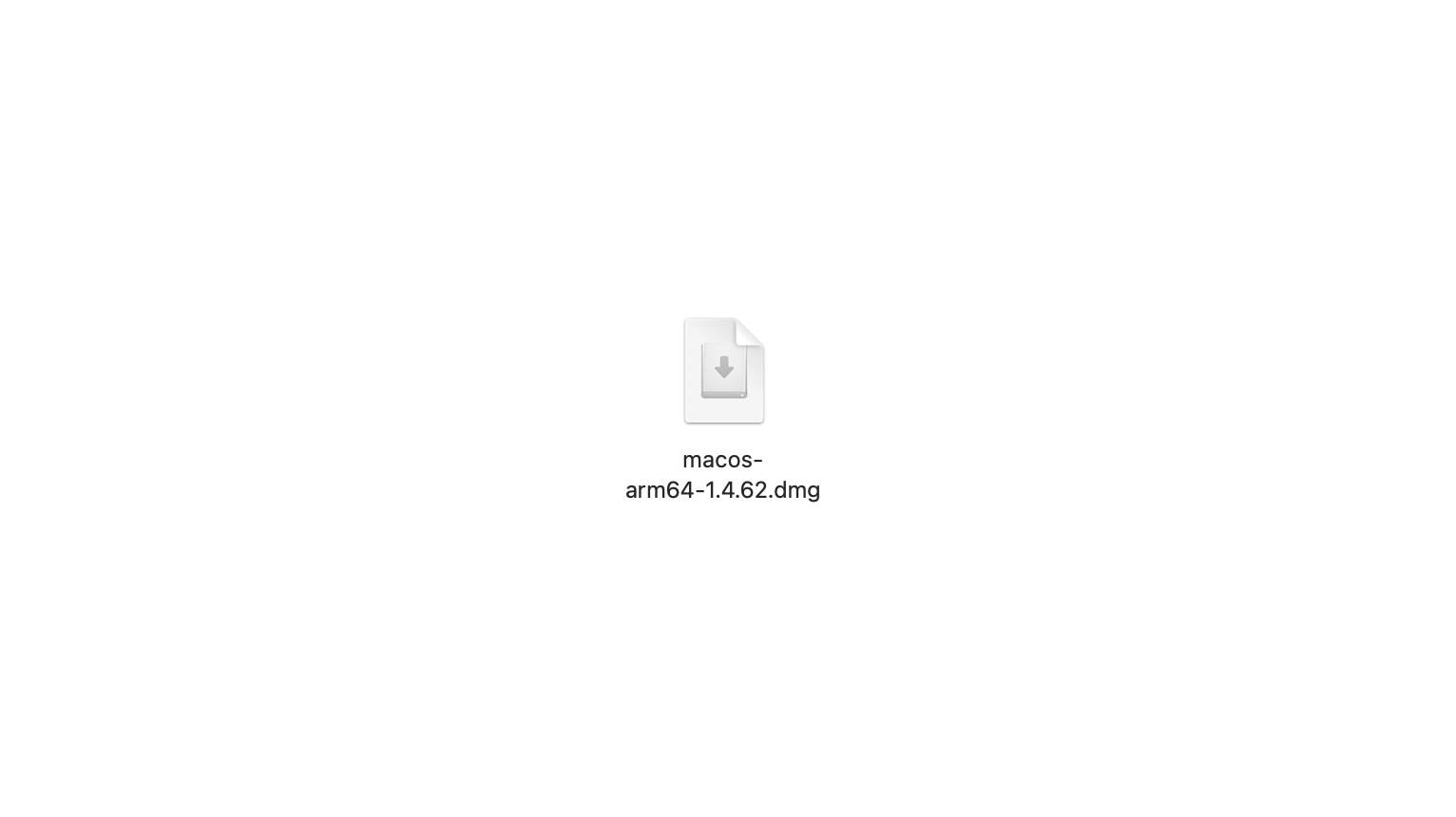
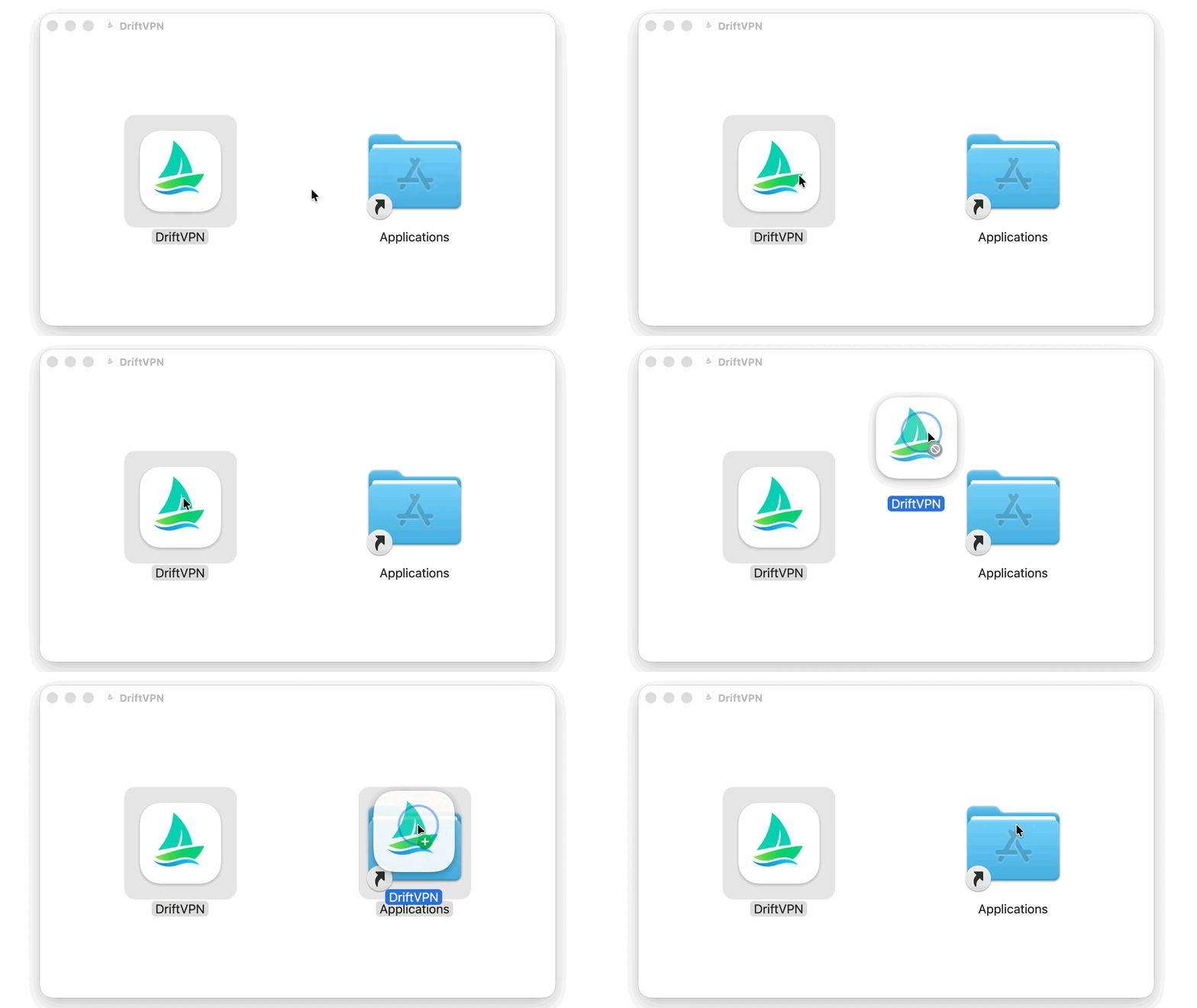
Après avoir téléchargé le programme d'installation macOS, ouvrez le fichier .dmg et faites glisser VPN dans Applications.
- 2.
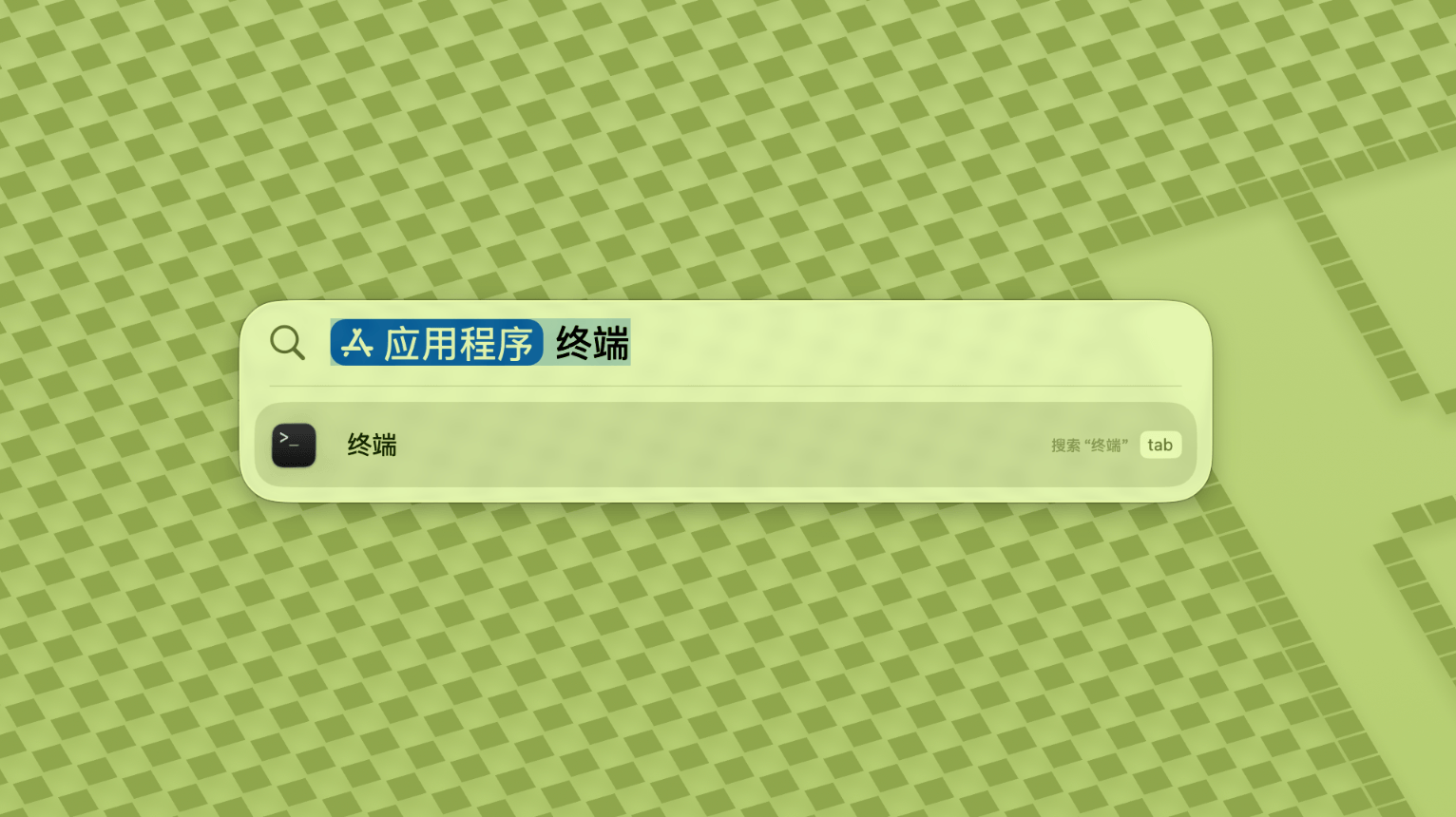
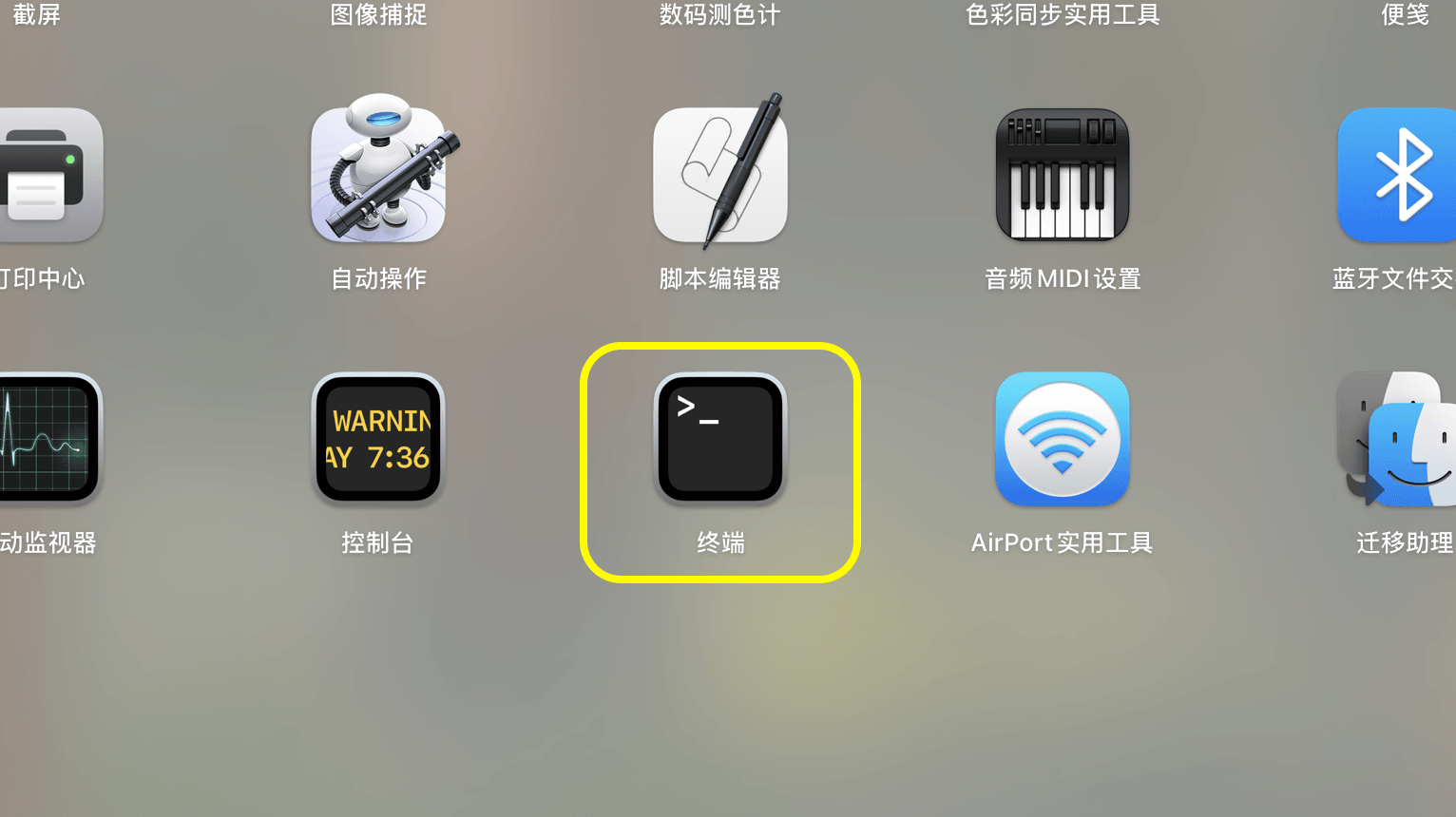
Ouvrez Launchpad ou Spotlight, puis recherchez et ouvrez Terminal.
- 3.
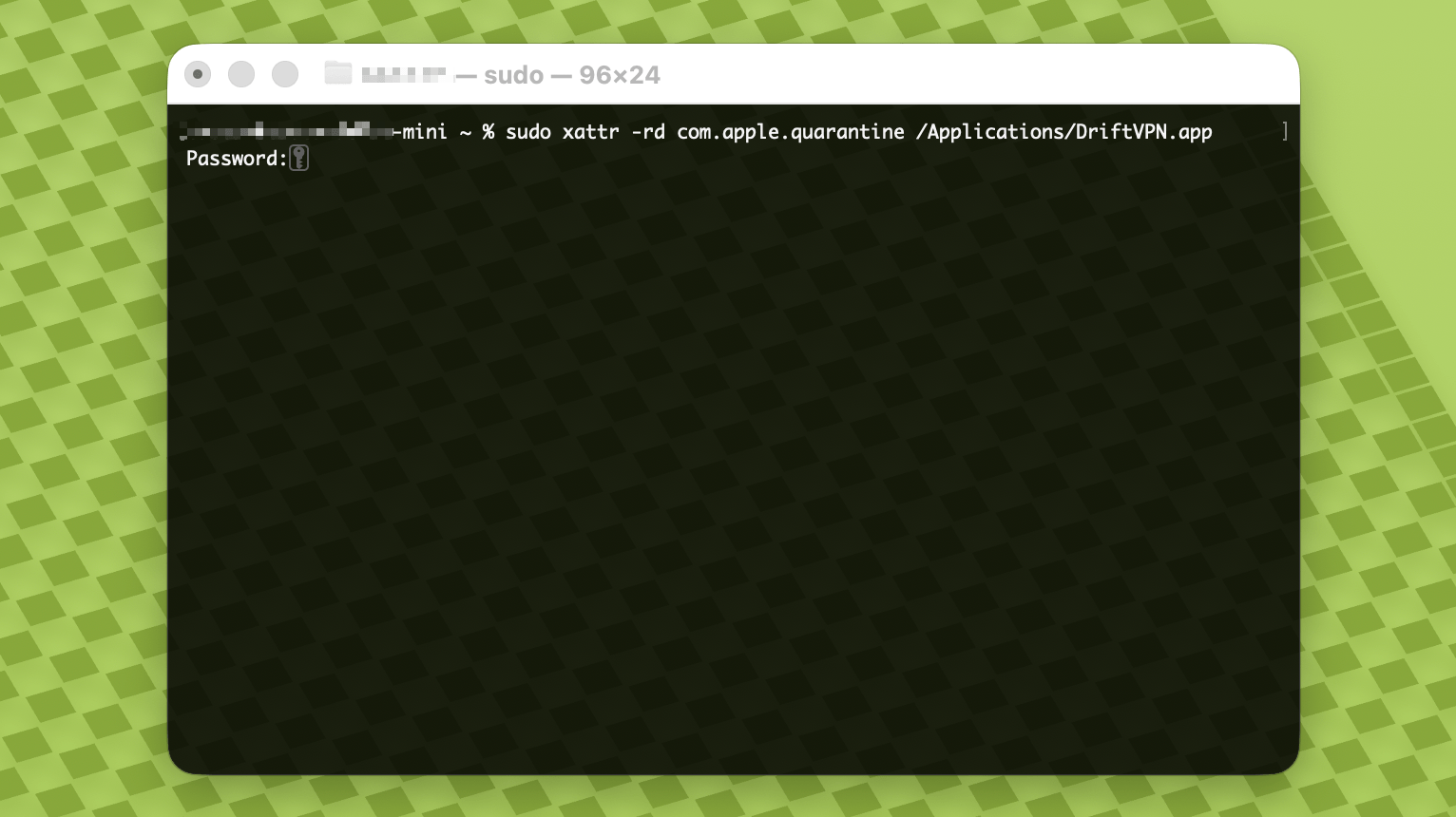
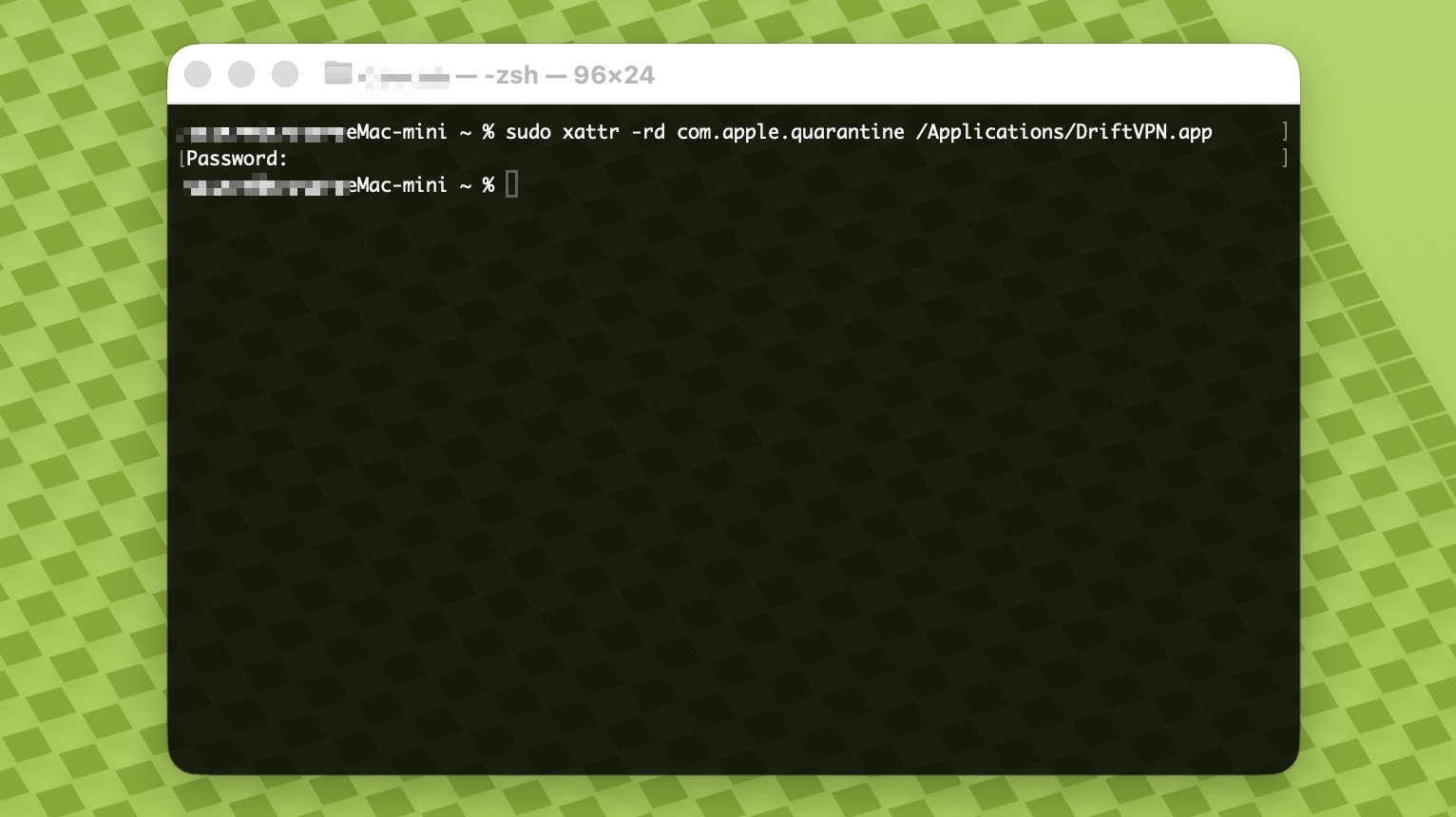
Collez la commande ci-dessous dans Terminal et appuyez sur Entrée. Saisissez votre mot de passe de connexion Mac lorsque vous y êtes invité ; les caractères n'apparaîtront pas pendant la saisie. Appuyez à nouveau sur Entrée une fois terminé.
sudo xattr -rd com.apple.quarantine /Applications/DriftVPN.app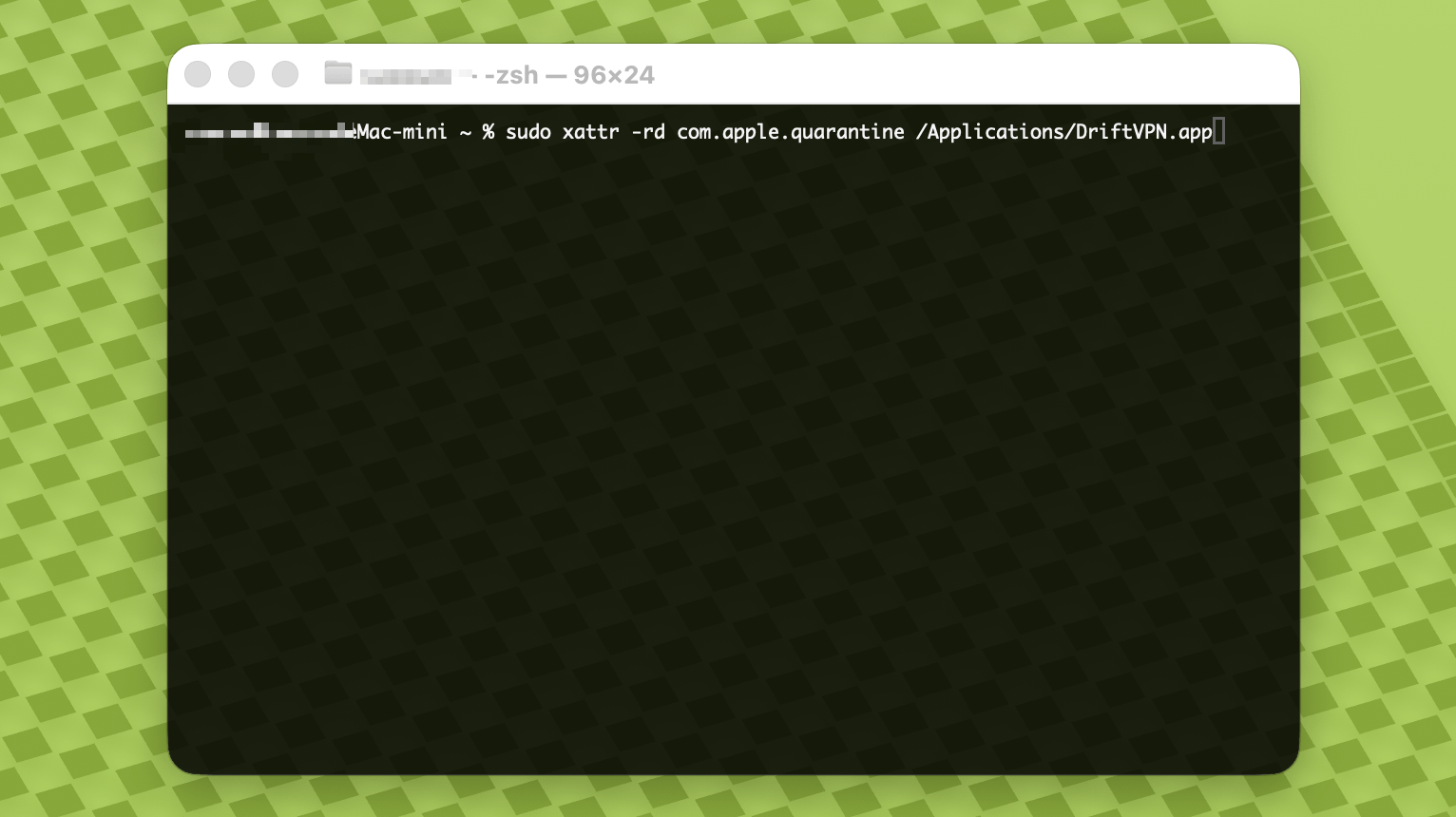
- 4.
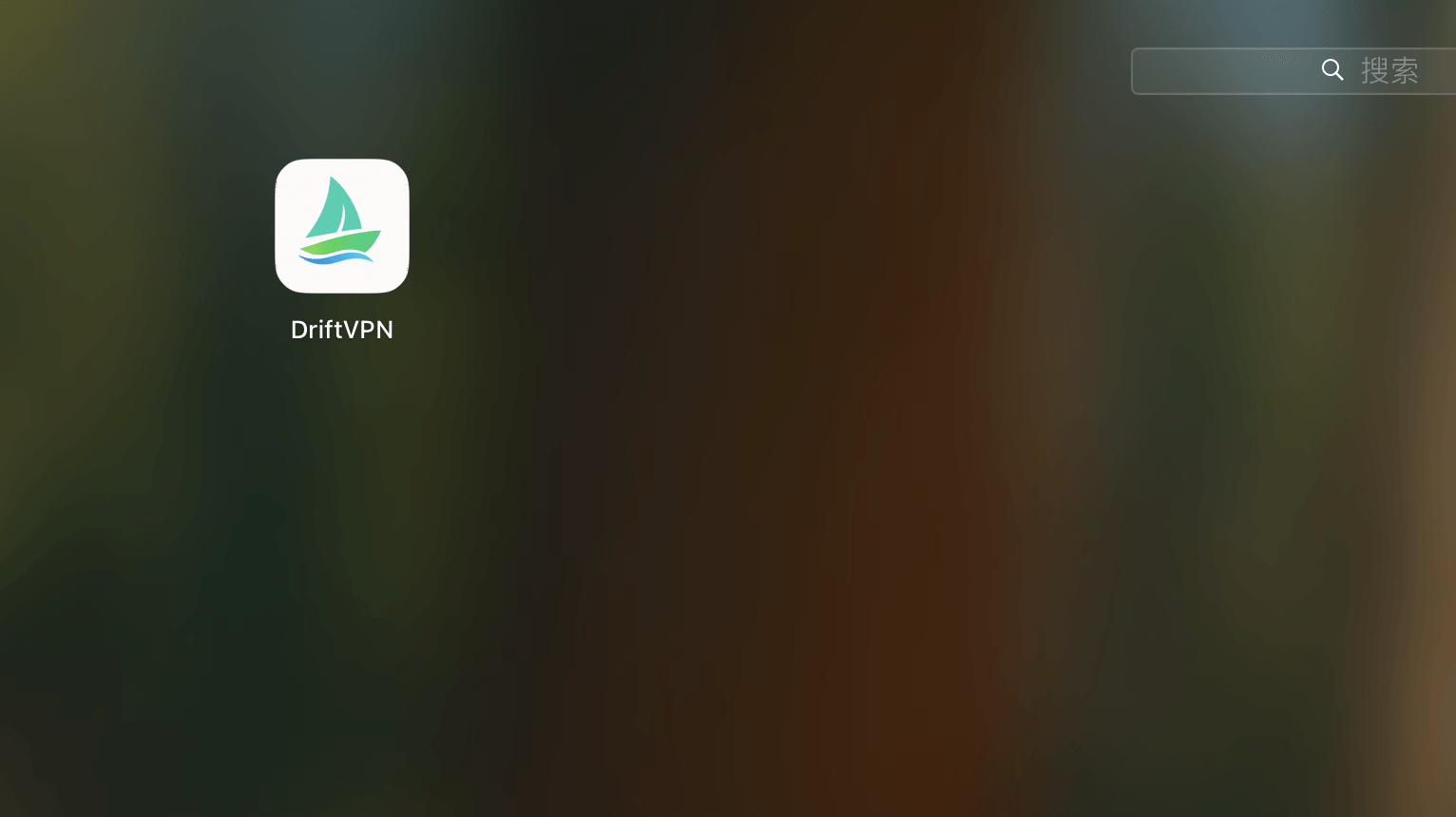
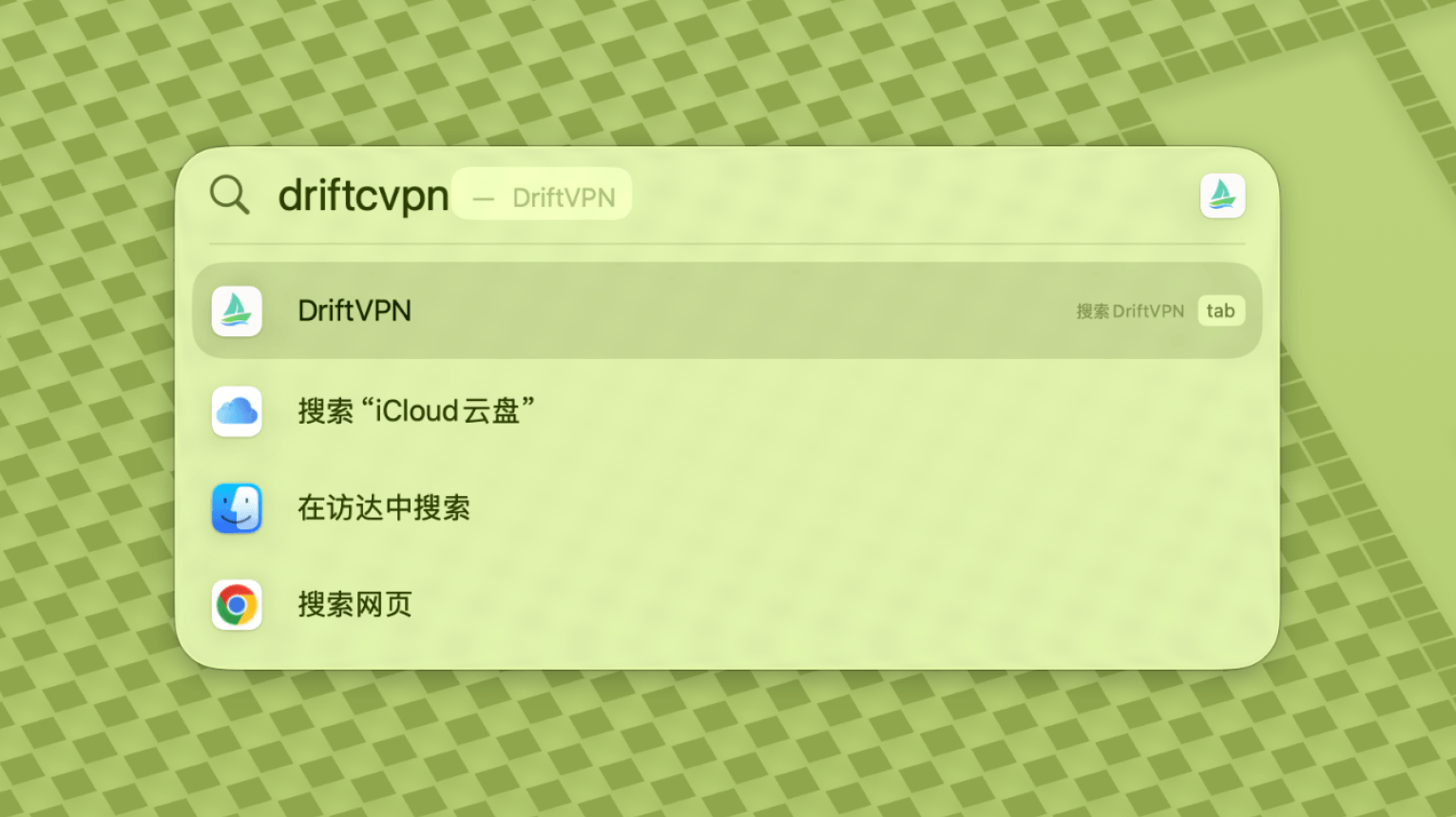
Une fois la commande terminée, recherchez VPN ou ouvrez-le depuis Applications.
- 5.
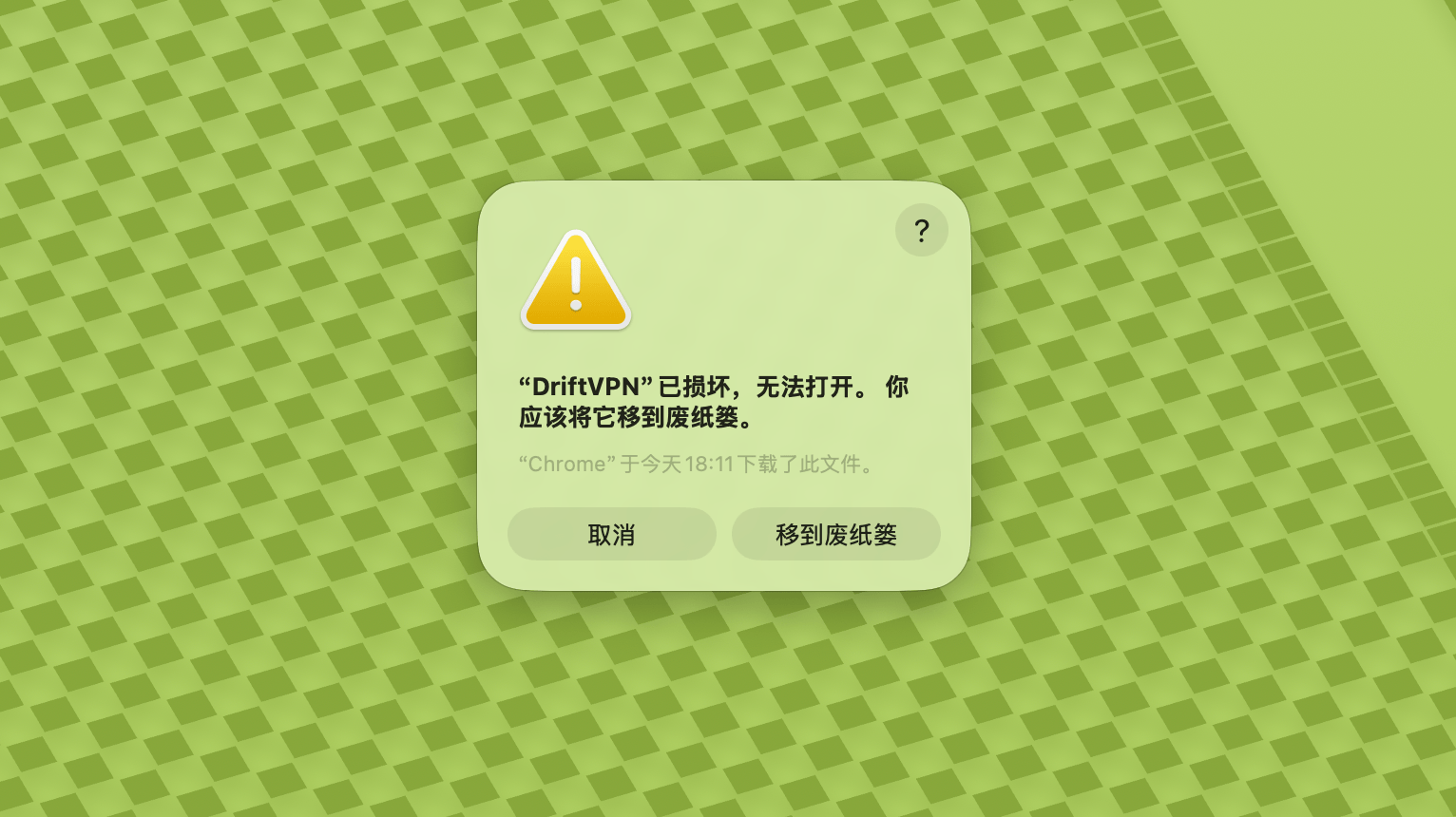
Si macOS bloque toujours l'application, allez dans Réglages Système → Confidentialité et sécurité et cliquez sur Ouvrir quand même dans la section Sécurité. Si l'application indique qu'elle est endommagée, téléchargez à nouveau le dernier programme d'installation et répétez la commande ci-dessus.
Si vous ne pouvez pas ouvrir VPN sur macOS, allez dans Réglages Système → Confidentialité et sécurité, faites défiler jusqu'à la section Sécurité et cliquez sur Ouvrir quand même.
Pour vérifier si votre ordinateur Windows utilise un processeur x64, ARM64 ou x86 (32 bits) :
- Ouvrez l'outil d'information système. Appuyez sur Win + R, saisissez msinfo32, puis appuyez sur Entrée
- Allez dans Résumé du système → Type de système, vous verrez les informations d'architecture du système
Message d'erreur : le fichier exécutable du proxy n'existe pas. Ou message : le fichier contient un virus ou un logiciel potentiellement indésirable. Solution :
Méthode 1 :
- Ouvrez 'Paramètres' → 'Confidentialité et sécurité' → 'Centre de sécurité Windows' → 'Protection contre les virus et menaces'
- Cliquez sur 'Gérer les paramètres'
- En bas, ajoutez ou supprimez des exclusions, et ajoutez le répertoire d'installation de Drift aux exclusions
Méthode 2 :
- Ouvrez 'Paramètres' → 'Confidentialité et sécurité' → 'Centre de sécurité Windows' → 'Protection contre les virus et menaces'
- Cliquez sur 'Gérer les paramètres'
- Désactivez la 'Protection en temps réel'
Si l'application ne peut pas se connecter après son lancement sous Windows, le pare-feu Windows Defender la bloque généralement. Solutions :
Méthode 1 : Ajouter une exception via le Panneau de configuration
- Appuyez sur Win + S et recherchez : Panneau de configuration
- Accédez à : Système et sécurité → Pare-feu Windows Defender
- À gauche, cliquez sur : Autoriser une application ou une fonctionnalité via le Pare-feu Windows Defender
- En haut à droite, cliquez sur : Modifier les paramètres
- Cliquez sur : Autoriser une autre application
- Cliquez sur : Parcourir et sélectionnez votre fichier .exe (chemin par défaut : C:\Users\[utilisateur]\AppData\Local\VPN\QingZhou.exe)
- Après l'ajout, cochez : Privé et Public (si un accès réseau externe est nécessaire)
- Cliquez sur : OK
Méthode 2 : Créer des règles dans le Pare-feu Windows Defender avec sécurité avancée
- Appuyez sur Win + S, recherchez « Pare-feu Windows Defender avec sécurité avancée » et ouvrez-le
- Cliquez sur « Règles de trafic entrant » à gauche → « Nouvelle règle » à droite
- Sélectionnez : Programme → Suivant
- Sélectionnez « Ce chemin d'accès au programme », parcourez et sélectionnez votre fichier .exe → Suivant
- Sélectionnez : Autoriser la connexion → Suivant
- Cochez : Domaine, Privé, Public (généralement tous) → Suivant
- Saisissez un nom (par ex. DriftVpn Inbound) → Terminer
- Répétez les étapes pour « Règles de trafic sortant » (sélectionnez « Règles de trafic sortant » à gauche ; le flux est identique à l'entrant)
Vous pouvez télécharger et installer VPN pour Android comme suit :
- Ouvrez la page de téléchargement officielle et choisissez Android.
- Téléchargez le package d'installation Android sur votre téléphone ou tablette.
- Ouvrez le fichier APK téléchargé depuis les téléchargements de votre navigateur ou le gestionnaire de fichiers.
- Si Android demande la permission d'installer des applications inconnues, autorisez-la pour le navigateur ou le gestionnaire de fichiers actuel, puis continuez l'installation.
Certains navigateurs ou systèmes peuvent enregistrer le fichier APK avec une extension .zip. Procédez comme suit :
- Ne décompressez pas le fichier.
- Ouvrez le gestionnaire de fichiers et renommez le fichier téléchargé en changeant l'extension de .zip en .apk.
- Appuyez sur le fichier .apk renommé pour l'installer.
- Si vous ne pouvez pas le renommer, téléchargez-le à nouveau ou utilisez un autre navigateur pour télécharger l'APK.
Pour des raisons de politique, VPN n'est pas disponible dans l'App Store chinois. Vous pouvez le télécharger en :
- Vous avez besoin d'un identifiant Apple non chinois (par ex. États-Unis, Japon, Hong Kong, etc.)
- Passez au compte non chinois dans l'App Store
- Recherchez 'VPN' pour le trouver et le télécharger
- Si vous n'avez pas d'identifiant Apple étranger, vous pouvez rechercher en ligne des tutoriels sur la façon d'enregistrer gratuitement un identifiant Apple étranger
Compte
Si vous avez oublié votre mot de passe de connexion, vous pouvez le réinitialiser en suivant ces étapes :
- Allez sur la page de connexion et cliquez sur 'Mot de passe oublié ?'
- Saisissez votre adresse e-mail enregistrée
- Vérifiez votre e-mail pour trouver un code de vérification à 6 chiffres (valable 5 minutes)
- Saisissez le code de vérification et votre nouveau mot de passe pour finaliser la réinitialisation
Paiement
Les moyens de paiement suivants sont actuellement pris en charge :
- Visa/Mastercard
Si vous devez annuler votre abonnement, commencez par identifier la plateforme sur laquelle vous avez souscrit. La procédure d'annulation varie selon la plateforme, et la désinstallation de l'application n'annule pas automatiquement l'abonnement.
Abonnement via le site officiel
Étapes :
- Accédez au site officiel et connectez-vous à votre compte en haut à droite.
- Une fois connecté, cliquez sur « Mon compte – Forfait et facturation » en haut à droite.
- Cliquez sur le bouton Gérer à côté des détails de votre forfait.
- Annulez votre abonnement sur la page Stripe.
iOS
Si vous avez souscrit via l'App Store sur iPhone ou iPad, annulez via Apple :
- Ouvrez les Réglages sur votre iPhone ou iPad.
- Appuyez sur votre nom de compte Apple en haut.
- Appuyez sur Abonnements.
- Sélectionnez l'abonnement VPN.
- Appuyez sur Annuler l'abonnement.
Si vous utilisez un appareil iOS mais avez souscrit via le site officiel, suivez les étapes « Abonnement via le site officiel » ci-dessus.
Android
Les abonnements Android hors Google Play Store sont traités via Stripe. Consultez « Abonnement via le site officiel » ci-dessus pour annuler.
Android – Google Play
Si vous avez souscrit via Google Play, annulez via Google Play :
- Ouvrez Google Play.
- Appuyez sur votre photo de profil en haut à droite.
- Accédez à Paiements et abonnements.
- Appuyez sur Abonnements.
- Sélectionnez l'abonnement VPN.
- Appuyez sur Annuler l'abonnement et suivez les instructions.
Mac
Les abonnements hors Mac App Store sont traités via Stripe. Consultez « Abonnement via le site officiel » ci-dessus pour annuler.
Mac – App Store
Si vous avez souscrit via le Mac App Store, annulez via Apple :
- Ouvrez l'App Store sur votre Mac.
- Cliquez sur votre nom de compte.
- Cliquez sur Paramètres du compte.
- Trouvez Abonnements et cliquez sur Gérer.
- Sélectionnez l'abonnement VPN.
- Cliquez sur Annuler l'abonnement.
Windows
Consultez « Abonnement via le site officiel » ci-dessus pour annuler.
Utilisation
Vous pouvez démarrer votre essai VPN avec ces étapes :
- Créez un compte sur le site officiel ou dans n'importe quel client
- Connectez-vous à votre compte dans n'importe quel client
- Appuyez sur le bouton de bascule sur la page d'accueil pour commencer à utiliser le service
Si vous avez un code d'activation, vous pouvez l'échanger après vous être connecté :
- Connectez-vous à votre compte sur le site ou dans le client.
- Cliquez sur Mon compte en haut à droite, puis choisissez Utiliser le code d'activation dans le menu déroulant.
- Saisissez le code d'activation et confirmez l'échange.
- Après un échange réussi, le forfait ou l'avantage correspondant sera automatiquement ajouté à votre compte.
- Si aucun message de succès n'apparaît, le code d'activation a déjà été utilisé.
- Après activation, redémarrez l'application pour que le forfait ou l'avantage prenne effet.
VPN prend actuellement en charge les plateformes suivantes :
- Android (téléphones et tablettes)
- iOS (iPhone et iPad, nécessite un App Store non chinois)
- macOS (supporte les puces Intel et Apple Silicon)
- Windows (supporte l'architecture x64)
Un compte prend en charge jusqu'à 3 appareils en ligne simultanément. Vous pouvez installer le client et vous connecter sur davantage d'appareils ; seul le nombre d'appareils connectés en même temps est limité. Si la limite est dépassée, l'appareil connecté en premier sera automatiquement déconnecté. Le client ne permet pas actuellement de déconnecter d'autres appareils ou de les déconnecter du compte en un clic. Pour libérer une place en ligne, déconnectez-vous ou coupez manuellement la connexion sur l'appareil concerné.
Ils contrôlent quel trafic passe par le VPN :
- Le Proxy Global envoie la plupart du trafic réseau via le VPN. Utilisez-le lorsque vous souhaitez que toutes les applications et tous les sites web utilisent la connexion proxy.
- Le Routage Intelligent ne proxifie que le trafic nécessitant une accélération ou une optimisation d'accès. Le trafic local et directement accessible reste sur le réseau d'origine, ce qui est généralement mieux pour l'utilisation quotidienne.
- Les règles VPN intégrées couvrent la plupart des besoins, et vous pouvez également ajouter vos propres règles proxy.
- 1.
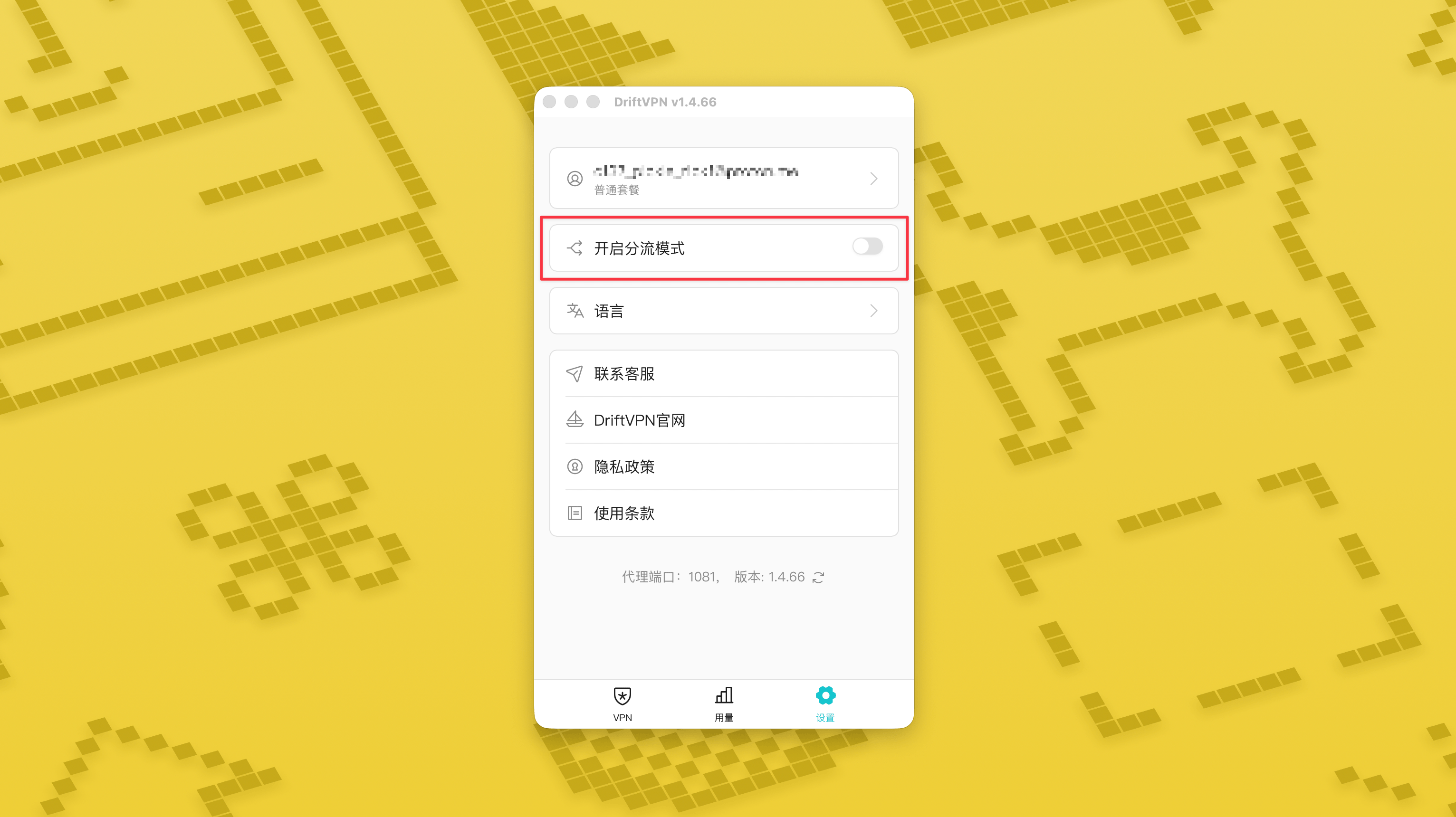
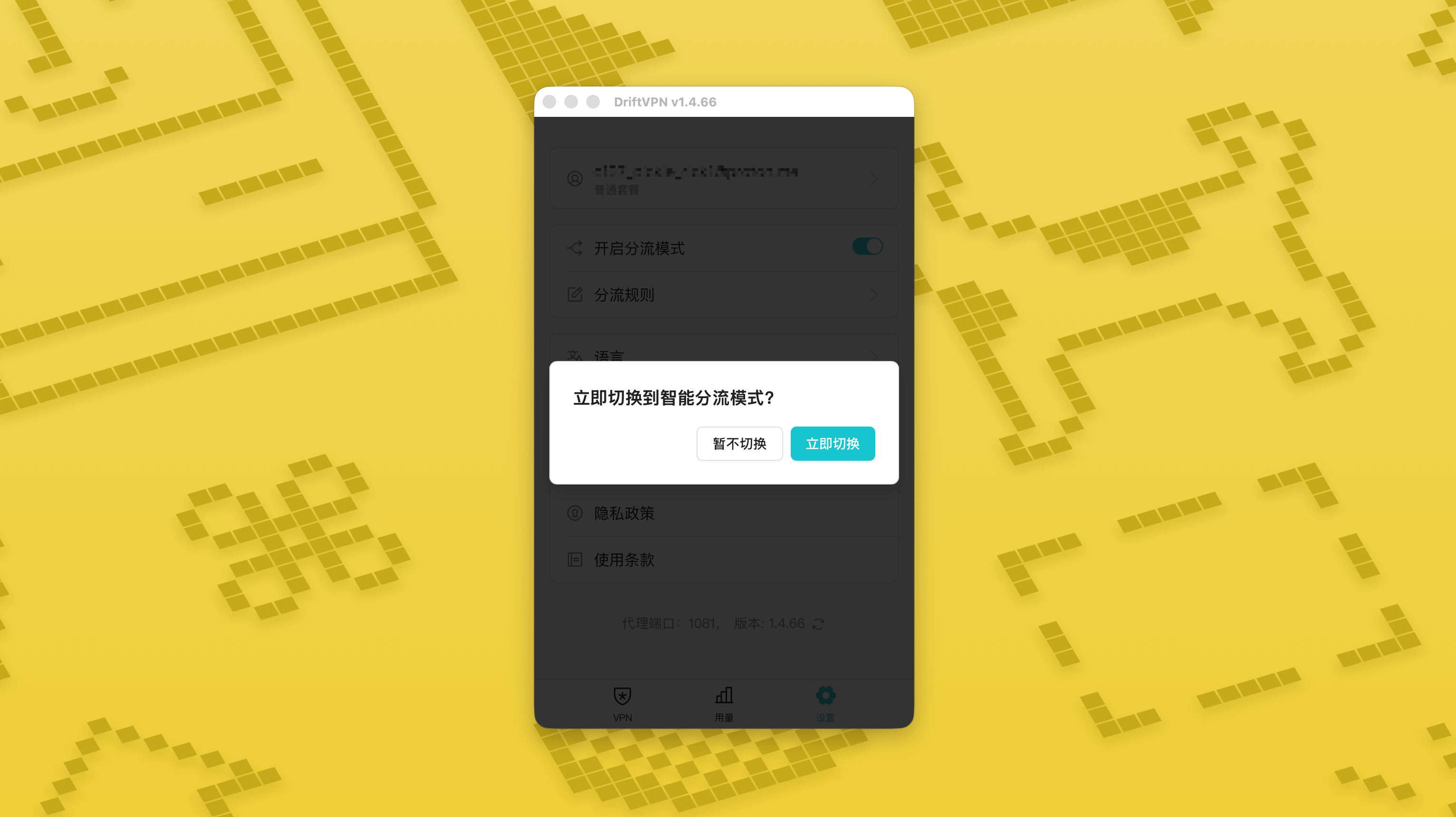
Dans la page Paramètres, activez l’interrupteur du mode de routage intelligent puis appuyez sur « Basculer maintenant » pour l’activer.
- 2.
Une fois activé, vous pouvez passer de « Proxy global » à « Routage intelligent » depuis la page d’accueil.
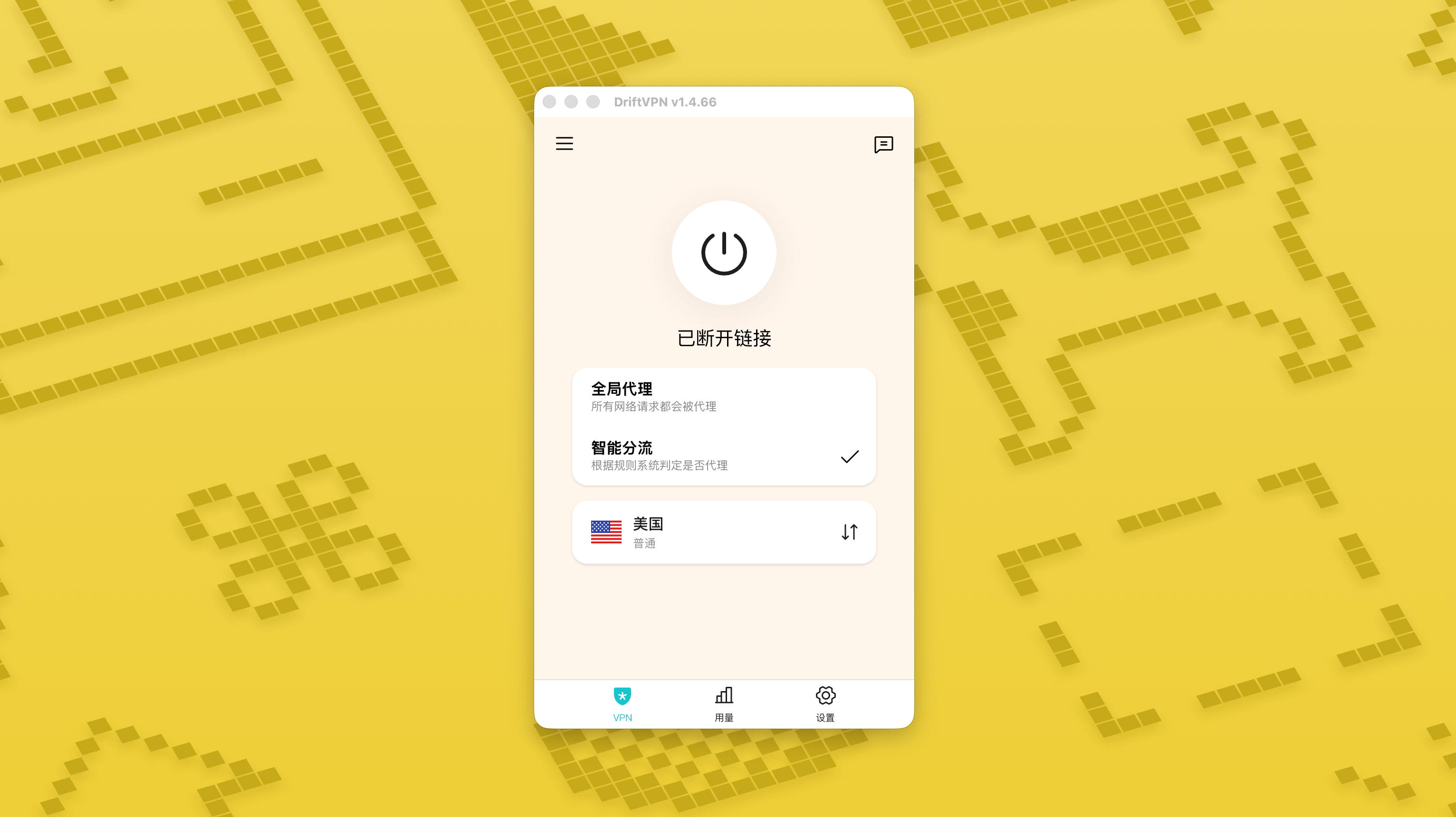
- 3.
Après activation du mode de routage intelligent, une page « Règles de routage » apparaît dans les Paramètres.
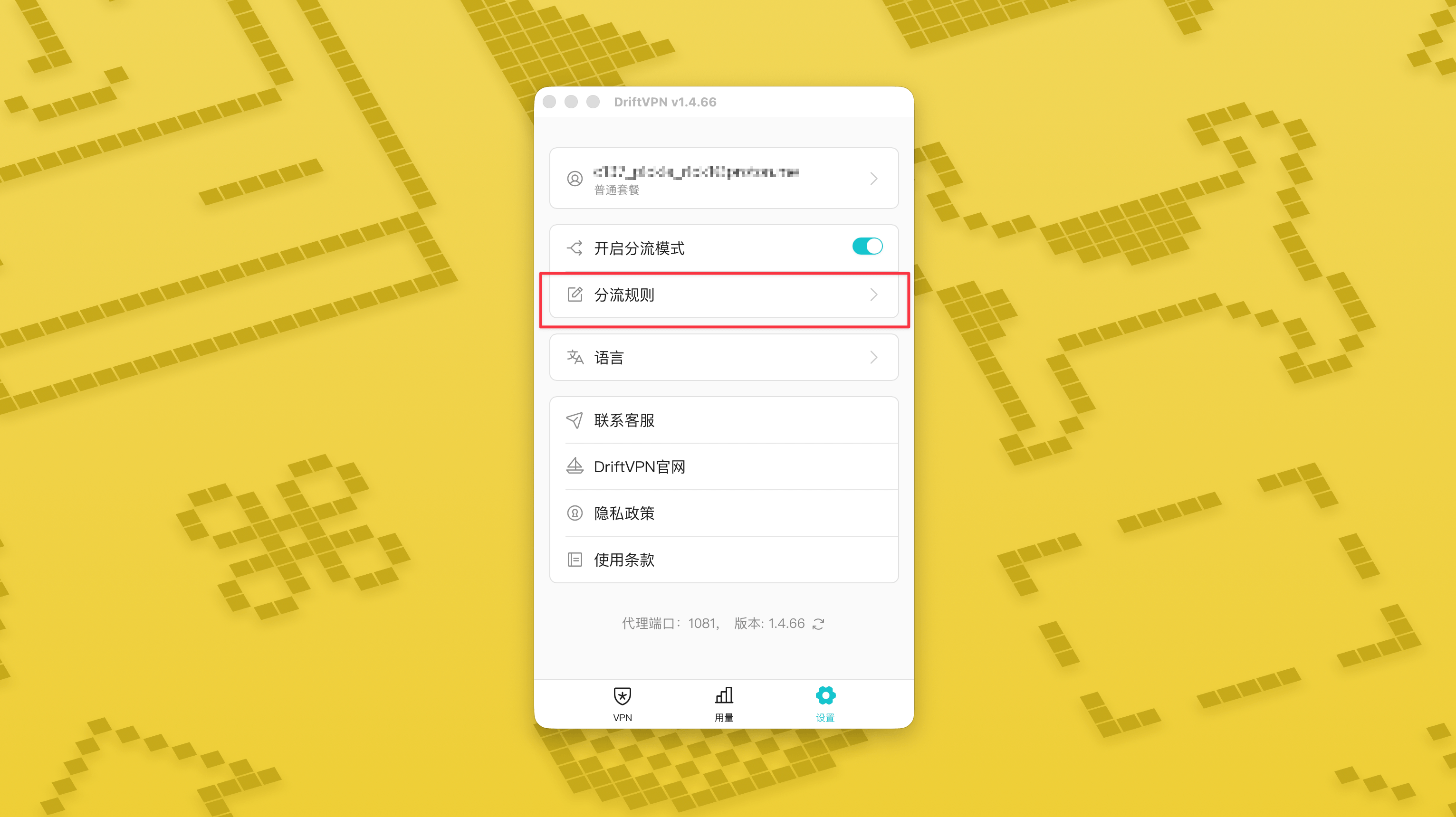
- 4.
En haut à droite de la page « Règles de routage », appuyez sur le bouton « + » pour ajouter une nouvelle règle, ou sur le bouton « ? » pour voir comment rédiger les règles. Chaque groupe de règles peut être activé ou désactivé avec son interrupteur.
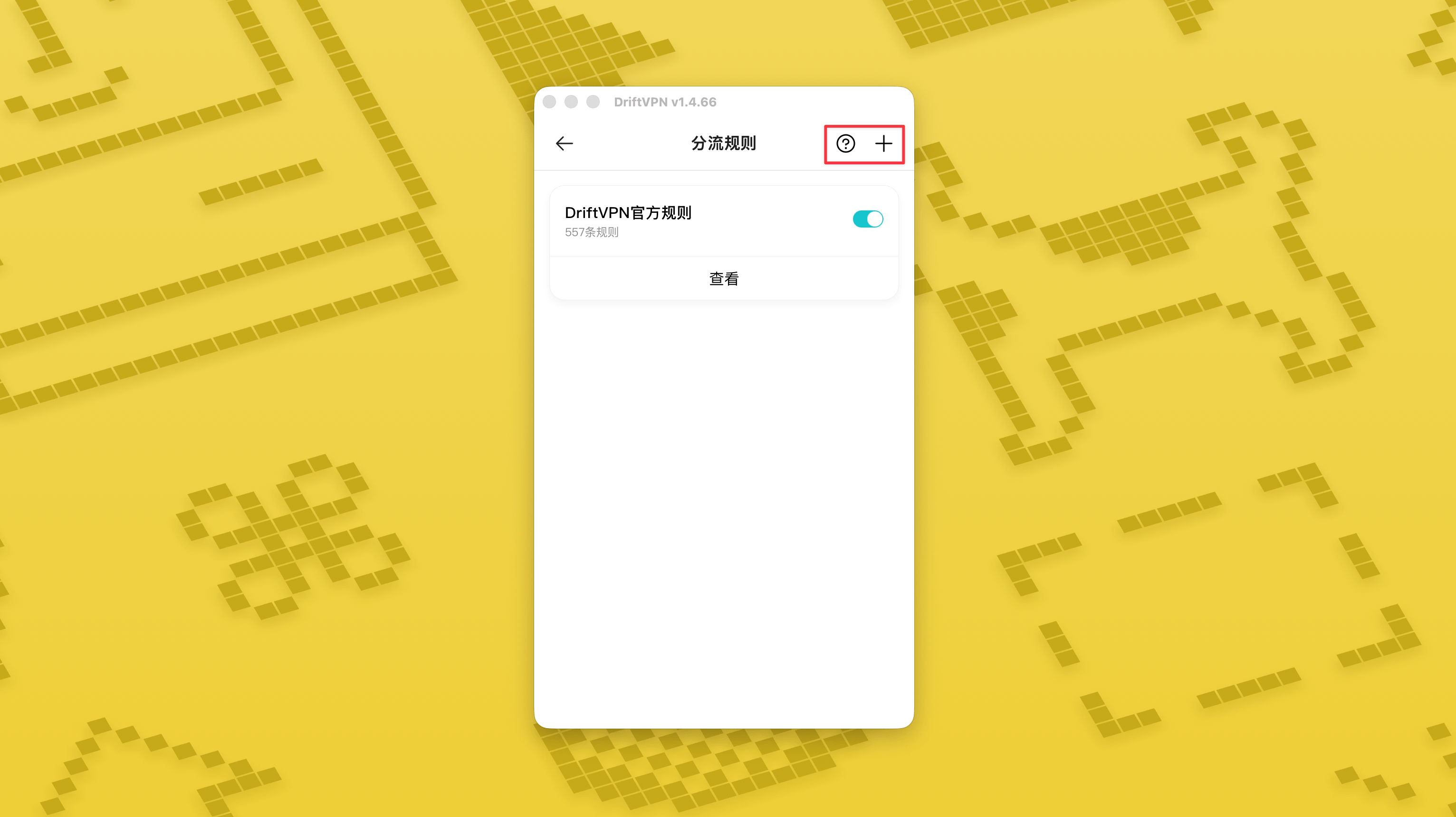
Si vous utilisez déjà un outil proxy comme Clash, vous pouvez utiliser DriftVPN comme proxy frontal, puis vous connecter à votre proxy IP résidentiel comme sortie finale. Cela convient aux utilisateurs avancés qui ont besoin de "d'abord établir une connexion via DriftVPN, puis accéder au site cible via une IP résidentielle".
Le port proxy local par défaut de DriftVPN est . Si ce port est déjà utilisé par un autre programme, le client essaiera automatiquement le port suivant, comme 、. Lors de la configuration, veuillez utiliser le port proxy local actuellement affiché dans le client (vérifiez le numéro de port en bas de la page des paramètres VPN après une connexion réussie).
En prenant comme exemple un client Clash / Mihomo qui prend en charge le chaînage de proxies, vous pouvez le configurer comme suit :
proxies: - name: "轻舟VPN 前置代理" type: http server: 127.0.0.1 port: 9527 - name: "住宅IP落地" type: http server: your-residential-proxy.example.com port: 12345 username: "your-username" password: "your-password"proxy-groups: - name: "轻舟VPN + 住宅IP" type: relay proxies: - "轻舟VPN 前置代理" - "住宅IP落地" - name: "PROXY" type: select proxies: - "轻舟VPN + 住宅IP" - DIRECTrules: - MATCH,PROXY
Remarques :
- Les informations du proxy IP résidentiel ci-dessus doivent être remplacées par l'adresse réelle, le port, le nom d'utilisateur et le mot de passe fournis par votre fournisseur de services.
- Si le port proxy local actuellement affiché dans DriftVPN n'est pas 9527, veuillez modifier le port dans la configuration par le port réel.
- Le type de votre proxy IP résidentiel doit être renseigné selon le protocole fourni par votre prestataire. Les valeurs courantes sont http ou socks5.
- La prise en charge du chaînage de proxies varie selon les clients Clash. Si la configuration ne fonctionne pas, veuillez confirmer que le cœur du client actuel prend en charge le groupe de proxies de type relay.
- Cette utilisation convient aux utilisateurs avancés familiers avec la configuration Clash. Il est recommandé aux utilisateurs réguliers d'utiliser le Proxy Global intégré ou le Routage Intelligent dans le client DriftVPN.
Oui. Si l'accès est instable, passez à une autre route et réessayez.
Vous pouvez choisir une route en fonction de votre cas d'utilisation actuel :
- Pour un usage quotidien, si vous ne vous souciez pas de la latence, n'importe quelle route convient.
- Si la latence est importante, choisissez un nœud géographiquement plus proche de vous.
- Si vous avez besoin d'accéder à des sites web ou services avec des restrictions de région IP, comme du contenu de streaming exclusif à une région, choisissez un nœud dans le pays ou la région correspondant.
Nous fournissons une assistance uniquement pour les problèmes suivants :
- Problèmes de connexion au compte
- Problèmes de paiement / commande
- Service totalement indisponible, par exemple impossibilité de se connecter
Les cas suivants ne relèvent pas du support client :
- Problèmes d'expérience subjective comme les ralentissements, une vitesse lente ou instable
- Accès lent à des plateformes tierces, comme des sites web ou applications
- Problèmes causés par l'environnement réseau local, l'appareil, l'opérateur ou d'autres facteurs côté utilisateur
- Problèmes causés par le non-respect du tutoriel officiel ou par une modification manuelle des paramètres
- La qualité du réseau dépend fortement de l'opérateur local et des routes internationales. La plateforme ne peut donc pas garantir l'expérience d'accès dans toutes les régions ni à tout moment.
Si vous rencontrez des problèmes, vous pouvez nous contacter via les méthodes suivantes :
- Soumettez votre problème via la page 'Commentaires', et nous vous répondrons par e-mail.Aller aux Commentaires
- Envoyez un e-mail à notre adresse d'assistance :support@qz.run
- Contactez-nous sur Telegram :@driftvpn_offical