
Pusat Bantuan - Panduan Pengaturan dan Pemecahan Masalah
Instalasi
Untuk memastikan apakah Mac Anda menggunakan prosesor Intel atau Apple Silicon:
- Klik ikon Apple di pojok kiri atas layar
- Pilih "Tentang Mac ini"
- Di jendela yang muncul, periksa informasi "Chip atau Prosesor". Jika dimulai dengan Intel, itu adalah prosesor Intel, jika tidak maka Apple Silicon
- 1.
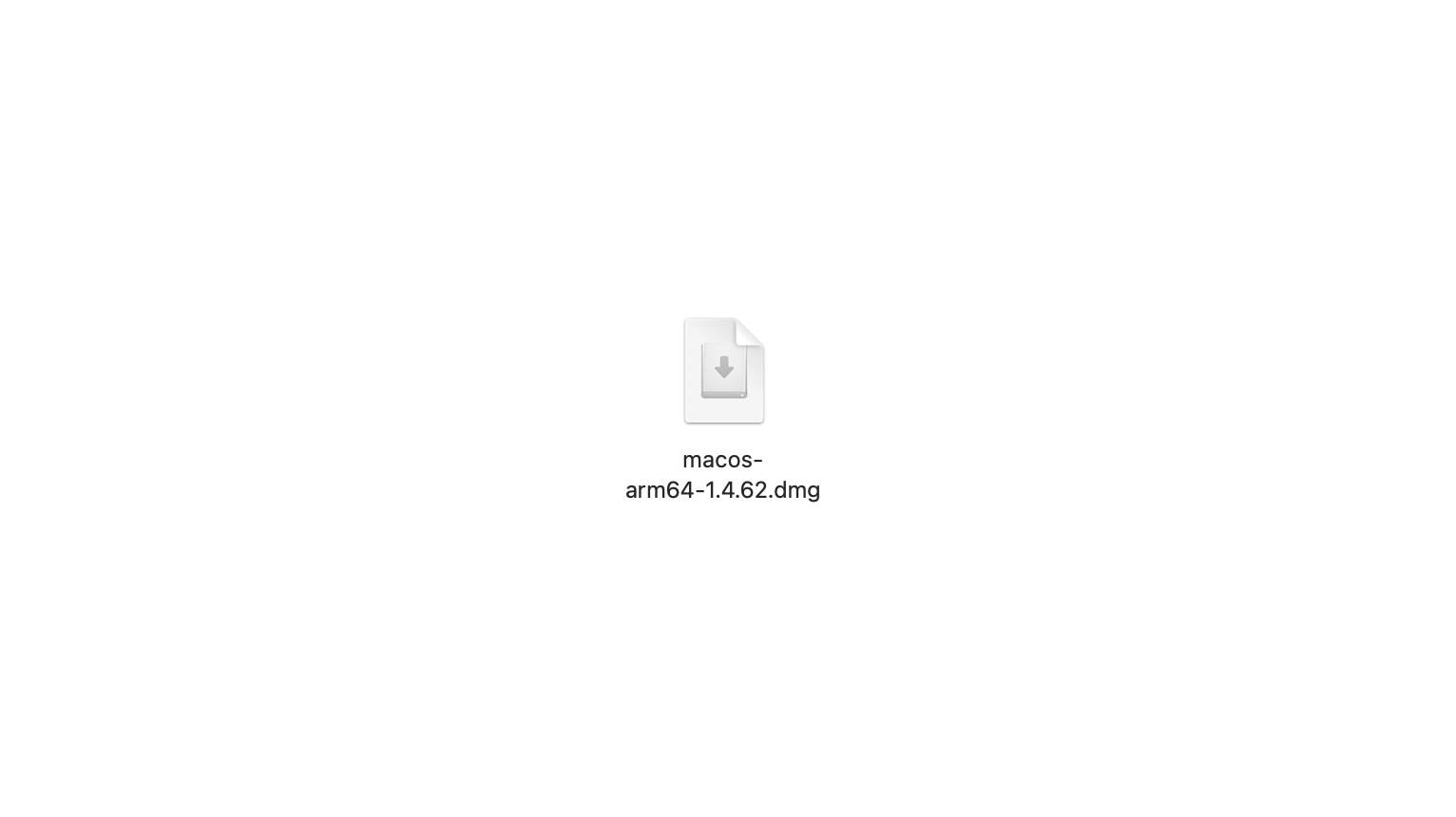
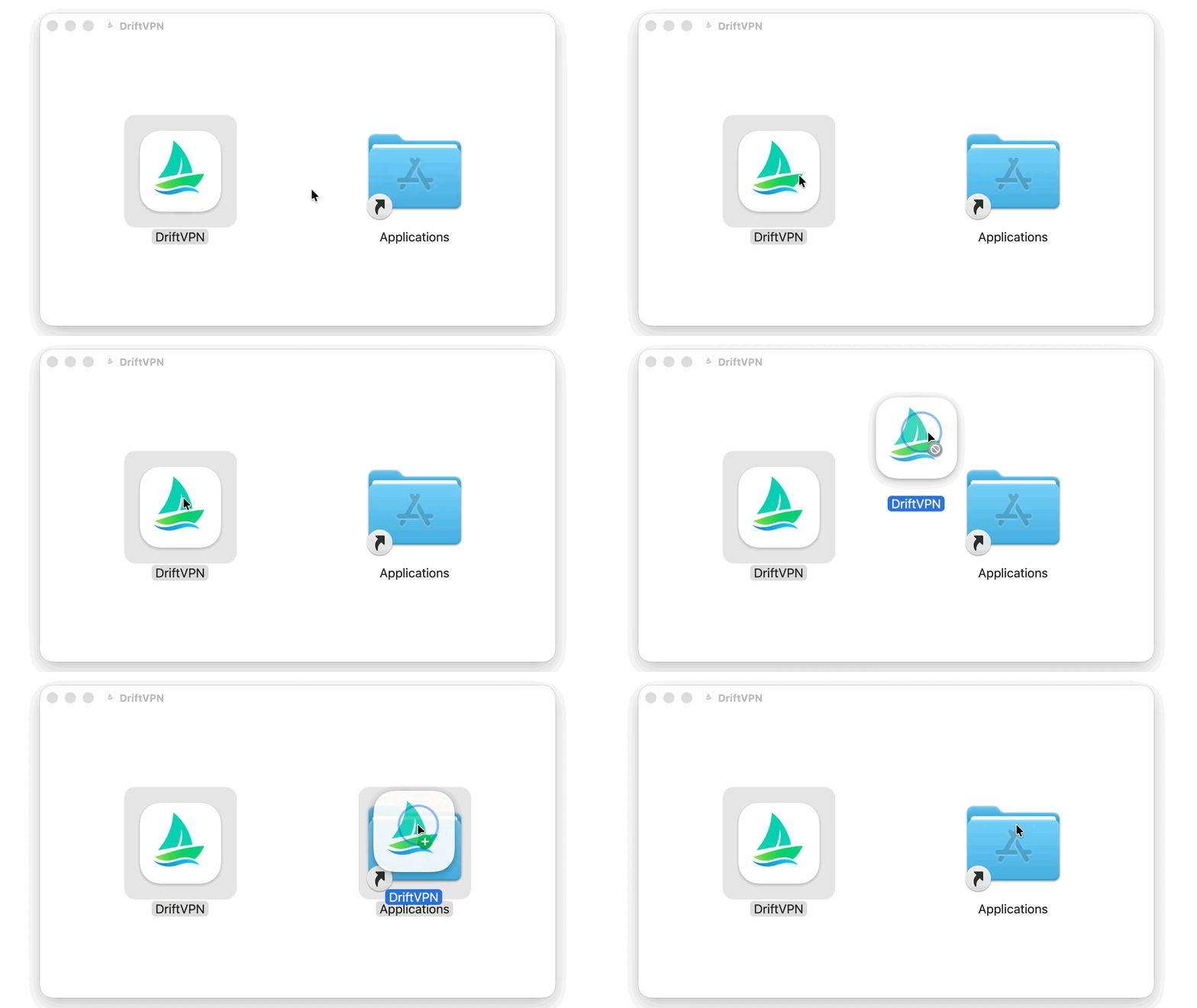
Setelah mengunduh penginstal macOS, buka file .dmg dan seret VPN ke Aplikasi.
- 2.
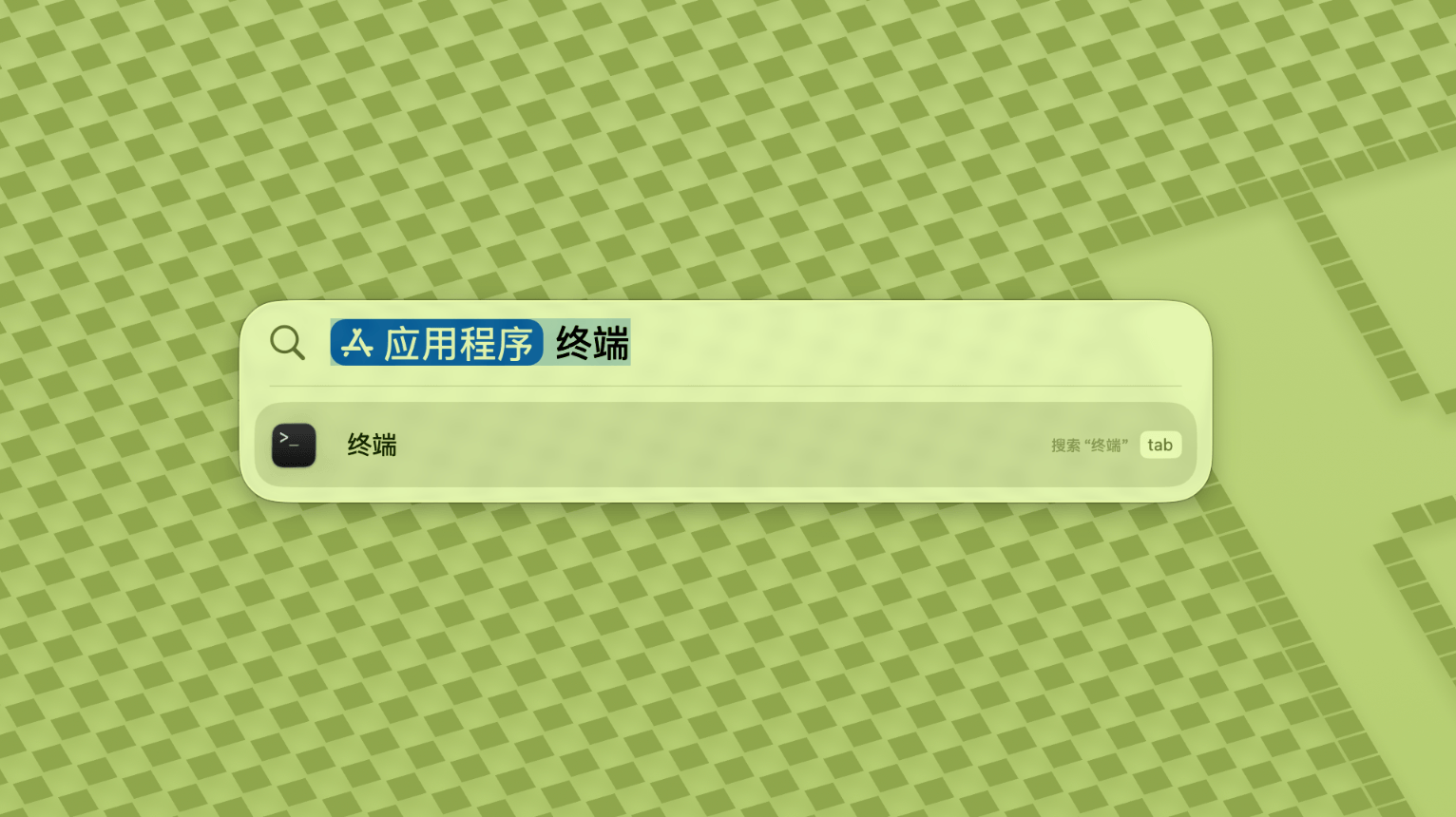
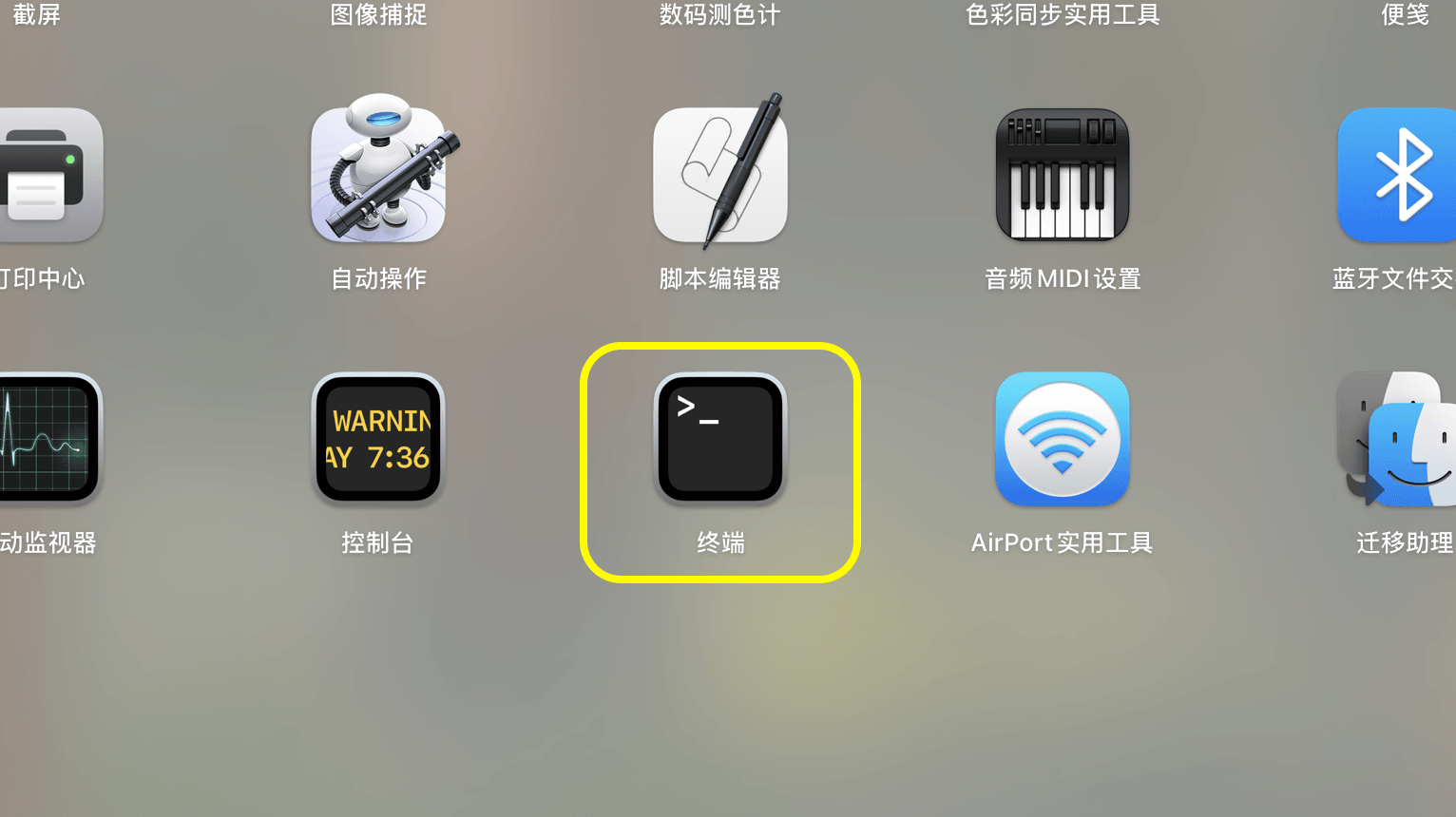
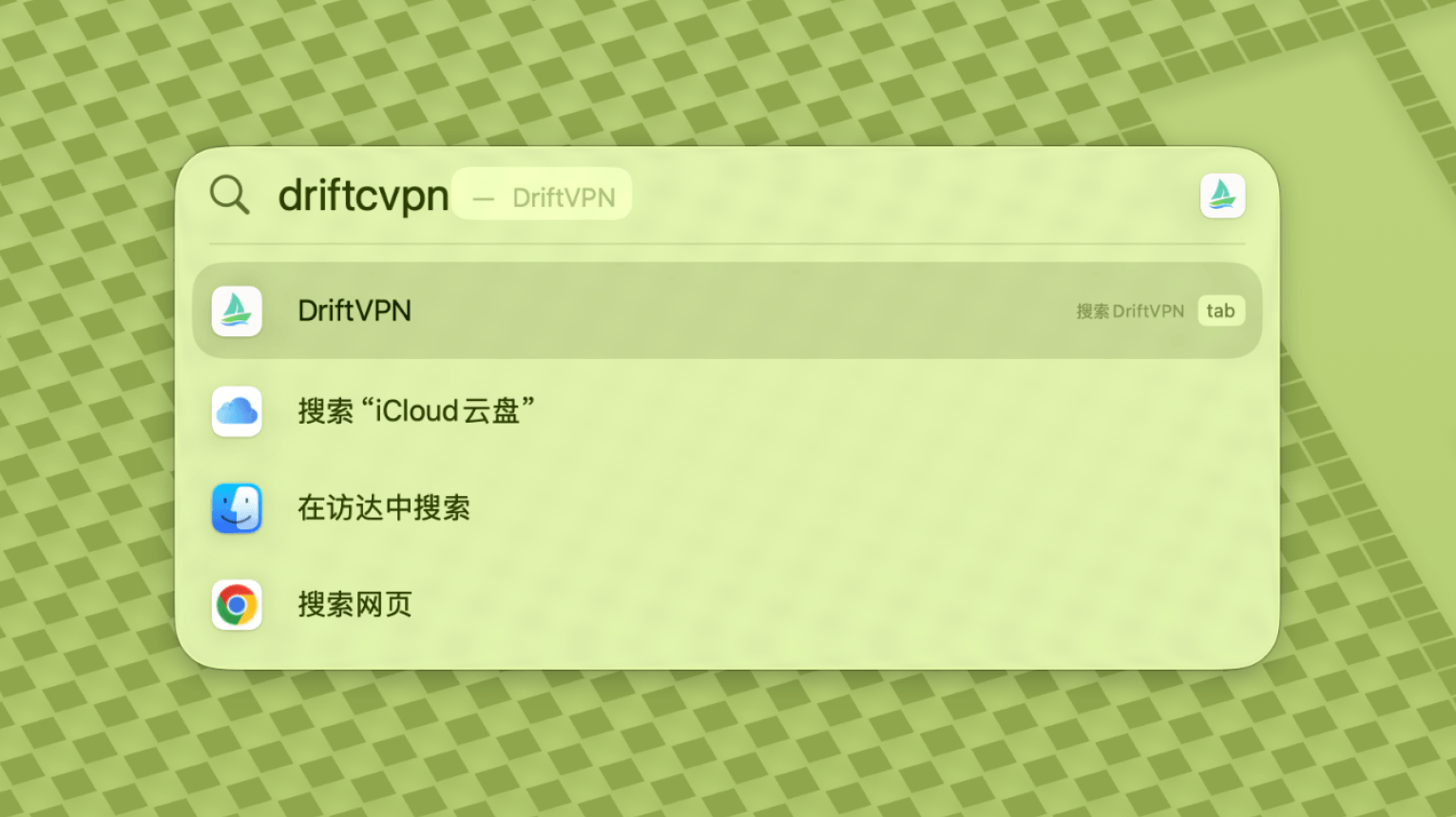
Buka Launchpad atau Spotlight, lalu cari dan buka Terminal.
- 3.
Tempel perintah di bawah ke Terminal dan tekan Enter. Masukkan kata sandi login Mac Anda saat diminta; karakter tidak akan muncul saat mengetik. Tekan Enter lagi setelah selesai.
sudo xattr -rd com.apple.quarantine /Applications/DriftVPN.app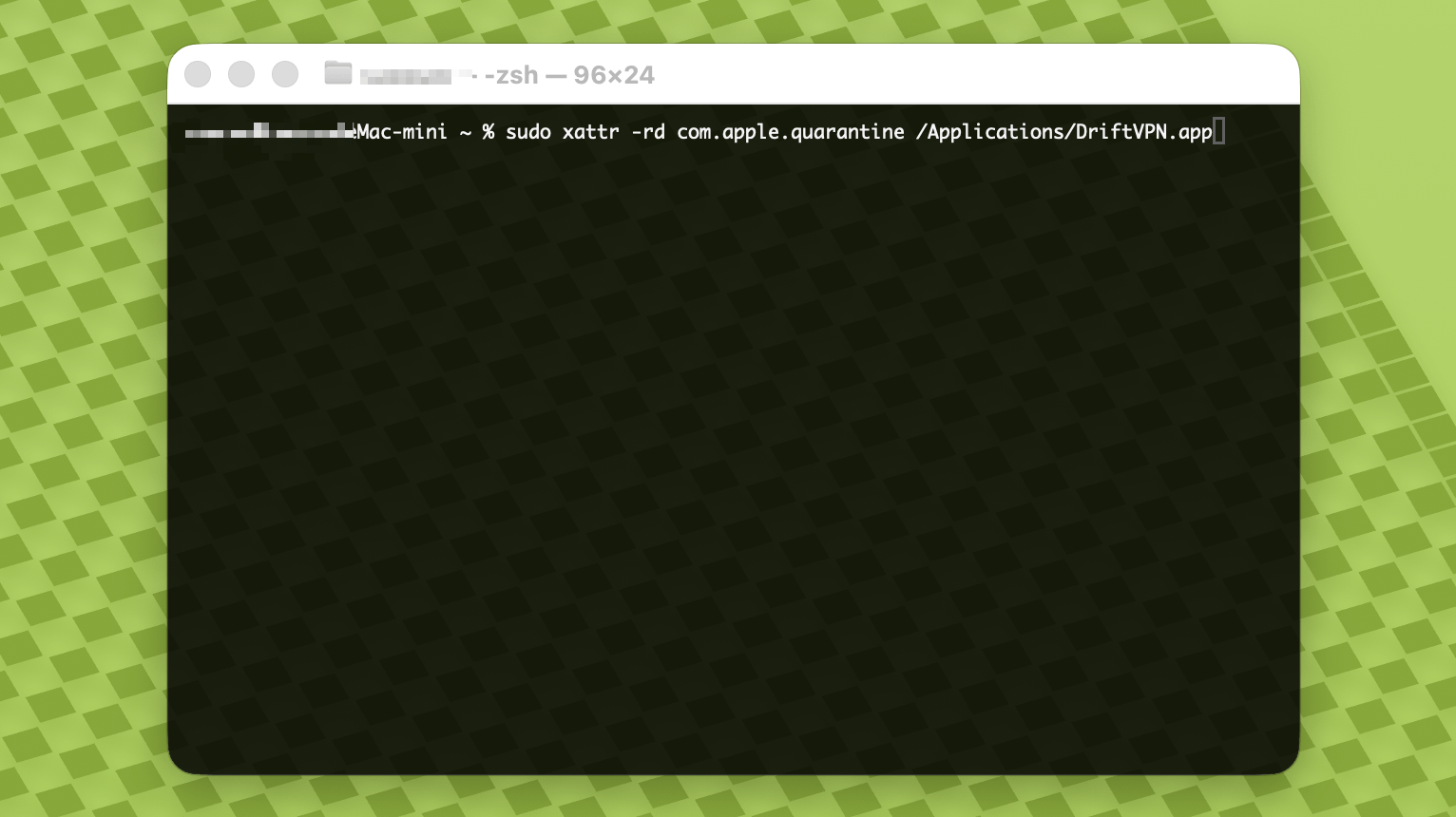
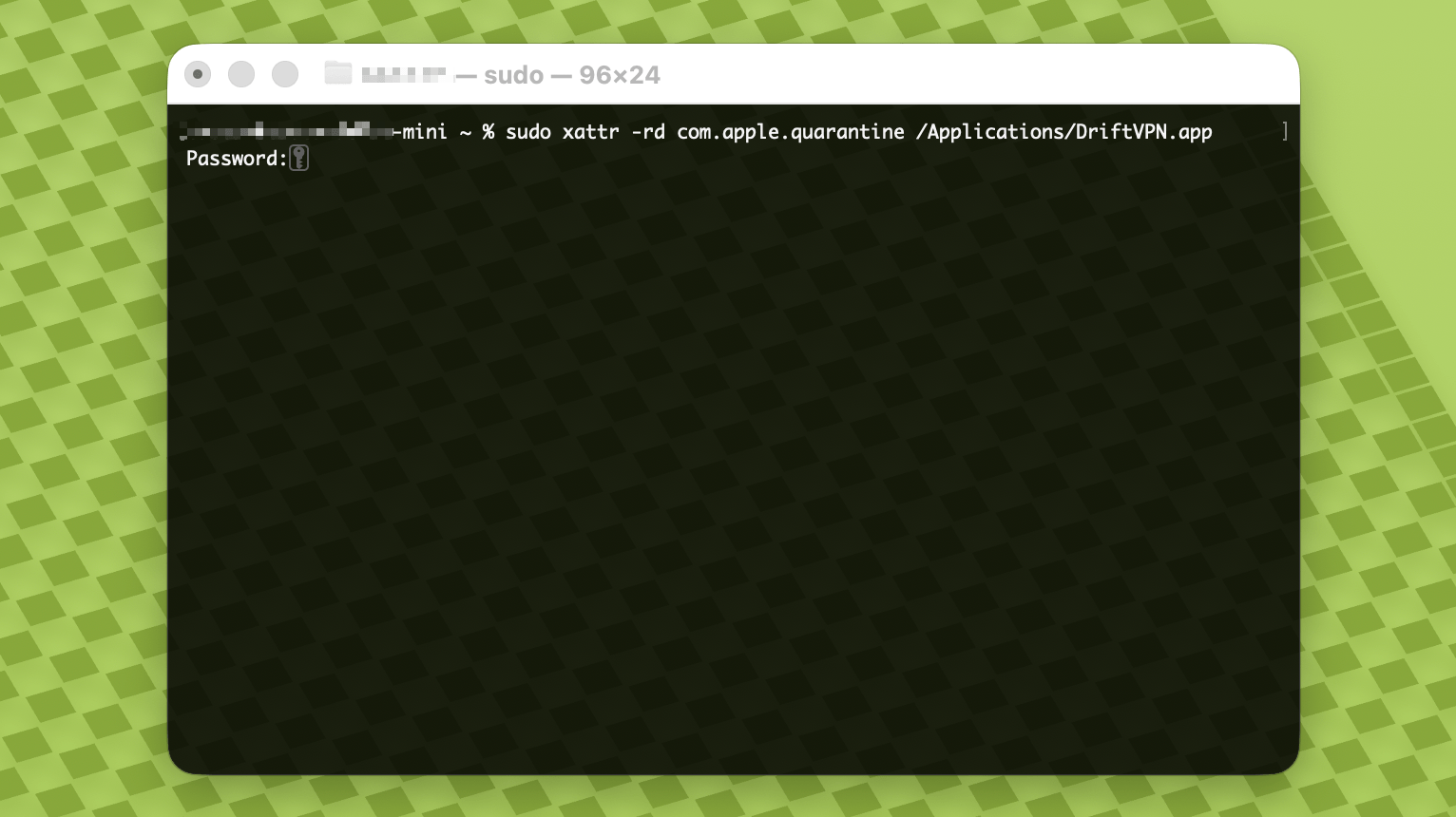
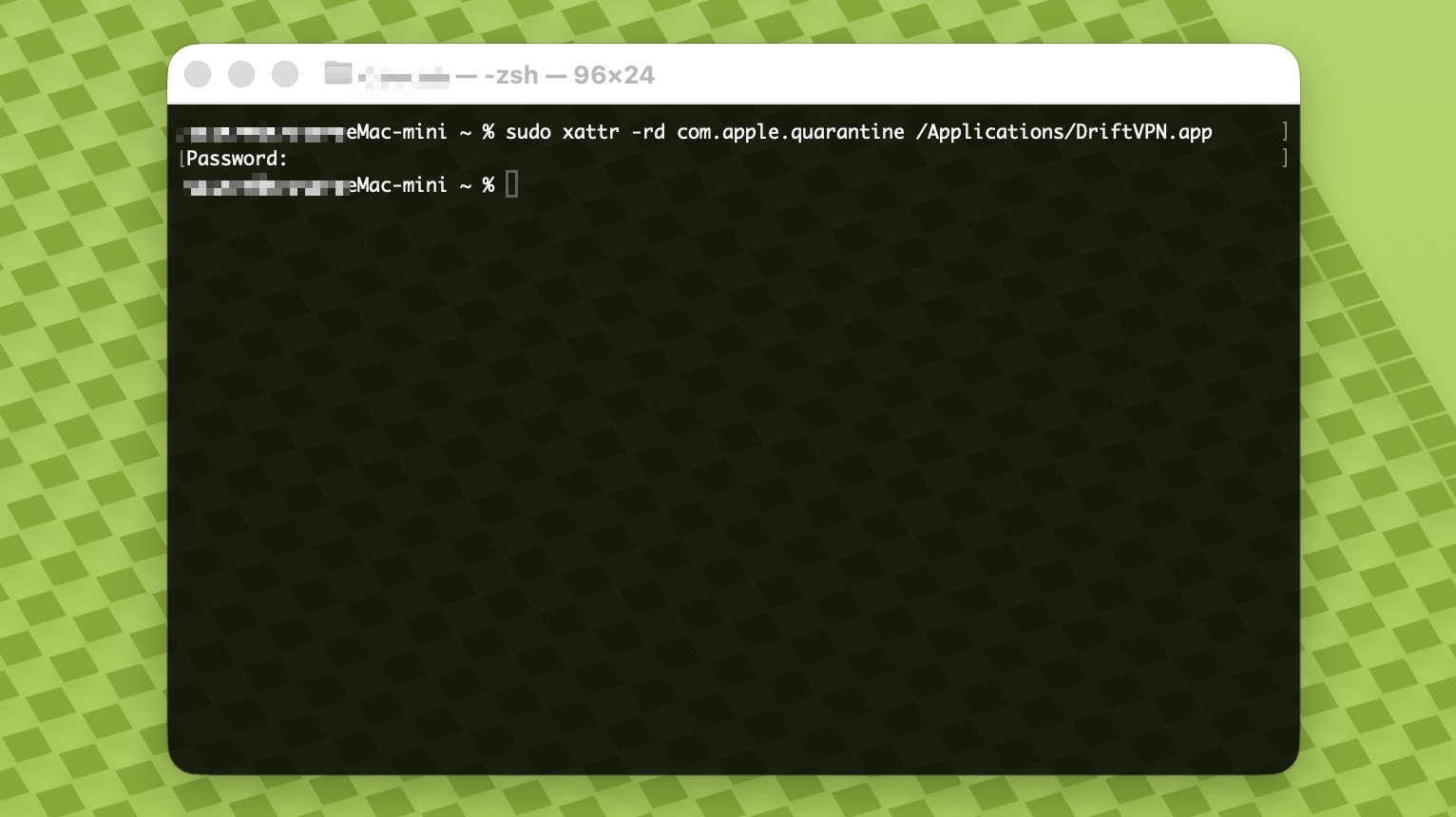
- 4.
Setelah perintah selesai, cari VPN atau buka dari Aplikasi.
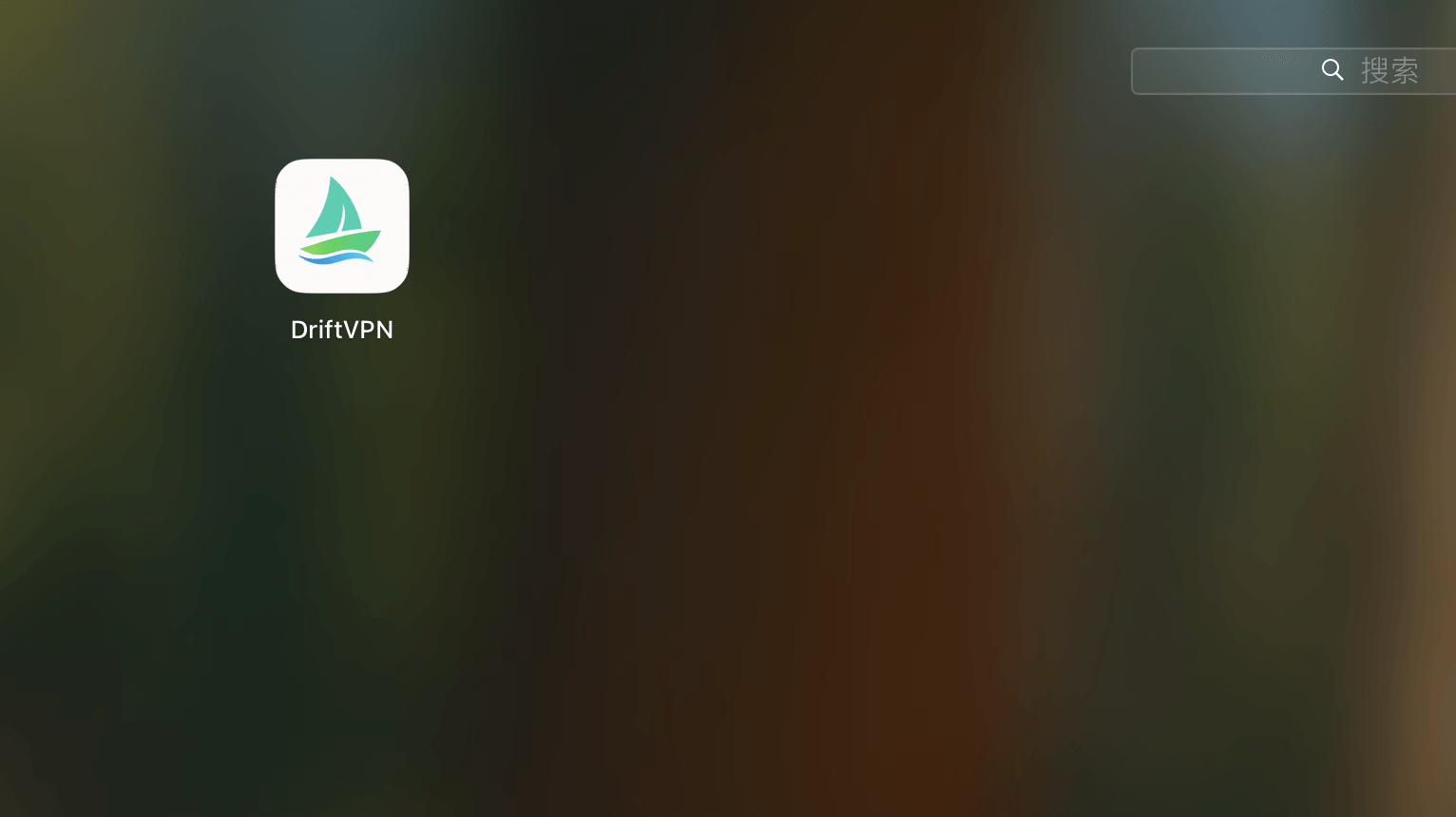
- 5.
Jika macOS masih memblokir aplikasi, buka Pengaturan Sistem → Privasi & Keamanan dan klik Buka Saja di bagian Keamanan. Jika dikatakan aplikasi rusak, unduh ulang penginstal terbaru dan ulangi perintah di atas.
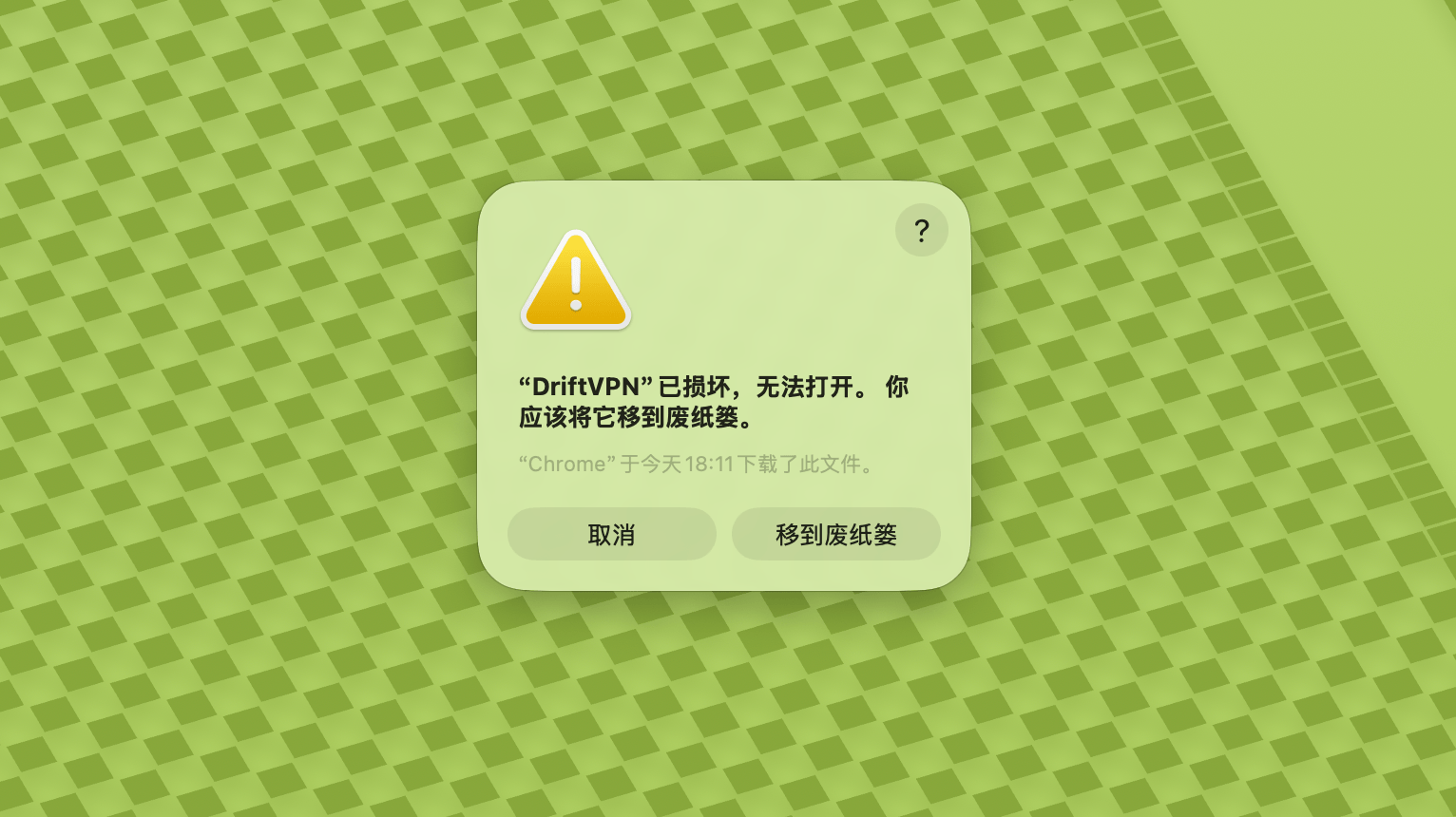
Jika tidak dapat membuka VPN di macOS, buka Pengaturan Sistem → Privasi & Keamanan, gulir ke bagian Keamanan, dan klik Buka Saja.
Untuk memastikan apakah komputer Windows Anda menggunakan prosesor x64, ARM64, atau x86 (32 bit):
- Buka alat informasi sistem. Tekan Win + R, ketik msinfo32, lalu tekan Enter
- Pergi ke Ringkasan Sistem → Jenis Sistem, Anda akan melihat informasi arsitektur sistem
Pesan kesalahan: file executable proxy tidak ada. Atau pesan: file berisi virus atau perangkat lunak yang berpotensi tidak diinginkan. Solusi:
Metode 1:
- Buka 'Pengaturan' → 'Privasi & Keamanan' → 'Pusat Keamanan Windows' → 'Perlindungan Virus & Ancaman'
- Klik 'Kelola Pengaturan'
- Di bagian bawah, tambahkan atau hapus pengecualian dan tambahkan direktori instalasi Drift ke pengecualian
Metode 2:
- Buka 'Pengaturan' → 'Privasi & Keamanan' → 'Pusat Keamanan Windows' → 'Perlindungan Virus & Ancaman'
- Klik 'Kelola Pengaturan'
- Matikan 'Perlindungan Waktu Nyata'
Jika aplikasi tidak dapat terhubung setelah diluncurkan di Windows, biasanya Windows Defender Firewall memblokirnya. Solusi:
Metode 1: Tambahkan pengecualian melalui Panel Kontrol
- Tekan Win + S dan cari: Panel Kontrol
- Buka: Sistem dan Keamanan → Windows Defender Firewall
- Di sebelah kiri, klik: Izinkan aplikasi atau fitur melalui Windows Defender Firewall
- Di pojok kanan atas, klik: Ubah pengaturan
- Klik: Izinkan aplikasi lain
- Klik: Telusuri dan pilih file .exe Anda (jalur default: C:\Users\[user]\AppData\Local\VPN\QingZhou.exe)
- Setelah ditambahkan, centang: Privat dan Publik (jika diperlukan akses jaringan eksternal)
- Klik: OK
Metode 2: Buat aturan di Windows Defender Firewall dengan Keamanan Lanjutan
- Tekan Win + S, cari 'Windows Defender Firewall with Advanced Security' dan buka
- Klik 'Inbound Rules' di kiri → klik 'New Rule' di kanan
- Pilih: Program → Next
- Pilih 'This program path', telusuri file .exe Anda → Next
- Pilih: Allow the connection → Next
- Centang: Domain, Private, Public (biasanya semua) → Next
- Masukkan nama (misal: DriftVpn Inbound) → Finish
- Ulangi langkah untuk 'Outbound Rules' (pilih 'Outbound Rules' di kiri; alurnya sama)
Anda dapat mengunduh dan menginstal VPN untuk Android sebagai berikut:
- Buka halaman unduhan resmi dan pilih Android.
- Unduh paket instalasi Android ke ponsel atau tablet Anda.
- Buka file APK yang diunduh dari unduhan browser atau manajer file.
- Jika Android meminta izin untuk menginstal aplikasi yang tidak dikenal, izinkan untuk browser atau manajer file saat ini, lalu lanjutkan instalasi.
Beberapa browser atau sistem mungkin menyimpan file APK dengan ekstensi .zip. Tangani sebagai berikut:
- Jangan buka zip file.
- Buka manajer file dan ganti nama file yang diunduh, ubah ekstensi dari .zip menjadi .apk.
- Ketuk file .apk yang telah diganti namanya untuk menginstalnya.
- Jika tidak dapat mengganti nama, unduh ulang atau gunakan browser lain untuk mengunduh APK.
Karena alasan kebijakan, VPN tidak tersedia di App Store China. Anda dapat mengunduhnya dengan cara:
- Anda memerlukan Apple ID non-China (misalnya AS, Jepang, Hong Kong, dll.)
- Beralih ke akun non-China di App Store
- Cari 'VPN' untuk menemukan dan mengunduhnya
- Jika tidak memiliki Apple ID luar negeri, Anda dapat mencari tutorial online tentang cara mendaftarkan Apple ID luar negeri gratis
Akun
Jika lupa kata sandi login, Anda dapat meresetnya dengan langkah berikut:
- Buka halaman login dan klik 'Lupa Kata Sandi?'
- Masukkan alamat email terdaftar Anda
- Periksa email Anda untuk kode verifikasi 6 digit (berlaku selama 5 menit)
- Masukkan kode verifikasi dan kata sandi baru Anda untuk menyelesaikan reset
Pembayaran
Saat ini metode pembayaran berikut didukung:
- Visa/Mastercard
Jika Anda perlu membatalkan langganan, pastikan terlebih dahulu platform mana yang Anda gunakan untuk berlangganan. Cara pembatalan berbeda di setiap platform, dan menghapus instalan aplikasi tidak membatalkan langganan secara otomatis.
Langganan via Situs Resmi
Langkah-langkah:
- Buka situs resmi dan masuk dengan akun Anda dari pojok kanan atas.
- Setelah masuk, klik "Akun Saya – Paket & Penagihan" di pojok kanan atas.
- Klik tombol Kelola di samping detail paket Anda.
- Batalkan langganan Anda di halaman Stripe.
iOS
Jika berlangganan melalui App Store di iPhone atau iPad, batalkan melalui Apple:
- Buka Pengaturan di iPhone atau iPad Anda.
- Ketuk nama akun Apple Anda di bagian atas.
- Ketuk Langganan.
- Pilih langganan VPN.
- Ketuk Batalkan Langganan.
Jika Anda menggunakan perangkat iOS tetapi berlangganan melalui situs resmi, ikuti langkah-langkah "Langganan via Situs Resmi" di atas.
Android
Langganan Android di luar Google Play diproses melalui Stripe. Lihat "Langganan via Situs Resmi" di atas untuk membatalkan.
Android – Google Play
Jika berlangganan melalui Google Play, batalkan melalui Google Play:
- Buka Google Play.
- Ketuk ikon profil di pojok kanan atas.
- Masuk ke Pembayaran & langganan.
- Ketuk Langganan.
- Pilih langganan VPN.
- Ketuk Batalkan langganan dan ikuti petunjuknya.
Mac
Langganan Mac di luar Mac App Store diproses melalui Stripe. Lihat "Langganan via Situs Resmi" di atas untuk membatalkan.
Mac – App Store
Jika berlangganan melalui Mac App Store, batalkan melalui Apple:
- Buka App Store di Mac Anda.
- Klik nama akun Anda.
- Klik Pengaturan Akun.
- Temukan Langganan dan klik Kelola.
- Pilih langganan VPN.
- Klik Batalkan Langganan.
Windows
Lihat "Langganan via Situs Resmi" di atas untuk membatalkan.
Penggunaan
Anda dapat memulai uji coba VPN dengan langkah berikut:
- Daftarkan akun di situs resmi atau di klien mana pun
- Masuk ke akun Anda di klien mana pun
- Ketuk tombol sakelar di halaman utama untuk mulai menggunakan layanan
Jika Anda memiliki kode aktivasi, Anda dapat menebusnya setelah masuk:
- Masuk ke akun Anda di situs web atau di klien.
- Klik Akun Saya di sudut kanan atas, lalu pilih Tukarkan kode aktivasi dari menu tarik-turun.
- Masukkan kode aktivasi dan konfirmasi penukaran.
- Setelah penukaran berhasil, paket atau manfaat yang sesuai akan ditambahkan ke akun Anda secara otomatis.
- Jika tidak ada pesan sukses yang muncul, kode aktivasi telah digunakan.
- Setelah aktivasi, restart aplikasi agar paket atau manfaat berlaku.
VPN saat ini mendukung platform berikut:
- Android (ponsel dan tablet)
- iOS (iPhone dan iPad, memerlukan App Store non-China)
- macOS (mendukung chip Intel dan Apple Silicon)
- Windows (mendukung arsitektur x64)
Satu akun mendukung hingga 3 perangkat online secara bersamaan. Anda dapat memasang klien dan masuk di lebih banyak perangkat; batas hanya berlaku untuk jumlah perangkat yang terhubung pada saat yang sama. Jika batas terlampaui, perangkat yang paling awal terhubung akan otomatis terputus. Klien saat ini tidak mendukung pemutusan perangkat lain atau logout perangkat lain dengan sekali klik. Untuk mengosongkan slot online, putuskan koneksi atau logout secara manual di perangkat tersebut.
Keduanya mengontrol lalu lintas mana yang melewati VPN:
- Proxy Global mengirimkan sebagian besar lalu lintas jaringan melalui VPN. Gunakan saat Anda ingin semua aplikasi dan situs web menggunakan koneksi proxy.
- Perutean Cerdas hanya mem-proxy lalu lintas yang membutuhkan akselerasi atau optimasi akses. Lalu lintas lokal dan yang dapat dijangkau secara langsung tetap berada di jaringan asal, yang biasanya lebih baik untuk penggunaan sehari-hari.
- Aturan VPN bawaan mencakup sebagian besar kebutuhan, dan Anda juga dapat menambahkan aturan proxy sendiri.
- 1.
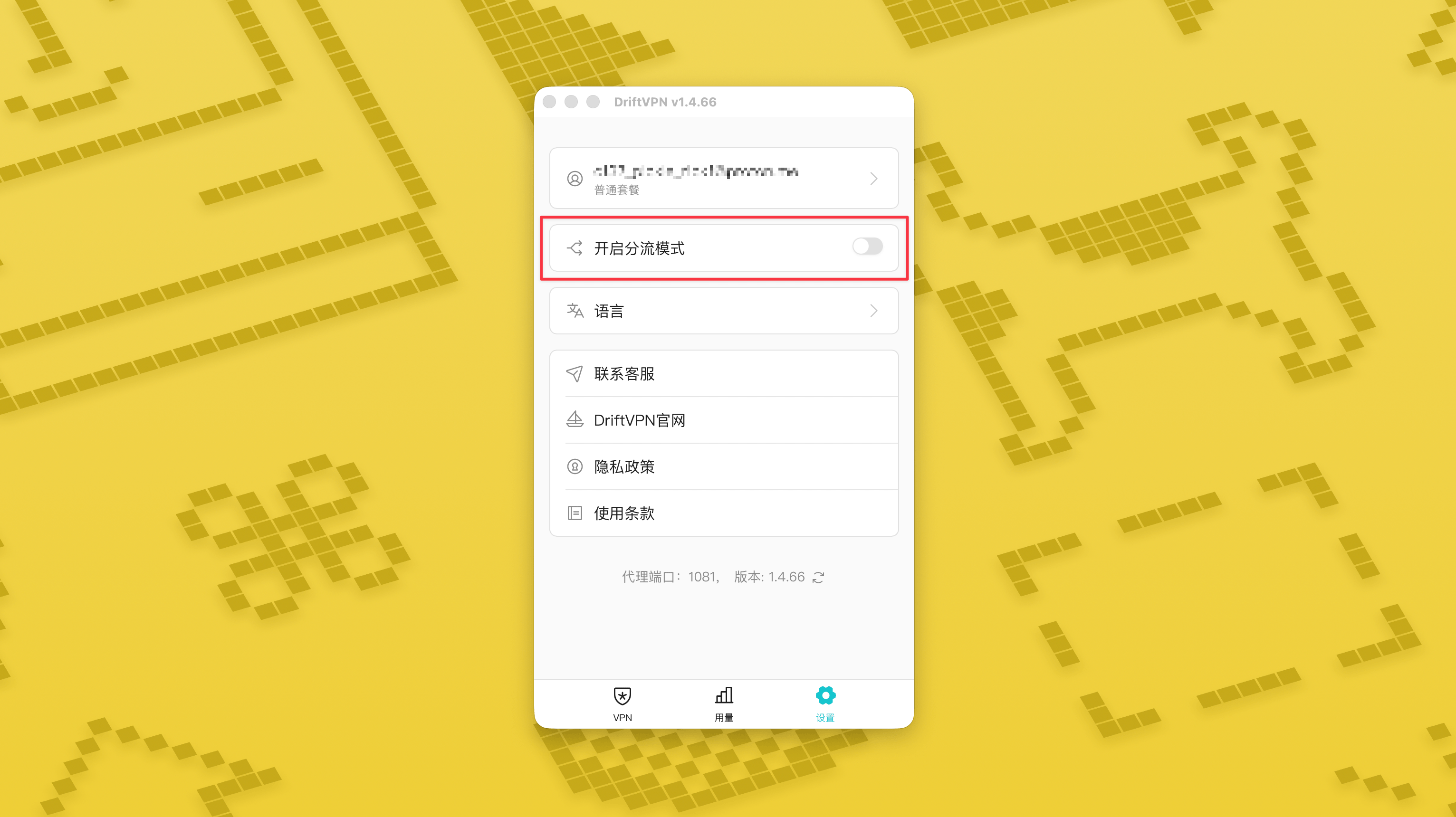
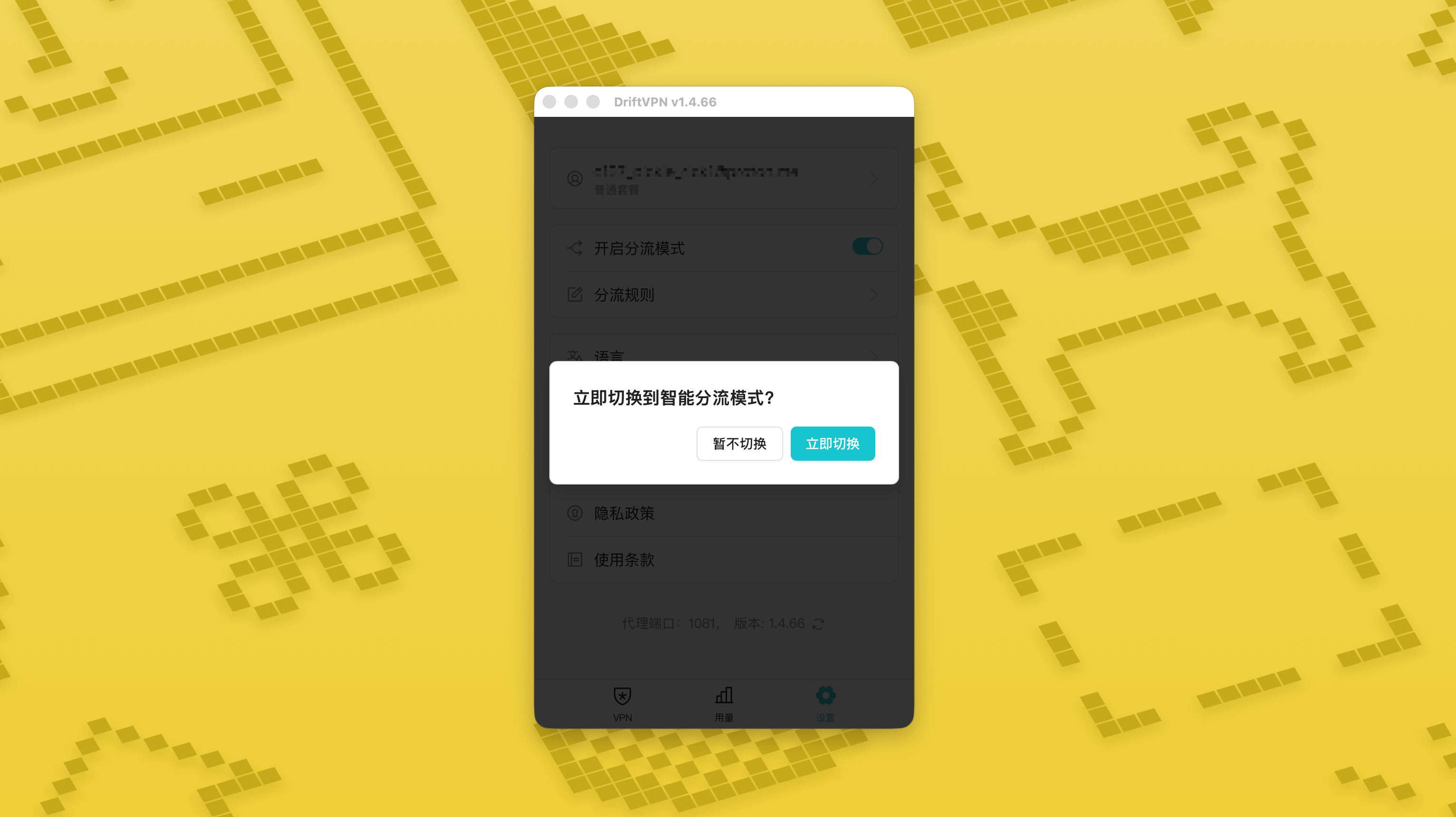
Di halaman Pengaturan, aktifkan sakelar mode Perutean Cerdas lalu ketuk «Ganti sekarang» untuk menyalakannya.
- 2.
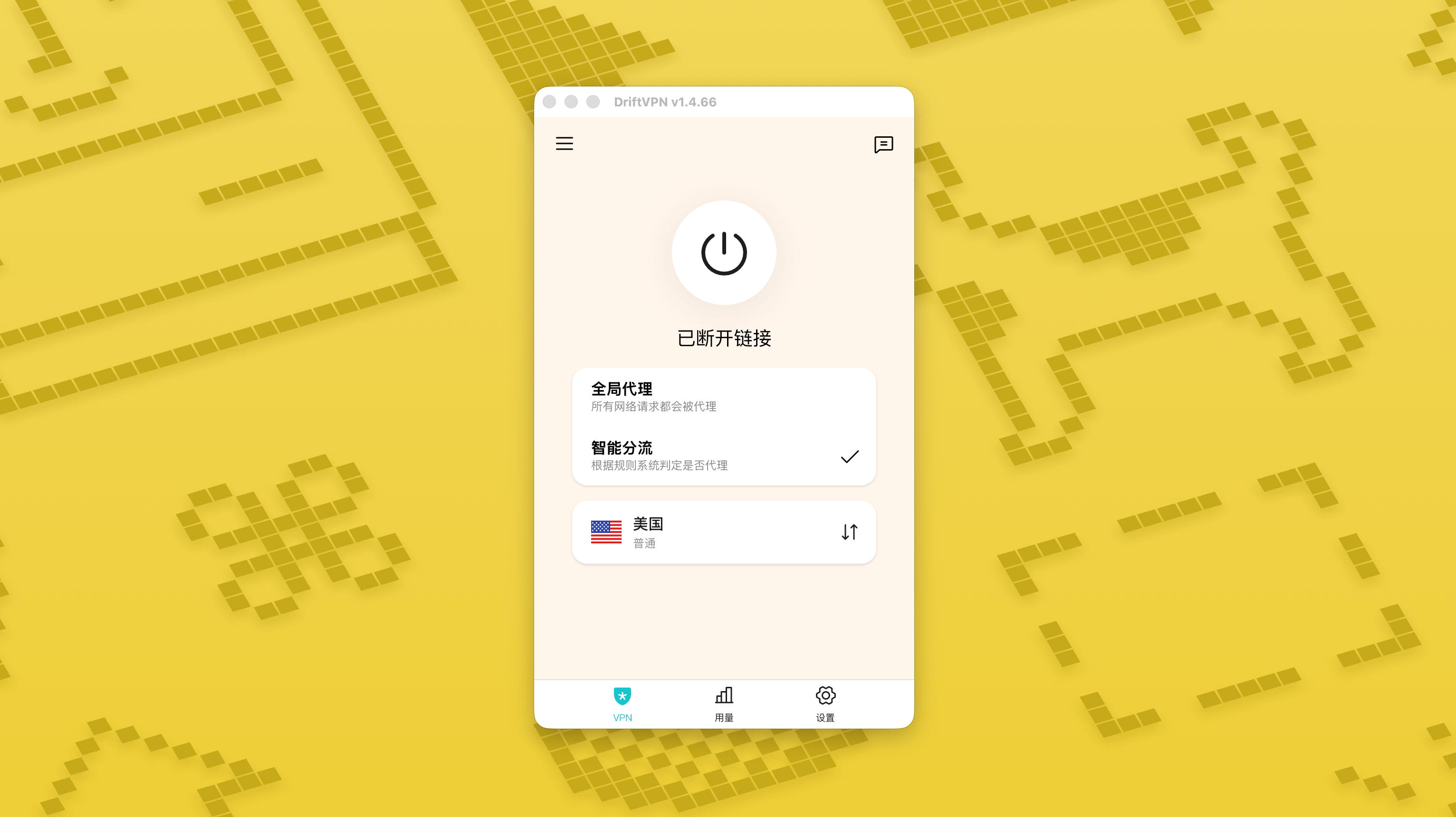
Setelah aktif, Anda dapat beralih antara «Proxy Global» dan «Perutean Cerdas» di halaman beranda.
- 3.
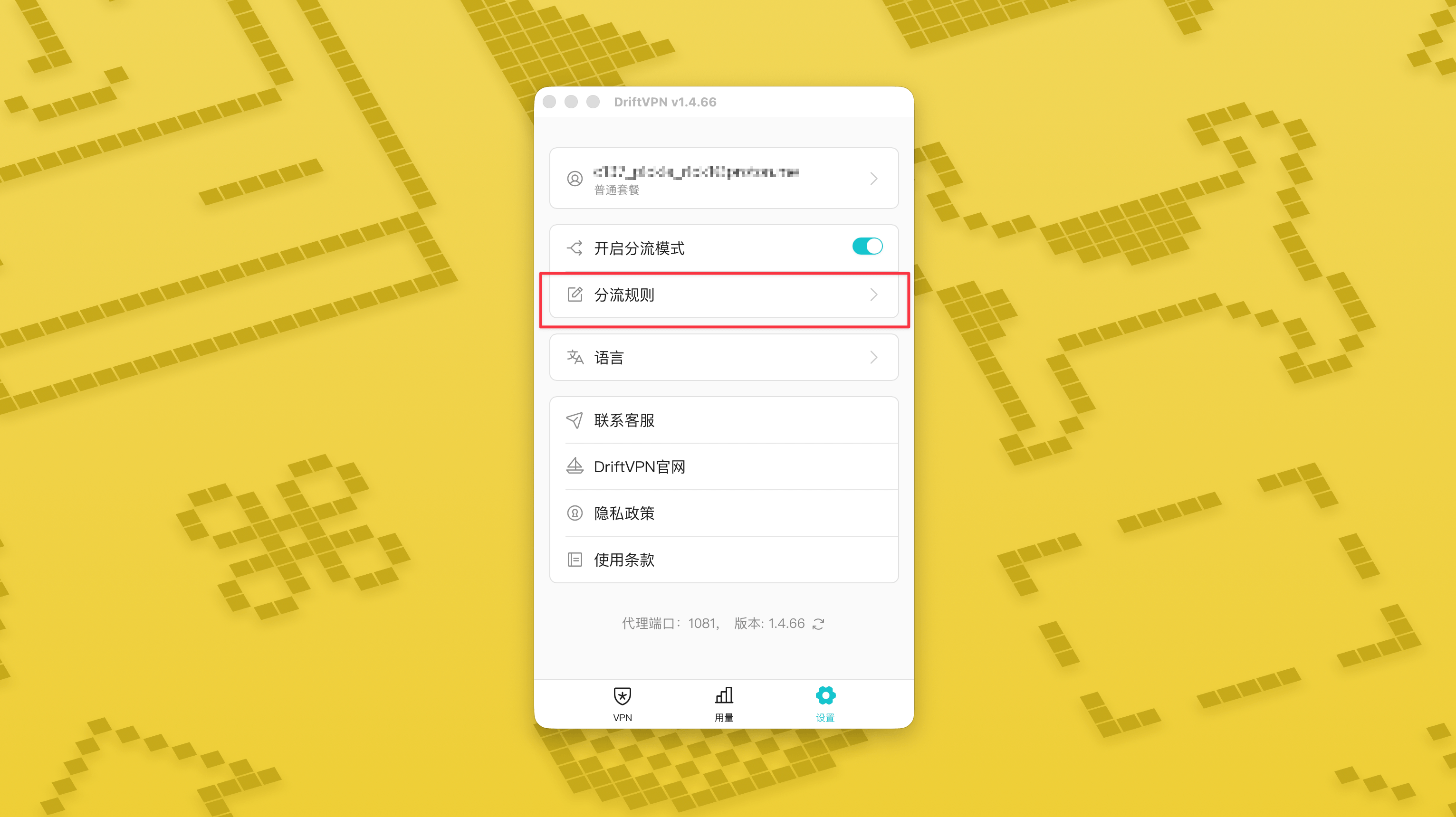
Setelah mode Perutean Cerdas diaktifkan, halaman «Aturan Perutean» akan muncul di Pengaturan.
- 4.
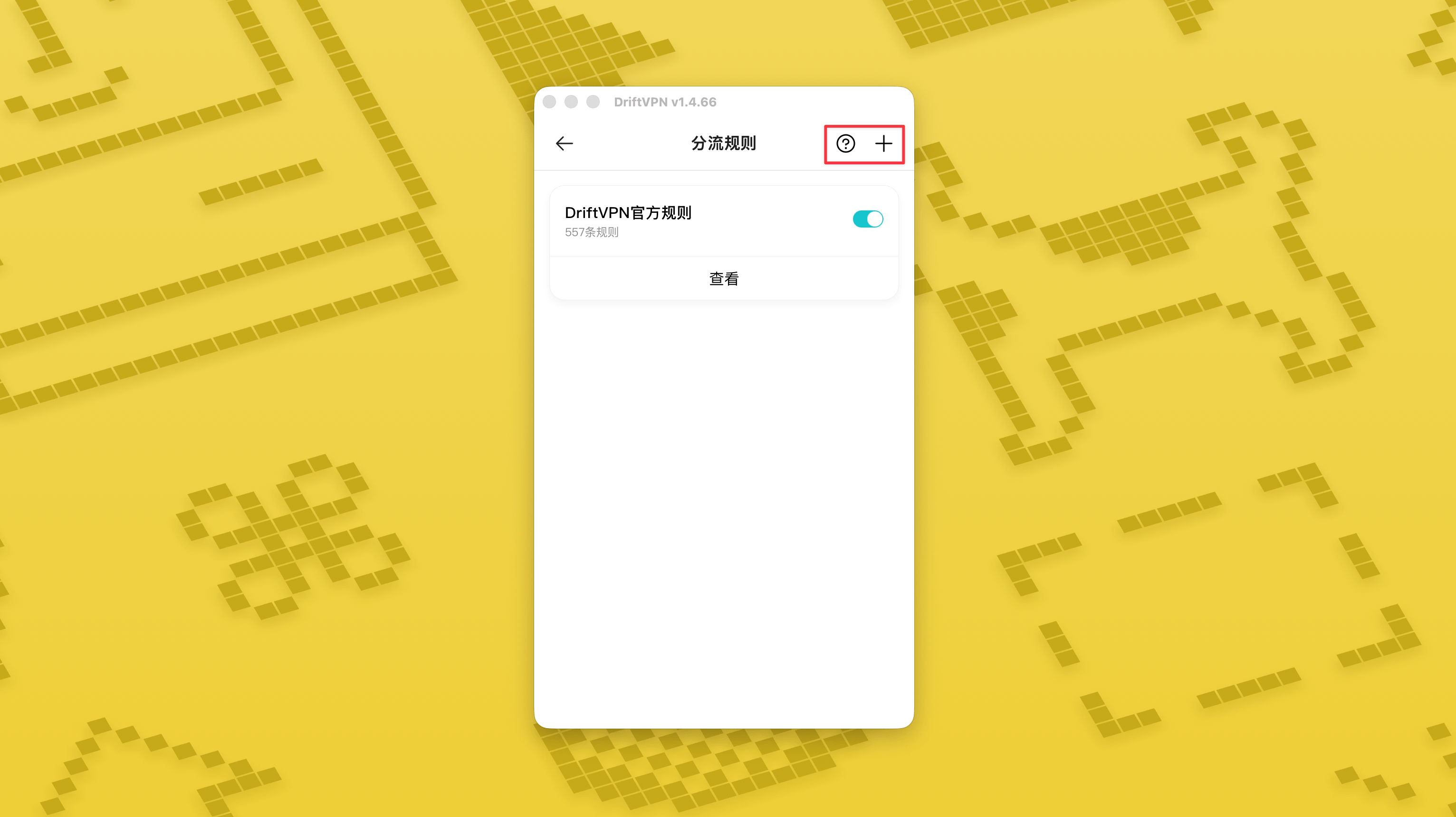
Di pojok kanan atas halaman «Aturan Perutean», ketuk tombol «+» untuk menambahkan aturan baru, dan ketuk tombol «?» untuk melihat cara menulis aturan. Setiap grup aturan dapat diaktifkan atau dinonaktifkan dengan sakelarnya.
Jika Anda sudah menggunakan alat proxy seperti Clash, Anda dapat menggunakan DriftVPN sebagai proxy front-end lalu menghubungkan ke proxy IP residensial Anda sebagai keluar akhir. Ini cocok untuk pengguna tingkat lanjut yang perlu "pertama-tama membuat koneksi melalui DriftVPN, lalu mengakses situs web target melalui IP residensial".
Port proxy lokal default untuk DriftVPN adalah . Jika port tersebut sudah digunakan oleh program lain, klien akan secara otomatis mencoba port berikutnya, seperti 、. Saat mengonfigurasi, gunakan port proxy lokal yang saat ini ditampilkan di klien (periksa nomor port di bagian bawah halaman pengaturan VPN setelah koneksi berhasil).
Menggunakan klien Clash / Mihomo yang mendukung rantai proxy sebagai contoh, Anda dapat mengonfigurasinya sebagai berikut:
proxies: - name: "轻舟VPN 前置代理" type: http server: 127.0.0.1 port: 9527 - name: "住宅IP落地" type: http server: your-residential-proxy.example.com port: 12345 username: "your-username" password: "your-password"proxy-groups: - name: "轻舟VPN + 住宅IP" type: relay proxies: - "轻舟VPN 前置代理" - "住宅IP落地" - name: "PROXY" type: select proxies: - "轻舟VPN + 住宅IP" - DIRECTrules: - MATCH,PROXY
Catatan:
- Informasi proxy IP residensial di atas perlu diganti dengan alamat, port, nama pengguna, dan kata sandi yang sebenarnya disediakan oleh penyedia layanan Anda.
- Jika port proxy lokal yang saat ini ditampilkan di DriftVPN bukan 9527, ubah port dalam konfigurasi ke port yang sebenarnya.
- Jenis proxy IP residensial Anda harus diisi sesuai protokol yang disediakan oleh penyedia layanan Anda. Nilai umum adalah http atau socks5.
- Dukungan untuk rantai proxy bervariasi di berbagai klien Clash. Jika konfigurasi tidak berfungsi, konfirmasikan bahwa inti klien saat ini mendukung grup proxy tipe relay.
- Penggunaan ini cocok untuk pengguna tingkat lanjut yang familiar dengan konfigurasi Clash. Pengguna biasa disarankan menggunakan Proxy Global bawaan atau Perutean Cerdas di klien DriftVPN.
Ya. Jika akses tidak stabil, beralih ke rute lain dan coba lagi.
Anda dapat memilih rute berdasarkan kasus penggunaan Anda saat ini:
- Untuk penggunaan sehari-hari, jika tidak peduli dengan latensi, rute mana pun bisa.
- Jika latensi penting, pilih node yang secara geografis lebih dekat dengan Anda.
- Jika perlu mengakses situs web atau layanan dengan pembatasan wilayah IP, seperti konten streaming eksklusif wilayah, pilih node di negara atau wilayah yang sesuai.
Kami hanya menyediakan dukungan pelanggan untuk masalah berikut:
- Masalah login akun
- Masalah pembayaran / pesanan
- Layanan sepenuhnya tidak tersedia, misalnya tidak dapat terhubung
Kasus berikut berada di luar cakupan dukungan pelanggan:
- Masalah pengalaman subjektif seperti lag, kecepatan lambat, atau kecepatan tidak stabil
- Akses lambat ke platform pihak ketiga, seperti situs web atau aplikasi
- Masalah yang disebabkan oleh lingkungan jaringan lokal, perangkat, operator, atau faktor serupa dari pengguna
- Masalah yang disebabkan oleh tidak mengikuti tutorial resmi atau mengubah pengaturan sendiri
- Kualitas jaringan sangat dipengaruhi oleh operator lokal pengguna dan jalur internasional, sehingga platform tidak dapat menjamin pengalaman akses di semua wilayah dan waktu.
Jika mengalami masalah, Anda dapat menghubungi kami melalui metode berikut:
- Kirimkan masalah Anda melalui halaman 'Umpan Balik', dan kami akan membalas melalui email.Ke Halaman Umpan Balik
- Kirim email ke email dukungan kami:support@qz.run
- Hubungi kami di Telegram:@driftvpn_offical