
도움말 센터 - 설치 가이드 및 문제 해결
설치
Mac이 Intel 또는 Apple Silicon 프로세서를 사용하는지 확인하려면:
- 화면 왼쪽 상단의 Apple 아이콘을 클릭
- '이 Mac에 관하여'를 선택
- 팝업 창에서 '칩' 또는 '프로세서' 정보를 확인하세요. Intel로 시작하면 Intel 프로세서, 아니면 Apple Silicon 프로세서입니다
- 1.
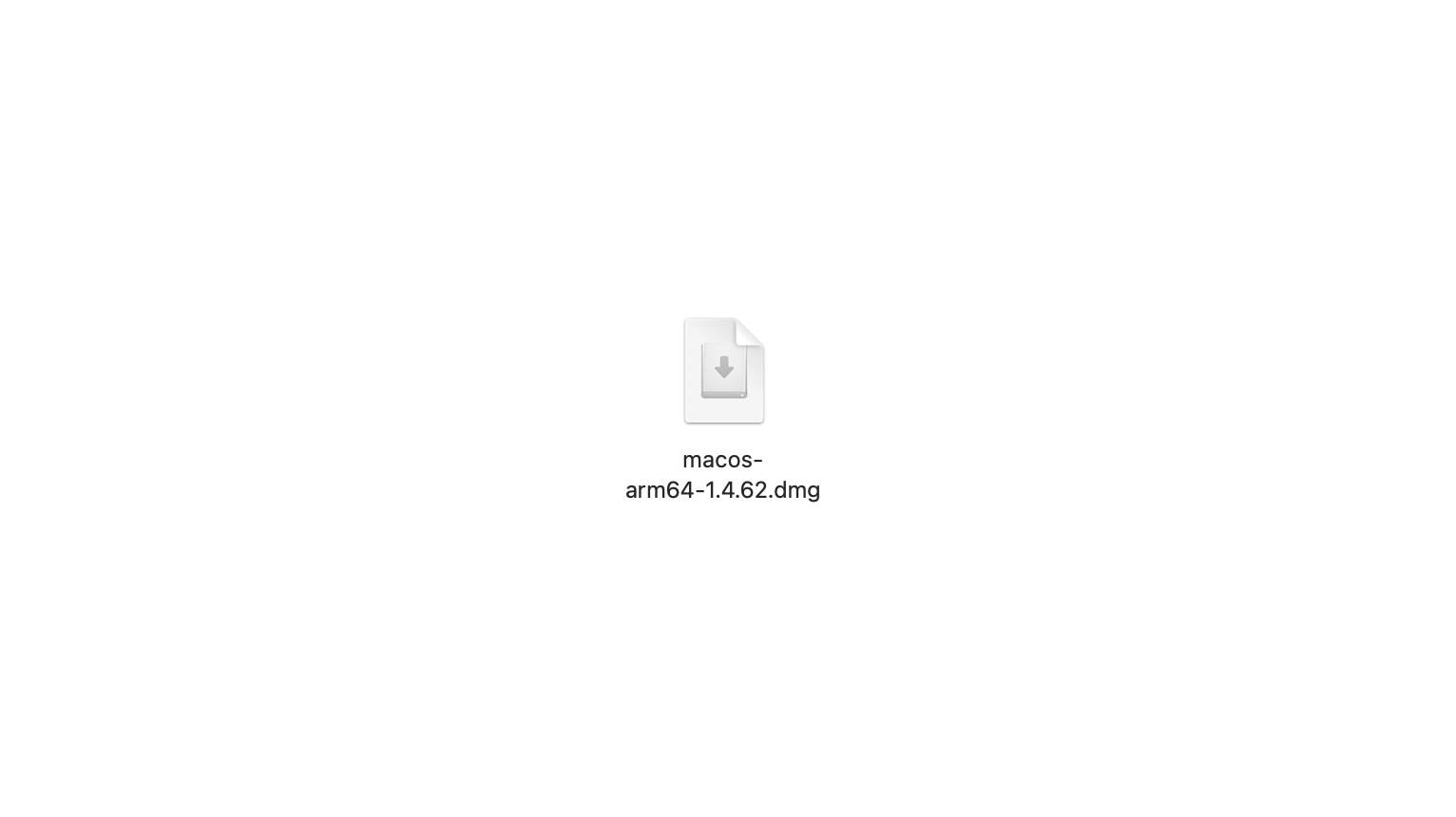
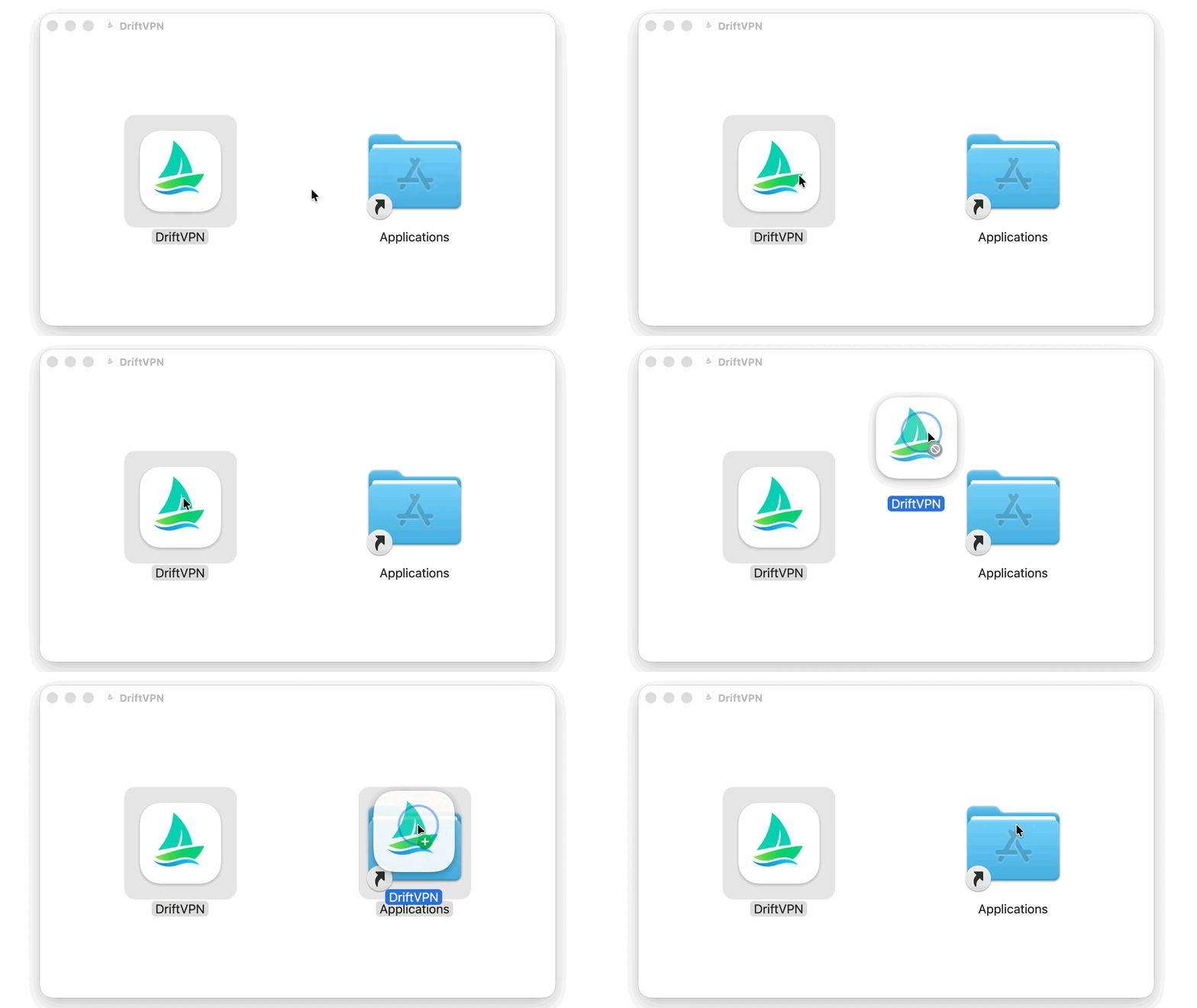
macOS 설치 프로그램을 다운로드한 후 .dmg 파일을 열고 VPN을 응용 프로그램 폴더로 드래그합니다.
- 2.
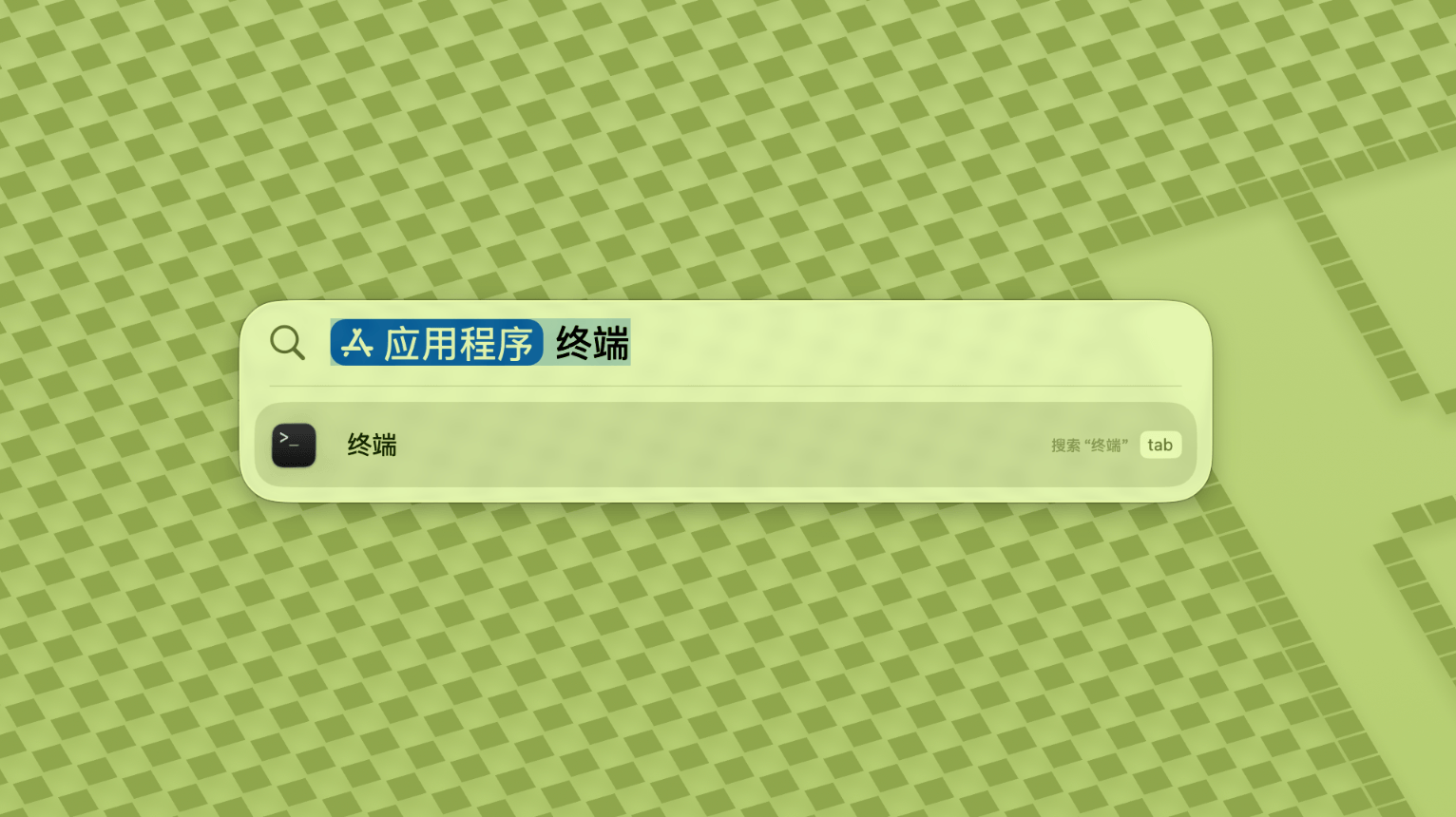
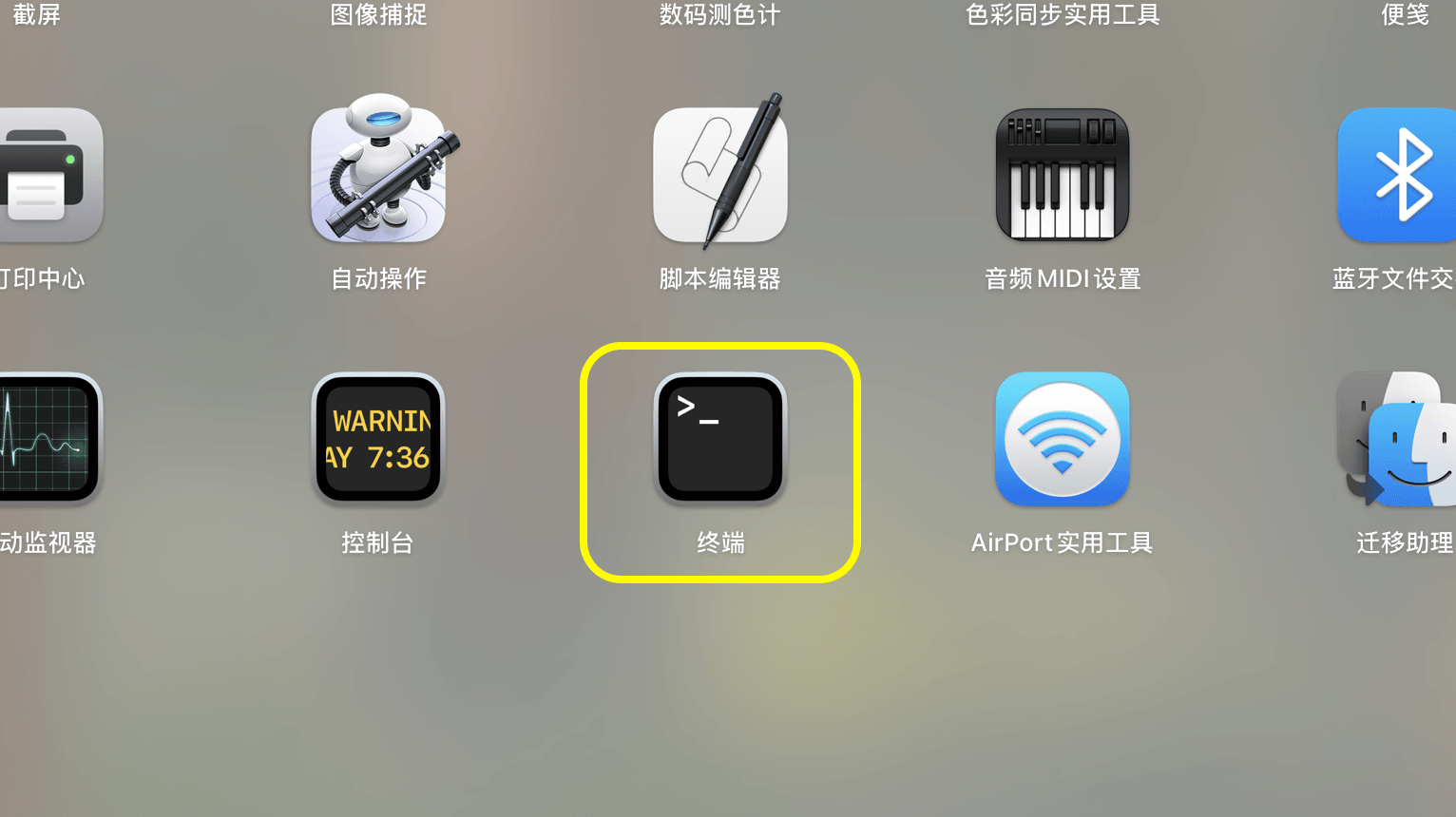
Launchpad 또는 Spotlight를 열고 터미널을 검색하여 실행합니다.
- 3.
아래 명령어를 터미널에 붙여넣고 Enter를 누릅니다. 비밀번호를 입력하라는 메시지가 나타나면 Mac 로그인 비밀번호를 입력하세요 (입력 중 문자가 표시되지 않습니다). 완료 후 Enter를 누릅니다.
sudo xattr -rd com.apple.quarantine /Applications/DriftVPN.app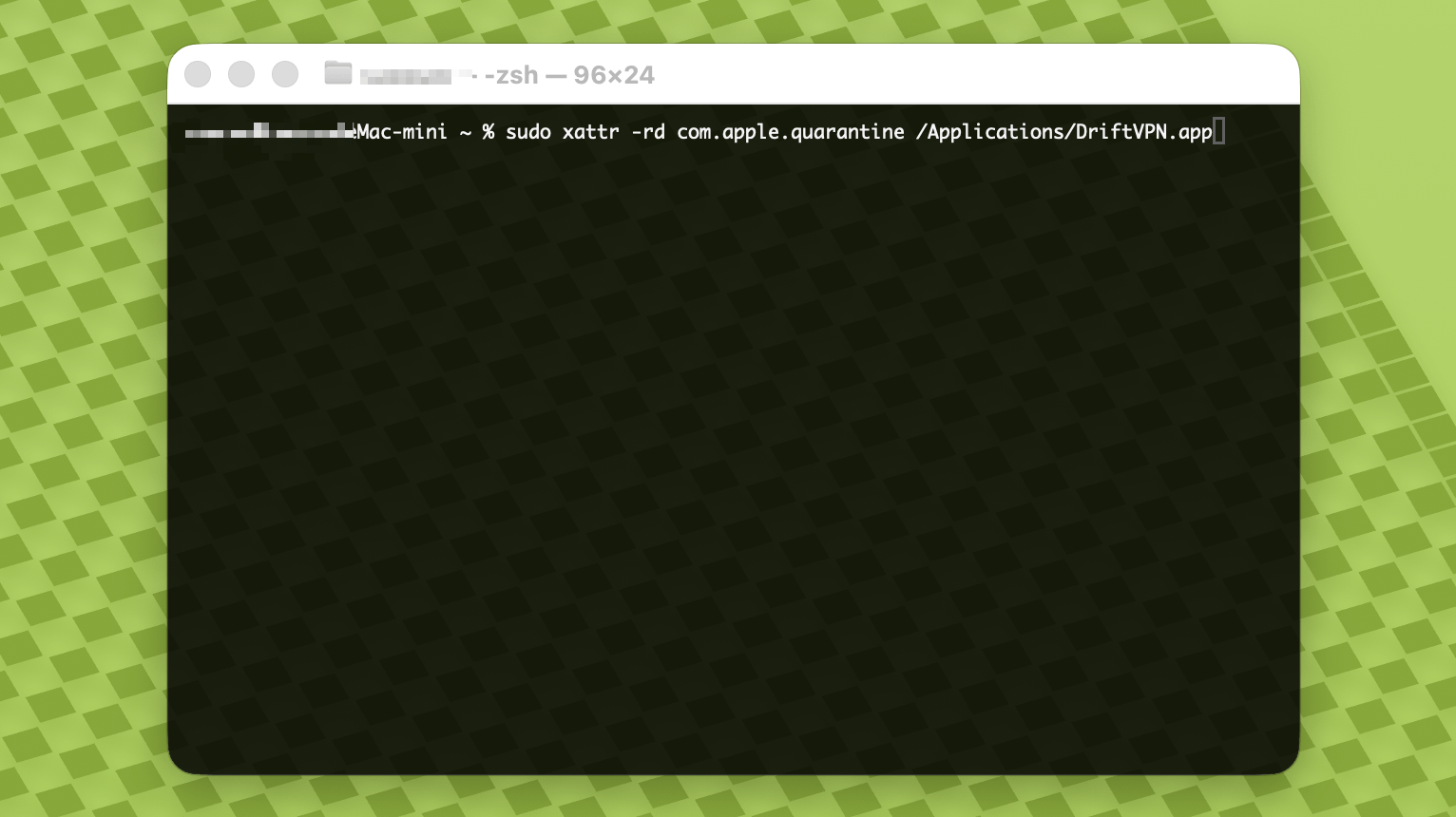
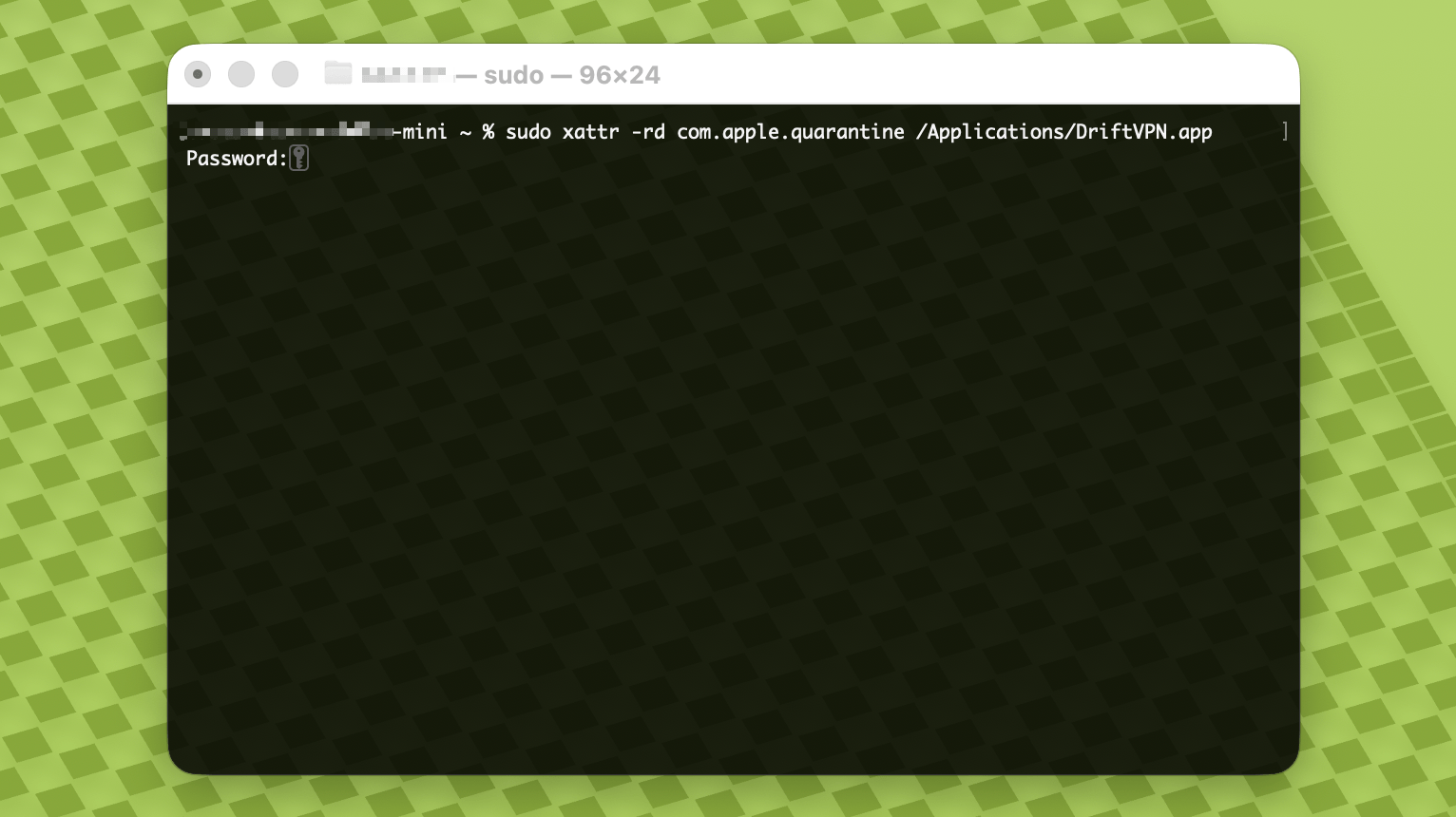
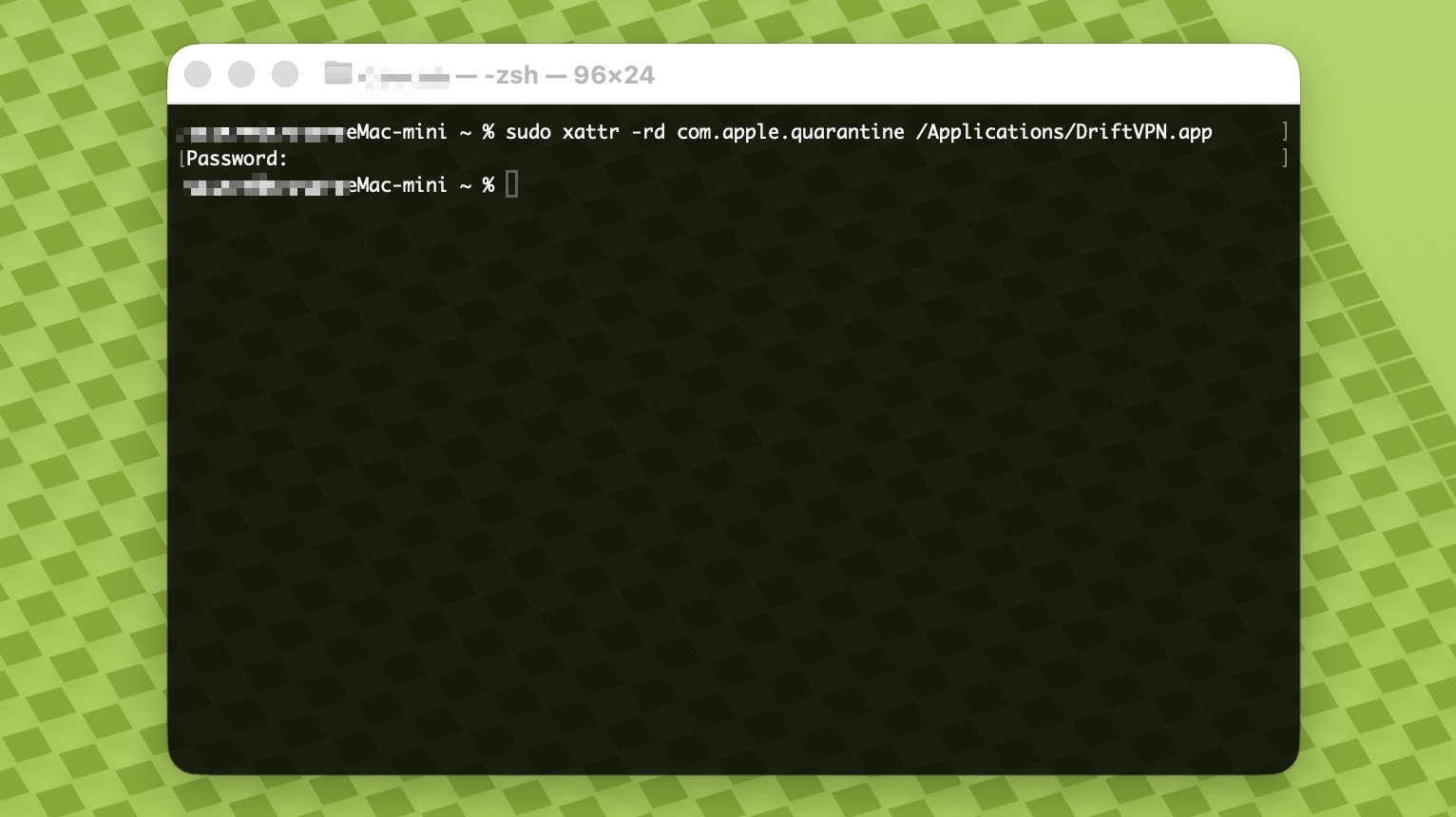
- 4.
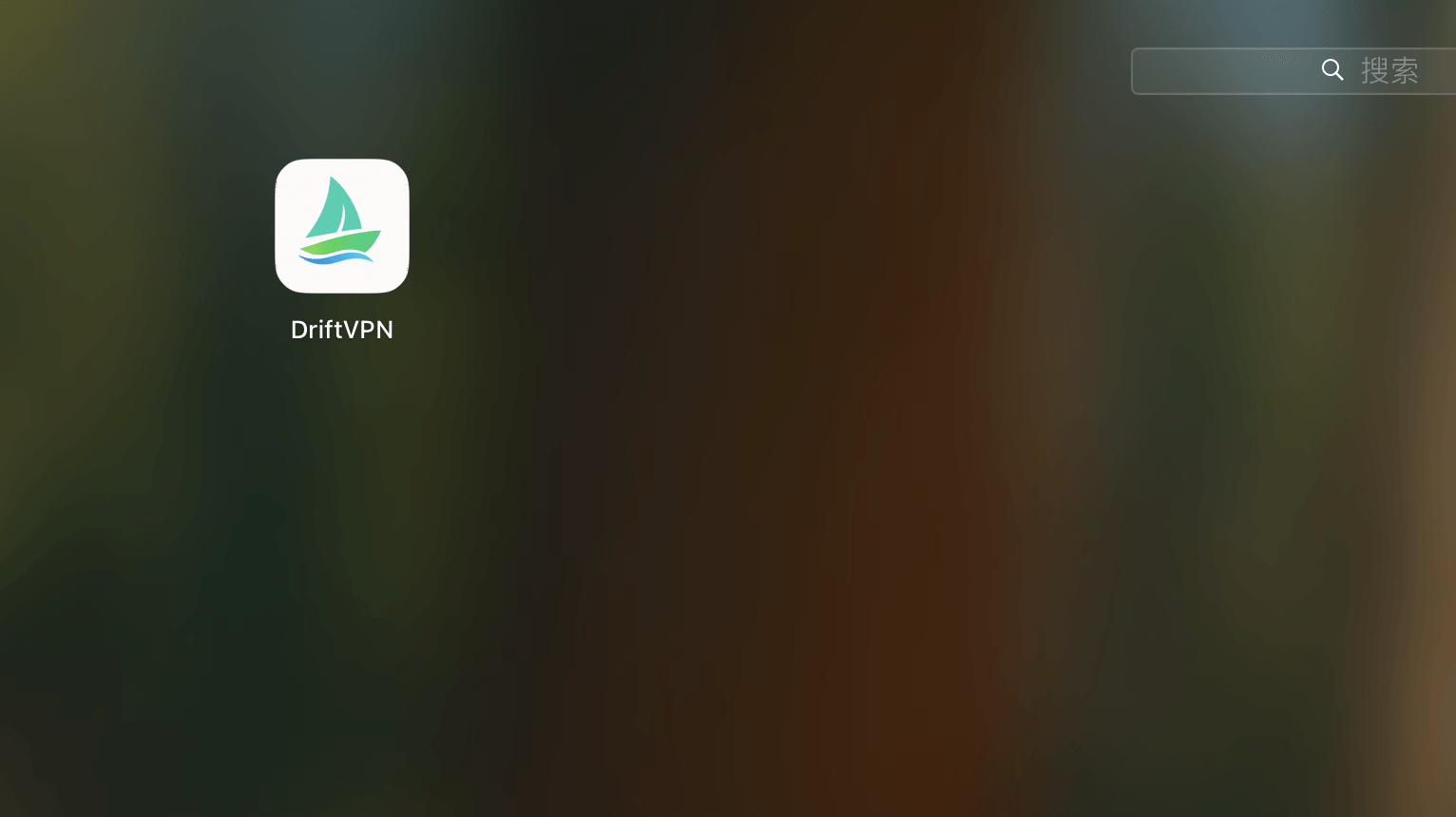
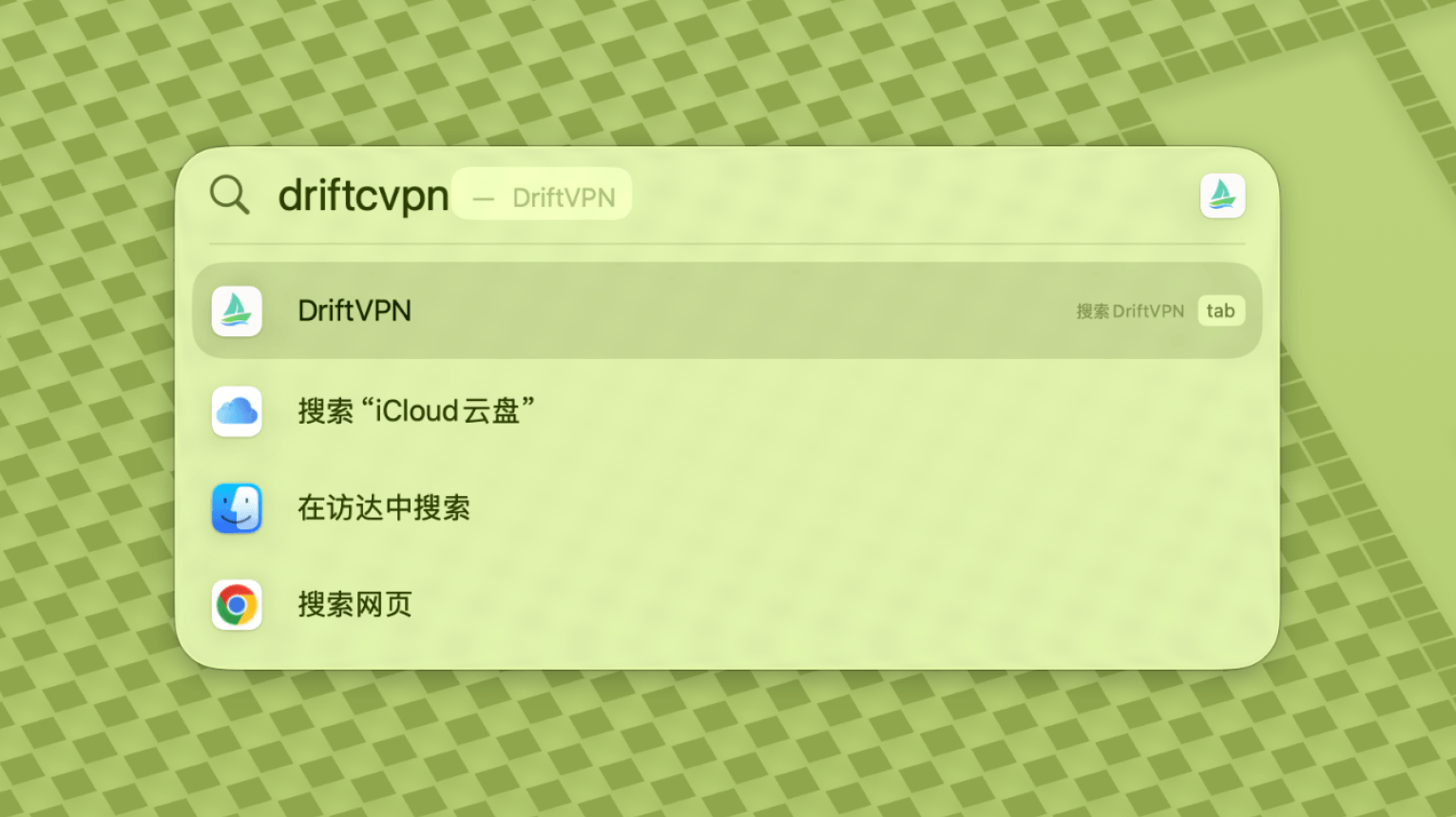
명령어가 완료되면 VPN을 검색하거나 응용 프로그램에서 실행합니다.
- 5.
macOS가 여전히 앱을 차단하는 경우, 시스템 설정 → 개인 정보 보호 및 보안으로 이동하여 보안 섹션에서 '그래도 열기'를 클릭하세요. 앱이 손상되었다는 메시지가 표시되면 최신 설치 프로그램을 다시 다운로드하고 위 명령어를 반복하세요.
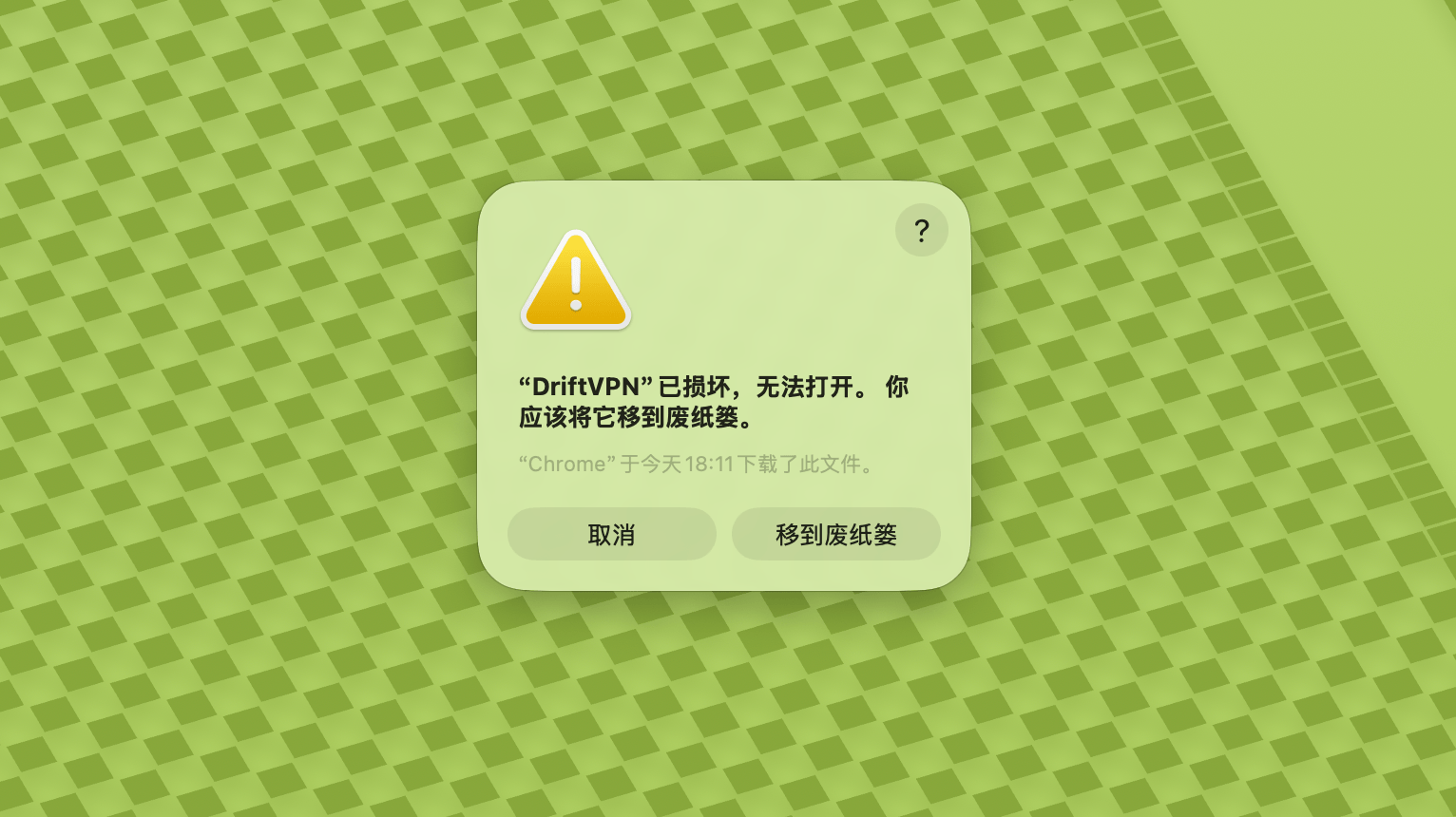
macOS에서 VPN을 열 수 없는 경우, 시스템 설정 → 개인 정보 보호 및 보안으로 이동하여 보안 섹션으로 스크롤한 뒤 '그래도 열기'를 클릭하세요.
Windows 컴퓨터가 x64, ARM64 또는 x86(32비트) 프로세서를 사용하는지 확인하려면:
- 시스템 정보 도구를 엽니다. Win + R을 누르고 msinfo32를 입력한 후 Enter를 누르세요
- 시스템 요약 → 시스템 종류로 이동하면 시스템 아키텍처 정보를 볼 수 있습니다
오류: 프록시 실행 파일이 존재하지 않거나, 파일에 바이러스 또는 원치 않는 소프트웨어가 포함되어 있다는 메시지가 표시됩니다. 해결 방법:
방법 1:
- '설정' → '개인 정보 및 보안' → 'Windows 보안 센터' → '바이러스 및 위협 방지'로 이동
- '설정 관리' 클릭
- 맨 아래에서 예외 항목을 추가 또는 삭제하고, Drift 설치 디렉터리를 예외에 추가
방법 2:
- '설정' → '개인 정보 및 보안' → 'Windows 보안 센터' → '바이러스 및 위협 방지'로 이동
- '설정 관리' 클릭
- '실시간 보호' 끄기
Windows에서 앱을 실행한 후 연결되지 않는 경우, 일반적으로 Windows Defender 방화벽이 앱을 차단하고 있습니다. 해결 방법:
방법 1: 제어판에서 예외 추가
- Win + S를 누르고 검색: 제어판
- 이동: 시스템 및 보안 → Windows Defender 방화벽
- 왼쪽에서 클릭: Windows Defender 방화벽을 통해 앱 또는 기능 허용
- 오른쪽 상단에서 클릭: 설정 변경
- 클릭: 다른 앱 허용
- 클릭: 찾아보기에서 .exe 파일 선택 (기본 경로: C:\Users\[사용자]\AppData\Local\VPN\QingZhou.exe)
- 추가 후 체크: 개인, 공용 (외부 네트워크 접근이 필요한 경우)
- 클릭: 확인
방법 2: 고급 보안이 포함된 Windows Defender 방화벽에서 새 규칙 만들기
- Win + S를 눌러 '고급 보안이 포함된 Windows Defender 방화벽'을 검색하고 엽니다
- 왼쪽에서 '인바운드 규칙' 클릭 → 오른쪽에서 '새 규칙' 클릭
- 선택: 프로그램 → 다음
- '이 프로그램 경로'를 선택하고 .exe 파일을 찾아 선택 → 다음
- 선택: 연결 허용 → 다음
- 체크: 도메인, 개인, 공용 (일반적으로 모두) → 다음
- 이름 입력 (예: DriftVpn Inbound) → 마침
- '아웃바운드 규칙'에 대해 동일한 단계를 반복합니다 (왼쪽에서 '아웃바운드 규칙' 선택, 인바운드와 동일한 흐름)
Android용 VPN은 다음과 같이 다운로드하고 설치할 수 있습니다:
- 공식 다운로드 페이지를 열고 Android를 선택합니다.
- Android 설치 패키지를 스마트폰 또는 태블릿에 다운로드합니다.
- 브라우저 다운로드 폴더 또는 파일 관리자에서 다운로드한 APK 파일을 엽니다.
- Android에서 알 수 없는 앱 설치 권한을 요청하면, 현재 브라우저 또는 파일 관리자에 대해 허용하고 설치를 계속합니다.
일부 브라우저 또는 시스템에서는 APK 파일을 .zip 확장자로 저장할 수 있습니다. 다음과 같이 처리하세요:
- 파일의 압축을 풀지 마세요.
- 파일 관리자를 열고 다운로드한 파일의 확장자를 .zip에서 .apk로 변경합니다.
- 이름을 변경한 .apk 파일을 탭하여 설치합니다.
- 이름을 변경할 수 없는 경우, 다시 다운로드하거나 다른 브라우저를 사용하여 APK를 다운로드하세요.
정책상의 이유로 VPN은 중국 App Store에서 제공되지 않습니다. 다음 방법으로 다운로드할 수 있습니다:
- 중국 이외의 Apple ID(예: 미국, 일본, 홍콩 등)가 필요합니다
- App Store에서 중국 이외의 계정으로 전환합니다
- 'VPN'을 검색하여 찾고 다운로드합니다
- 해외 Apple ID가 없다면 무료 해외 Apple ID 등록 방법을 온라인에서 검색하세요
계정
로그인 비밀번호를 잊은 경우 다음 단계에 따라 재설정할 수 있습니다:
- 로그인 페이지로 이동하여 '비밀번호를 잊으셨나요?'를 클릭합니다
- 등록된 이메일 주소를 입력합니다
- 이메일에서 6자리 인증 코드를 확인합니다 (유효 시간: 5분)
- 인증 코드와 새 비밀번호를 입력하여 재설정을 완료합니다
결제 문제
현재 다음 결제 수단을 지원합니다:
- Visa/Mastercard
구독을 취소하려면 먼저 어떤 플랫폼에서 구독을 시작했는지 확인하세요. 플랫폼마다 취소 방법이 다르며, 앱을 삭제해도 구독이 자동으로 취소되지 않습니다.
공식 사이트 구독
단계:
- 공식 사이트에 접속하여 오른쪽 상단에서 계정으로 로그인합니다.
- 로그인 후 오른쪽 상단의 '내 계정 – 플랜 및 결제'를 클릭합니다.
- 플랜 정보 오른쪽의 관리 버튼을 클릭합니다.
- Stripe 페이지에서 구독을 취소합니다.
iOS
iPhone 또는 iPad의 App Store에서 구독한 경우 Apple을 통해 취소하세요:
- iPhone 또는 iPad에서 '설정'을 엽니다.
- 상단의 Apple 계정 이름을 탭합니다.
- '구독'을 탭합니다.
- VPN 구독을 선택합니다.
- '구독 취소'를 탭합니다.
iOS 기기를 사용 중이지만 실제로는 공식 사이트에서 구독한 경우, 위의 '공식 사이트 구독' 단계를 따라 취소하세요.
Android
Google Play 스토어 이외의 Android 구독은 Stripe로 처리됩니다. 위의 '공식 사이트 구독'을 참조하여 취소하세요.
Android – Google Play
Google Play에서 구독한 경우 Google Play를 통해 취소하세요:
- Google Play를 엽니다.
- 오른쪽 상단의 프로필 아이콘을 탭합니다.
- '결제 및 구독'으로 이동합니다.
- '구독'을 탭합니다.
- VPN 구독을 선택합니다.
- '구독 취소'를 탭하고 안내에 따라 완료합니다.
Mac
Mac App Store 이외의 구독은 Stripe로 처리됩니다. 위의 '공식 사이트 구독'을 참조하여 취소하세요.
Mac – App Store
Mac App Store에서 구독한 경우 Apple을 통해 취소하세요:
- Mac에서 App Store를 엽니다.
- 계정 이름을 클릭합니다.
- '계정 설정'을 클릭합니다.
- '구독'을 찾아 '관리'를 클릭합니다.
- VPN 구독을 선택합니다.
- '구독 취소'를 클릭합니다.
Windows
위의 '공식 사이트 구독'을 참조하여 취소하세요.
사용 방법
다음 단계에 따라 VPN 무료 체험을 시작할 수 있습니다:
- 공식 사이트 또는 임의의 클라이언트에서 계정을 등록합니다
- 임의의 클라이언트에서 계정에 로그인합니다
- 홈 화면의 전환 버튼을 탭하여 서비스를 시작합니다
활성화 코드가 있다면 로그인 후 사용할 수 있습니다:
- 웹사이트 또는 클라이언트에서 계정에 로그인합니다.
- 오른쪽 상단의 '내 계정'을 클릭하고 드롭다운 메뉴에서 '활성화 코드 사용'을 선택합니다.
- 활성화 코드를 입력하고 사용을 확인합니다.
- 사용이 성공하면 해당 패키지 또는 혜택이 자동으로 계정에 추가됩니다.
- 성공 메시지가 표시되지 않으면 활성화 코드가 이미 사용된 것입니다.
- 활성화 후 패키지 또는 혜택이 적용되도록 앱을 재시작하세요.
VPN은 현재 다음 플랫폼을 지원합니다:
- Android (스마트폰 및 태블릿)
- iOS (iPhone 및 iPad, 중국 이외의 App Store 필요)
- macOS (Intel 및 Apple Silicon 칩 모두 지원)
- Windows (x64 아키텍처 지원)
하나의 계정은 최대 3개 기기의 동시 온라인 연결을 지원합니다. 더 많은 기기에 클라이언트를 설치하고 같은 계정으로 로그인할 수 있으며, 제한되는 것은 동시에 연결된 기기 수뿐입니다. 한도를 초과하면 가장 먼저 연결된 기기가 자동으로 연결 해제됩니다. 현재 클라이언트는 다른 기기를 한 번에 연결 해제하거나 로그아웃시키는 기능을 지원하지 않습니다. 온라인 슬롯을 비우려면 해당 기기에서 수동으로 연결을 끊거나 로그아웃하세요.
VPN을 통과하는 트래픽을 제어합니다:
- 글로벌 프록시는 대부분의 네트워크 트래픽을 VPN을 통해 전송합니다. 모든 앱과 웹사이트가 프록시 연결을 사용하도록 하려는 경우 사용하세요.
- 스마트 라우팅은 가속화 또는 접근 최적화가 필요한 트래픽만 프록시합니다. 로컬 및 직접 접근 가능한 트래픽은 원래 네트워크를 유지하므로 일반적으로 일상적인 사용에 더 적합합니다.
- VPN의 기본 규칙이 대부분의 요구를 충족하며, 직접 프록시 규칙을 추가할 수도 있습니다.
- 1.
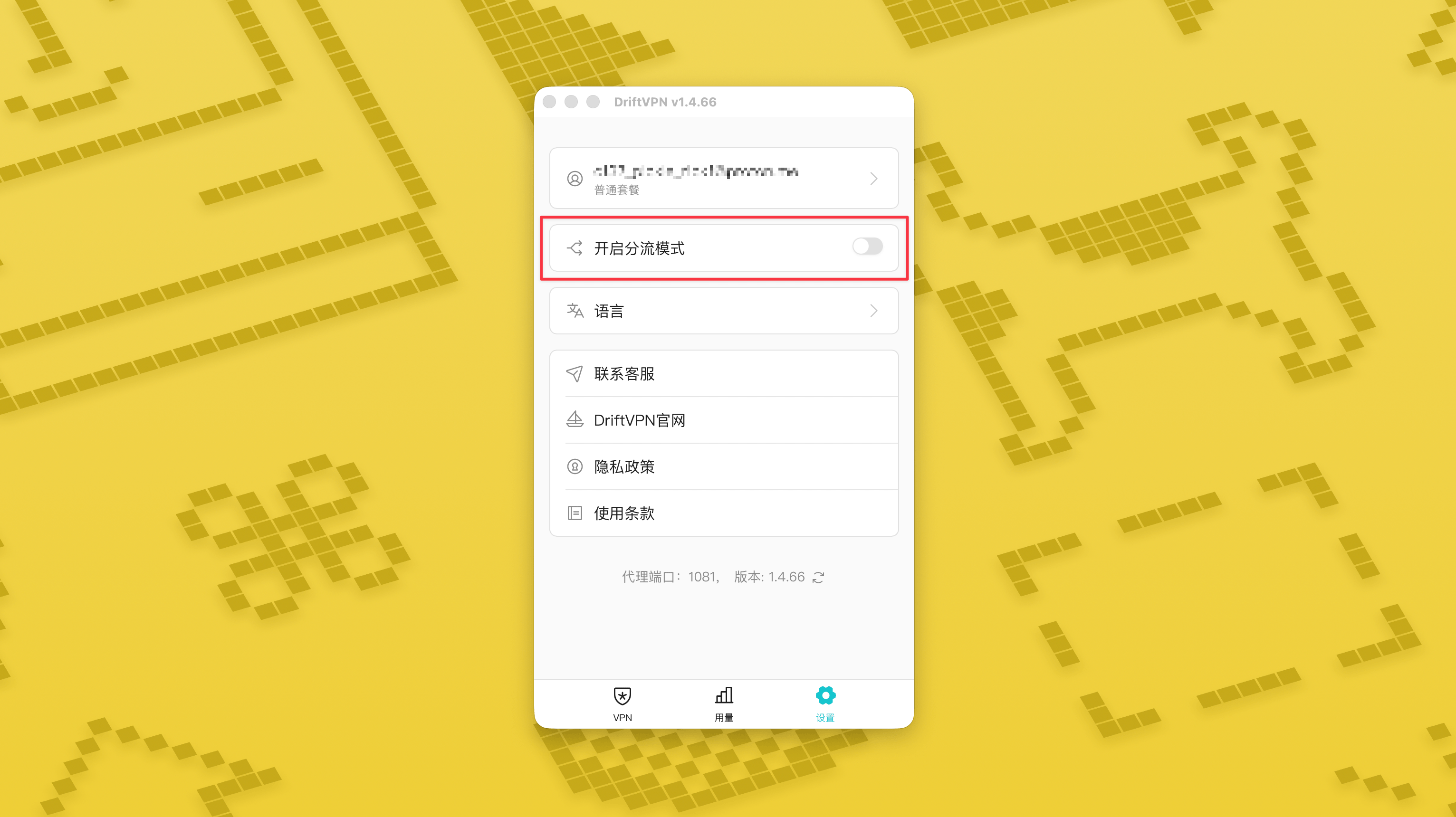
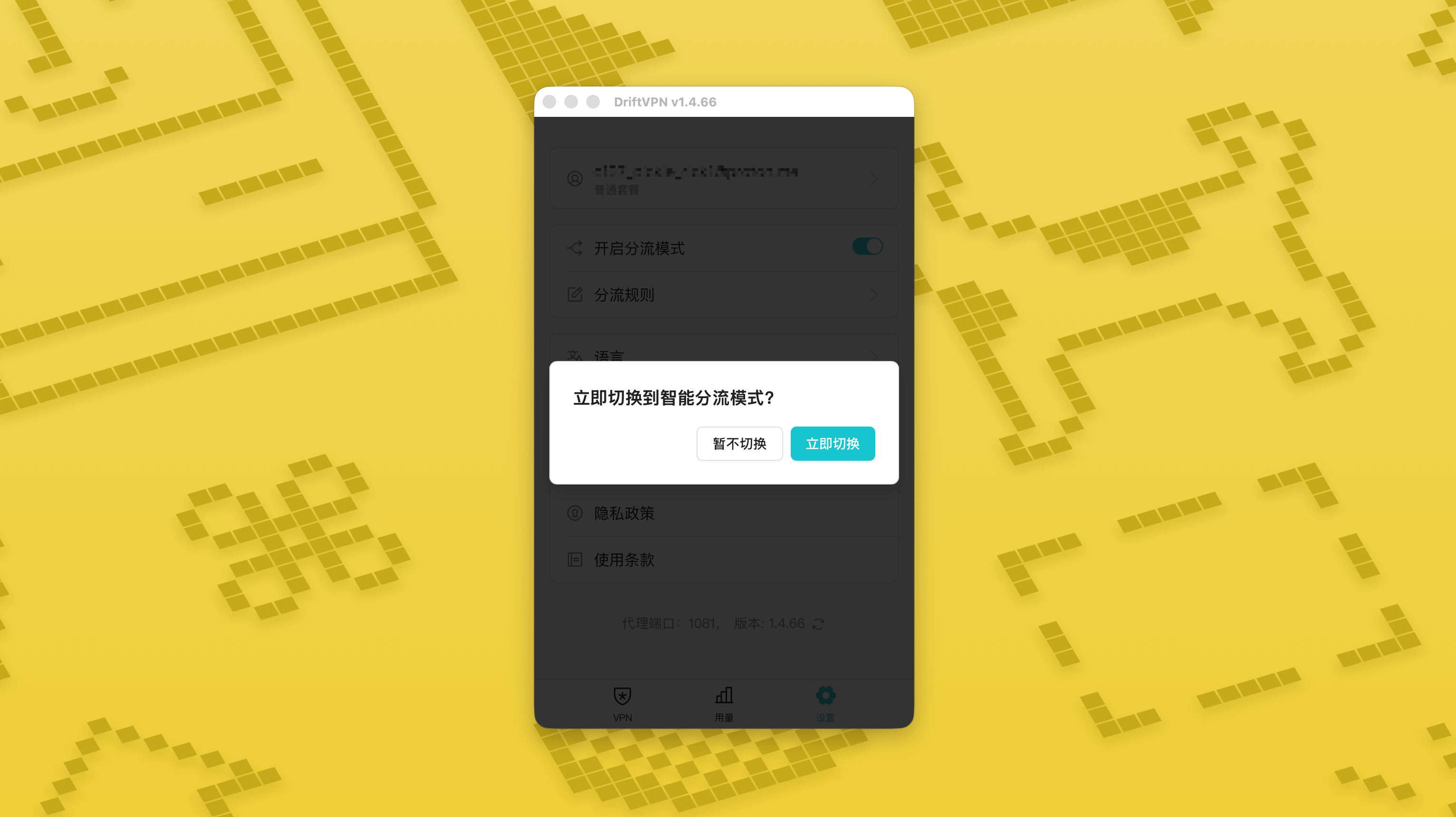
설정 페이지에서 스마트 라우팅 모드 스위치를 켠 뒤, «지금 전환»을 눌러 활성화하세요.
- 2.
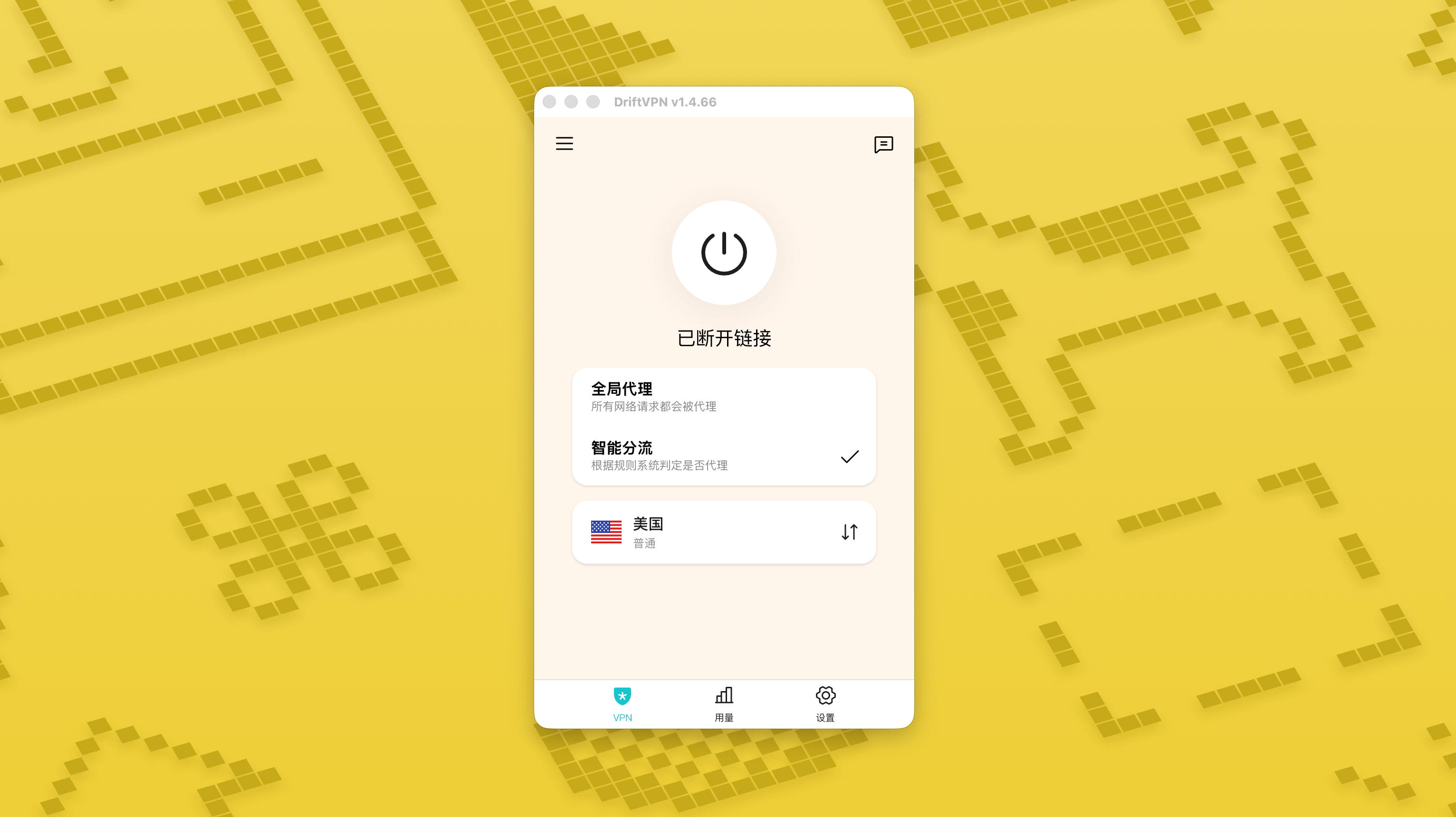
활성화 후에는 홈 화면에서 «글로벌 프록시»와 «스마트 라우팅 모드»를 전환할 수 있습니다.
- 3.
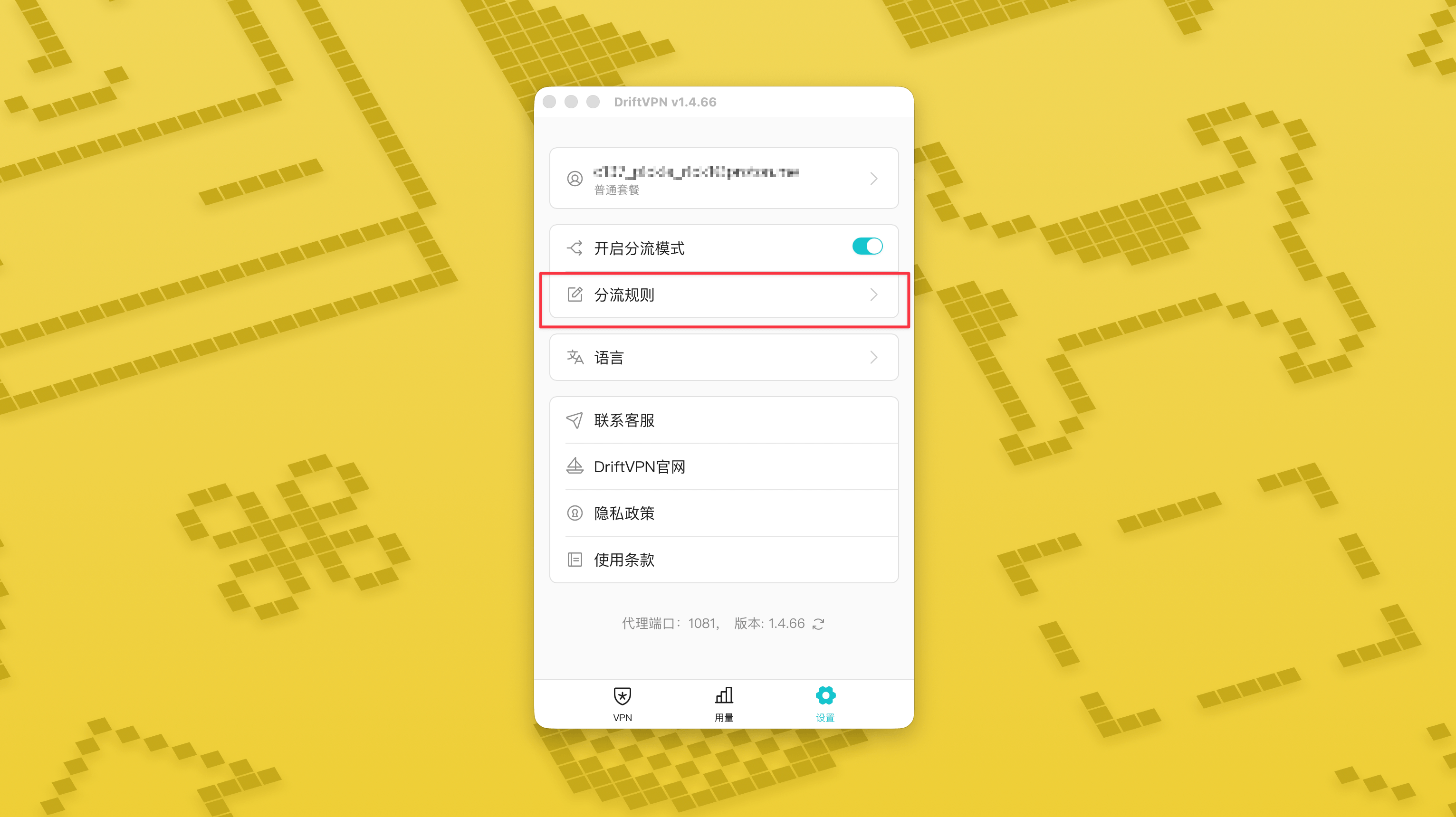
스마트 라우팅 모드를 켜면 설정 페이지에 «라우팅 규칙» 페이지가 표시됩니다.
- 4.
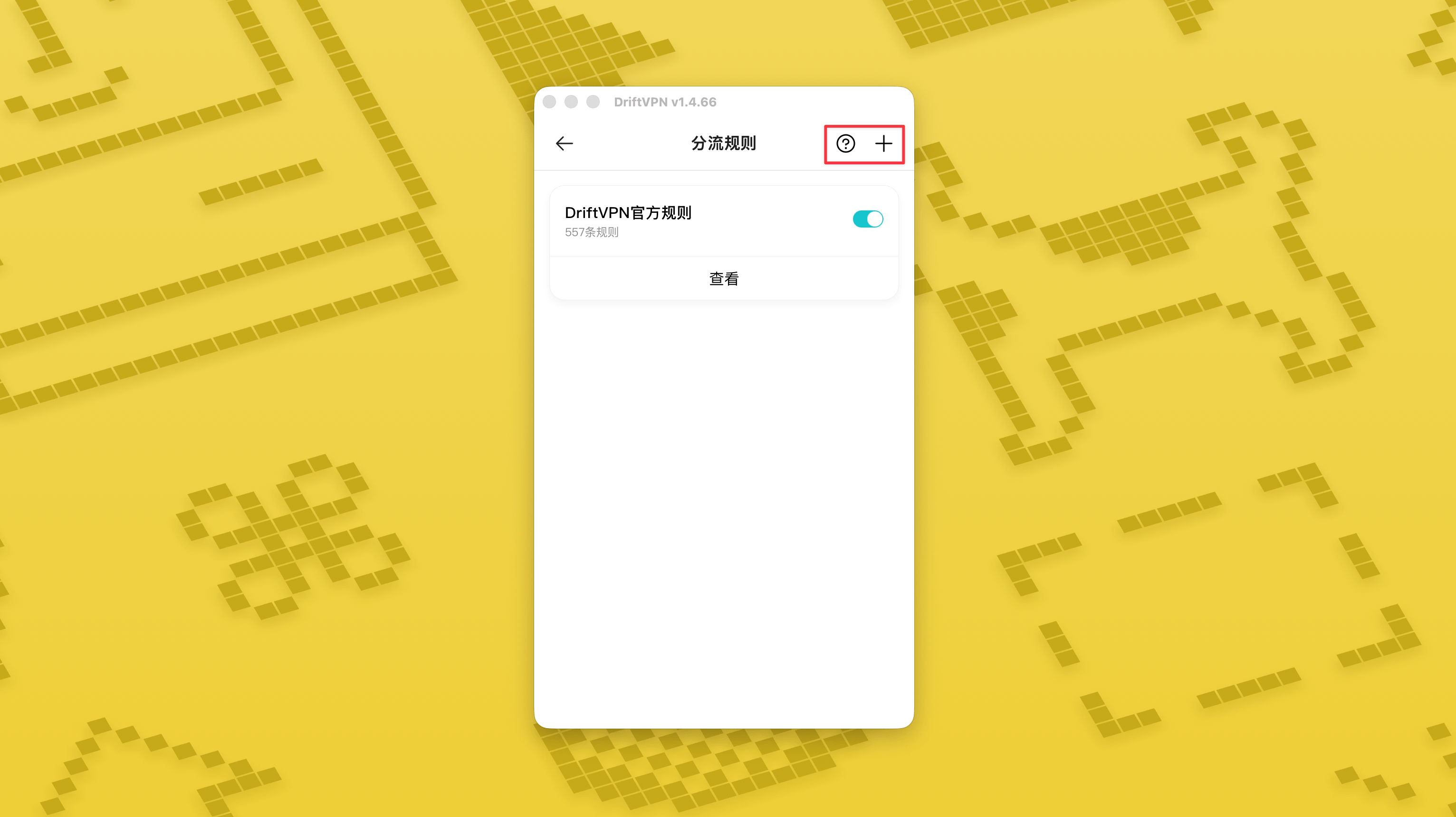
«라우팅 규칙» 페이지 오른쪽 상단의 «+» 버튼을 눌러 새 규칙을 추가하고, «?» 버튼을 눌러 규칙 작성 방법을 확인할 수 있습니다. 각 규칙 그룹은 스위치로 활성화하거나 비활성화할 수 있습니다.
Clash 같은 프록시 도구를 이미 사용하고 있다면, DriftVPN을 프런트엔드 프록시로 사용하고 주거용 IP 프록시를 최종 출구로 연결할 수 있습니다. 이는 'DriftVPN을 통해 먼저 연결한 다음 주거용 IP를 통해 대상 웹사이트에 접근해야 하는' 고급 사용자를 위한 것입니다.
DriftVPN의 기본 로컬 프록시 포트는 입니다. 해당 포트가 이미 다른 프로그램에서 사용 중인 경우, 클라이언트는 자동으로 다음 포트를 시도합니다 (예: 、). 설정 시 클라이언트에 현재 표시된 로컬 프록시 포트를 사용하세요 (연결 성공 후 VPN 설정 페이지 하단에서 포트 번호 확인).
프록시 체인을 지원하는 Clash / Mihomo 클라이언트를 예로 들면 다음과 같이 설정할 수 있습니다:
proxies: - name: "轻舟VPN 前置代理" type: http server: 127.0.0.1 port: 9527 - name: "住宅IP落地" type: http server: your-residential-proxy.example.com port: 12345 username: "your-username" password: "your-password"proxy-groups: - name: "轻舟VPN + 住宅IP" type: relay proxies: - "轻舟VPN 前置代理" - "住宅IP落地" - name: "PROXY" type: select proxies: - "轻舟VPN + 住宅IP" - DIRECTrules: - MATCH,PROXY
주의사항:
- 위의 주거용 IP 프록시 정보는 서비스 제공업체가 제공한 실제 주소, 포트, 사용자 이름 및 비밀번호로 교체해야 합니다.
- DriftVPN에 현재 표시된 로컬 프록시 포트가 9527이 아닌 경우, 설정의 포트를 실제 포트로 변경하세요.
- 주거용 IP 프록시 유형은 서비스 제공업체가 제공하는 프로토콜에 따라 입력하세요. 일반적인 값은 http 또는 socks5입니다.
- 프록시 체인 지원은 Clash 클라이언트마다 다릅니다. 설정이 작동하지 않는 경우, 현재 클라이언트 코어가 릴레이 유형 프록시 그룹을 지원하는지 확인하세요.
- 이 사용 방법은 Clash 설정에 익숙한 고급 사용자를 위한 것입니다. 일반 사용자는 DriftVPN 클라이언트의 기본 글로벌 프록시 또는 스마트 라우팅을 사용하는 것을 권장합니다.
예. 접속이 불안정한 경우 다른 라우트로 전환하여 다시 시도하세요.
현재 사용 목적에 따라 라우트를 선택할 수 있습니다:
- 일반적인 사용의 경우 지연 시간이 중요하지 않다면 어떤 라우트든 괜찮습니다.
- 지연 시간이 중요하다면 지리적으로 더 가까운 노드를 선택하세요.
- 지역 독점 스트리밍 콘텐츠 등 IP 지역 제한이 있는 웹사이트나 서비스에 접근해야 한다면 해당 국가나 지역의 노드를 선택하세요.
다음 문제에 대해서만 고객지원을 제공합니다:
- 계정 로그인 이상
- 결제 / 주문 문제
- 연결 불가 등 서비스가 완전히 이용 불가능한 경우
다음 상황은 고객지원 범위에 포함되지 않습니다:
- 끊김, 느린 속도, 속도 불안정 등 주관적인 사용 경험 문제
- 웹사이트 / 앱 등 타사 플랫폼 접속 속도가 느린 경우
- 사용자의 로컬 네트워크 환경, 기기, 통신사 등으로 인해 발생한 문제
- 공식 가이드를 따르지 않았거나 직접 설정을 변경하여 발생한 문제
- 네트워크 품질은 사용자가 위치한 지역의 통신사와 국제 회선의 영향을 크게 받으므로, 본 플랫폼은 모든 지역과 시간대의 접속 경험을 보장할 수 없습니다.
문제가 발생한 경우 다음 방법으로 문의할 수 있습니다:
- '피드백' 페이지를 통해 문제를 제출하시면 이메일로 답변 드립니다.피드백 페이지로 이동
- 고객 지원 이메일로 이메일을 보내세요:support@qz.run
- Telegram으로 문의하세요:@driftvpn_offical