
Central de Ajuda - Guias de Configuração
Instalação
Para confirmar se seu Mac usa um processador Intel ou Apple Silicon:
- Clique no ícone da Apple no canto superior esquerdo da tela
- Selecione "Sobre este Mac"
- Na janela que aparece, verifique as informações de "Chip ou Processador". Se começar com Intel, é um processador Intel, caso contrário é um Apple Silicon
- 1.
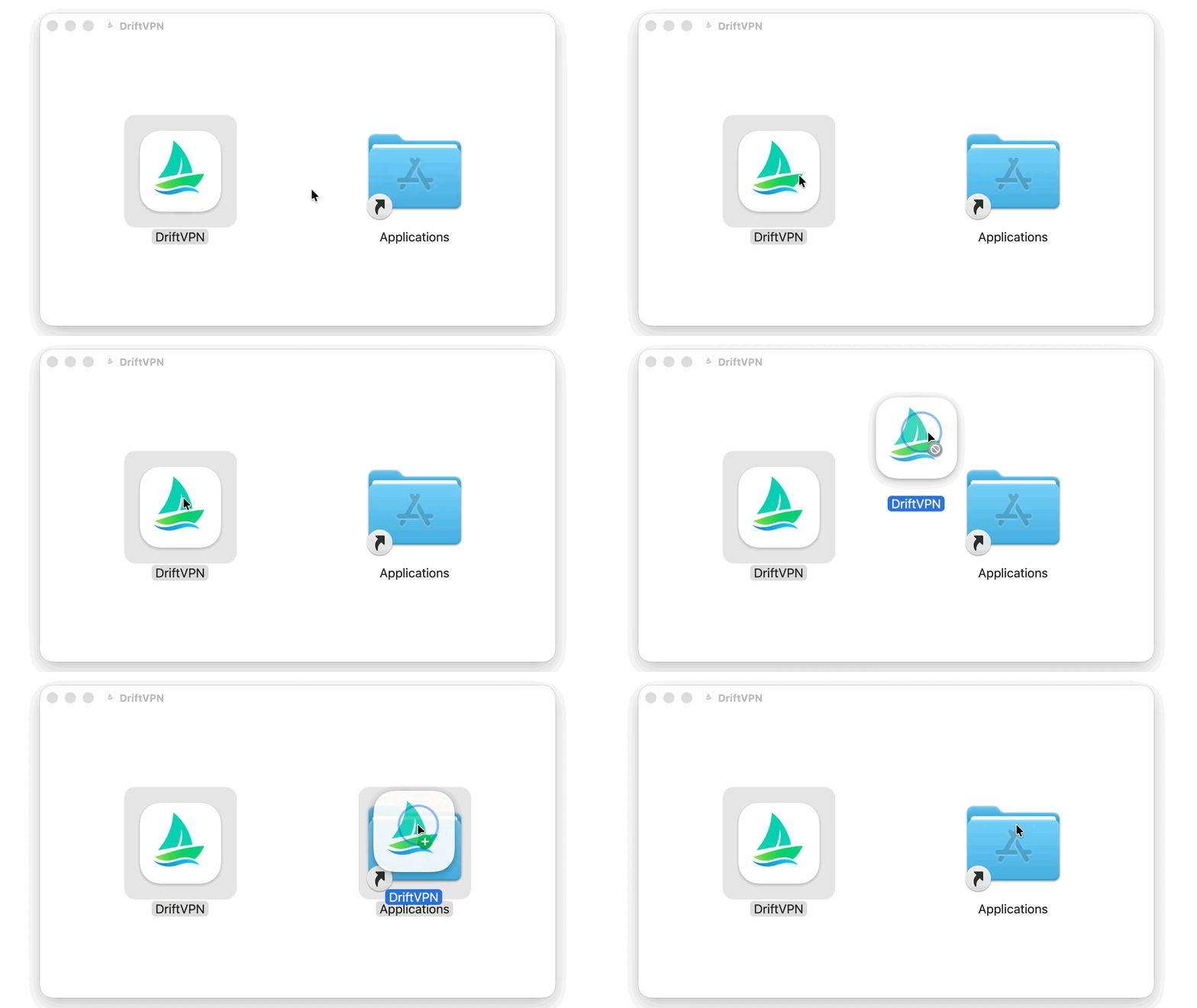
Após baixar o instalador do macOS, abra o arquivo .dmg e arraste o VPN para Aplicativos.
- 2.
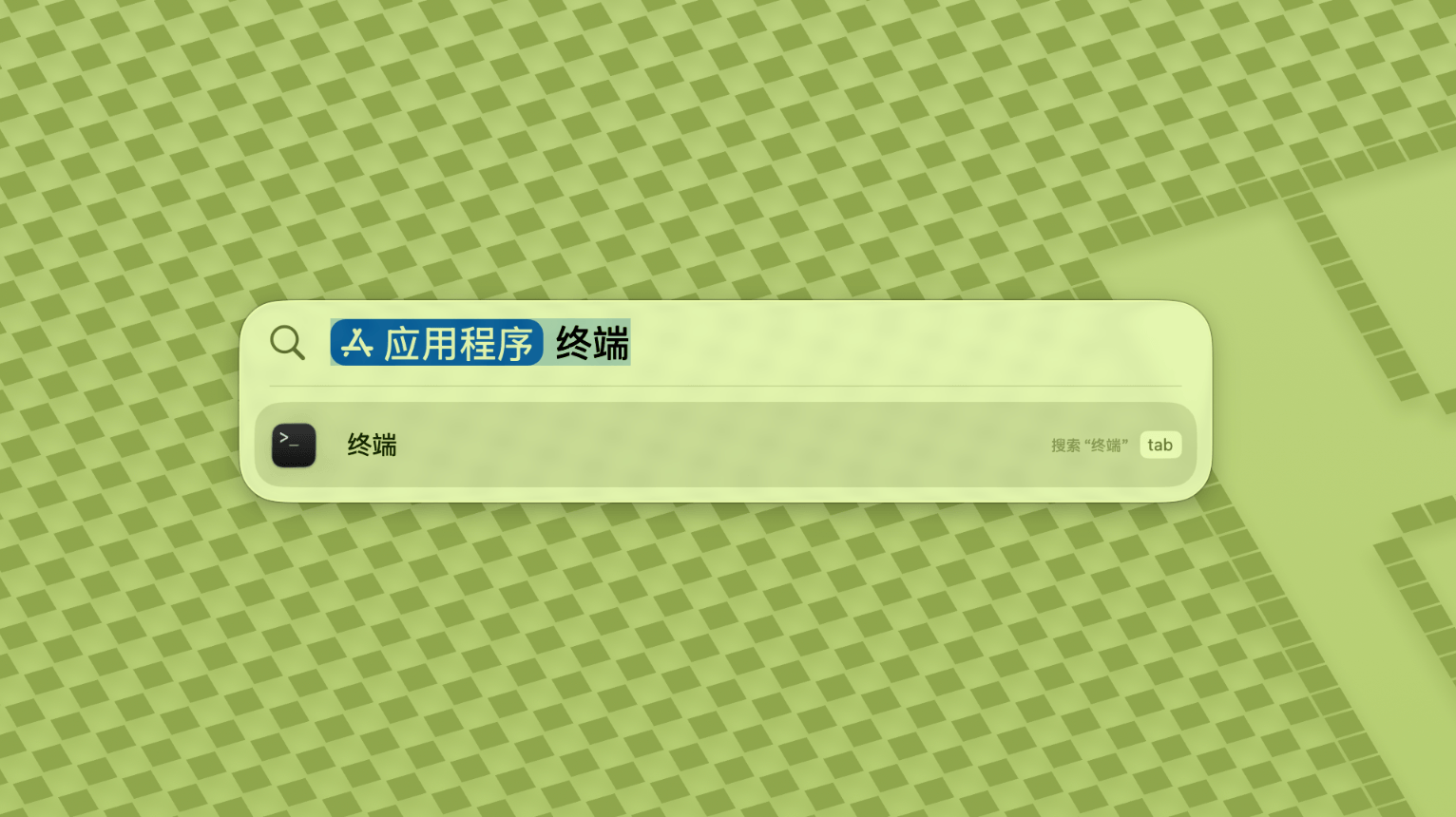
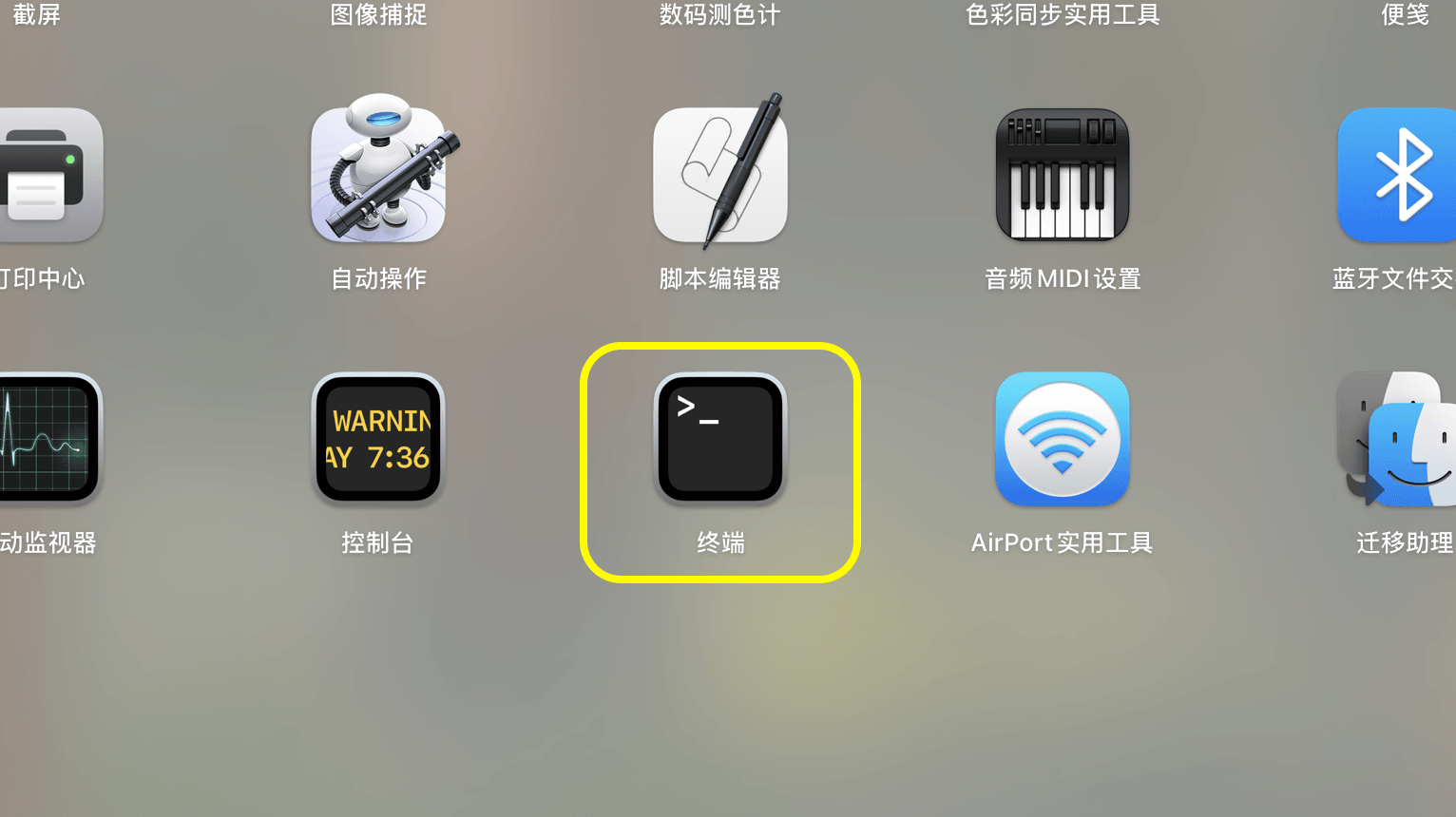
Abra o Launchpad ou Spotlight, pesquise e abra o Terminal.
- 3.
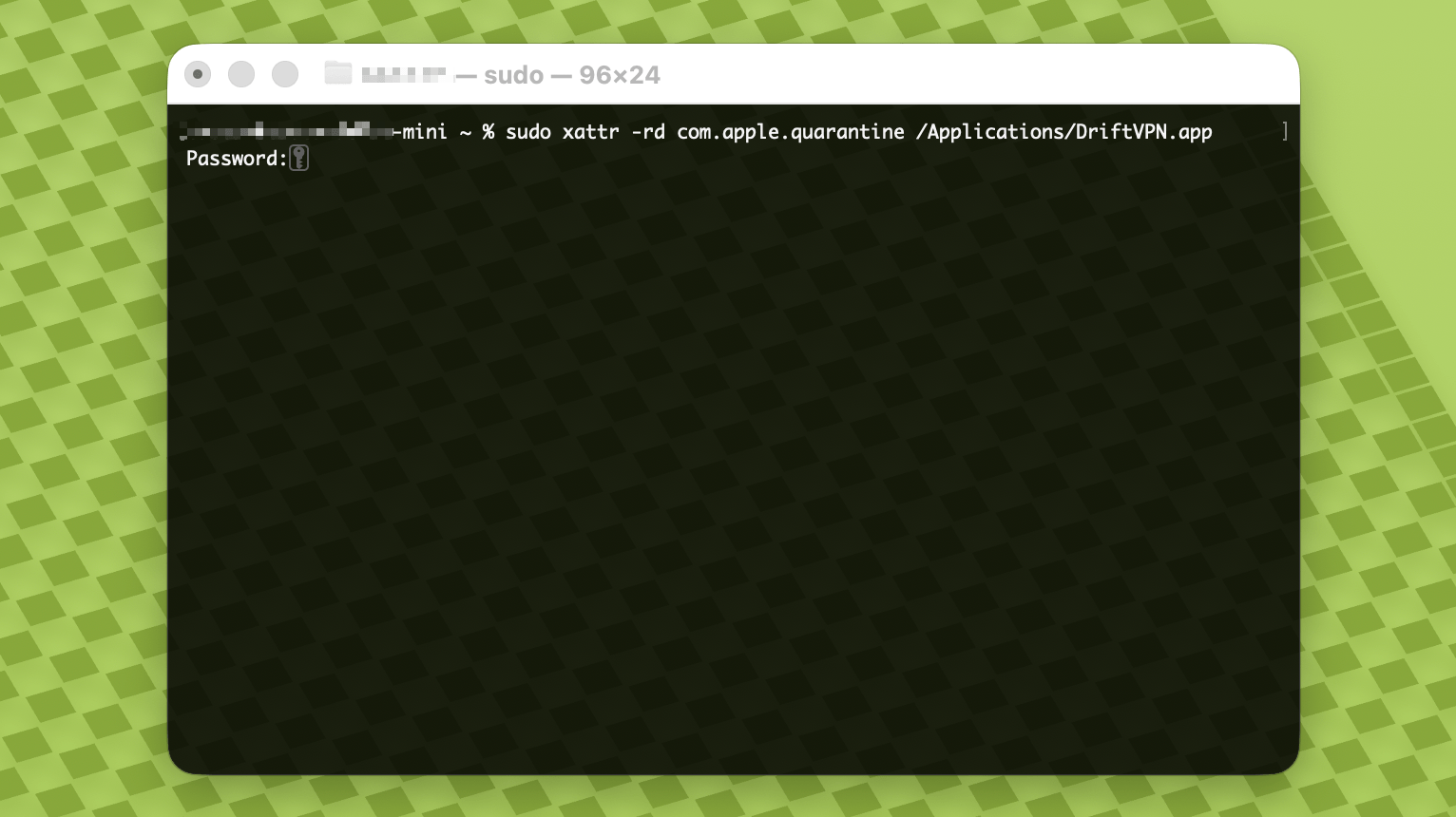
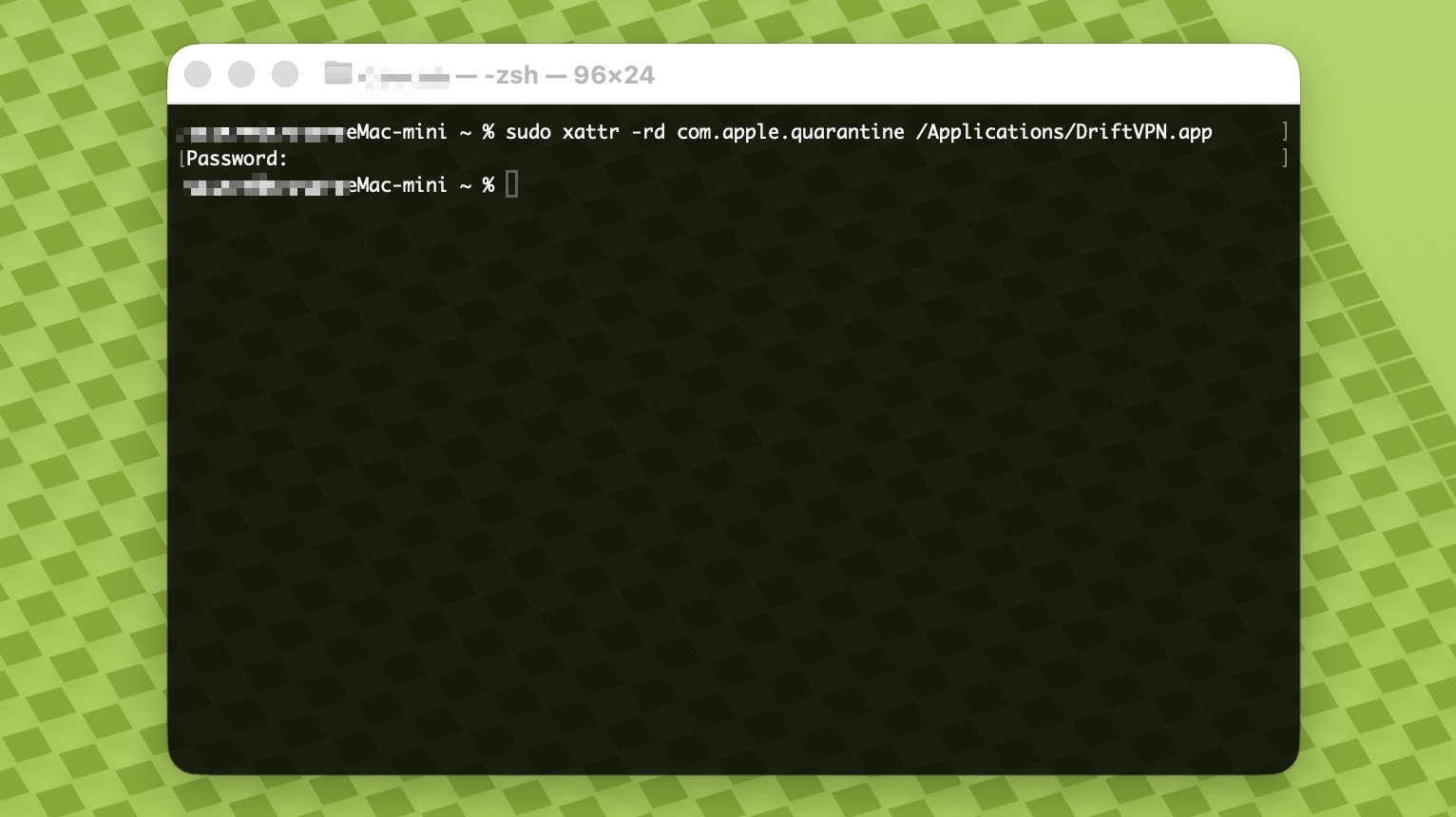
Cole o comando abaixo no Terminal e pressione Enter. Quando solicitada a senha, insira sua senha de login do Mac; os caracteres não aparecerão durante a digitação. Pressione Enter novamente ao terminar.
sudo xattr -rd com.apple.quarantine /Applications/DriftVPN.app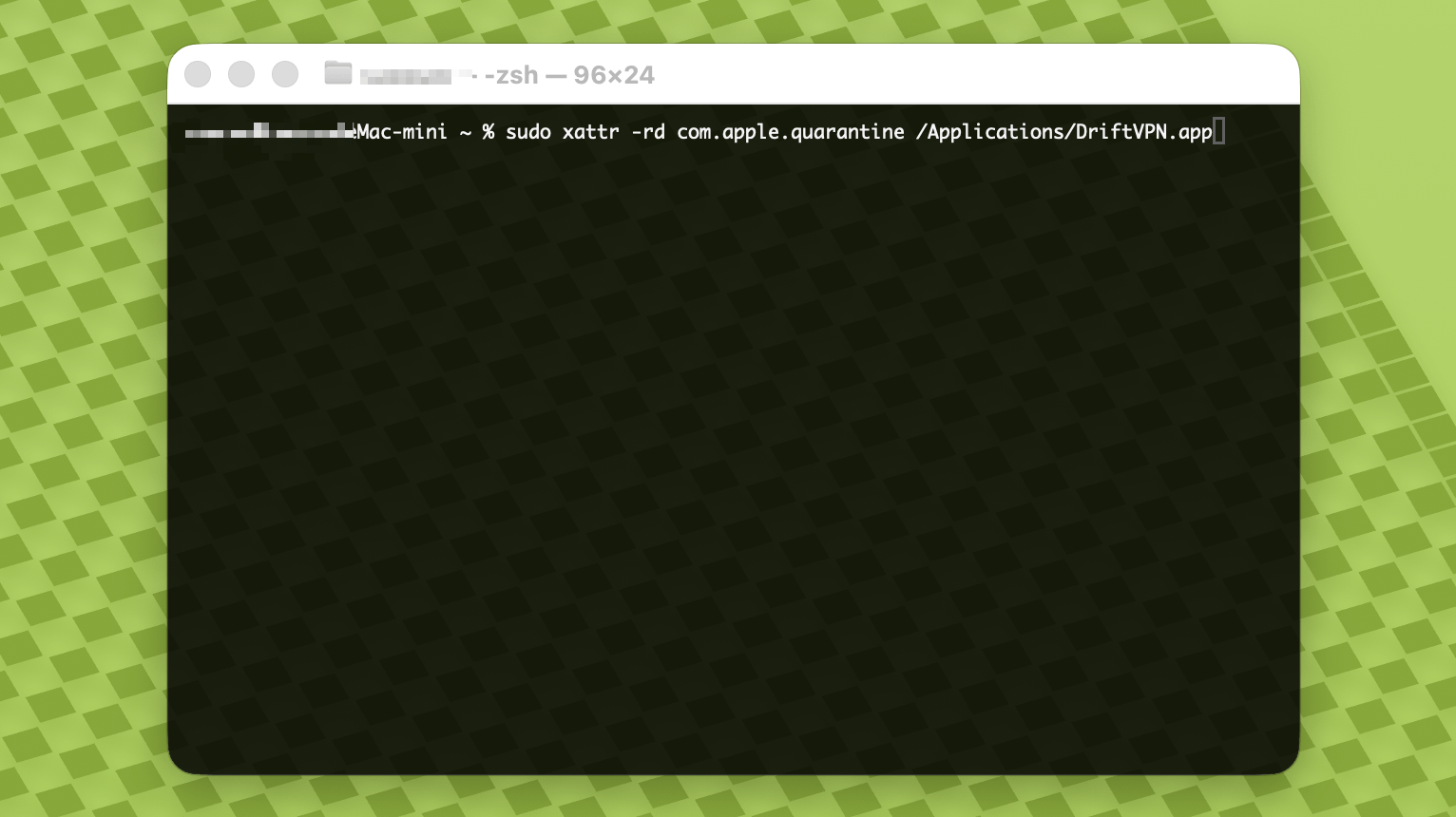
- 4.
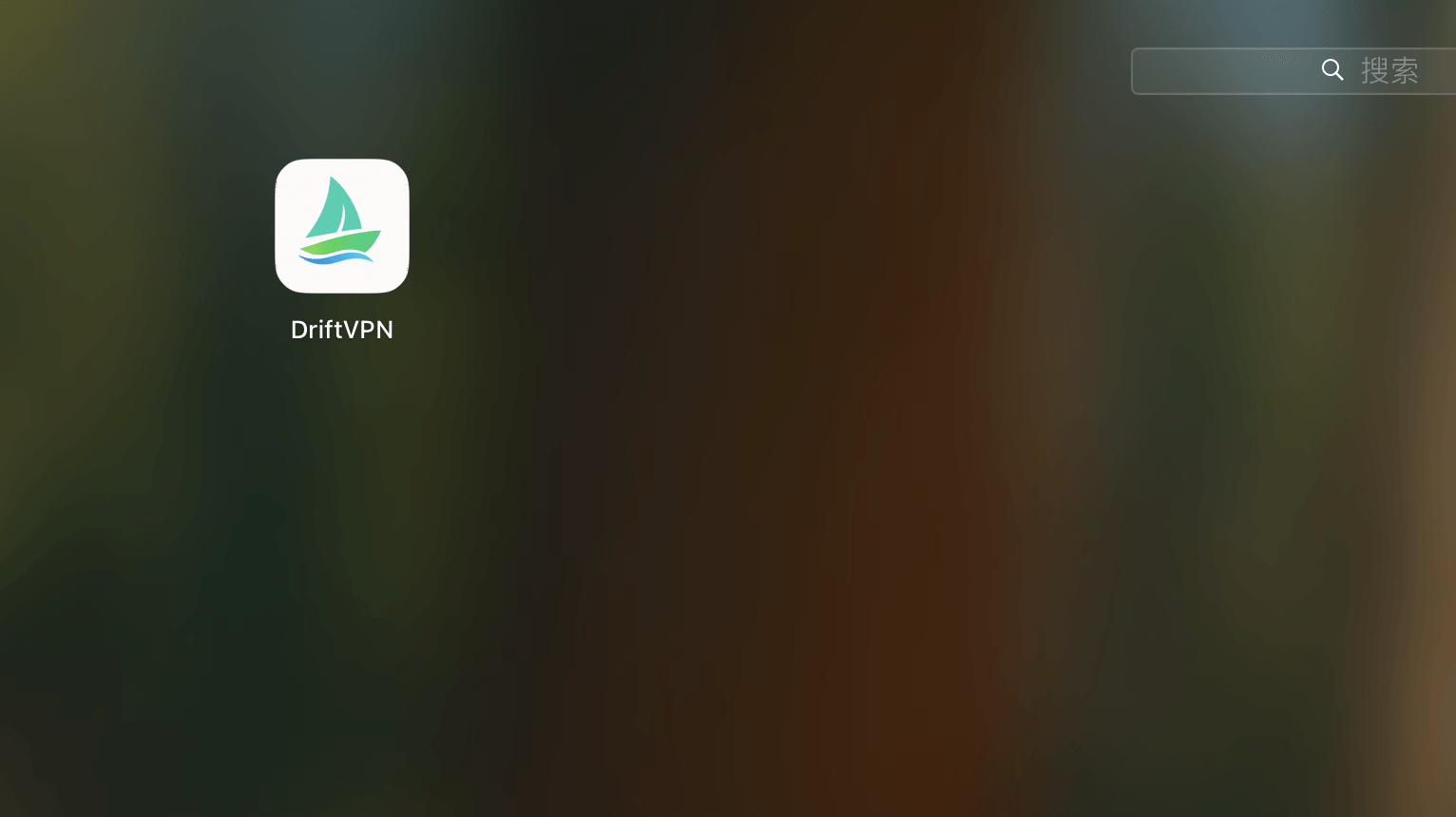
Após a conclusão do comando, pesquise o VPN ou abra-o em Aplicativos.
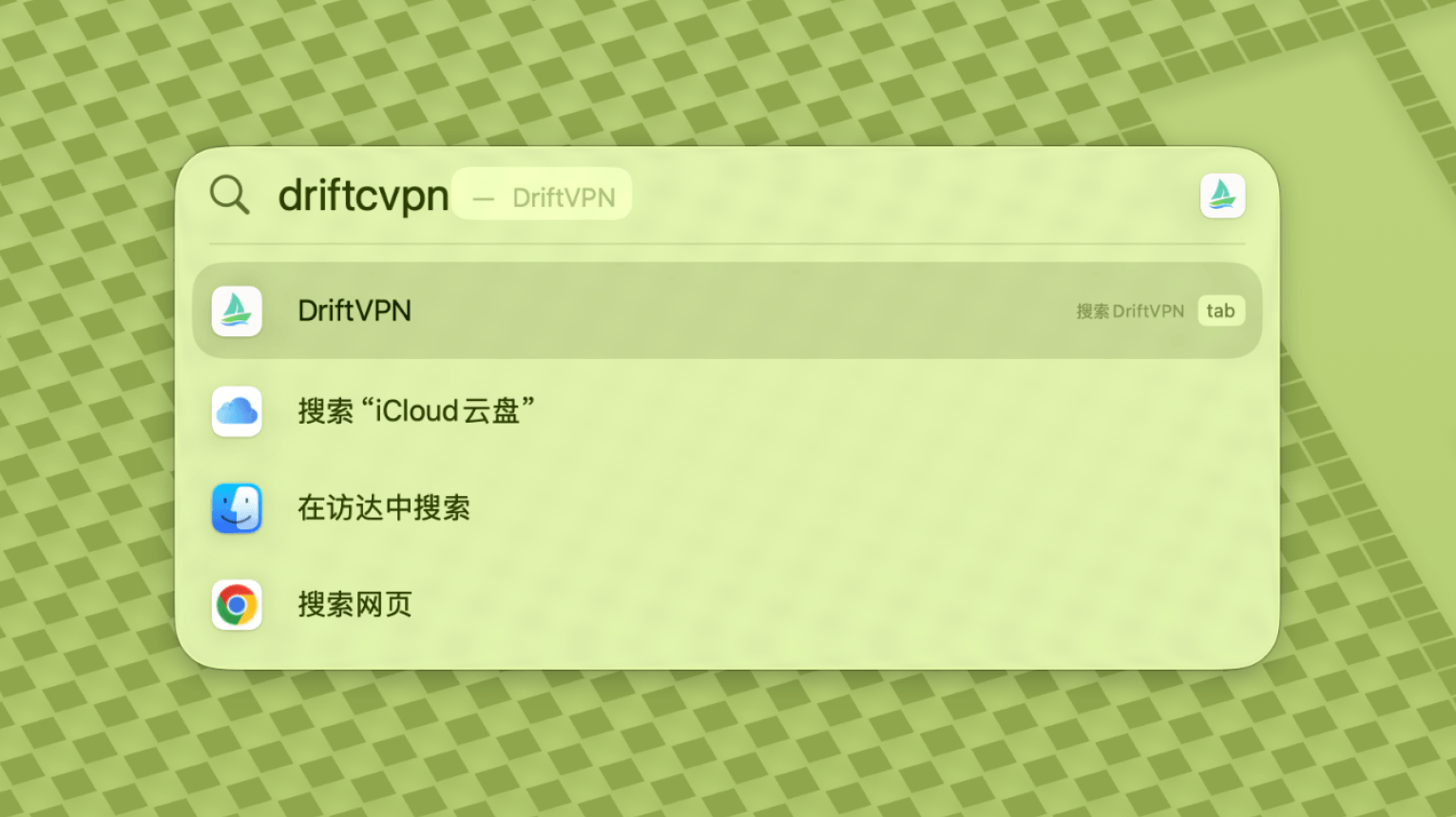
- 5.
Se o macOS ainda bloquear o aplicativo, vá para Configurações do Sistema → Privacidade e Segurança e clique em Abrir mesmo assim na seção Segurança. Se disser que o aplicativo está danificado, baixe novamente o instalador mais recente e repita o comando acima.
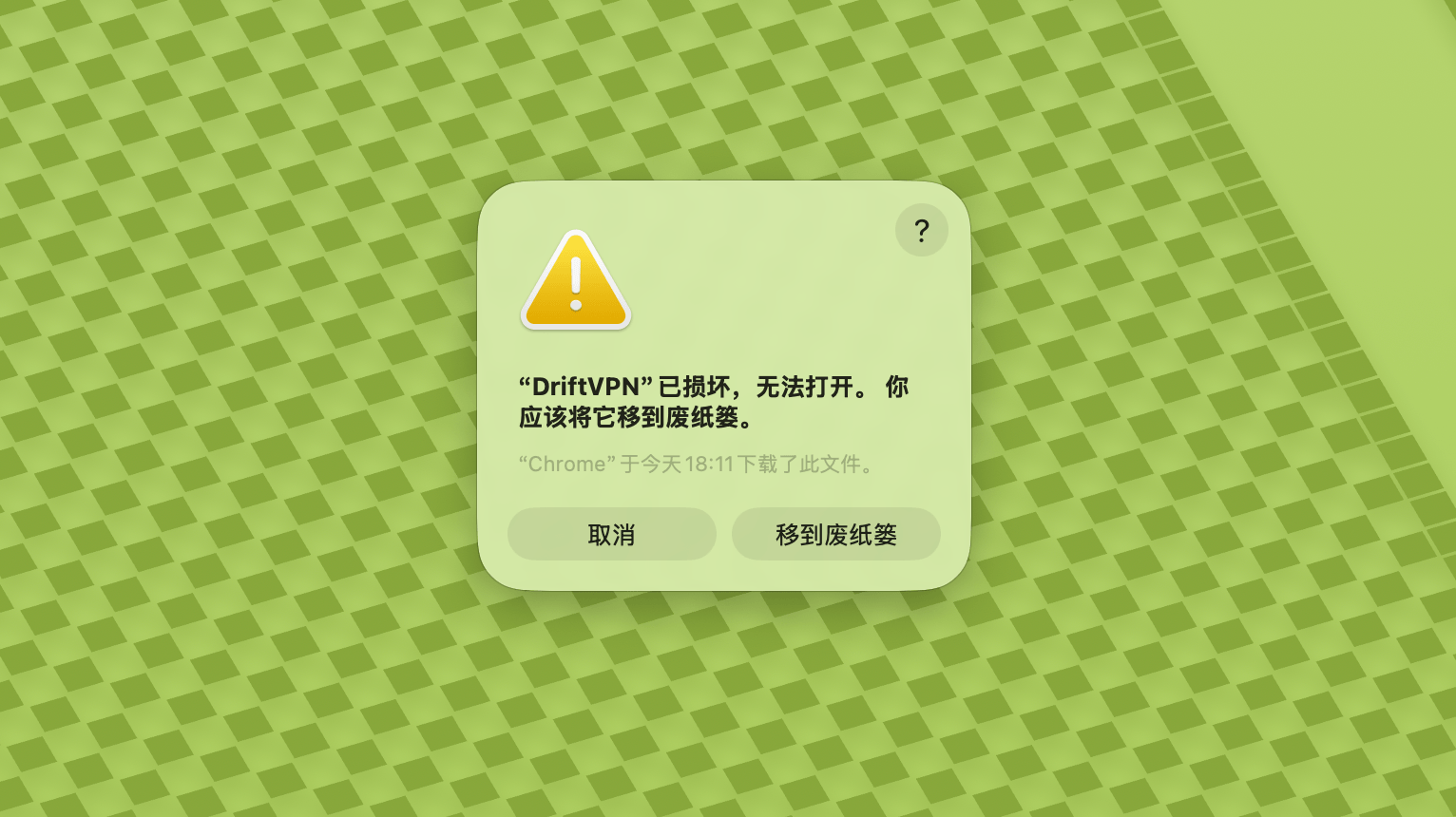
Se não conseguir abrir o VPN no macOS, vá para Configurações do Sistema → Privacidade e Segurança, role até a seção Segurança e clique em Abrir mesmo assim.
Para confirmar se seu computador Windows usa um processador x64, ARM64 ou x86 (32 bits):
- Abra a ferramenta de informações do sistema. Pressione Win + R, digite msinfo32 e pressione Enter
- Vá para Resumo do sistema → Tipo do sistema, você verá as informações da arquitetura do sistema
Mensagem de erro: o arquivo executável do proxy não existe. Ou mensagem: o arquivo contém um vírus ou software potencialmente indesejado. Solução:
Método 1:
- Abra 'Configurações' → 'Privacidade e segurança' → 'Central de Segurança do Windows' → 'Proteção contra vírus e ameaças'
- Clique em 'Gerenciar configurações'
- Na parte inferior, adicione ou remova exclusões e adicione o diretório de instalação do Drift às exclusões
Método 2:
- Abra 'Configurações' → 'Privacidade e segurança' → 'Central de Segurança do Windows' → 'Proteção contra vírus e ameaças'
- Clique em 'Gerenciar configurações'
- Desative a 'Proteção em tempo real'
Se o aplicativo não conseguir se conectar após ser iniciado no Windows, geralmente o Firewall do Windows Defender está bloqueando-o. Soluções:
Método 1: Adicionar exceção pelo Painel de Controle
- Pressione Win + S e pesquise: Painel de Controle
- Vá para: Sistema e Segurança → Firewall do Windows Defender
- À esquerda, clique em: Permitir um aplicativo ou recurso pelo Firewall do Windows Defender
- No canto superior direito, clique em: Alterar configurações
- Clique em: Permitir outro aplicativo
- Clique em: Procurar e selecione seu arquivo .exe (caminho padrão: C:\Users\[usuário]\AppData\Local\VPN\QingZhou.exe)
- Após adicionar, marque: Privada e Pública (se for necessário acesso à rede externa)
- Clique em: OK
Método 2: Criar regras no Firewall do Windows Defender com Segurança Avançada
- Pressione Win + S, pesquise 'Firewall do Windows Defender com Segurança Avançada' e abra
- Clique em 'Regras de Entrada' à esquerda → clique em 'Nova Regra' à direita
- Selecione: Programa → Avançar
- Selecione 'Este caminho de programa', procure seu arquivo .exe → Avançar
- Selecione: Permitir a conexão → Avançar
- Marque: Domínio, Particular, Público (geralmente todos) → Avançar
- Digite um nome (ex.: DriftVpn Inbound) → Concluir
- Repita as etapas para 'Regras de Saída' (selecione 'Regras de Saída' à esquerda; o fluxo é o mesmo)
Você pode baixar e instalar o VPN para Android da seguinte forma:
- Abra a página de download oficial e escolha Android.
- Baixe o pacote de instalação do Android para seu telefone ou tablet.
- Abra o arquivo APK baixado nos downloads do navegador ou no gerenciador de arquivos.
- Se o Android solicitar permissão para instalar aplicativos desconhecidos, permita para o navegador ou gerenciador de arquivos atual e continue a instalação.
Alguns navegadores ou sistemas podem salvar o arquivo APK com extensão .zip. Proceda da seguinte forma:
- Não descompacte o arquivo.
- Abra o gerenciador de arquivos e renomeie o arquivo baixado, alterando a extensão de .zip para .apk.
- Toque no arquivo .apk renomeado para instalá-lo.
- Se não conseguir renomeá-lo, baixe novamente ou use outro navegador para baixar o APK.
Por razões de política, o VPN não está disponível na App Store da China. Você pode baixá-lo:
- Você precisa de um Apple ID fora da China (ex.: EUA, Japão, Hong Kong, etc.)
- Troque para a conta fora da China na App Store
- Pesquise 'VPN' para encontrá-lo e baixá-lo
- Se não tiver um Apple ID estrangeiro, você pode pesquisar tutoriais online sobre como registrar um Apple ID estrangeiro gratuito
Conta
Se você esqueceu sua senha de login, pode redefini-la seguindo estas etapas:
- Vá para a página de login e clique em 'Esqueci a senha?'
- Insira seu endereço de e-mail cadastrado
- Verifique seu e-mail para um código de verificação de 6 dígitos (válido por 5 minutos)
- Insira o código de verificação e sua nova senha para concluir a redefinição
Pagamentos
Atualmente, as seguintes formas de pagamento são aceitas:
- Visa/Mastercard
Se precisar cancelar sua assinatura, primeiro confirme em qual plataforma você assinou. O processo de cancelamento varia por plataforma, e desinstalar o aplicativo não cancela a assinatura automaticamente.
Assinatura pelo site oficial
Passos:
- Acesse o site oficial e faça login com sua conta no canto superior direito.
- Após fazer login, clique em "Minha conta – Plano e faturamento" no canto superior direito.
- Clique no botão Gerenciar ao lado dos detalhes do seu plano.
- Cancele sua assinatura na página do Stripe.
iOS
Se você assinou via App Store no iPhone ou iPad, cancele pelo Apple:
- Abra as Configurações no seu iPhone ou iPad.
- Toque no nome da sua conta Apple no topo.
- Toque em Assinaturas.
- Selecione a assinatura VPN.
- Toque em Cancelar assinatura.
Se você usa um dispositivo iOS, mas assinou pelo site oficial, siga os passos de "Assinatura pelo site oficial" acima.
Android
Assinaturas Android fora da Google Play são processadas via Stripe. Consulte "Assinatura pelo site oficial" acima para cancelar.
Android – Google Play
Se você assinou via Google Play, cancele pelo Google Play:
- Abra o Google Play.
- Toque no ícone de perfil no canto superior direito.
- Vá em Pagamentos e assinaturas.
- Toque em Assinaturas.
- Selecione a assinatura VPN.
- Toque em Cancelar assinatura e siga as instruções.
Mac
Assinaturas fora da Mac App Store são processadas via Stripe. Consulte "Assinatura pelo site oficial" acima para cancelar.
Mac – App Store
Se você assinou via Mac App Store, cancele pelo Apple:
- Abra a App Store no seu Mac.
- Clique no nome da sua conta.
- Clique em Configurações da conta.
- Encontre Assinaturas e clique em Gerenciar.
- Selecione a assinatura VPN.
- Clique em Cancelar assinatura.
Windows
Consulte "Assinatura pelo site oficial" acima para cancelar.
Uso
Você pode iniciar sua avaliação do VPN com estas etapas:
- Registre uma conta no site oficial ou em qualquer cliente
- Entre em sua conta em qualquer cliente
- Toque no botão de alternância na página inicial para começar a usar o serviço
Se você tiver um código de ativação, pode resgatá-lo após fazer login:
- Faça login em sua conta no site ou no cliente.
- Clique em Minha conta no canto superior direito e escolha Resgatar código de ativação no menu suspenso.
- Insira o código de ativação e confirme o resgate.
- Após o resgate bem-sucedido, o pacote ou benefício correspondente será adicionado automaticamente à sua conta.
- Se nenhuma mensagem de sucesso aparecer, o código de ativação já foi usado.
- Após a ativação, reinicie o aplicativo para que o pacote ou benefício entre em vigor.
O VPN atualmente suporta as seguintes plataformas:
- Android (telefones e tablets)
- iOS (iPhone e iPad, requer uma App Store fora da China)
- macOS (suporta chips Intel e Apple Silicon)
- Windows (suporta arquitetura x64)
Uma conta permite até 3 dispositivos online simultaneamente. Você pode instalar o cliente e entrar em mais dispositivos; o limite se aplica apenas ao número de dispositivos conectados ao mesmo tempo. Se o limite for excedido, o dispositivo conectado há mais tempo será desconectado automaticamente. O cliente atualmente não permite desconectar outros dispositivos ou encerrar a sessão deles com um clique. Para liberar uma vaga online, desconecte ou saia manualmente nesse dispositivo.
Eles controlam qual tráfego passa pelo VPN:
- O Proxy Global envia a maior parte do tráfego de rede pelo VPN. Use-o quando quiser que todos os aplicativos e sites usem a conexão proxy.
- O Roteamento Inteligente apenas faz proxy do tráfego que precisa de aceleração ou otimização de acesso. O tráfego local e diretamente acessível permanece na rede original, o que geralmente é melhor para uso diário.
- As regras de VPN integradas cobrem a maioria das necessidades, e você também pode adicionar suas próprias regras de proxy.
- 1.
Na página de Configurações, ative a chave do modo de roteamento inteligente e depois toque em «Alternar agora» para ativá-lo.
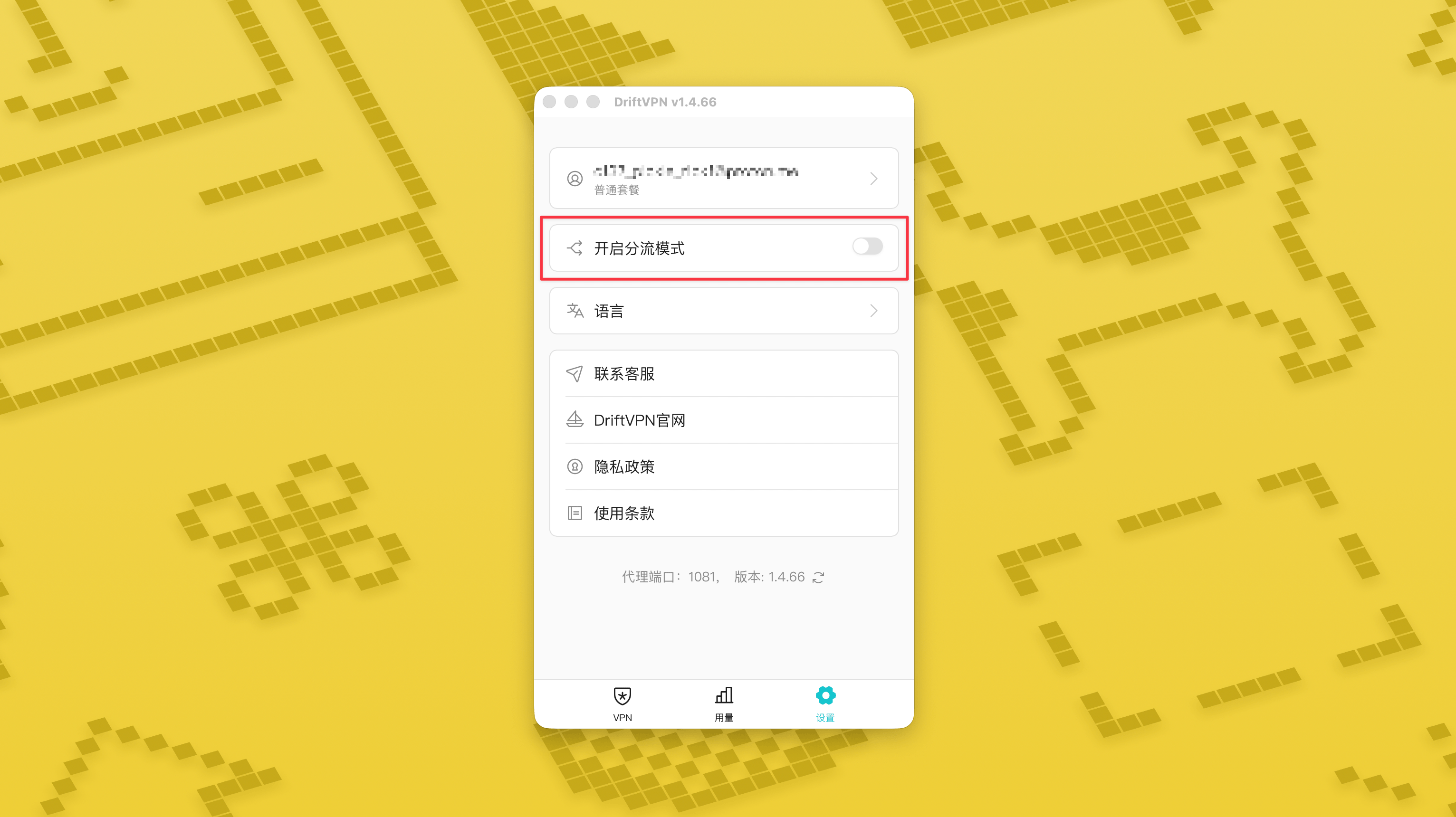
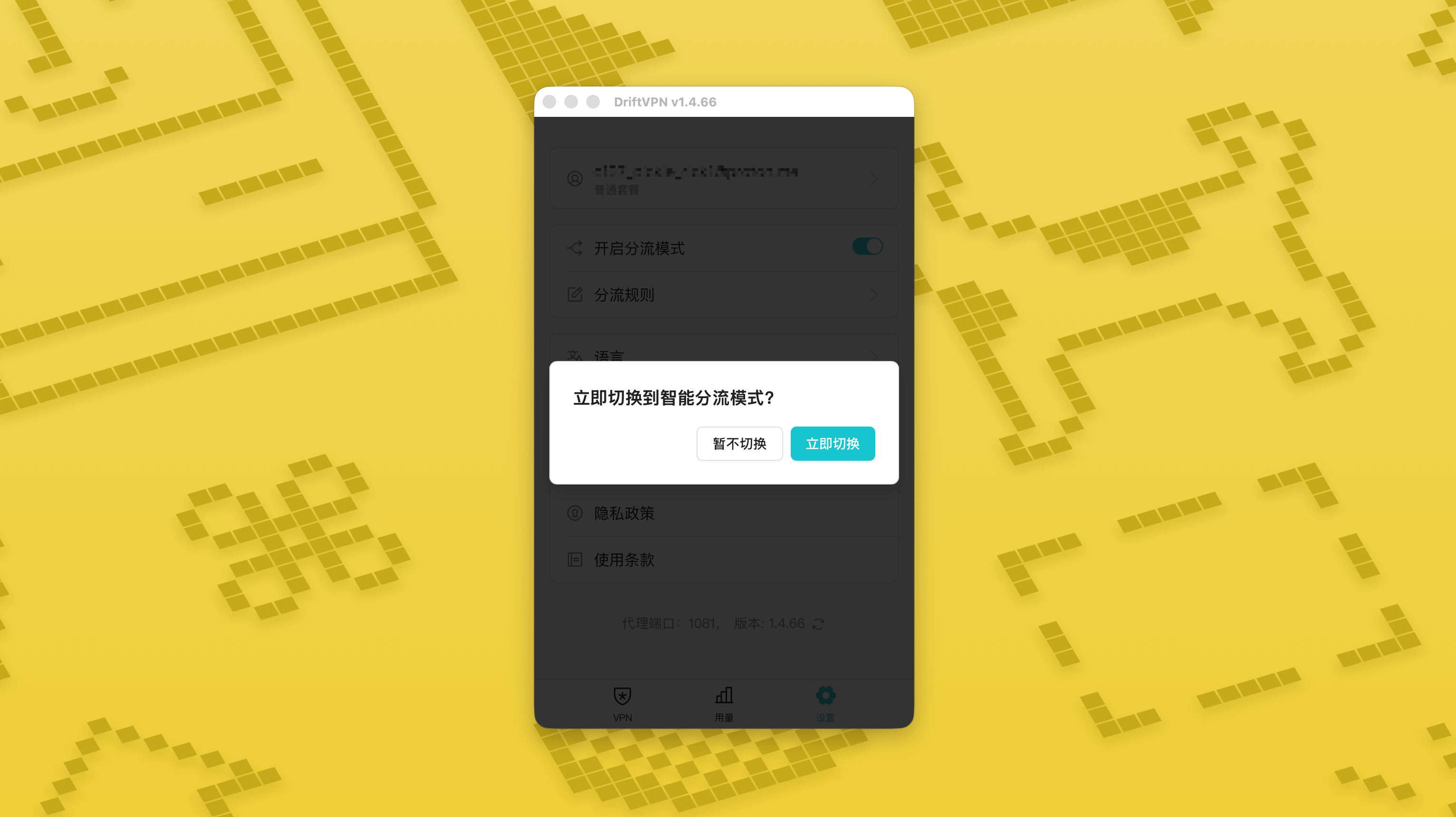
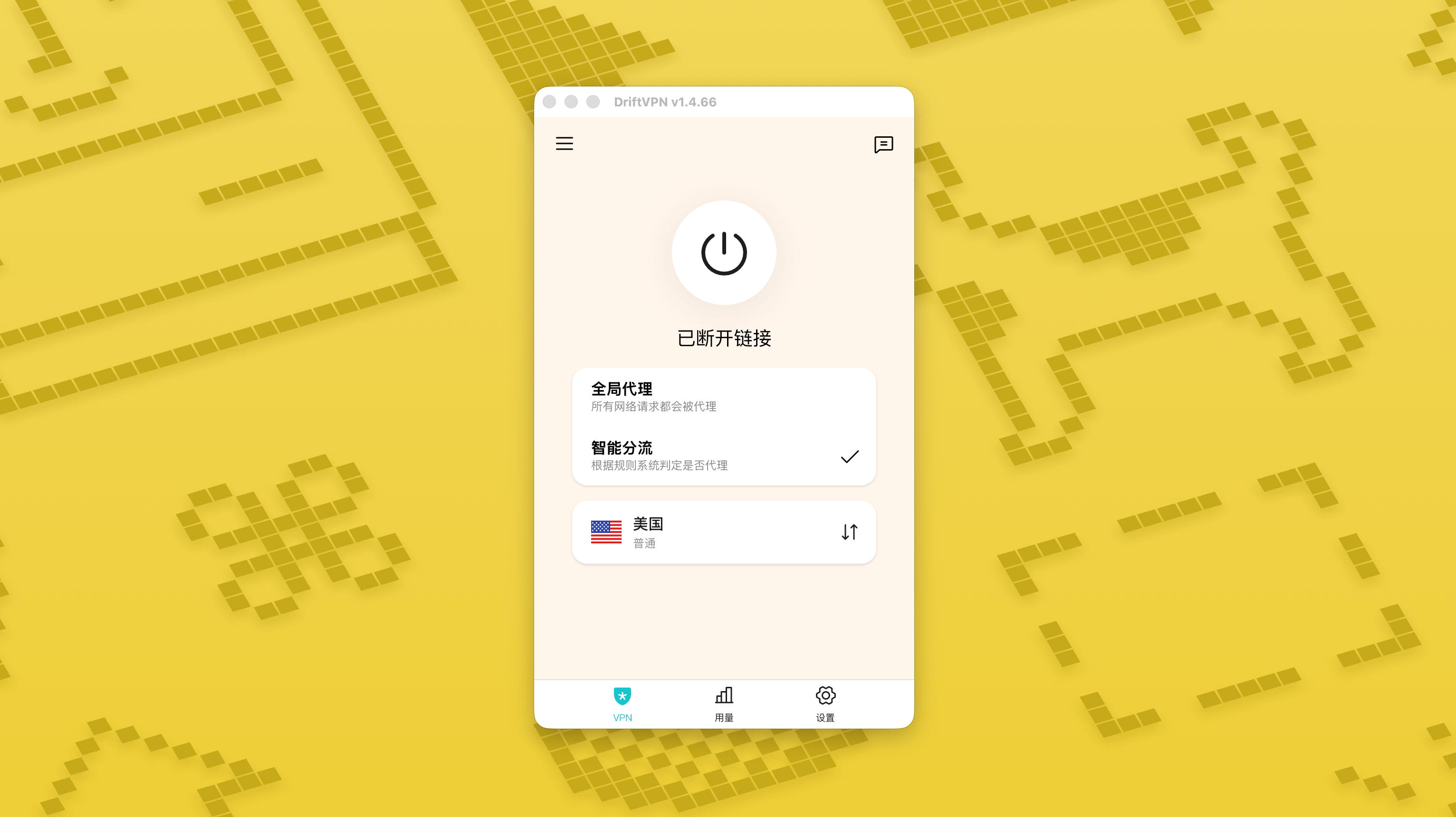
- 2.
Depois de ativado, você pode alternar entre «Proxy global» e «Roteamento inteligente» na página inicial.
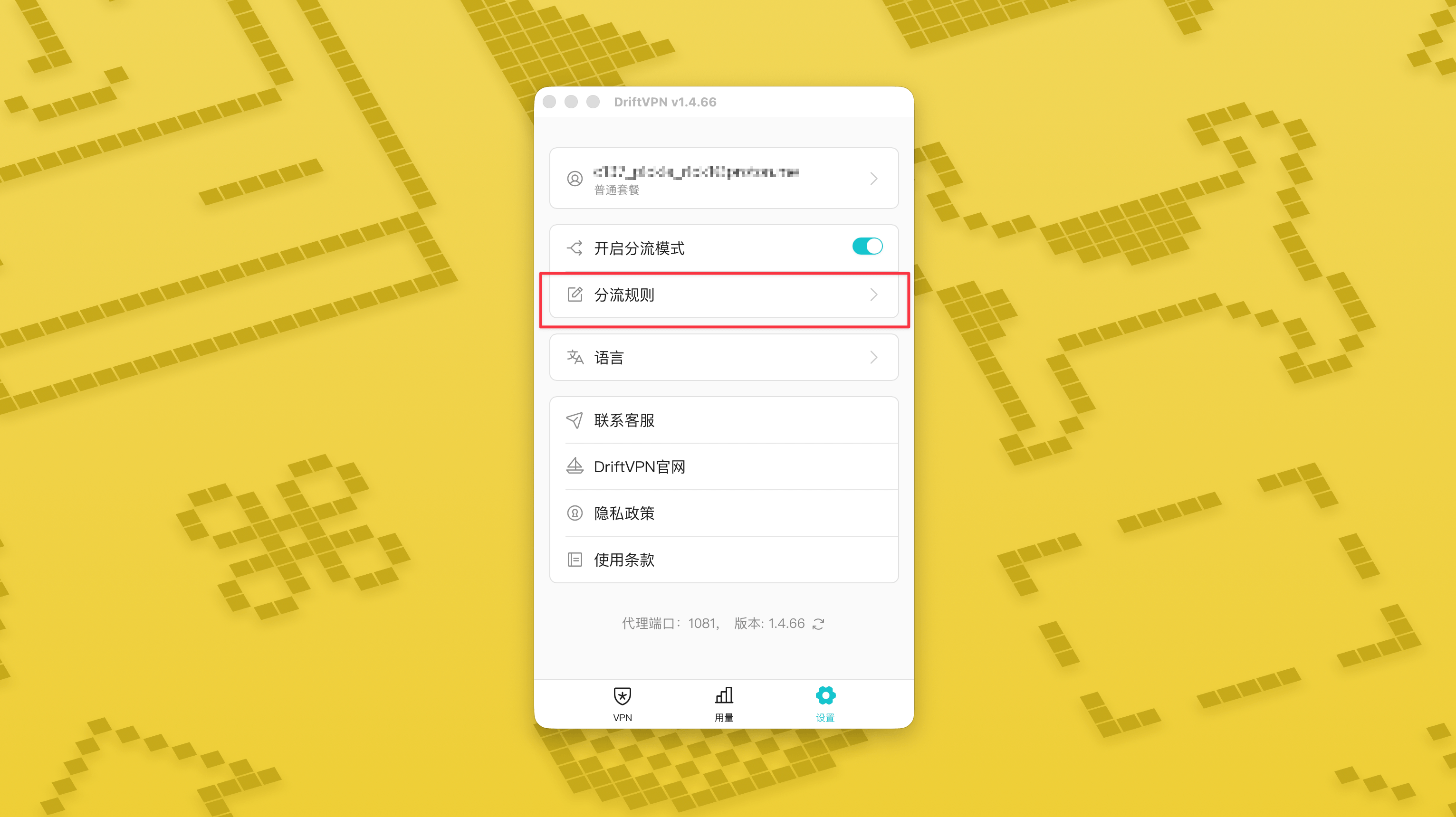
- 3.
Depois que o modo de roteamento inteligente for ativado, a página «Regras de roteamento» aparecerá em Configurações.
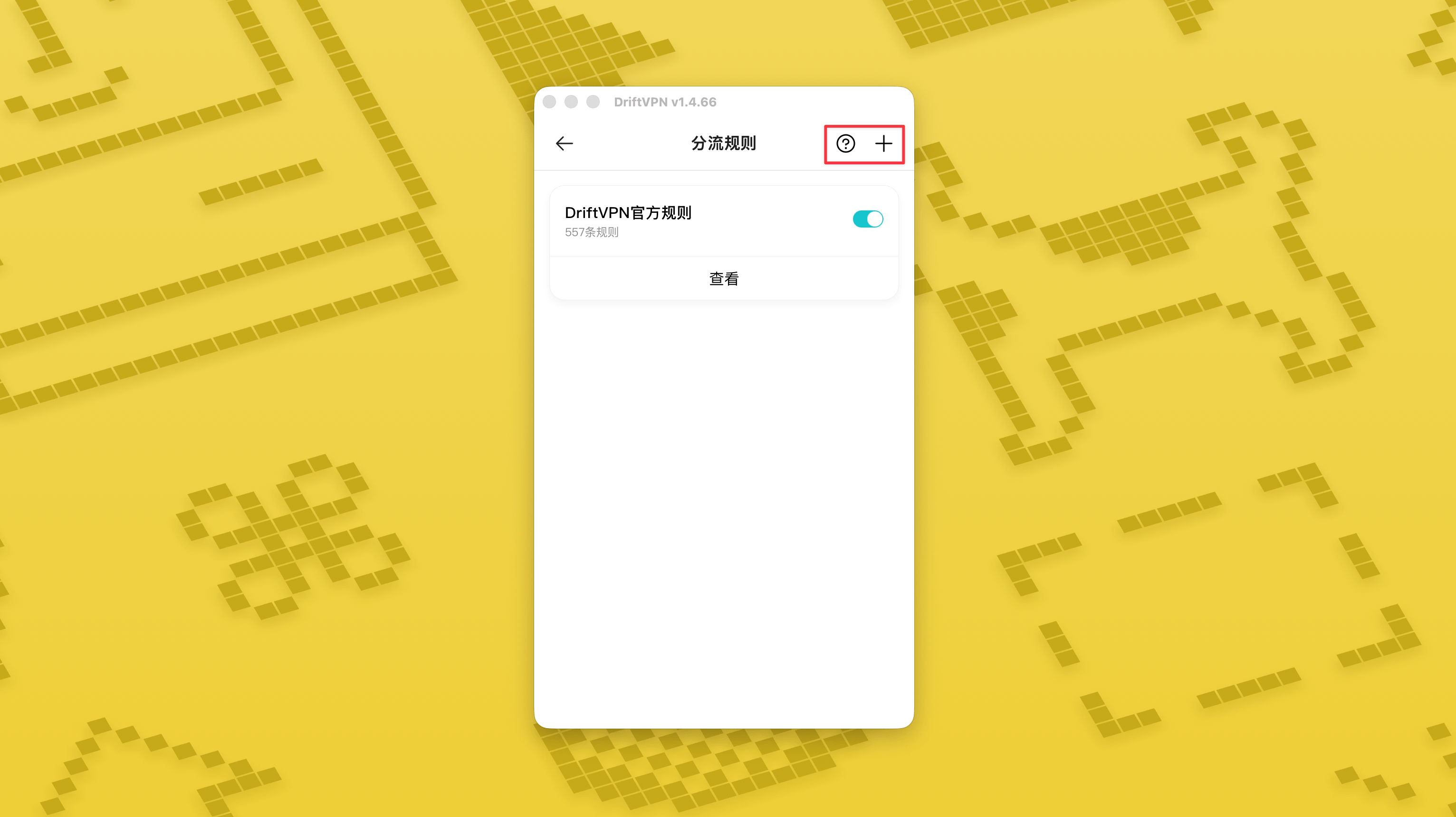
- 4.
No canto superior direito da página «Regras de roteamento», toque no botão «+» para adicionar uma nova regra e no botão «?» para ver como escrever regras. Cada grupo de regras pode ser ativado ou desativado pelo respectivo interruptor.
Se você já estiver usando uma ferramenta de proxy como o Clash, pode usar o DriftVPN como proxy de front-end e depois conectar-se ao seu proxy de IP residencial como saída final. Isso é adequado para usuários avançados que precisam "primeiro estabelecer uma conexão pelo DriftVPN e depois acessar o site de destino via IP residencial".
A porta de proxy local padrão do DriftVPN é . Se essa porta já estiver em uso por outro programa, o cliente tentará automaticamente a próxima porta, como 、. Ao configurar, use a porta de proxy local atualmente exibida no cliente (verifique o número da porta na parte inferior da página de configurações do VPN após uma conexão bem-sucedida).
Usando um cliente Clash / Mihomo que suporta encadeamento de proxy como exemplo, você pode configurar da seguinte forma:
proxies: - name: "轻舟VPN 前置代理" type: http server: 127.0.0.1 port: 9527 - name: "住宅IP落地" type: http server: your-residential-proxy.example.com port: 12345 username: "your-username" password: "your-password"proxy-groups: - name: "轻舟VPN + 住宅IP" type: relay proxies: - "轻舟VPN 前置代理" - "住宅IP落地" - name: "PROXY" type: select proxies: - "轻舟VPN + 住宅IP" - DIRECTrules: - MATCH,PROXY
Observações:
- As informações de proxy de IP residencial acima precisam ser substituídas pelo endereço, porta, nome de usuário e senha reais fornecidos pelo seu provedor de serviços.
- Se a porta de proxy local atualmente exibida no DriftVPN não for 9527, altere a porta na configuração para a porta real.
- O tipo do seu proxy de IP residencial deve ser preenchido de acordo com o protocolo fornecido pelo seu provedor de serviços. Os valores comuns são http ou socks5.
- O suporte para encadeamento de proxy varia entre diferentes clientes Clash. Se a configuração não funcionar, confirme se o núcleo do cliente atual suporta o tipo de grupo de proxy de retransmissão.
- Este uso é adequado para usuários avançados familiarizados com a configuração do Clash. Usuários regulares são recomendados a usar o Proxy Global integrado ou Roteamento Inteligente no cliente DriftVPN.
Sim. Se o acesso estiver instável, troque para outra rota e tente novamente.
Você pode escolher uma rota com base no seu caso de uso atual:
- Para uso diário, se não se importar com latência, qualquer rota serve.
- Se a latência importar, escolha um nó geograficamente mais próximo de você.
- Se precisar acessar sites ou serviços com restrições de região de IP, como conteúdo de streaming exclusivo da região, escolha um nó no país ou região correspondente.
Oferecemos suporte ao cliente apenas para os seguintes problemas:
- Problemas de login da conta
- Problemas de pagamento / pedido
- Serviço totalmente indisponível, por exemplo, impossibilidade de conexão
Os seguintes casos estão fora do escopo do suporte ao cliente:
- Problemas subjetivos de experiência, como travamentos, velocidade lenta ou instável
- Acesso lento a plataformas de terceiros, como sites ou apps
- Problemas causados pelo ambiente de rede local, dispositivo, operadora ou fatores semelhantes do usuário
- Problemas causados por não seguir o tutorial oficial ou por alterar configurações por conta própria
- A qualidade da rede é muito afetada pela operadora local e pelas rotas internacionais, portanto a plataforma não pode garantir a experiência de acesso em todas as regiões e horários.
Se encontrar algum problema, pode nos contatar pelos seguintes métodos:
- Envie seu problema pela página 'Feedback' e responderemos por e-mail.Ir para Feedback
- Envie um e-mail para nosso e-mail de suporte:support@qz.run
- Entre em contato conosco no Telegram:@driftvpn_offical