
Центр Помощи - Руководства по Настройке
Установка
Чтобы подтвердить, использует ли ваш Mac процессор Intel или Apple Silicon:
- Щелкните значок Apple в левом верхнем углу экрана
- Выберите "Об этом Mac"
- В появившемся окне проверьте информацию о "Чип или Процессор". Если начинается с Intel, это процессор Intel, иначе это Apple Silicon
- 1.
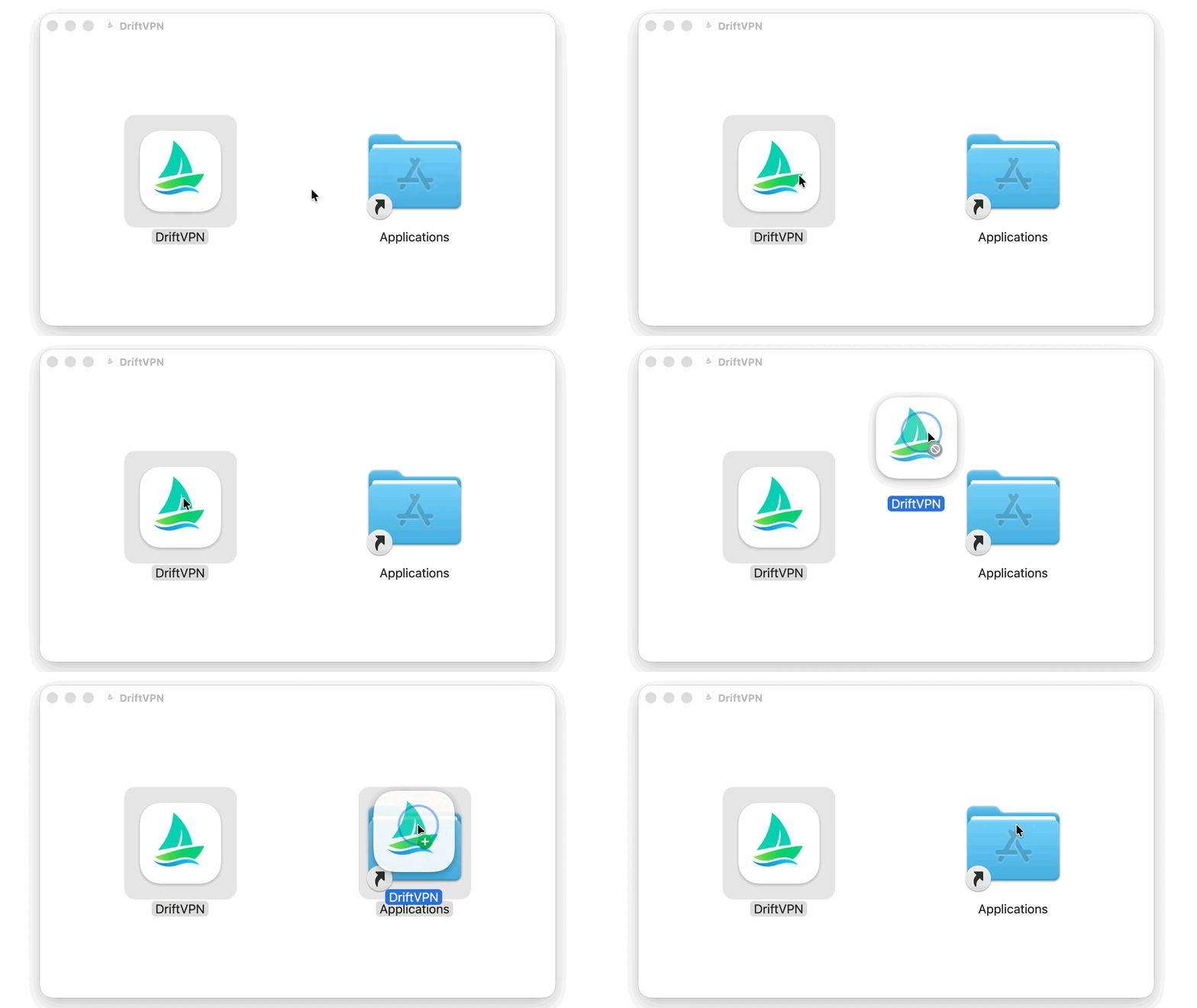
После загрузки установщика macOS откройте файл .dmg и перетащите VPN в папку Программы.

- 2.
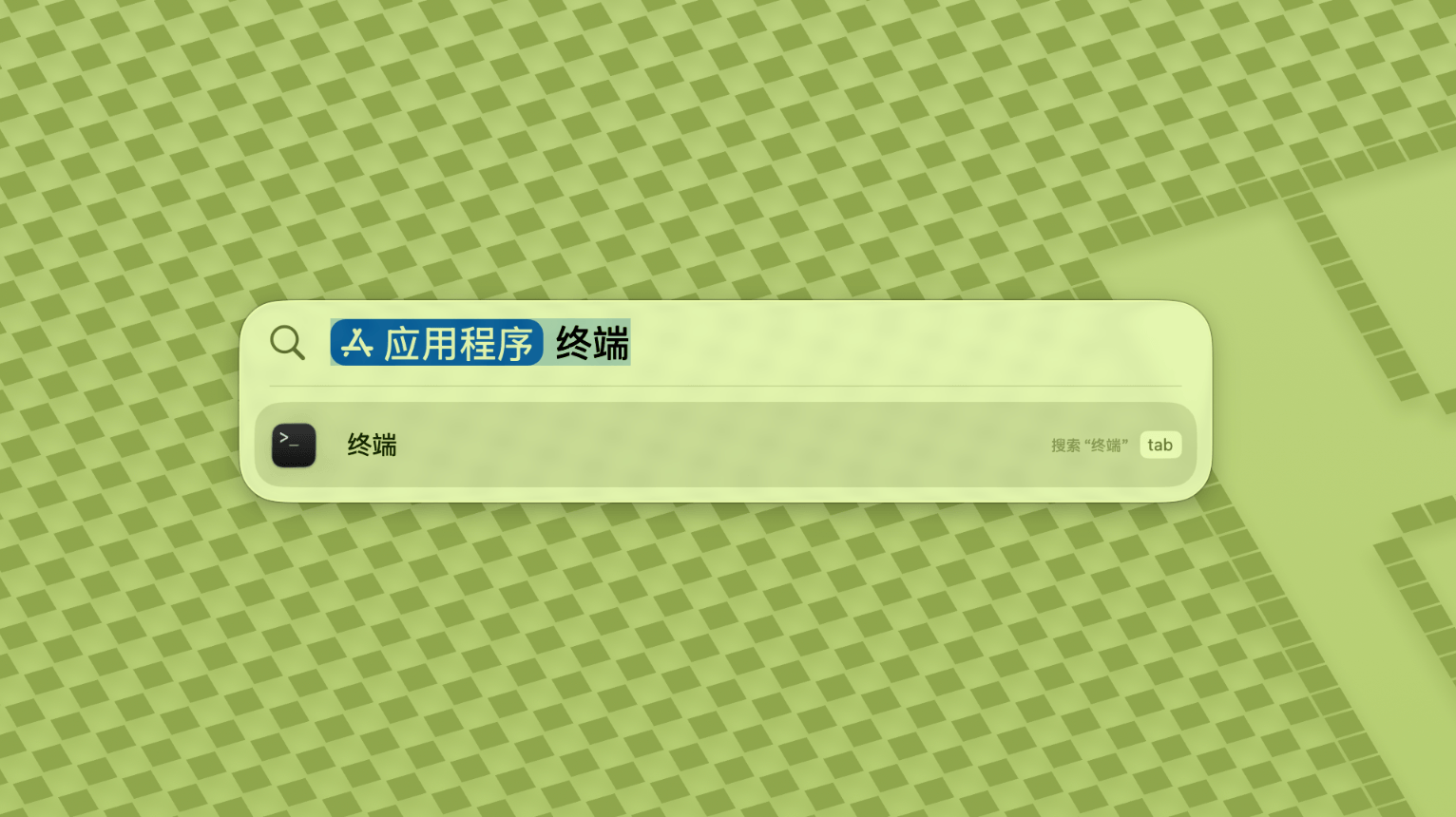
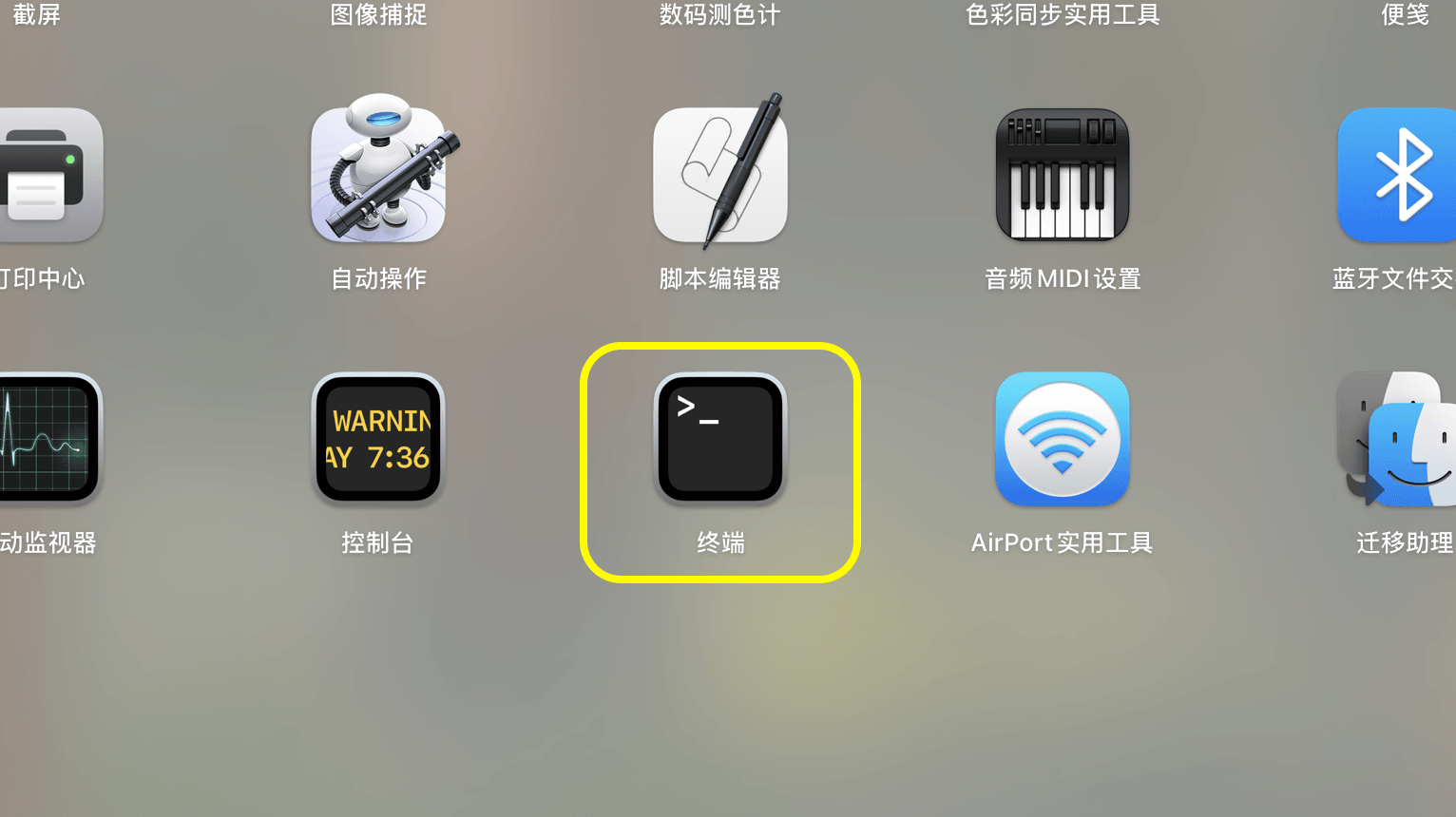
Откройте Launchpad или Spotlight, затем найдите и откройте Терминал.
- 3.
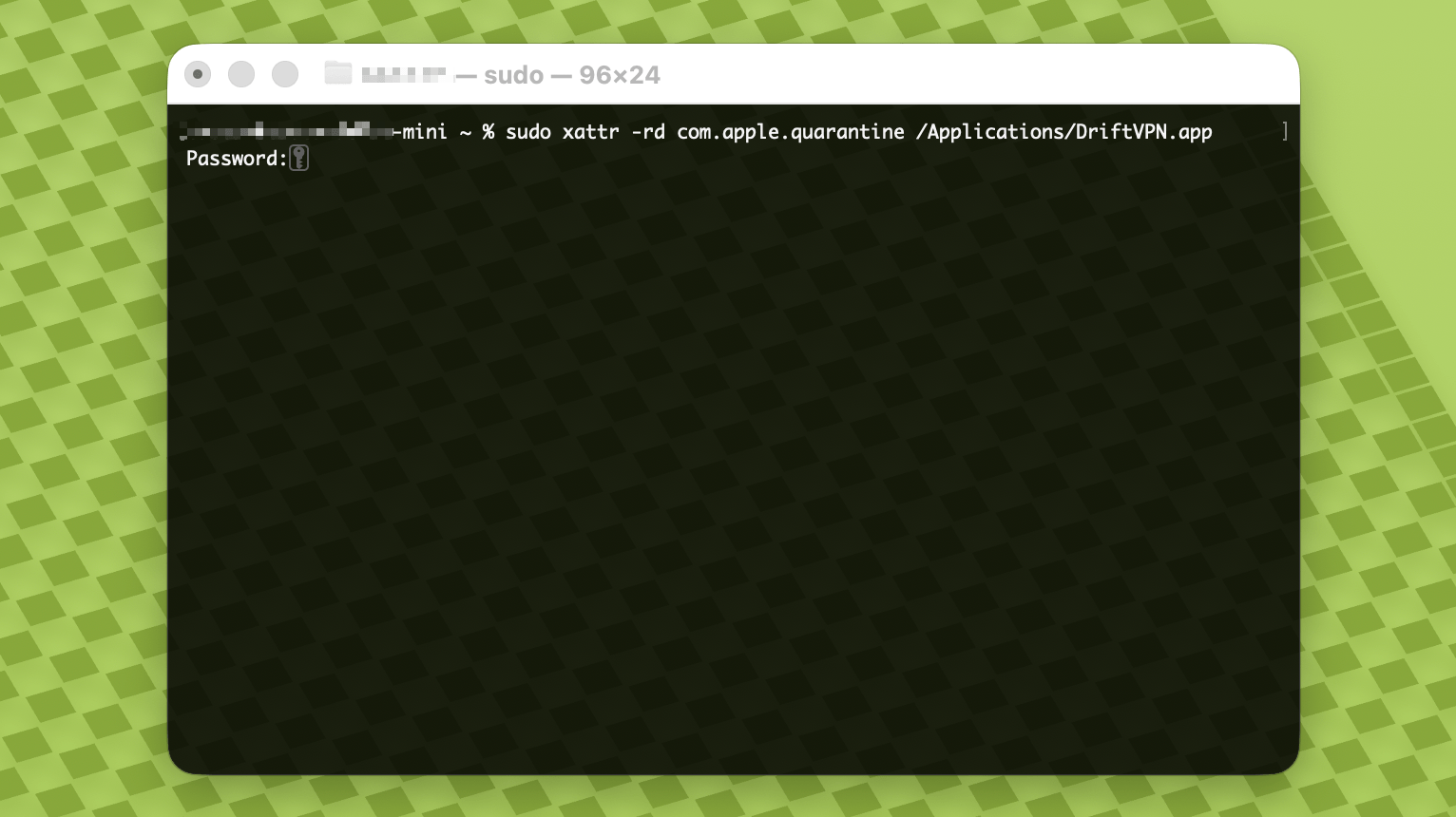
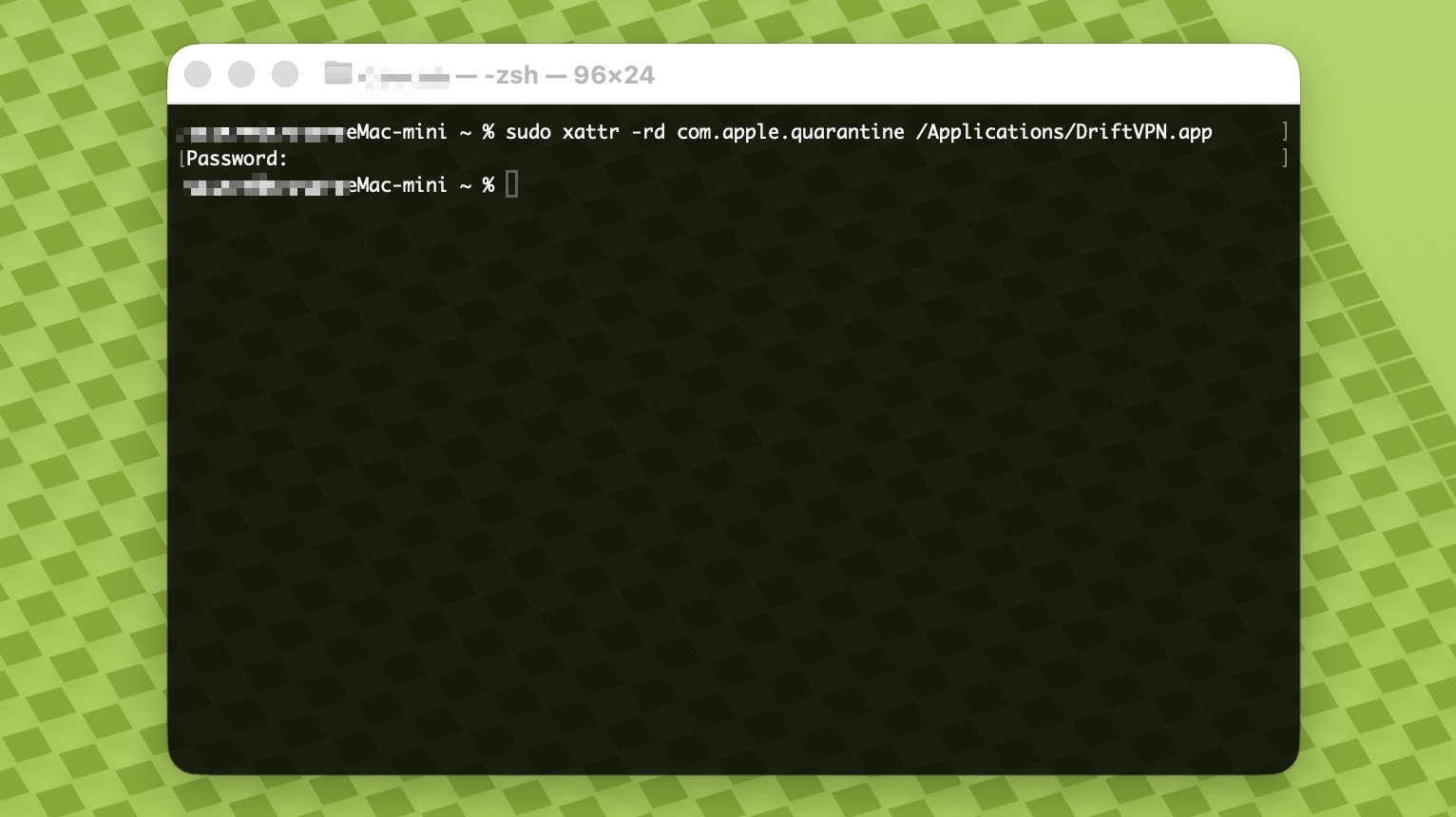
Вставьте команду ниже в Терминал и нажмите Enter. Введите пароль для входа на Mac при появлении запроса; символы не будут отображаться при наборе. После ввода нажмите Enter ещё раз.
sudo xattr -rd com.apple.quarantine /Applications/DriftVPN.app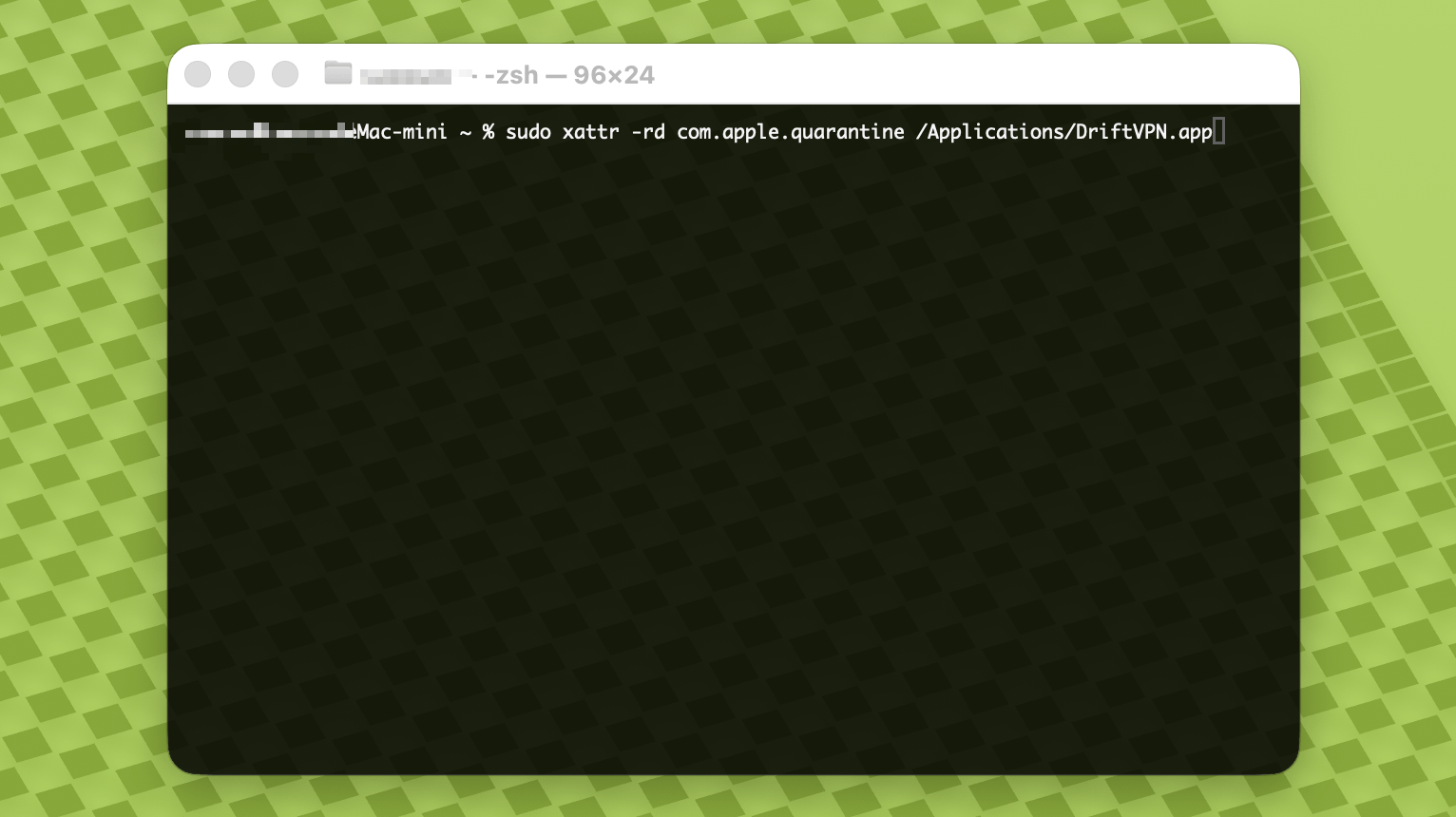
- 4.
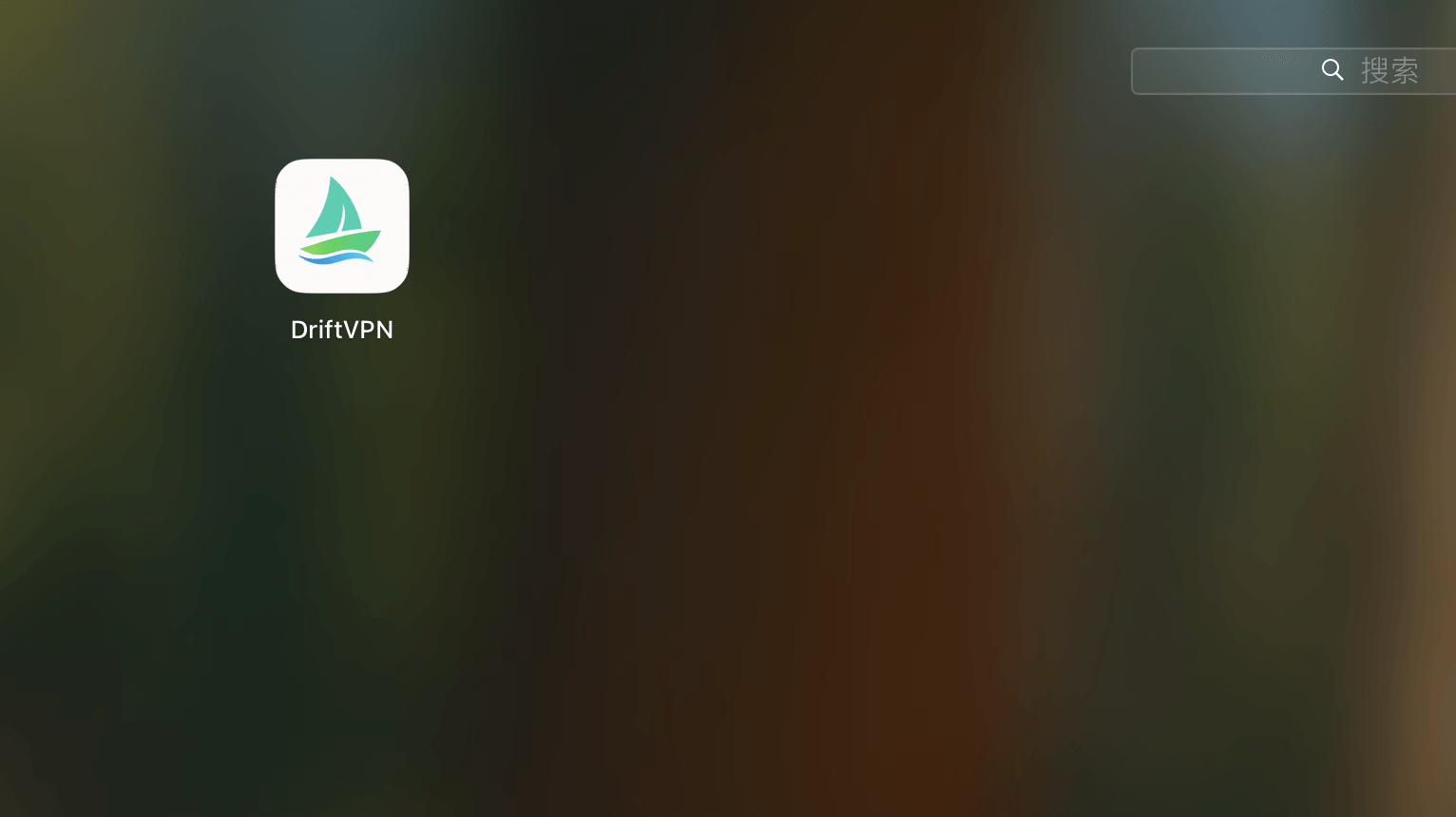
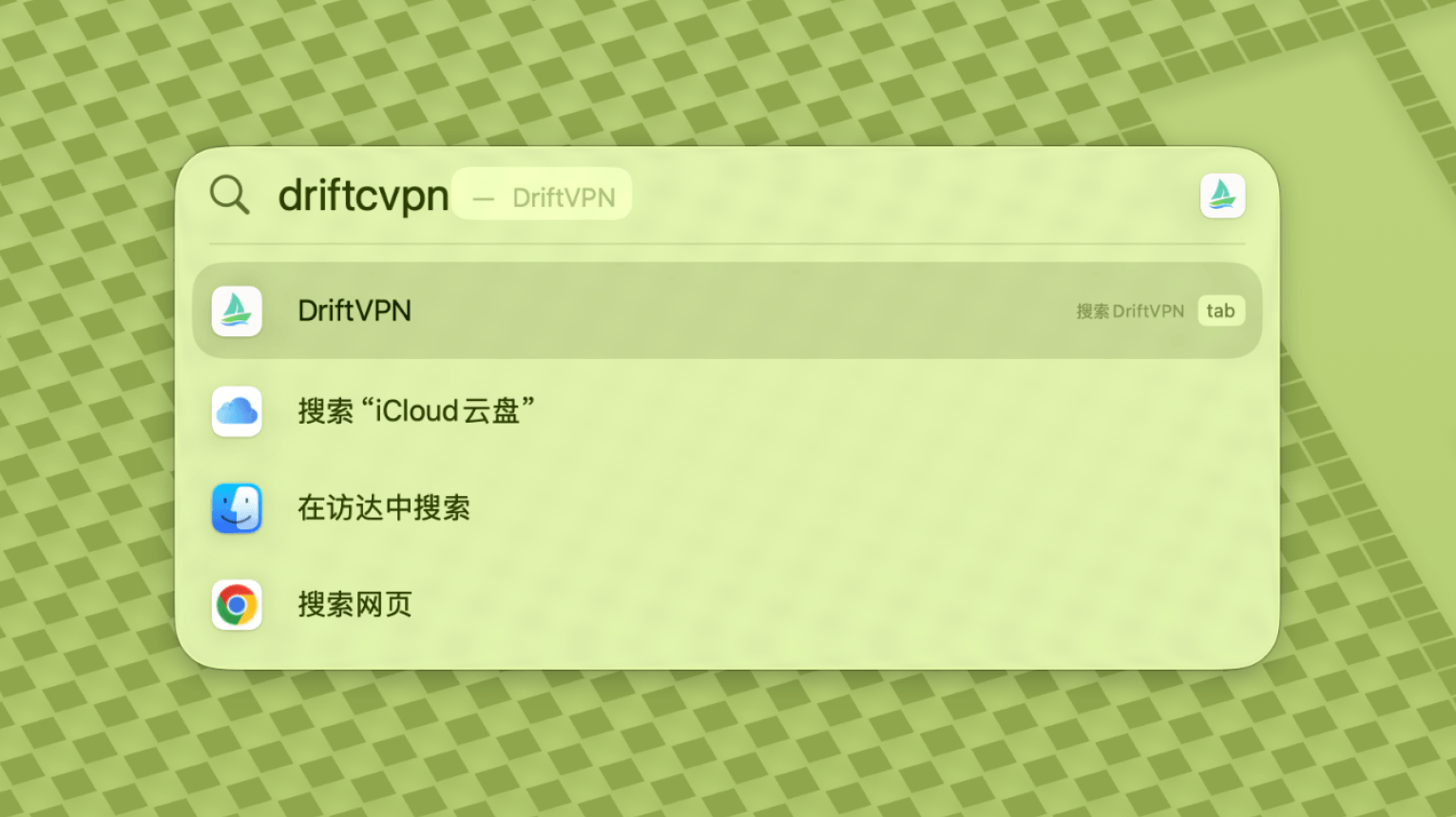
После завершения команды найдите VPN или откройте его из папки Программы.
- 5.
Если macOS по-прежнему блокирует приложение, перейдите в Системные настройки → Конфиденциальность и безопасность и нажмите Всё равно открыть в разделе Безопасность. Если написано, что приложение повреждено, снова загрузите последний установщик и повторите команду выше.
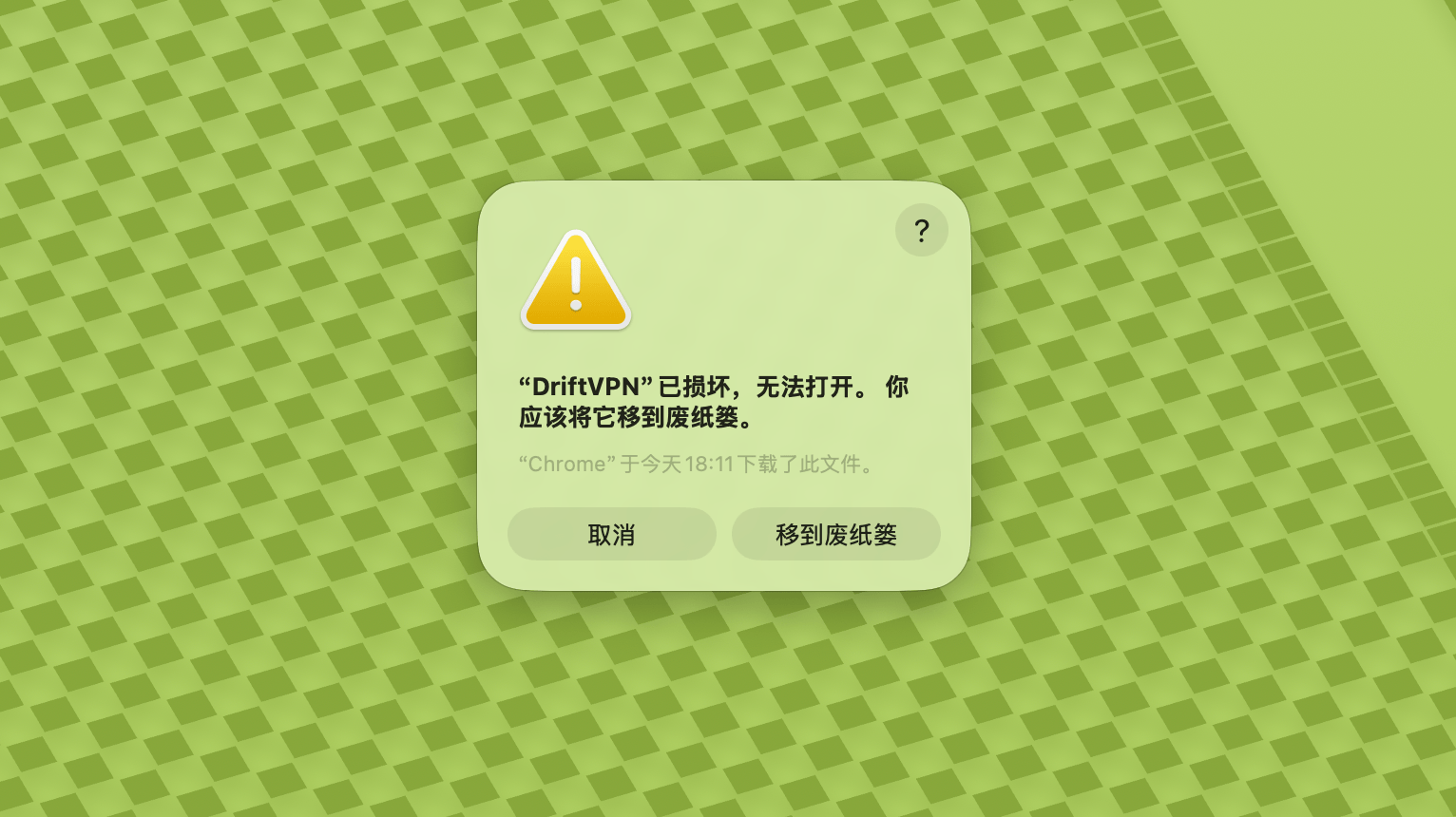
Если вы не можете открыть VPN на macOS, перейдите в Системные настройки → Конфиденциальность и безопасность, прокрутите до раздела Безопасность и нажмите Всё равно открыть.
Чтобы подтвердить, использует ли ваш компьютер Windows процессор x64, ARM64 или x86 (32 бита):
- Откройте инструмент сведений о системе. Нажмите Win + R, введите msinfo32 и нажмите Enter
- Перейдите в Сводка системы → Тип системы, вы увидите информацию об архитектуре системы
Сообщение об ошибке: исполняемый файл прокси не существует. Или сообщение: файл содержит вирус или потенциально нежелательное программное обеспечение. Решение:
Метод 1:
- Откройте 'Параметры' → 'Конфиденциальность и безопасность' → 'Центр безопасности Windows' → 'Защита от вирусов и угроз'
- Нажмите 'Управление настройками'
- Внизу добавьте или удалите исключения и добавьте каталог установки Drift в исключения
Метод 2:
- Откройте 'Параметры' → 'Конфиденциальность и безопасность' → 'Центр безопасности Windows' → 'Защита от вирусов и угроз'
- Нажмите 'Управление настройками'
- Отключите 'Защиту в реальном времени'
Если приложение не может подключиться после запуска в Windows, обычно его блокирует Брандмауэр Защитника Windows. Решения:
Метод 1: Добавление исключения через Панель управления
- Нажмите Win + S и найдите: Панель управления
- Перейдите в: Система и безопасность → Брандмауэр Защитника Windows
- Слева нажмите: Разрешение взаимодействия с приложением или компонентом в брандмауэре Защитника Windows
- В правом верхнем углу нажмите: Изменить параметры
- Нажмите: Разрешить другое приложение
- Нажмите: Обзор и выберите ваш файл .exe (путь по умолчанию: C:\Users\[пользователь]\AppData\Local\VPN\QingZhou.exe)
- После добавления отметьте: Частная и Общедоступная (если требуется доступ во внешнюю сеть)
- Нажмите: ОК
Метод 2: Создание правил в брандмауэре Защитника Windows в режиме повышенной безопасности
- Нажмите Win + S, найдите «Брандмауэр Защитника Windows в режиме повышенной безопасности» и откройте его
- Слева нажмите «Правила для входящих подключений» → справа нажмите «Создать правило»
- Выберите: Для программы → Далее
- Выберите «Путь программы», укажите ваш файл .exe → Далее
- Выберите: Разрешить подключение → Далее
- Отметьте: Доменный, Частный, Публичный (обычно все) → Далее
- Введите имя (например, DriftVpn Inbound) → Готово
- Повторите шаги для «Правил для исходящих подключений» (слева выберите «Правила для исходящих подключений»; порядок действий такой же)
Вы можете скачать и установить VPN для Android следующим образом:
- Откройте официальную страницу загрузки и выберите Android.
- Скачайте установочный пакет Android на свой телефон или планшет.
- Откройте скачанный APK-файл из загрузок браузера или файлового менеджера.
- Если Android запросит разрешение на установку приложений из неизвестных источников, разрешите это для текущего браузера или файлового менеджера, затем продолжите установку.
Некоторые браузеры или системы могут сохранять APK-файл с расширением .zip. Действуйте следующим образом:
- Не распаковывайте файл.
- Откройте файловый менеджер и переименуйте скачанный файл, изменив расширение с .zip на .apk.
- Нажмите на переименованный файл .apk, чтобы установить его.
- Если переименовать не удаётся, скачайте файл снова или используйте другой браузер для загрузки APK.
По соображениям политики VPN недоступен в китайском App Store. Вы можете скачать его следующим образом:
- Вам нужен Apple ID не из Китая (например, США, Япония, Гонконг и т. д.)
- Переключитесь на некитайский аккаунт в App Store
- Найдите 'VPN', чтобы найти и скачать его
- Если у вас нет зарубежного Apple ID, вы можете поискать в интернете инструкции по бесплатной регистрации зарубежного Apple ID
Аккаунт
Если вы забыли пароль для входа, вы можете сбросить его, выполнив следующие шаги:
- Перейдите на страницу входа и нажмите 'Забыли пароль?'
- Введите зарегистрированный адрес электронной почты
- Проверьте электронную почту на наличие 6-значного кода подтверждения (действителен 5 минут)
- Введите код подтверждения и новый пароль для завершения сброса
Платежи
В настоящее время поддерживаются следующие способы оплаты:
- Visa/Mastercard
Если вам нужно отменить подписку, сначала уточните, через какую платформу вы её оформили. Способ отмены зависит от платформы; удаление приложения не отменяет подписку автоматически.
Подписка через официальный сайт
Шаги:
- Перейдите на официальный сайт и войдите в аккаунт через кнопку в правом верхнем углу.
- После входа нажмите «Мой аккаунт – Тариф и оплата» в правом верхнем углу.
- Нажмите кнопку «Управление» рядом с информацией о тарифе.
- Отмените подписку на странице Stripe.
iOS
Если вы оформили подписку через App Store на iPhone или iPad, отмените её через Apple:
- Откройте Настройки на iPhone или iPad.
- Нажмите на имя вашего Apple-аккаунта вверху.
- Нажмите «Подписки».
- Выберите подписку VPN.
- Нажмите «Отменить подписку».
Если вы используете устройство iOS, но оформили подписку через официальный сайт, выполните шаги раздела «Подписка через официальный сайт» выше.
Android
Подписки Android, оформленные не через Google Play, обрабатываются через Stripe. Для отмены см. раздел «Подписка через официальный сайт» выше.
Android – Google Play
Если вы оформили подписку через Google Play, отмените её через Google Play:
- Откройте Google Play.
- Нажмите на значок профиля в правом верхнем углу.
- Перейдите в раздел «Платежи и подписки».
- Нажмите «Подписки».
- Выберите подписку VPN.
- Нажмите «Отменить подписку» и следуйте инструкциям.
Mac
Подписки, оформленные не через Mac App Store, обрабатываются через Stripe. Для отмены см. раздел «Подписка через официальный сайт» выше.
Mac – App Store
Если вы оформили подписку через Mac App Store, отмените её через Apple:
- Откройте App Store на вашем Mac.
- Нажмите на имя вашего аккаунта.
- Нажмите «Настройки аккаунта».
- Найдите «Подписки» и нажмите «Управление».
- Выберите подписку VPN.
- Нажмите «Отменить подписку».
Windows
Для отмены см. раздел «Подписка через официальный сайт» выше.
Использование
Вы можете начать пробный период VPN, выполнив следующие шаги:
- Зарегистрируйте аккаунт на официальном сайте или в любом клиенте
- Войдите в свой аккаунт в любом клиенте
- Нажмите кнопку переключения на главной странице, чтобы начать использование сервиса
Если у вас есть код активации, вы можете активировать его после входа в систему:
- Войдите в свой аккаунт на сайте или в клиенте.
- Нажмите Мой аккаунт в правом верхнем углу, затем выберите Активировать код активации в выпадающем меню.
- Введите код активации и подтвердите активацию.
- После успешной активации соответствующий пакет или преимущество будет автоматически добавлено в ваш аккаунт.
- Если сообщение об успехе не появилось, код активации уже был использован.
- После активации перезапустите приложение, чтобы пакет или преимущество вступило в силу.
VPN в настоящее время поддерживает следующие платформы:
- Android (телефоны и планшеты)
- iOS (iPhone и iPad, требуется App Store не из Китая)
- macOS (поддерживает чипы Intel и Apple Silicon)
- Windows (поддерживает архитектуру x64)
Один аккаунт поддерживает до 3 устройств онлайн одновременно. Вы можете установить клиент и войти в аккаунт на большем числе устройств; ограничивается только число устройств, подключенных одновременно. Если лимит превышен, устройство, подключившееся первым, будет автоматически отключено. Сейчас клиент не поддерживает отключение других устройств или выход из аккаунта на них одним нажатием. Чтобы освободить онлайн-слот, вручную отключитесь или выйдите из аккаунта на соответствующем устройстве.
Они управляют тем, какой трафик проходит через VPN:
- Глобальный прокси направляет большую часть сетевого трафика через VPN. Используйте его, когда хотите, чтобы все приложения и сайты использовали прокси-соединение.
- Умная маршрутизация направляет через прокси только трафик, которому нужна акселерация или оптимизация доступа. Локальный и прямо доступный трафик остаётся в исходной сети, что обычно лучше для повседневного использования.
- Встроенные правила VPN покрывают большинство потребностей, и вы также можете добавить собственные правила прокси.
- 1.
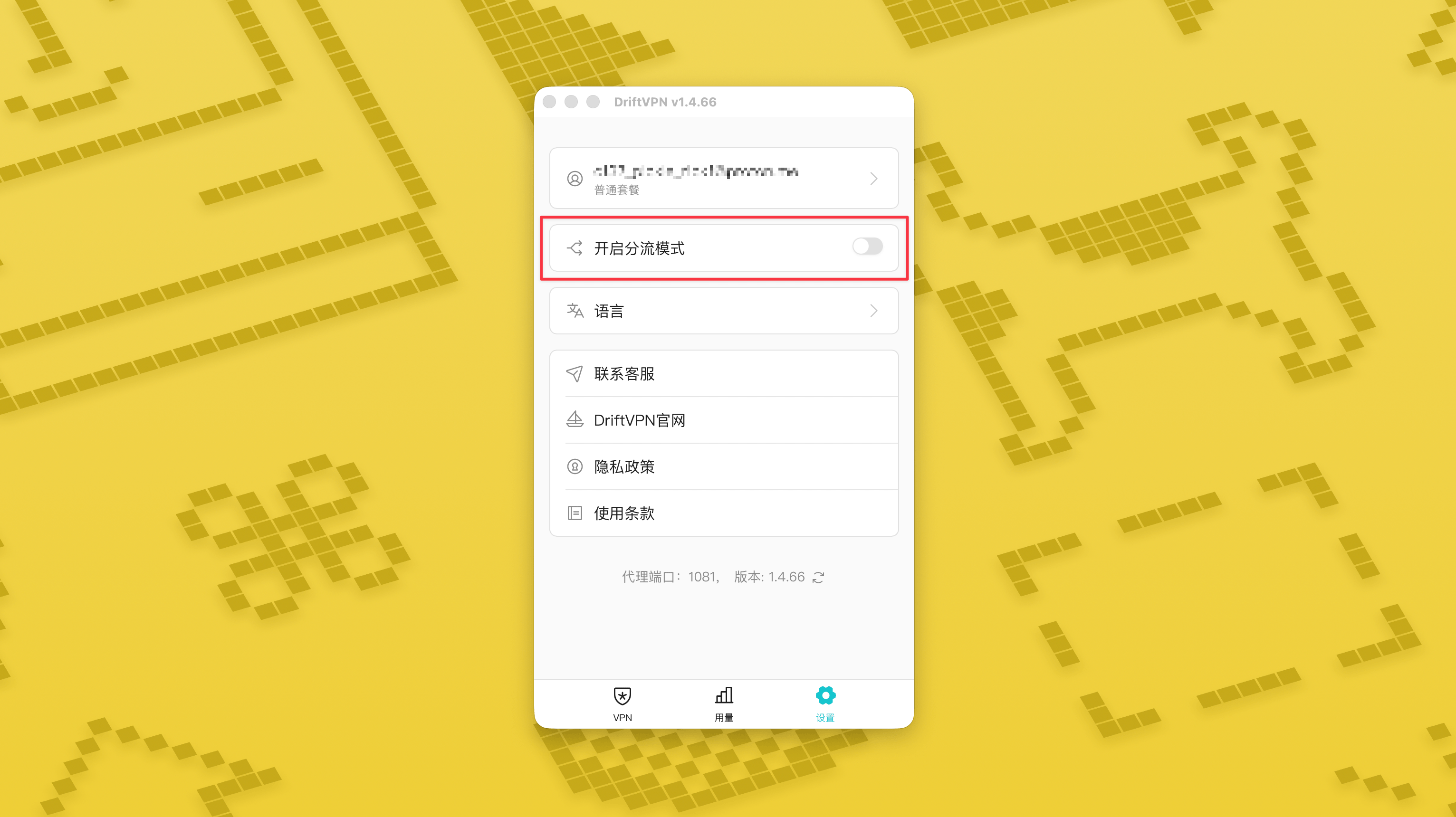
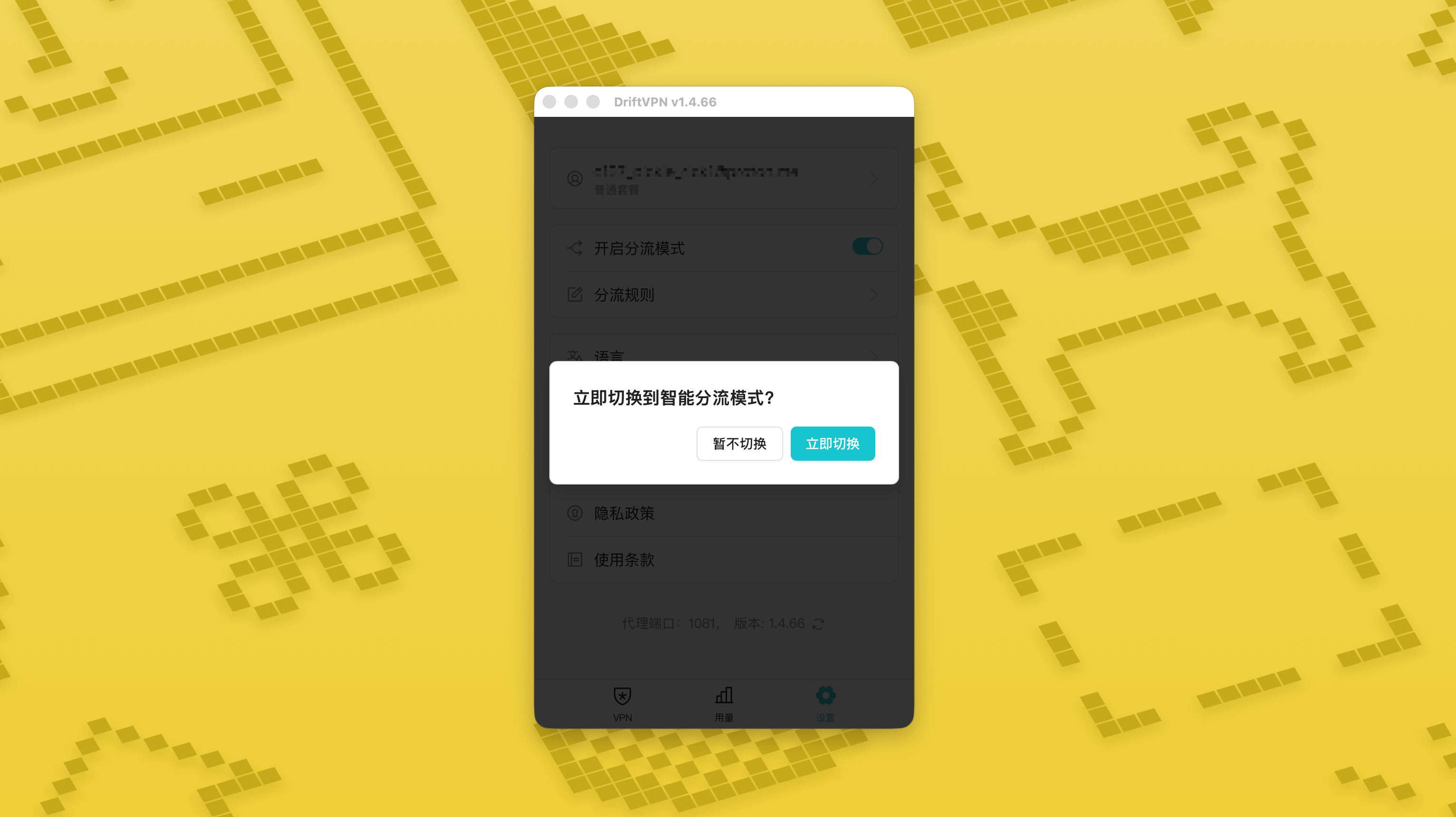
На странице настроек включите переключатель режима умной маршрутизации, затем нажмите «Переключить сейчас», чтобы активировать его.
- 2.
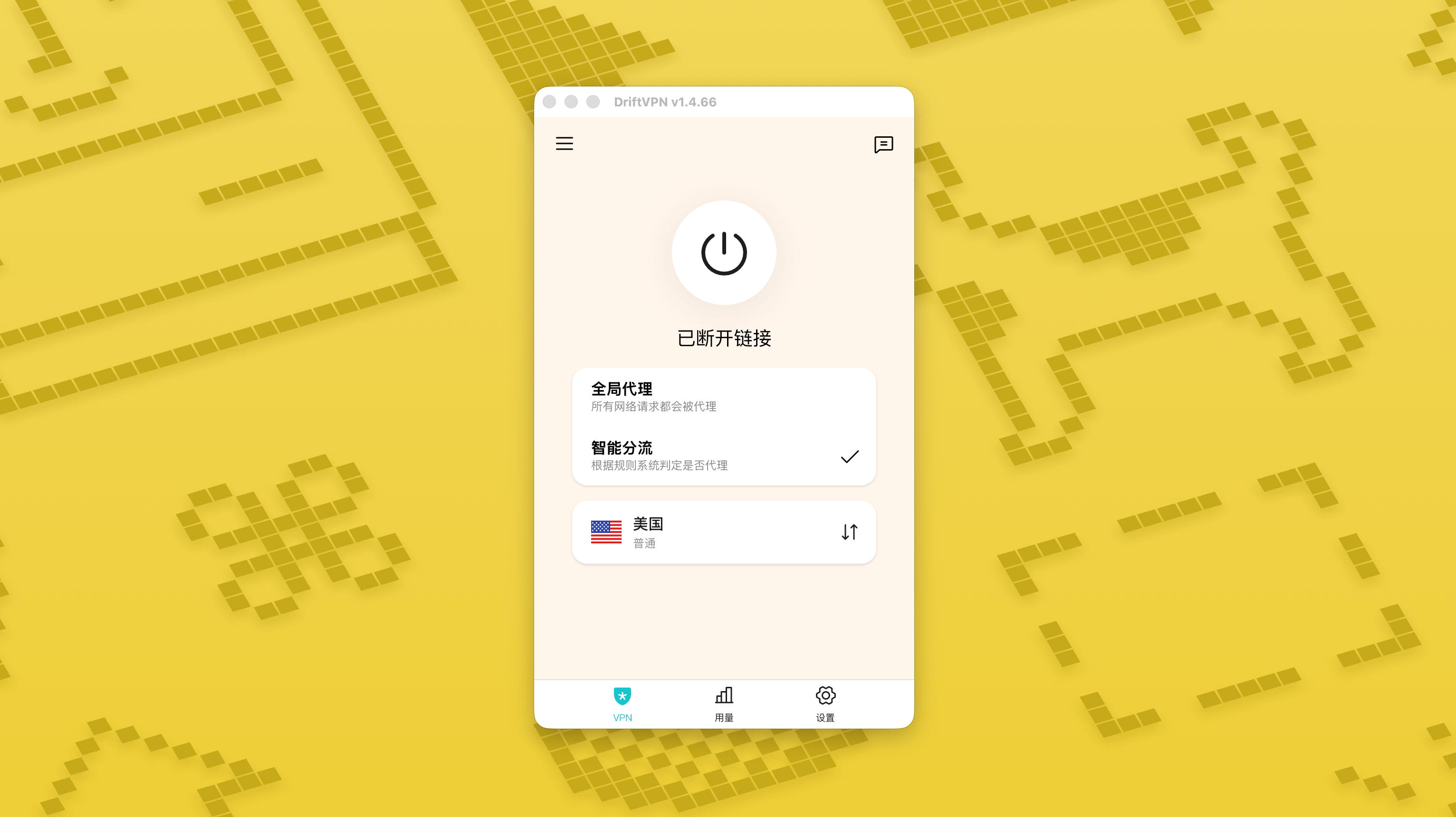
После включения вы сможете переключаться между «Глобальным прокси» и «Умной маршрутизацией» на главной странице.
- 3.
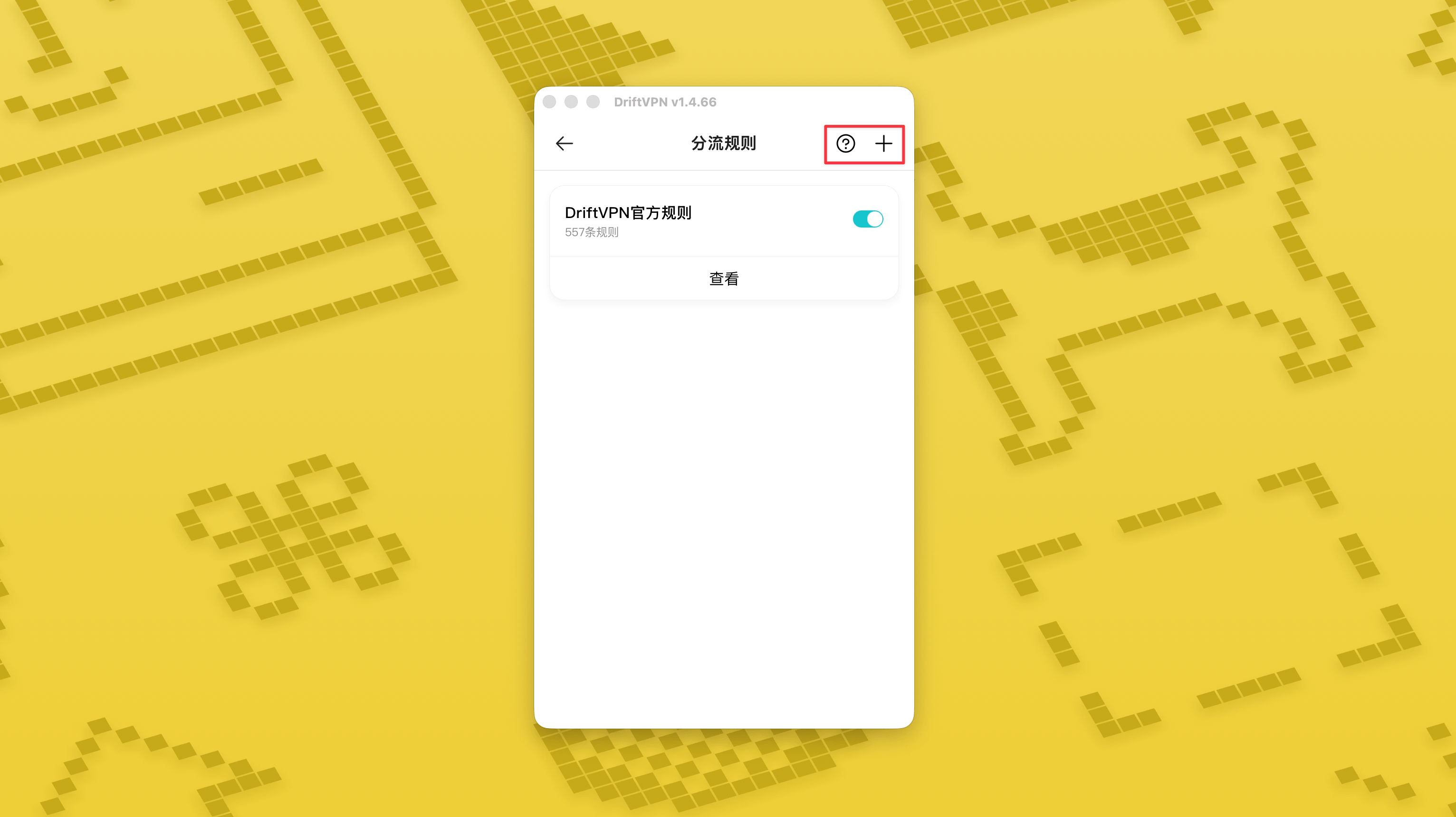
После включения режима умной маршрутизации в настройках появится страница «Правила маршрутизации».
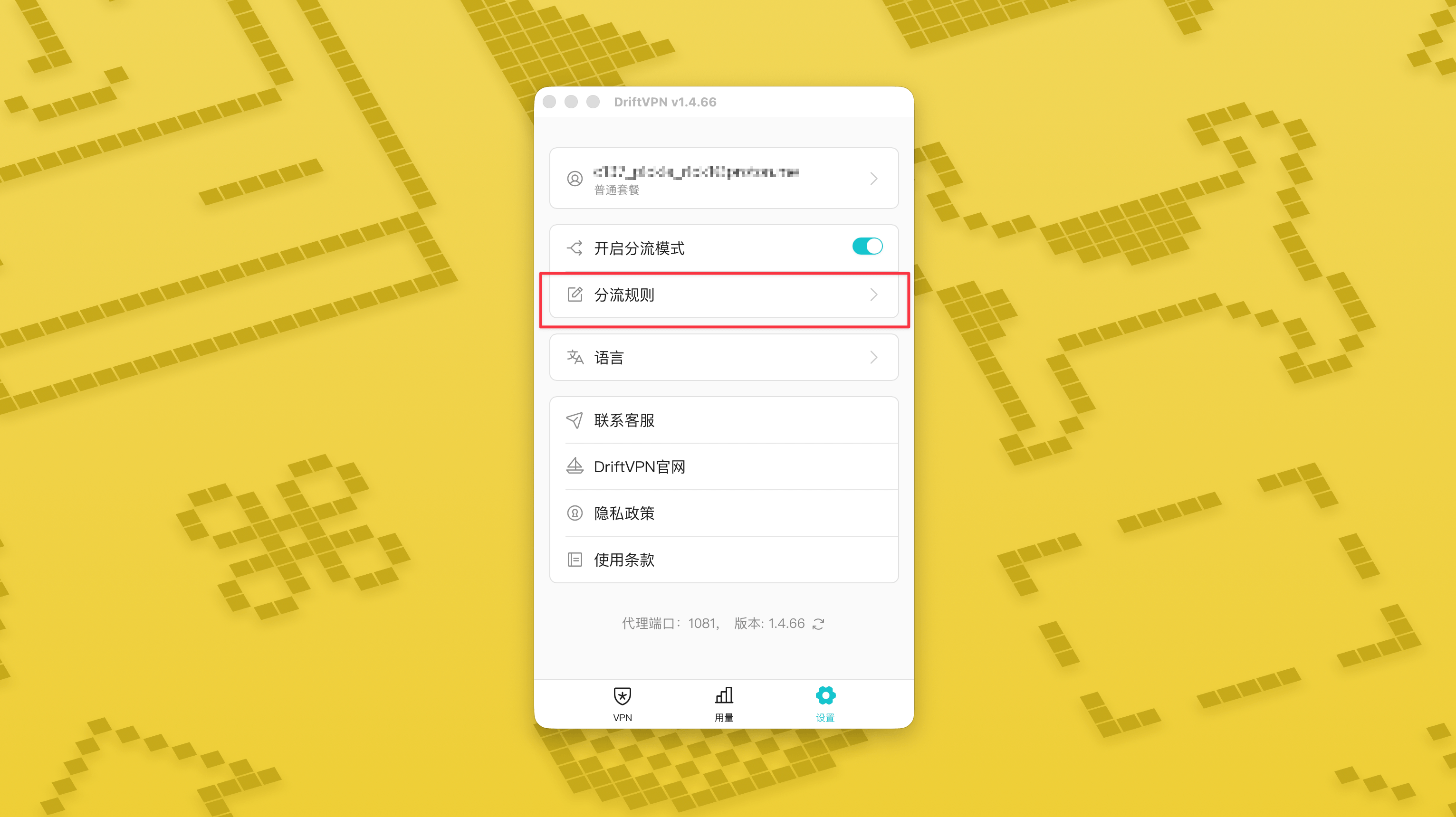
- 4.
В правом верхнем углу страницы «Правила маршрутизации» нажмите кнопку «+», чтобы добавить новое правило, и кнопку «?», чтобы посмотреть, как писать правила. Каждую группу правил можно включать или отключать своим переключателем.
Если вы уже используете инструмент прокси, такой как Clash, вы можете использовать DriftVPN в качестве фронтального прокси, а затем подключиться к вашему резидентскому IP-прокси в качестве конечного выхода. Это подходит для продвинутых пользователей, которым нужно «сначала установить соединение через DriftVPN, а затем обратиться к целевому сайту через резидентский IP».
Стандартный локальный порт прокси для DriftVPN — . Если этот порт уже используется другой программой, клиент автоматически попробует следующий порт, например 、. При настройке используйте локальный порт прокси, который в данный момент отображается в клиенте (проверьте номер порта внизу страницы настроек VPN после успешного подключения).
Используя клиент Clash / Mihomo, поддерживающий цепочку прокси, в качестве примера, вы можете настроить его следующим образом:
proxies: - name: "轻舟VPN 前置代理" type: http server: 127.0.0.1 port: 9527 - name: "住宅IP落地" type: http server: your-residential-proxy.example.com port: 12345 username: "your-username" password: "your-password"proxy-groups: - name: "轻舟VPN + 住宅IP" type: relay proxies: - "轻舟VPN 前置代理" - "住宅IP落地" - name: "PROXY" type: select proxies: - "轻舟VPN + 住宅IP" - DIRECTrules: - MATCH,PROXY
Примечания:
- Информацию о резидентском IP-прокси выше необходимо заменить фактическим адресом, портом, именем пользователя и паролем, предоставленными вашим провайдером.
- Если локальный порт прокси, отображаемый в DriftVPN, не равен 9527, измените порт в конфигурации на фактический.
- Тип вашего резидентского IP-прокси следует указать в соответствии с протоколом, предоставленным вашим провайдером. Распространённые значения: http или socks5.
- Поддержка цепочки прокси варьируется в зависимости от клиента Clash. Если конфигурация не работает, убедитесь, что текущее ядро клиента поддерживает группу прокси типа relay.
- Этот способ использования подходит для продвинутых пользователей, знакомых с конфигурацией Clash. Обычным пользователям рекомендуется использовать встроенный Глобальный прокси или Умную маршрутизацию в клиенте DriftVPN.
Да. Если доступ нестабилен, переключитесь на другой маршрут и попробуйте снова.
Вы можете выбрать маршрут в зависимости от вашего текущего сценария использования:
- Для повседневного использования, если вас не волнует задержка, подойдёт любой маршрут.
- Если задержка важна, выберите узел, который географически ближе к вам.
- Если вам нужно получить доступ к сайтам или сервисам с региональными ограничениями по IP, например к стриминговому контенту, доступному только в определённом регионе, выберите узел в соответствующей стране или регионе.
Мы предоставляем поддержку только по следующим вопросам:
- Проблемы со входом в аккаунт
- Проблемы с оплатой / заказом
- Сервис полностью недоступен, например невозможно подключиться
Следующие случаи не входят в область поддержки:
- Субъективные проблемы использования, такие как задержки, низкая или нестабильная скорость
- Медленный доступ к сторонним платформам, например сайтам или приложениям
- Проблемы, вызванные локальной сетью пользователя, устройством, оператором связи и другими подобными факторами
- Проблемы, вызванные несоблюдением официальной инструкции или самостоятельным изменением настроек
- Качество сети сильно зависит от местного оператора и международных маршрутов, поэтому платформа не может гарантировать качество доступа во всех регионах и в любое время.
Если у вас возникнут проблемы, вы можете связаться с нами следующими способами:
- Отправьте вопрос через страницу 'Обратная связь', и мы ответим по электронной почте.Перейти к обратной связи
- Отправьте письмо на наш адрес поддержки:support@qz.run
- Свяжитесь с нами в Telegram:@driftvpn_offical