
ศูนย์ช่วยเหลือ - คู่มือการติดตั้งและแก้ไขปัญหา
การติดตั้ง
เพื่อยืนยันว่า Mac ของคุณใช้โปรเซสเซอร์ Intel หรือ Apple Silicon:
- คลิกไอคอน Apple ที่มุมซ้ายบนของหน้าจอ
- เลือก "เกี่ยวกับ Mac นี้"
- ในหน้าต่างที่ปรากฏ ตรวจสอบข้อมูล "ชิปหรือโปรเซสเซอร์" หากขึ้นต้นด้วย Intel คือโปรเซสเซอร์ Intel มิฉะนั้นคือ Apple Silicon
- 1.
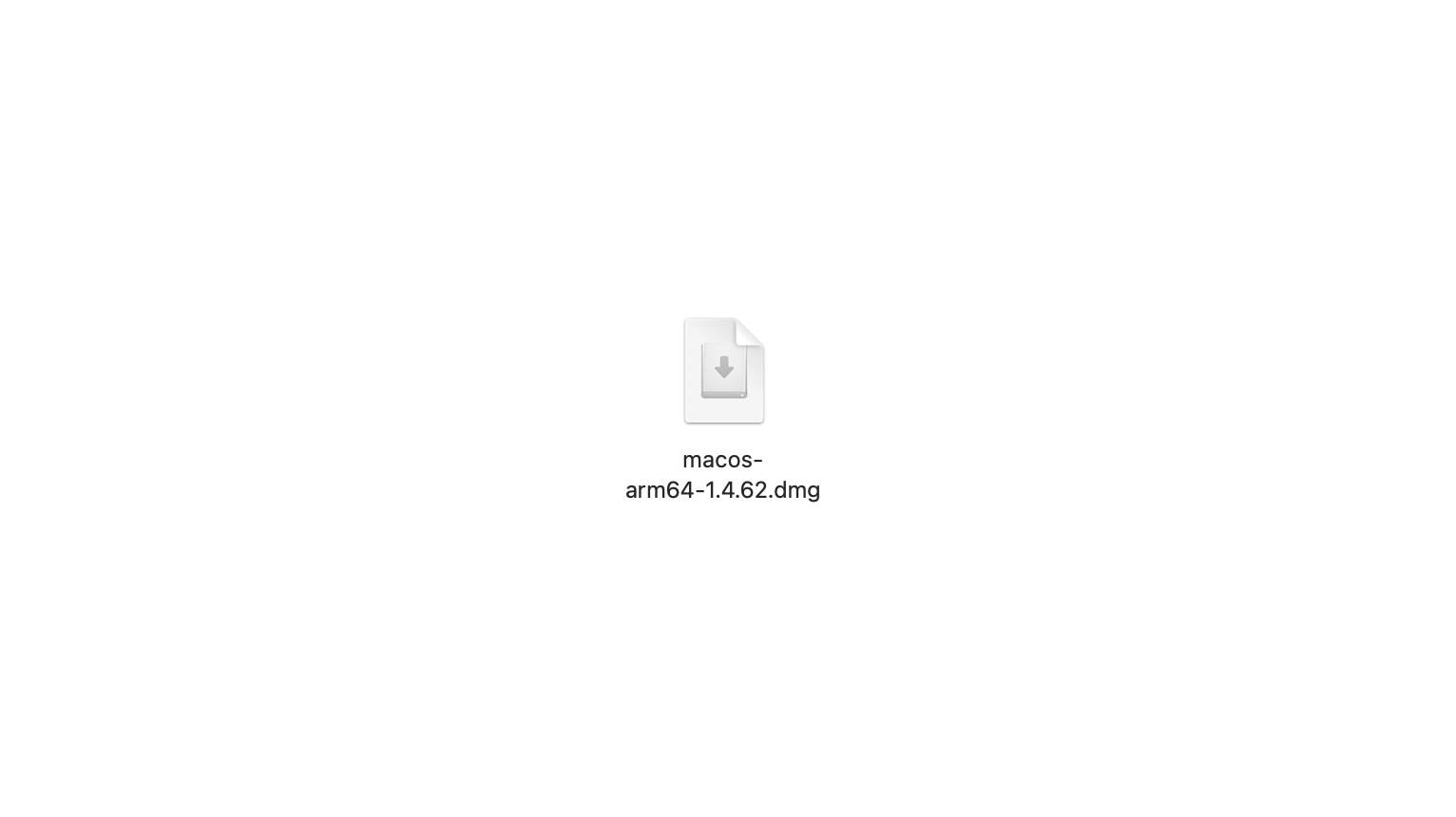
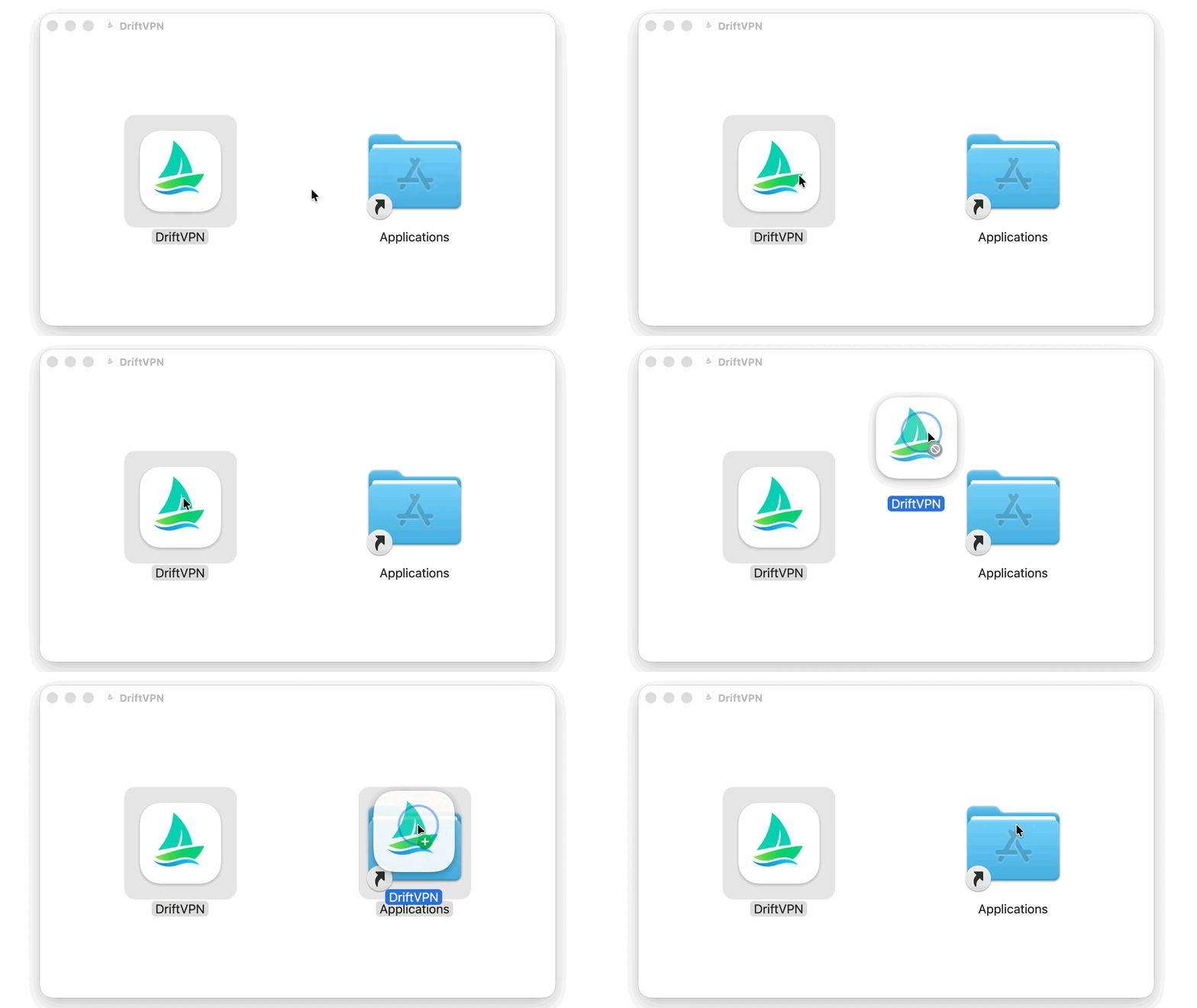
หลังจากดาวน์โหลดตัวติดตั้ง macOS แล้ว ให้เปิดไฟล์ .dmg แล้วลาก VPN ไปไว้ใน Applications
- 2.
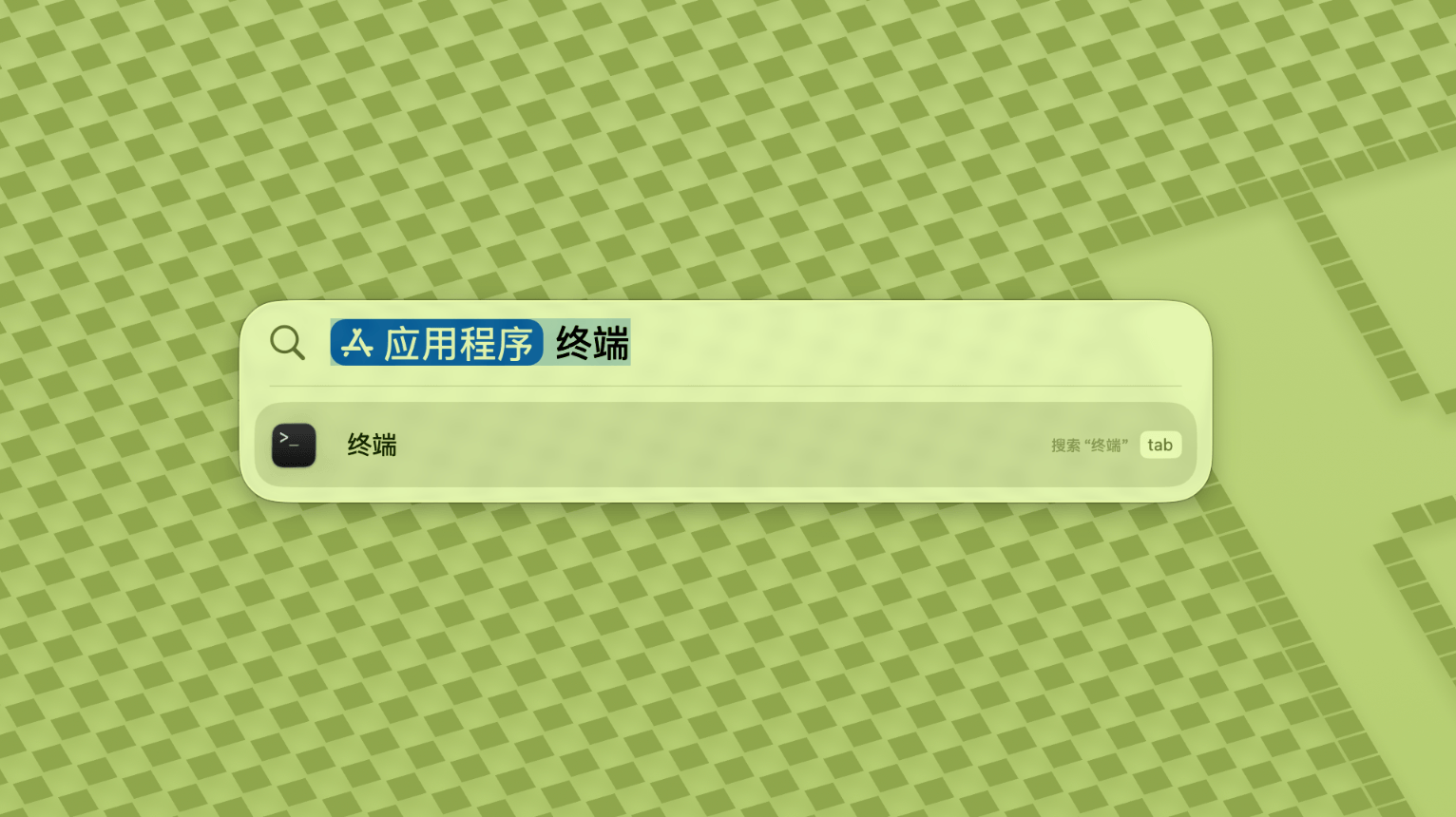
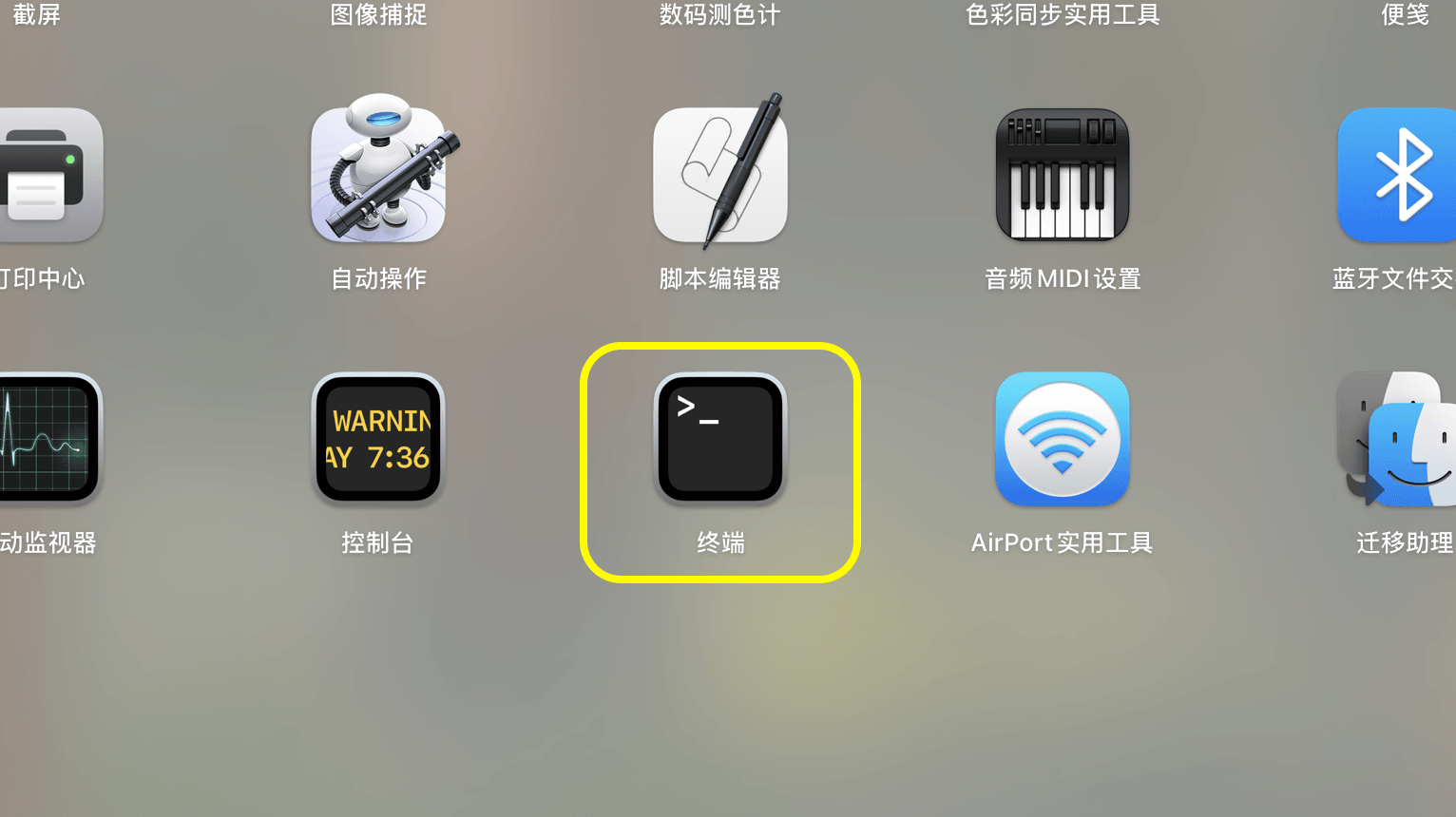
เปิด Launchpad หรือ Spotlight จากนั้นค้นหาและเปิด Terminal
- 3.
วางคำสั่งด้านล่างใน Terminal แล้วกด Enter ใส่รหัสผ่านเข้าสู่ระบบ Mac เมื่อได้รับแจ้ง ตัวอักษรจะไม่ปรากฏขณะพิมพ์ กด Enter อีกครั้งเมื่อเสร็จสิ้น
sudo xattr -rd com.apple.quarantine /Applications/DriftVPN.app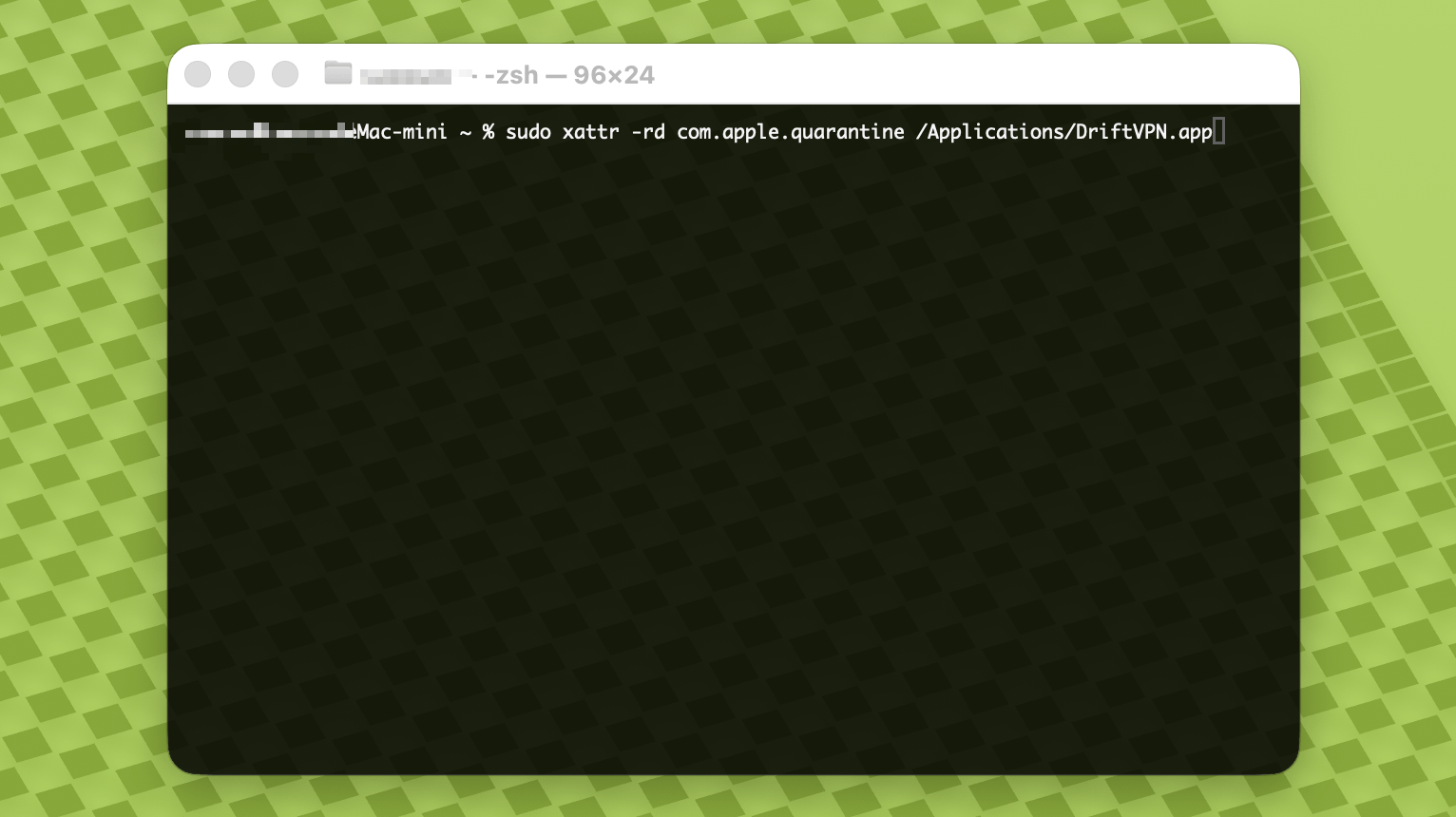
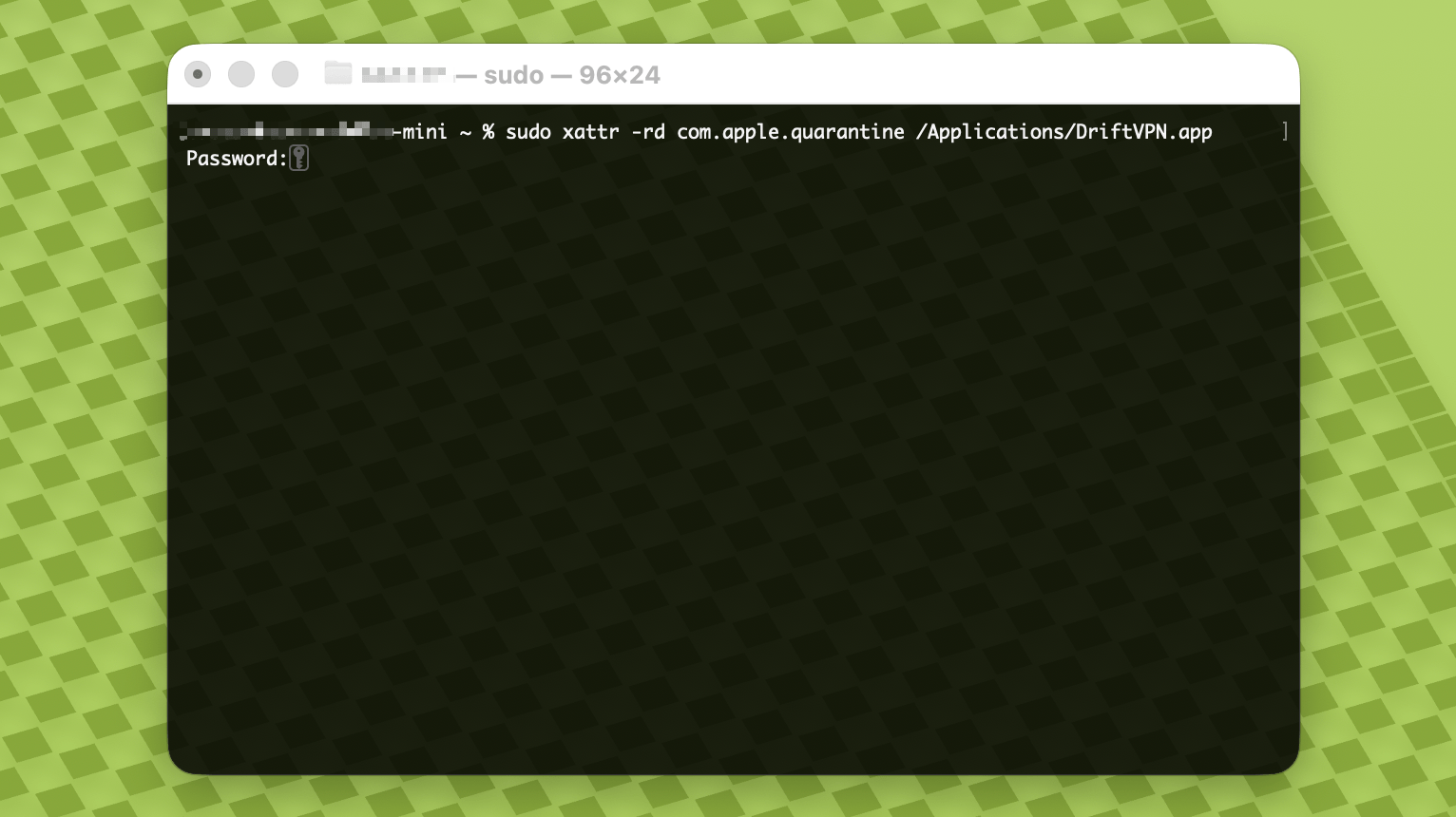
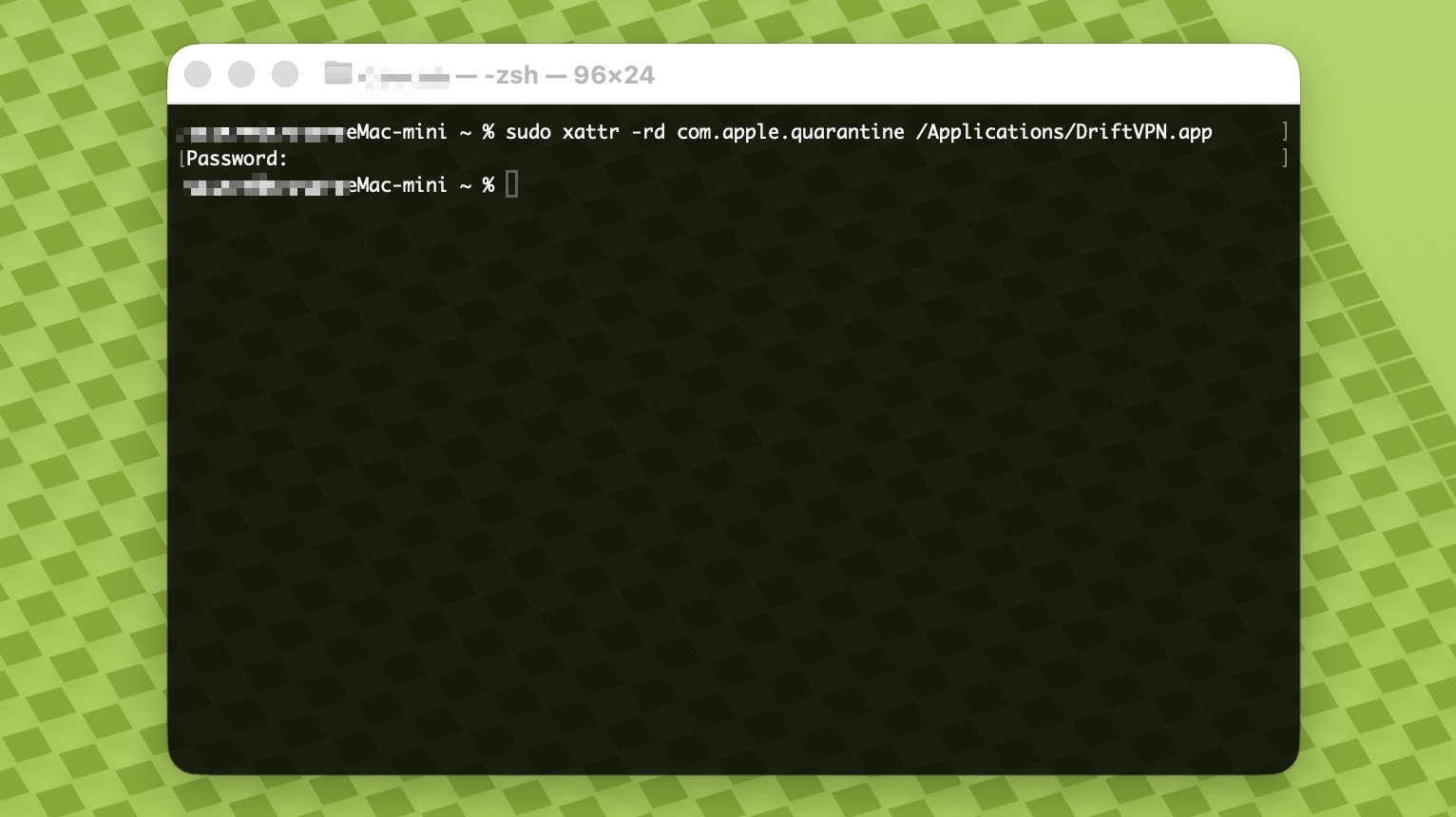
- 4.
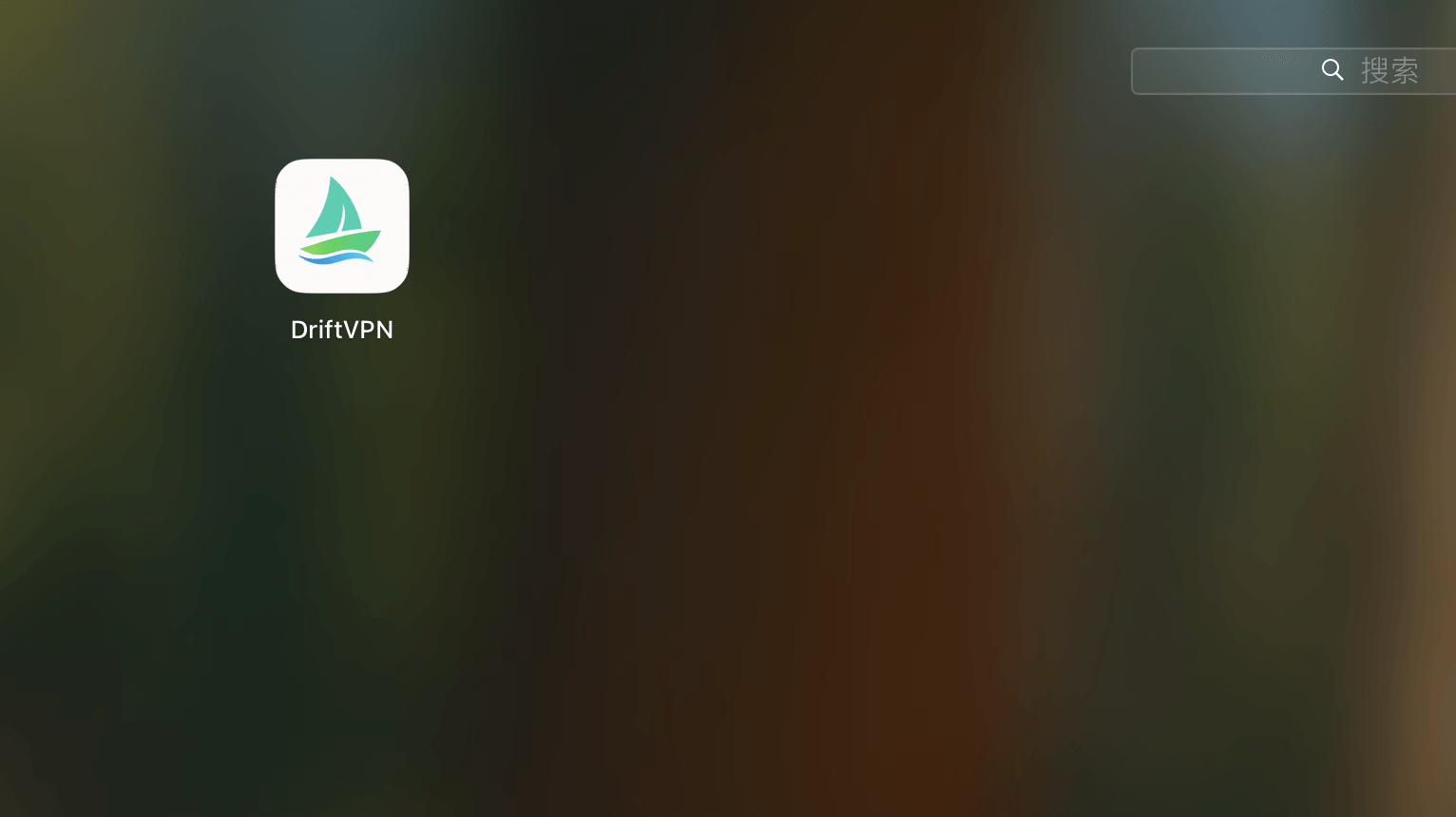
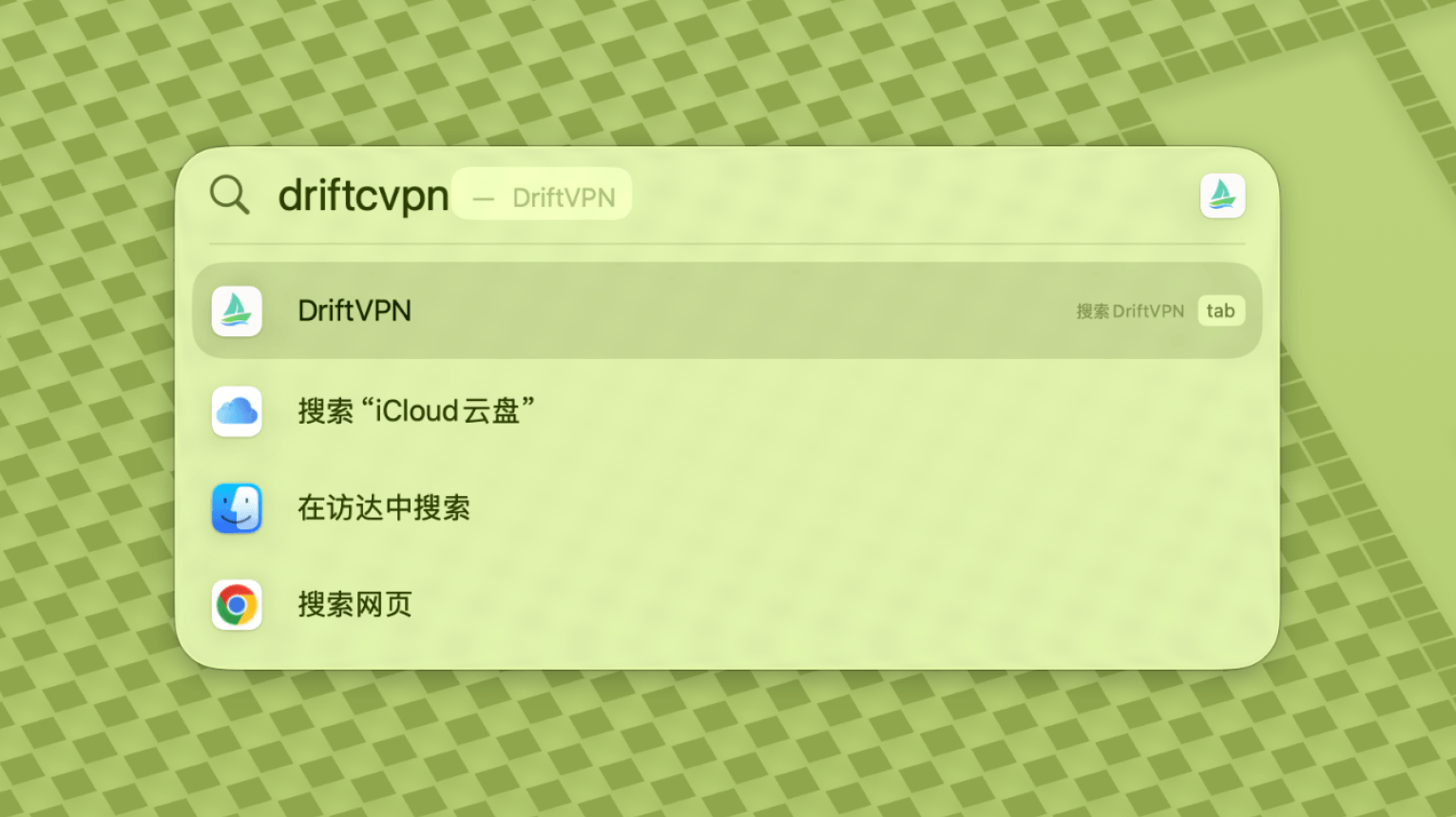
หลังจากคำสั่งเสร็จสิ้น ให้ค้นหา VPN หรือเปิดจาก Applications
- 5.
หาก macOS ยังคงบล็อกแอป ให้ไปที่การตั้งค่าระบบ → ความเป็นส่วนตัวและความปลอดภัย แล้วคลิก เปิดต่อไป ในส่วนความปลอดภัย หากระบุว่าแอปเสียหาย ให้ดาวน์โหลดตัวติดตั้งล่าสุดอีกครั้งและทำซ้ำคำสั่งข้างต้น
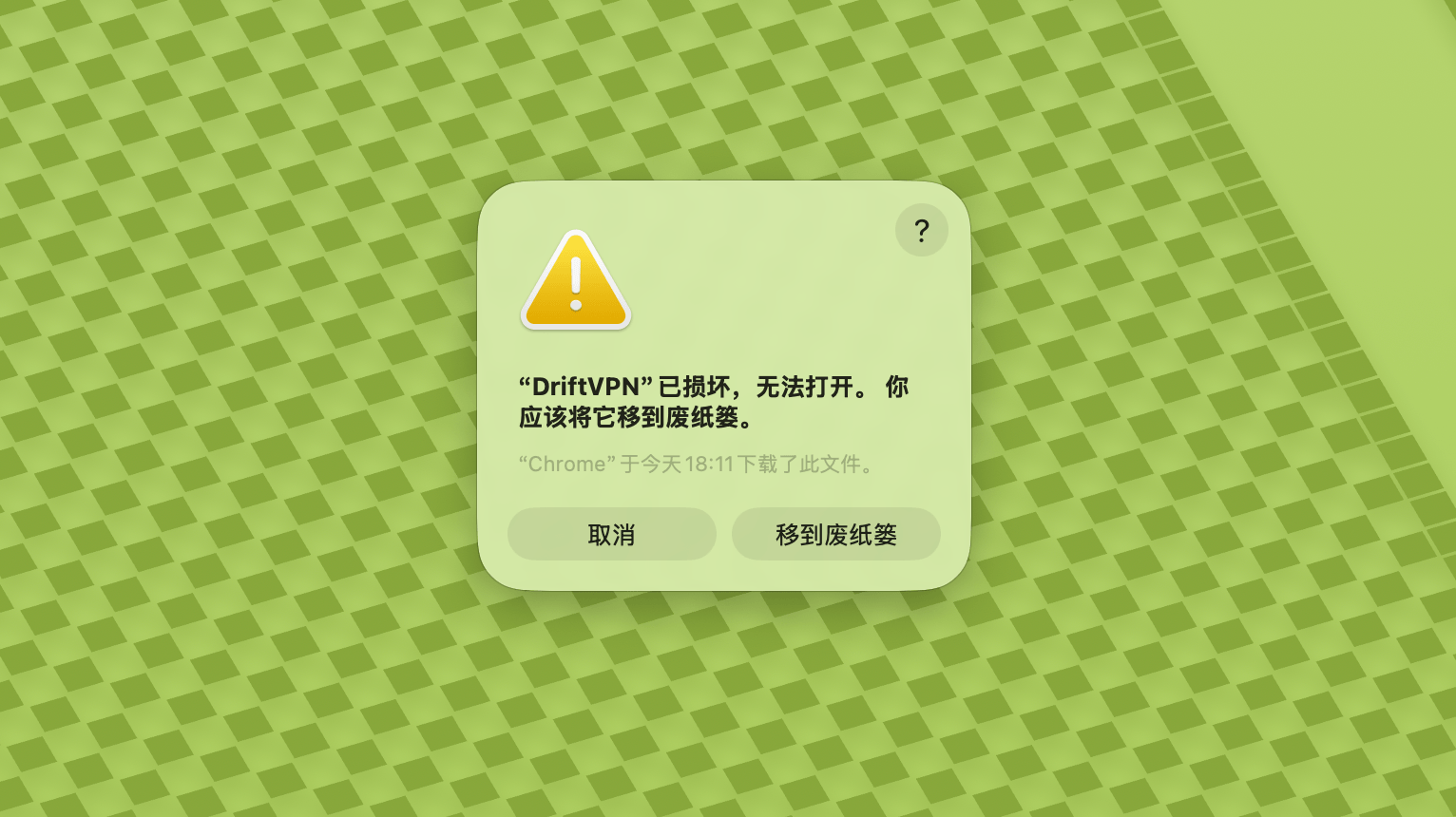
หากไม่สามารถเปิด VPN บน macOS ได้ ให้ไปที่การตั้งค่าระบบ → ความเป็นส่วนตัวและความปลอดภัย เลื่อนลงไปที่ส่วนความปลอดภัย แล้วคลิก เปิดต่อไป
เพื่อยืนยันว่าคอมพิวเตอร์ Windows ของคุณใช้โปรเซสเซอร์ x64, ARM64 หรือ x86 (32 บิต):
- เปิดเครื่องมือข้อมูลระบบ กด Win + R พิมพ์ msinfo32 แล้วกด Enter
- ไปที่ สรุประบบ → ประเภทระบบ คุณจะเห็นข้อมูลสถาปัตยกรรมระบบ
ข้อความแสดงข้อผิดพลาด: ไฟล์ที่รันได้ของพร็อกซีไม่มีอยู่ หรือข้อความ: ไฟล์มีไวรัสหรือซอฟต์แวร์ที่ไม่ต้องการที่อาจเกิดขึ้น วิธีแก้ไข:
วิธีที่ 1:
- เปิด 'การตั้งค่า' → 'ความเป็นส่วนตัวและความปลอดภัย' → 'ศูนย์ความปลอดภัยของ Windows' → 'การป้องกันไวรัสและภัยคุกคาม'
- คลิก 'จัดการการตั้งค่า'
- ด้านล่าง เพิ่มหรือลบข้อยกเว้นและเพิ่มโฟลเดอร์ติดตั้ง Drift ไปยังข้อยกเว้น
วิธีที่ 2:
- เปิด 'การตั้งค่า' → 'ความเป็นส่วนตัวและความปลอดภัย' → 'ศูนย์ความปลอดภัยของ Windows' → 'การป้องกันไวรัสและภัยคุกคาม'
- คลิก 'จัดการการตั้งค่า'
- ปิด 'การป้องกันแบบเรียลไทม์'
หากแอปไม่สามารถเชื่อมต่อได้หลังจากเปิดใช้งานบน Windows โดยปกติแล้ว Windows Defender Firewall กำลังบล็อกอยู่ วิธีแก้ไข:
วิธีที่ 1: เพิ่มข้อยกเว้นผ่านแผงควบคุม
- กด Win + S แล้วค้นหา: แผงควบคุม
- ไปที่: ระบบและความปลอดภัย → Windows Defender Firewall
- ทางด้านซ้าย คลิก: อนุญาตแอปหรือฟีเจอร์ผ่าน Windows Defender Firewall
- ที่มุมขวาบน คลิก: เปลี่ยนการตั้งค่า
- คลิก: อนุญาตแอปอื่น
- คลิก: เรียกดู และเลือกไฟล์ .exe ของคุณ (เส้นทางเริ่มต้น: C:\Users\[user]\AppData\Local\VPN\QingZhou.exe)
- หลังจากเพิ่มแล้ว ให้เลือก: ส่วนตัวและสาธารณะ (หากต้องการการเข้าถึงเครือข่ายภายนอก)
- คลิก: ตกลง
วิธีที่ 2: สร้างกฎใน Windows Defender Firewall ที่มีความปลอดภัยขั้นสูง
- กด Win + S ค้นหา 'Windows Defender Firewall with Advanced Security' และเปิด
- คลิก 'Inbound Rules' ทางซ้าย → คลิก 'New Rule' ทางขวา
- เลือก: Program → Next
- เลือก 'This program path' เรียกดูไฟล์ .exe ของคุณ → Next
- เลือก: Allow the connection → Next
- เลือก: Domain, Private, Public (โดยทั่วไปทั้งหมด) → Next
- ใส่ชื่อ (เช่น DriftVpn Inbound) → Finish
- ทำซ้ำขั้นตอนสำหรับ 'Outbound Rules' (เลือก 'Outbound Rules' ทางซ้าย; ขั้นตอนเหมือนกัน)
คุณสามารถดาวน์โหลดและติดตั้ง VPN สำหรับ Android ได้ดังนี้:
- เปิดหน้าดาวน์โหลดทางการและเลือก Android
- ดาวน์โหลดแพ็กเกจติดตั้ง Android ลงในโทรศัพท์หรือแท็บเล็ตของคุณ
- เปิดไฟล์ APK ที่ดาวน์โหลดจากแถบดาวน์โหลดของเบราว์เซอร์หรือตัวจัดการไฟล์
- หาก Android ขอสิทธิ์ติดตั้งแอปที่ไม่รู้จัก ให้อนุญาตสำหรับเบราว์เซอร์หรือตัวจัดการไฟล์ปัจจุบัน จากนั้นดำเนินการติดตั้งต่อ
เบราว์เซอร์หรือระบบบางอย่างอาจบันทึกไฟล์ APK ด้วยนามสกุล .zip ให้จัดการดังนี้:
- อย่าแตกไฟล์
- เปิดตัวจัดการไฟล์และเปลี่ยนชื่อไฟล์ที่ดาวน์โหลด โดยเปลี่ยนนามสกุลจาก .zip เป็น .apk
- แตะไฟล์ .apk ที่เปลี่ยนชื่อแล้วเพื่อติดตั้ง
- หากไม่สามารถเปลี่ยนชื่อได้ ให้ดาวน์โหลดใหม่อีกครั้งหรือใช้เบราว์เซอร์อื่นในการดาวน์โหลด APK
เนื่องจากนโยบาย VPN ไม่มีใน App Store จีน คุณสามารถดาวน์โหลดได้โดย:
- คุณต้องมี Apple ID ที่ไม่ใช่จีน (เช่น สหรัฐฯ ญี่ปุ่น ฮ่องกง เป็นต้น)
- เปลี่ยนไปใช้บัญชีที่ไม่ใช่จีนใน App Store
- ค้นหา 'VPN' เพื่อค้นหาและดาวน์โหลด
- หากคุณไม่มี Apple ID ต่างประเทศ คุณสามารถค้นหาออนไลน์หาวิธีลงทะเบียน Apple ID ต่างประเทศฟรี
บัญชี
หากคุณลืมรหัสผ่านเข้าสู่ระบบ คุณสามารถรีเซ็ตได้โดยทำตามขั้นตอนเหล่านี้:
- ไปที่หน้าเข้าสู่ระบบและคลิก 'ลืมรหัสผ่าน?'
- ใส่ที่อยู่อีเมลที่ลงทะเบียนไว้
- ตรวจสอบอีเมลเพื่อรับรหัสยืนยัน 6 หลัก (ใช้ได้ 5 นาที)
- ใส่รหัสยืนยันและรหัสผ่านใหม่เพื่อเสร็จสิ้นการรีเซ็ต
การชำระเงิน
ปัจจุบันรองรับวิธีชำระเงินต่อไปนี้:
- Visa/Mastercard
หากต้องการยกเลิกการสมัครสมาชิก กรุณาตรวจสอบก่อนว่าคุณสมัครผ่านแพลตฟอร์มใด ขั้นตอนการยกเลิกแตกต่างกันไปตามแพลตฟอร์ม และการถอนการติดตั้งแอปไม่ได้ยกเลิกการสมัครสมาชิกโดยอัตโนมัติ
สมัครสมาชิกผ่านเว็บไซต์ทางการ
ขั้นตอน:
- ไปที่เว็บไซต์ทางการและเข้าสู่ระบบจากมุมบนขวา
- หลังเข้าสู่ระบบ คลิก "บัญชีของฉัน – แผนและการเรียกเก็บเงิน" ที่มุมบนขวา
- คลิกปุ่มจัดการข้างรายละเอียดแผนของคุณ
- ยกเลิกการสมัครสมาชิกในหน้า Stripe
iOS
หากสมัครสมาชิกผ่าน App Store บน iPhone หรือ iPad ให้ยกเลิกผ่าน Apple:
- เปิดการตั้งค่าบน iPhone หรือ iPad
- แตะชื่อบัญชี Apple ของคุณด้านบน
- แตะการสมัครสมาชิก
- เลือกการสมัครสมาชิก VPN
- แตะยกเลิกการสมัครสมาชิก
หากคุณใช้อุปกรณ์ iOS แต่สมัครสมาชิกผ่านเว็บไซต์ทางการ ให้ทำตามขั้นตอน "สมัครสมาชิกผ่านเว็บไซต์ทางการ" ด้านบน
Android
การสมัครสมาชิก Android ที่ไม่ผ่าน Google Play จะถูกประมวลผลผ่าน Stripe ดูขั้นตอน "สมัครสมาชิกผ่านเว็บไซต์ทางการ" ด้านบนเพื่อยกเลิก
Android – Google Play
หากสมัครสมาชิกผ่าน Google Play ให้ยกเลิกผ่าน Google Play:
- เปิด Google Play
- แตะไอคอนโปรไฟล์ที่มุมบนขวา
- ไปที่การชำระเงินและการสมัครสมาชิก
- แตะการสมัครสมาชิก
- เลือกการสมัครสมาชิก VPN
- แตะยกเลิกการสมัครสมาชิกและทำตามคำแนะนำ
Mac
การสมัครสมาชิก Mac ที่ไม่ผ่าน Mac App Store จะถูกประมวลผลผ่าน Stripe ดูขั้นตอน "สมัครสมาชิกผ่านเว็บไซต์ทางการ" ด้านบนเพื่อยกเลิก
Mac – App Store
หากสมัครสมาชิกผ่าน Mac App Store ให้ยกเลิกผ่าน Apple:
- เปิด App Store บน Mac ของคุณ
- คลิกชื่อบัญชีของคุณ
- คลิกการตั้งค่าบัญชี
- ค้นหาการสมัครสมาชิกและคลิกจัดการ
- เลือกการสมัครสมาชิก VPN
- คลิกยกเลิกการสมัครสมาชิก
Windows
ดูขั้นตอน "สมัครสมาชิกผ่านเว็บไซต์ทางการ" ด้านบนเพื่อยกเลิก
การใช้งาน
คุณสามารถเริ่มทดลองใช้ VPN ได้ด้วยขั้นตอนเหล่านี้:
- ลงทะเบียนบัญชีบนเว็บไซต์ทางการหรือในไคลเอนต์ใดก็ได้
- เข้าสู่ระบบบัญชีของคุณในไคลเอนต์ใดก็ได้
- แตะปุ่มสวิตช์บนหน้าหลักเพื่อเริ่มใช้บริการ
หากคุณมีรหัสเปิดใช้งาน คุณสามารถแลกได้หลังจากเข้าสู่ระบบ:
- เข้าสู่ระบบบัญชีของคุณบนเว็บไซต์หรือในไคลเอนต์
- คลิก บัญชีของฉัน ที่มุมบนขวา จากนั้นเลือก แลกรหัสเปิดใช้งาน จากเมนูดรอปดาวน์
- ใส่รหัสเปิดใช้งานและยืนยันการแลก
- หลังจากแลกสำเร็จ แพ็กเกจหรือสิทธิ์ประโยชน์ที่เกี่ยวข้องจะถูกเพิ่มในบัญชีของคุณโดยอัตโนมัติ
- หากไม่มีข้อความสำเร็จปรากฏ แสดงว่ารหัสเปิดใช้งานถูกใช้ไปแล้ว
- หลังจากเปิดใช้งาน ให้รีสตาร์ทแอปเพื่อให้แพ็กเกจหรือสิทธิ์ประโยชน์มีผล
VPN ปัจจุบันรองรับแพลตฟอร์มต่อไปนี้:
- Android (โทรศัพท์และแท็บเล็ต)
- iOS (iPhone และ iPad ต้องใช้ App Store ที่ไม่ใช่จีน)
- macOS (รองรับทั้งชิป Intel และ Apple Silicon)
- Windows (รองรับสถาปัตยกรรม x64)
หนึ่งบัญชีรองรับอุปกรณ์ออนไลน์พร้อมกันได้สูงสุด 3 เครื่อง คุณสามารถติดตั้งไคลเอนต์และเข้าสู่ระบบบนอุปกรณ์เพิ่มเติมได้ โดยจำกัดเฉพาะจำนวนอุปกรณ์ที่เชื่อมต่อพร้อมกันเท่านั้น หากเกินขีดจำกัด อุปกรณ์ที่เชื่อมต่อก่อนสุดจะถูกตัดการเชื่อมต่อโดยอัตโนมัติ ขณะนี้ไคลเอนต์ยังไม่รองรับการตัดการเชื่อมต่อหรือออกจากระบบอุปกรณ์อื่นด้วยคลิกเดียว หากต้องการคืนช่องออนไลน์ โปรดตัดการเชื่อมต่อหรือออกจากระบบด้วยตนเองบนอุปกรณ์นั้น
ทั้งสองโหมดควบคุมว่าการรับส่งข้อมูลใดจะผ่าน VPN:
- Global Proxy ส่งการรับส่งข้อมูลเครือข่ายส่วนใหญ่ผ่าน VPN ใช้โหมดนี้เมื่อคุณต้องการให้แอปและเว็บไซต์ทั้งหมดใช้การเชื่อมต่อพร็อกซี
- Smart Routing จะพร็อกซีเฉพาะการรับส่งข้อมูลที่ต้องการการเร่งความเร็วหรือการเพิ่มประสิทธิภาพการเข้าถึงเท่านั้น การรับส่งข้อมูลในประเทศและที่เข้าถึงได้โดยตรงจะอยู่บนเครือข่ายเดิม ซึ่งปกติดีกว่าสำหรับการใช้งานประจำวัน
- กฎ VPN ในตัวครอบคลุมความต้องการส่วนใหญ่ และคุณยังสามารถเพิ่มกฎพร็อกซีของตัวเองได้
- 1.
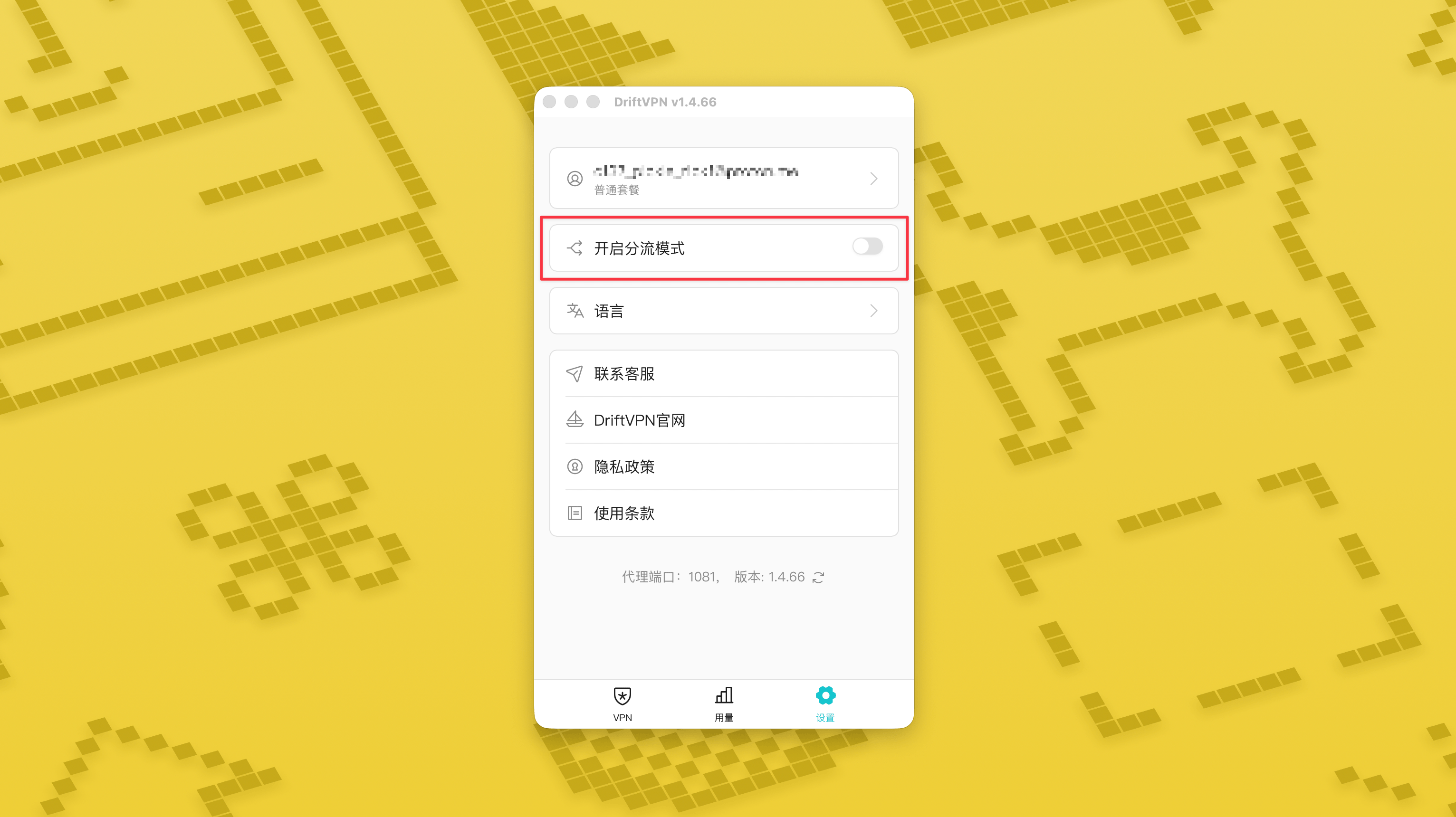
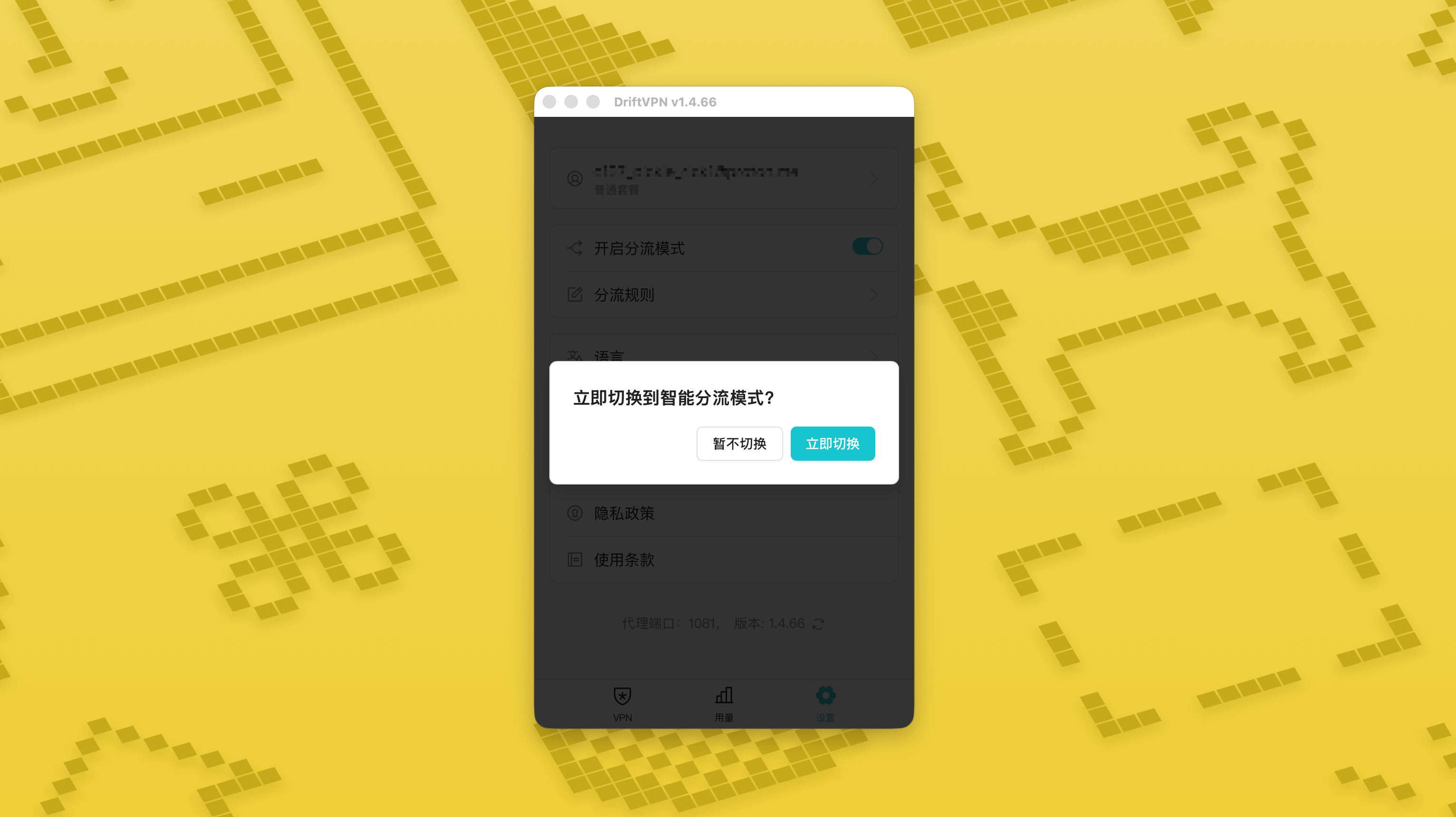
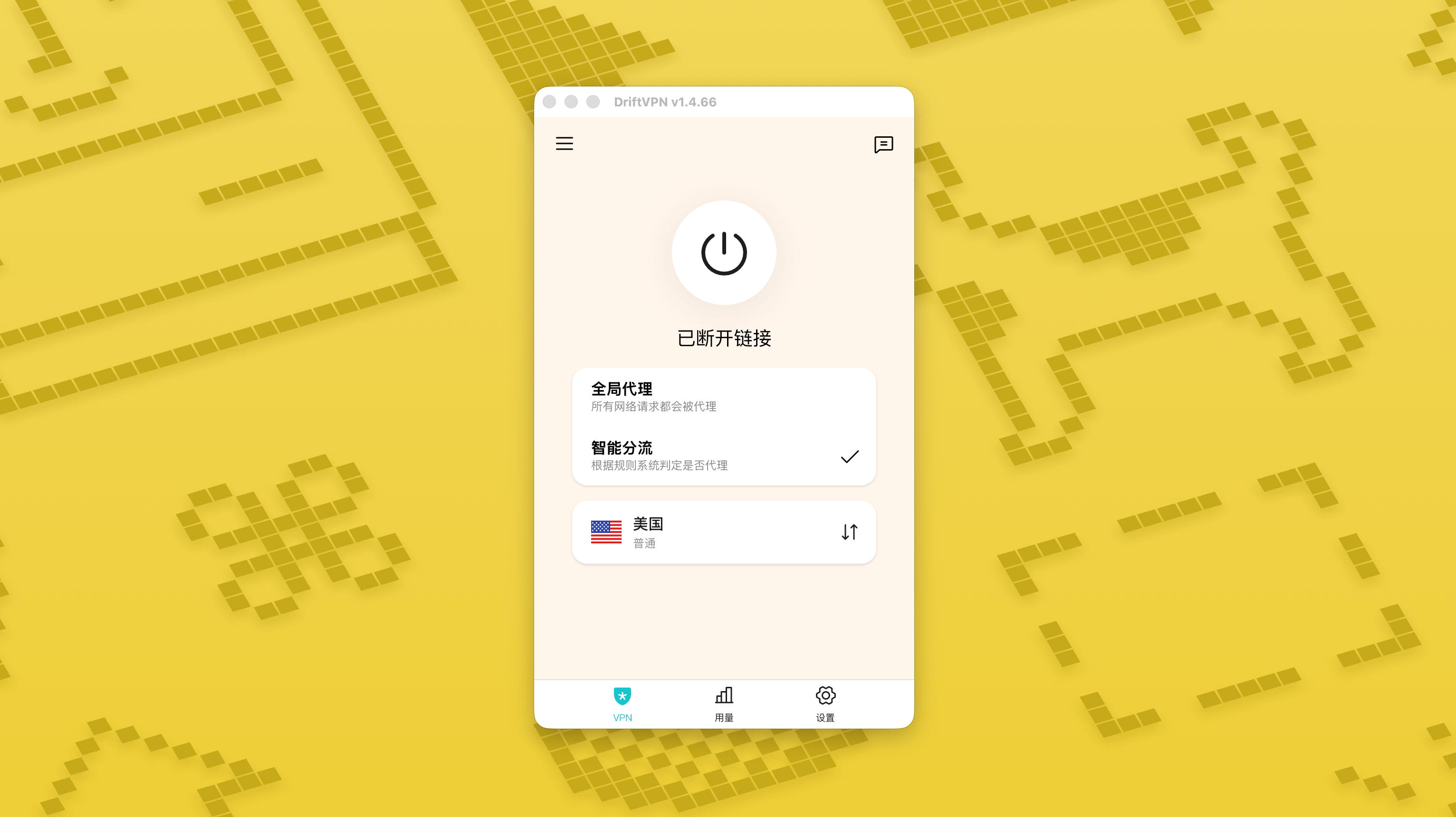
ในหน้าการตั้งค่า ให้เปิดสวิตช์โหมด Smart Routing แล้วแตะ «สลับทันที» เพื่อเปิดใช้งาน
- 2.
หลังจากเปิดใช้งานแล้ว คุณสามารถสลับระหว่าง «พร็อกซีแบบทั่วโลก» และ «Smart Routing» ได้จากหน้าแรก
- 3.
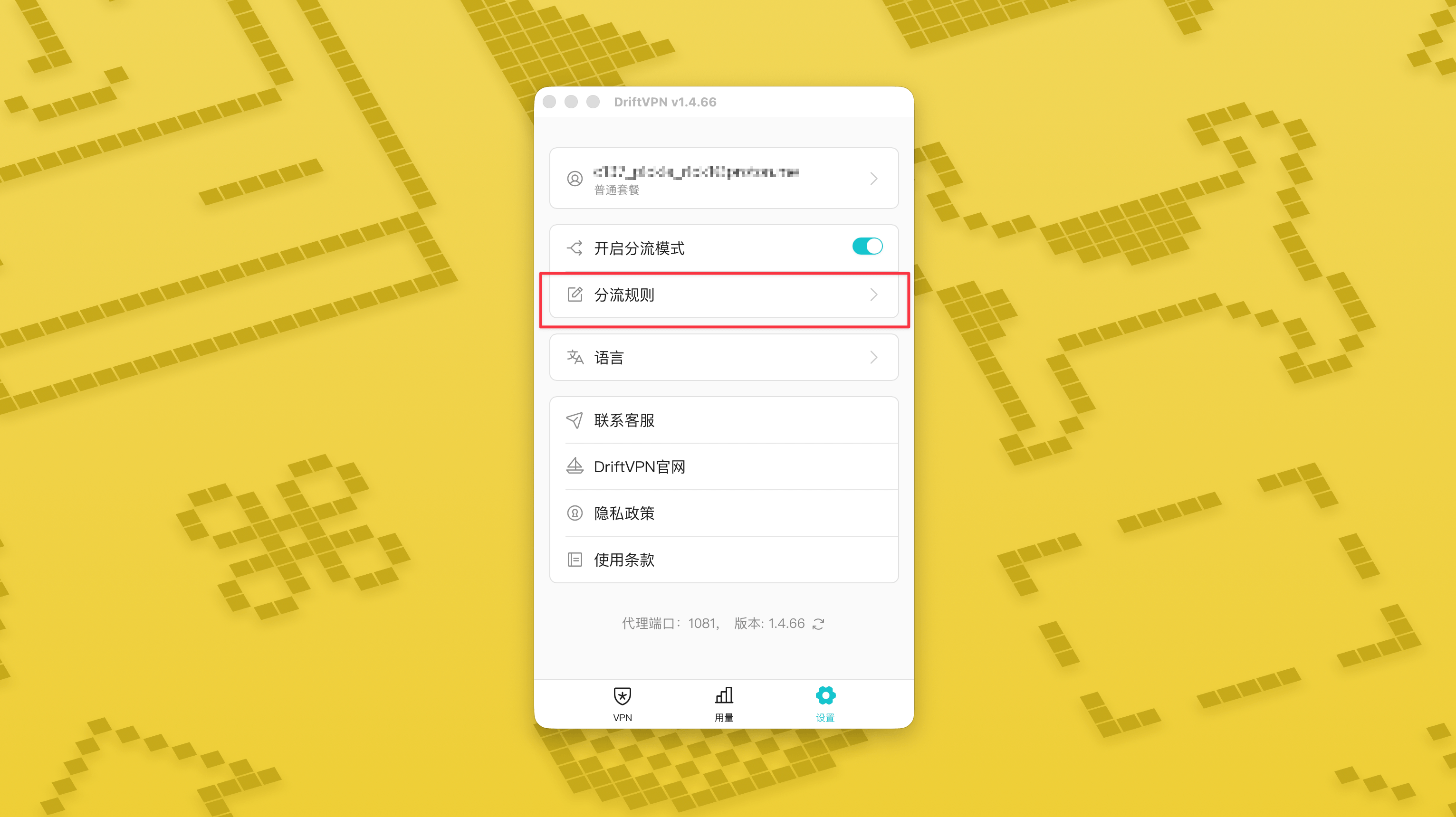
เมื่อเปิดโหมด Smart Routing แล้ว หน้าการตั้งค่าจะแสดงหน้า «กฎการกำหนดเส้นทาง»
- 4.
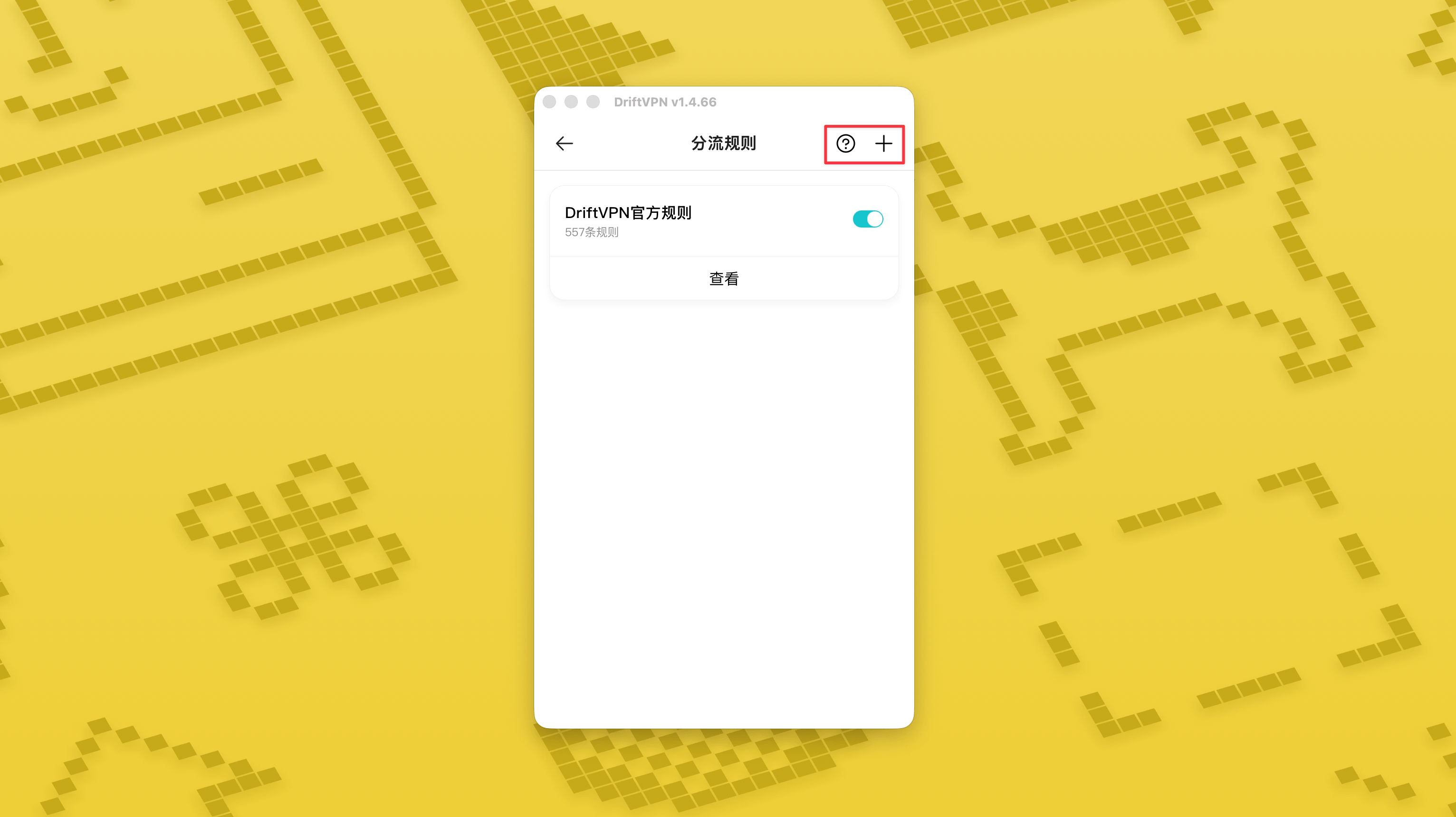
ที่มุมขวาบนของหน้า «กฎการกำหนดเส้นทาง» แตะปุ่ม «+» เพื่อเพิ่มกฎใหม่ และแตะปุ่ม «?» เพื่อดูวิธีเขียนกฎ แต่ละกลุ่มกฎสามารถเปิดหรือปิดได้ด้วยสวิตช์ของตัวเอง
หากคุณใช้เครื่องมือพร็อกซีอย่าง Clash อยู่แล้ว คุณสามารถใช้ DriftVPN เป็นพร็อกซีด้านหน้า แล้วเชื่อมต่อไปยังพร็อกซี IP ที่พักอาศัยเป็นทางออกสุดท้าย เหมาะสำหรับผู้ใช้ขั้นสูงที่ต้องการ "สร้างการเชื่อมต่อผ่าน DriftVPN ก่อน แล้วเข้าถึงเว็บไซต์เป้าหมายผ่าน IP ที่พักอาศัย"
พอร์ตพร็อกซีภายในเครื่องเริ่มต้นของ DriftVPN คือ หากพอร์ตนั้นถูกใช้โดยโปรแกรมอื่นอยู่แล้ว ไคลเอนต์จะลองพอร์ตถัดไปโดยอัตโนมัติ เช่น 、 เมื่อกำหนดค่า โปรดใช้พอร์ตพร็อกซีภายในเครื่องที่แสดงในไคลเอนต์ปัจจุบัน (ตรวจสอบหมายเลขพอร์ตที่ด้านล่างของหน้าการตั้งค่า VPN หลังจากเชื่อมต่อสำเร็จ)
ใช้ไคลเอนต์ Clash / Mihomo ที่รองรับการเชื่อมต่อพร็อกซีแบบลูกโซ่เป็นตัวอย่าง คุณสามารถกำหนดค่าได้ดังนี้:
proxies: - name: "轻舟VPN 前置代理" type: http server: 127.0.0.1 port: 9527 - name: "住宅IP落地" type: http server: your-residential-proxy.example.com port: 12345 username: "your-username" password: "your-password"proxy-groups: - name: "轻舟VPN + 住宅IP" type: relay proxies: - "轻舟VPN 前置代理" - "住宅IP落地" - name: "PROXY" type: select proxies: - "轻舟VPN + 住宅IP" - DIRECTrules: - MATCH,PROXY
หมายเหตุ:
- ข้อมูลพร็อกซี IP ที่พักอาศัยข้างต้นต้องแทนที่ด้วยที่อยู่ พอร์ต ชื่อผู้ใช้ และรหัสผ่านจริงที่ผู้ให้บริการของคุณกำหนด
- หากพอร์ตพร็อกซีภายในเครื่องที่แสดงใน DriftVPN ปัจจุบันไม่ใช่ 9527 โปรดเปลี่ยนพอร์ตในการกำหนดค่าเป็นพอร์ตจริง
- ประเภทของพร็อกซี IP ที่พักอาศัยของคุณควรกรอกตามโปรโตคอลที่ผู้ให้บริการของคุณกำหนด ค่าที่พบบ่อยคือ http หรือ socks5
- การรองรับการเชื่อมต่อพร็อกซีแบบลูกโซ่แตกต่างกันในไคลเอนต์ Clash ต่างๆ หากการกำหนดค่าใช้งานไม่ได้ โปรดยืนยันว่าไคลเอนต์คอร์ปัจจุบันรองรับกลุ่มพร็อกซีประเภท relay
- การใช้งานนี้เหมาะสำหรับผู้ใช้ขั้นสูงที่คุ้นเคยกับการกำหนดค่า Clash ผู้ใช้ทั่วไปแนะนำให้ใช้ Global Proxy หรือ Smart Routing ในตัวในไคลเอนต์ DriftVPN
ใช่ หากการเข้าถึงไม่เสถียร ให้เปลี่ยนเส้นทางอื่นแล้วลองใหม่
คุณสามารถเลือกเส้นทางตามกรณีการใช้งานปัจจุบันของคุณ:
- สำหรับการใช้งานทั่วไป หากคุณไม่สนใจเรื่องเวลาตอบสนอง เส้นทางใดก็ได้
- หากเวลาตอบสนองมีความสำคัญ ให้เลือกโหนดที่อยู่ใกล้คุณทางภูมิศาสตร์
- หากคุณต้องการเข้าถึงเว็บไซต์หรือบริการที่มีข้อจำกัดตามภูมิภาค IP เช่น เนื้อหาสตรีมมิงเฉพาะภูมิภาค ให้เลือกโหนดในประเทศหรือภูมิภาคที่เกี่ยวข้อง
เราให้บริการสนับสนุนลูกค้าเฉพาะปัญหาต่อไปนี้:
- ปัญหาการเข้าสู่ระบบบัญชี
- ปัญหาการชำระเงิน / คำสั่งซื้อ
- บริการใช้งานไม่ได้โดยสิ้นเชิง เช่น ไม่สามารถเชื่อมต่อได้
กรณีต่อไปนี้ไม่อยู่ในขอบเขตการสนับสนุนลูกค้า:
- ปัญหาประสบการณ์ส่วนบุคคล เช่น กระตุก ความเร็วช้า หรือความเร็วไม่เสถียร
- การเข้าถึงแพลตฟอร์มบุคคลที่สามช้า เช่น เว็บไซต์หรือแอป
- ปัญหาที่เกิดจากสภาพแวดล้อมเครือข่ายภายใน อุปกรณ์ ผู้ให้บริการอินเทอร์เน็ต หรือปัจจัยอื่นของผู้ใช้
- ปัญหาที่เกิดจากการไม่ทำตามคู่มือทางการหรือแก้ไขการตั้งค่าด้วยตนเอง
- คุณภาพเครือข่ายได้รับผลกระทบอย่างมากจากผู้ให้บริการในพื้นที่ของผู้ใช้และเส้นทางระหว่างประเทศ แพลตฟอร์มจึงไม่สามารถรับประกันประสบการณ์การเข้าถึงในทุกพื้นที่และทุกช่วงเวลาได้
หากคุณพบปัญหาใดๆ คุณสามารถติดต่อเราได้ผ่านวิธีการดังต่อไปนี้:
- ส่งปัญหาของคุณผ่านหน้า 'ฟีดแบ็ก' และเราจะตอบกลับทางอีเมลไปที่หน้าฟีดแบ็ก
- ส่งอีเมลไปยังอีเมลสนับสนุนของเรา:support@qz.run
- ติดต่อเราทาง Telegram:@driftvpn_offical