
Trung Tâm Hỗ Trợ - Hướng Dẫn Cài Đặt
Cài đặt
Để xác nhận xem Mac của bạn có sử dụng bộ xử lý Intel hay Apple Silicon không:
- Nhấp vào biểu tượng Apple ở góc trên bên trái màn hình
- Chọn "Về máy Mac này"
- Trong cửa sổ bật lên, kiểm tra thông tin "Chip hoặc Bộ xử lý". Nếu bắt đầu bằng Intel, đó là bộ xử lý Intel, nếu không thì là Apple Silicon
- 1.
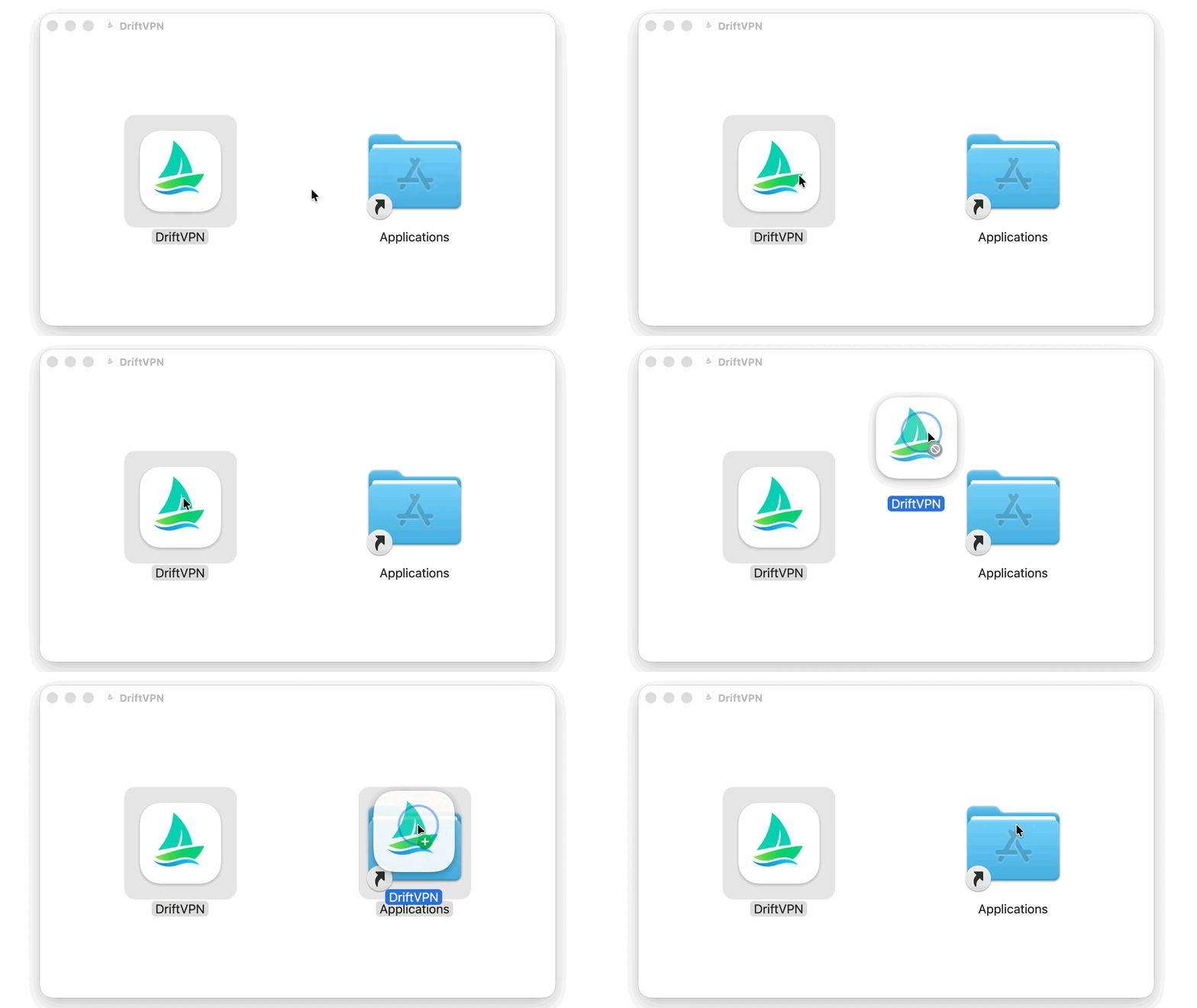
Sau khi tải trình cài đặt macOS, mở tệp .dmg và kéo VPN vào Applications.
- 2.
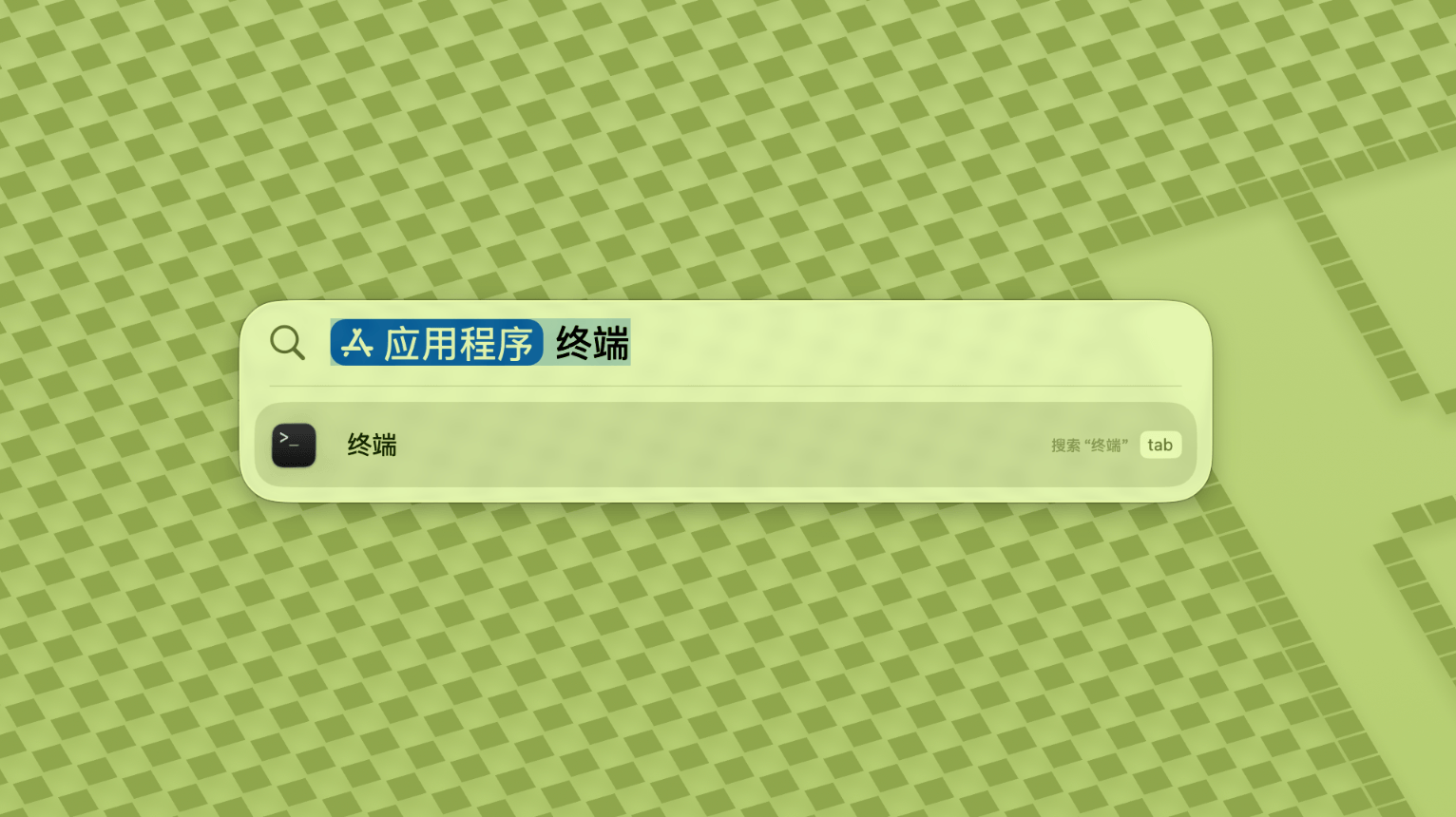
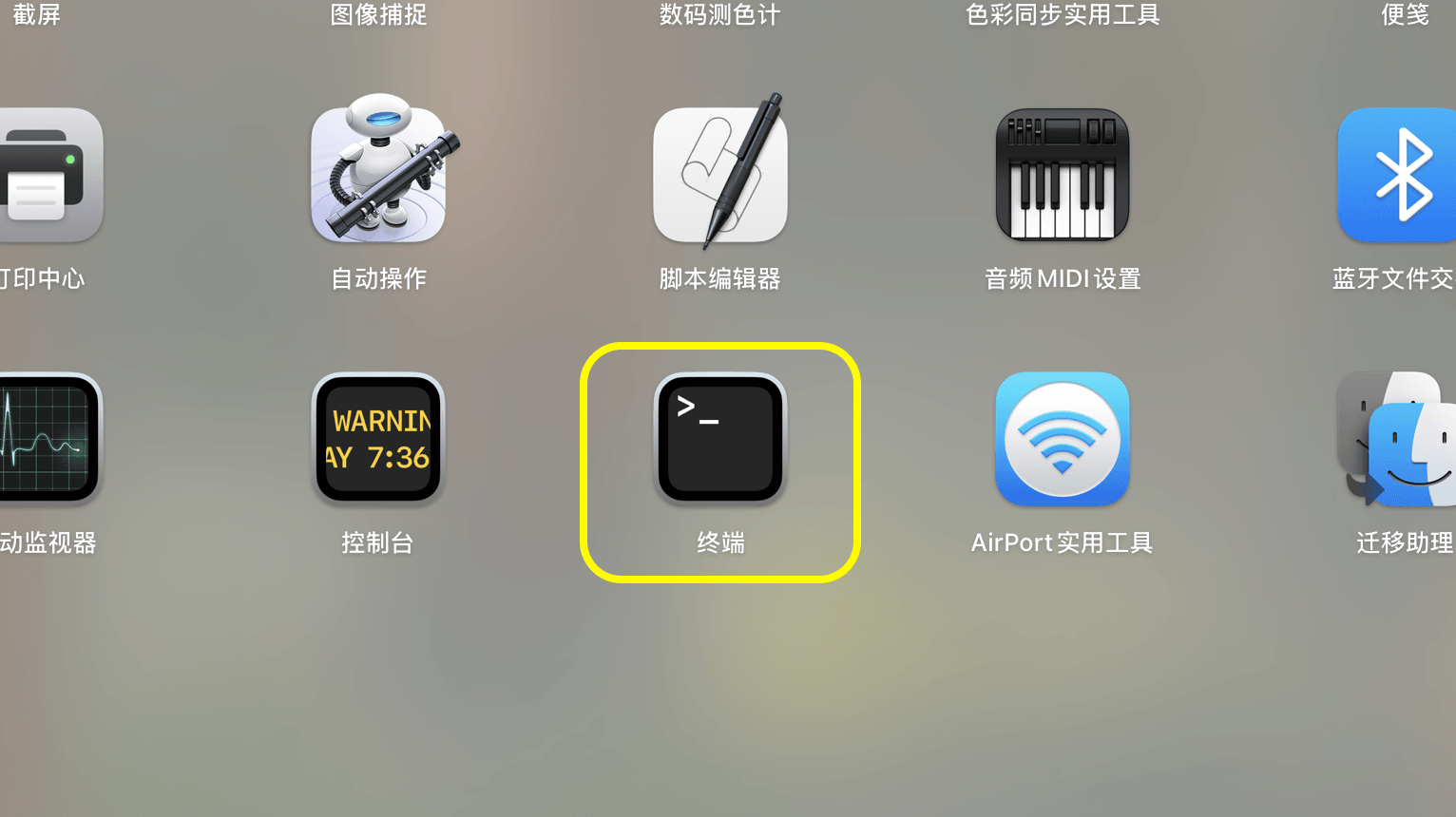
Mở Launchpad hoặc Spotlight, sau đó tìm kiếm và mở Terminal.
- 3.
Dán lệnh bên dưới vào Terminal và nhấn Enter. Nhập mật khẩu đăng nhập Mac khi được nhắc; các ký tự sẽ không hiển thị trong khi gõ. Nhấn Enter lần nữa khi hoàn thành.
sudo xattr -rd com.apple.quarantine /Applications/DriftVPN.app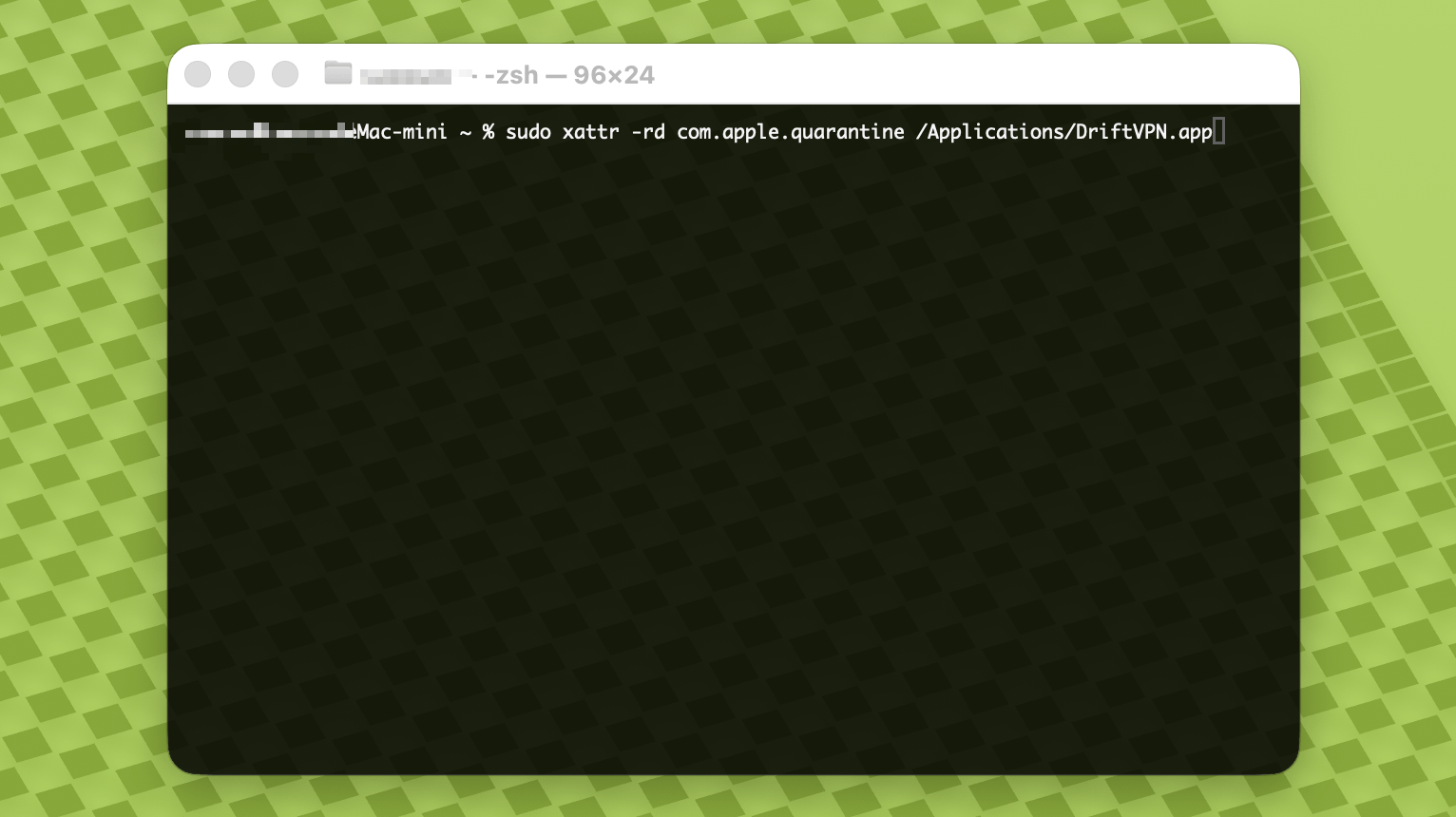
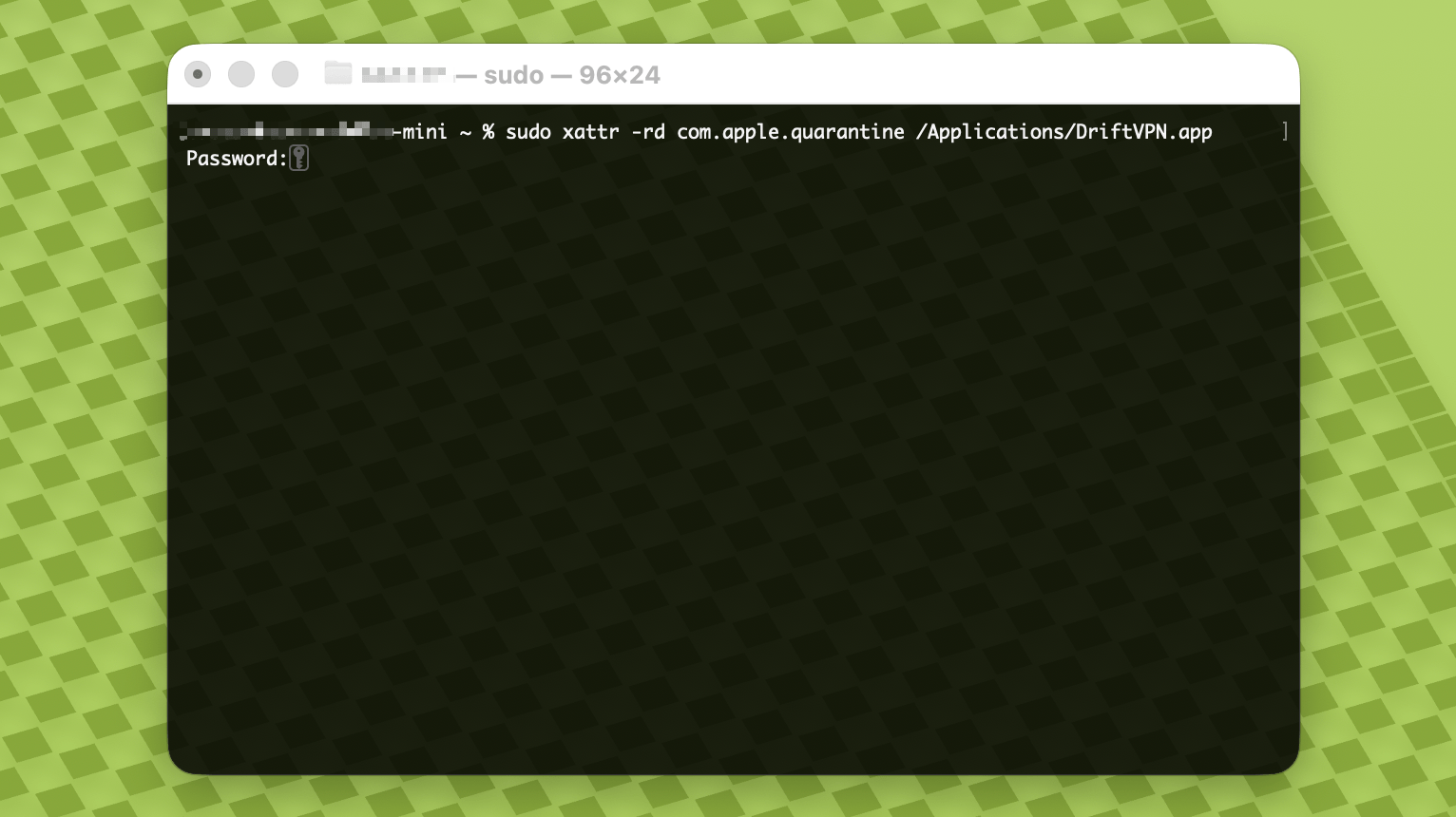
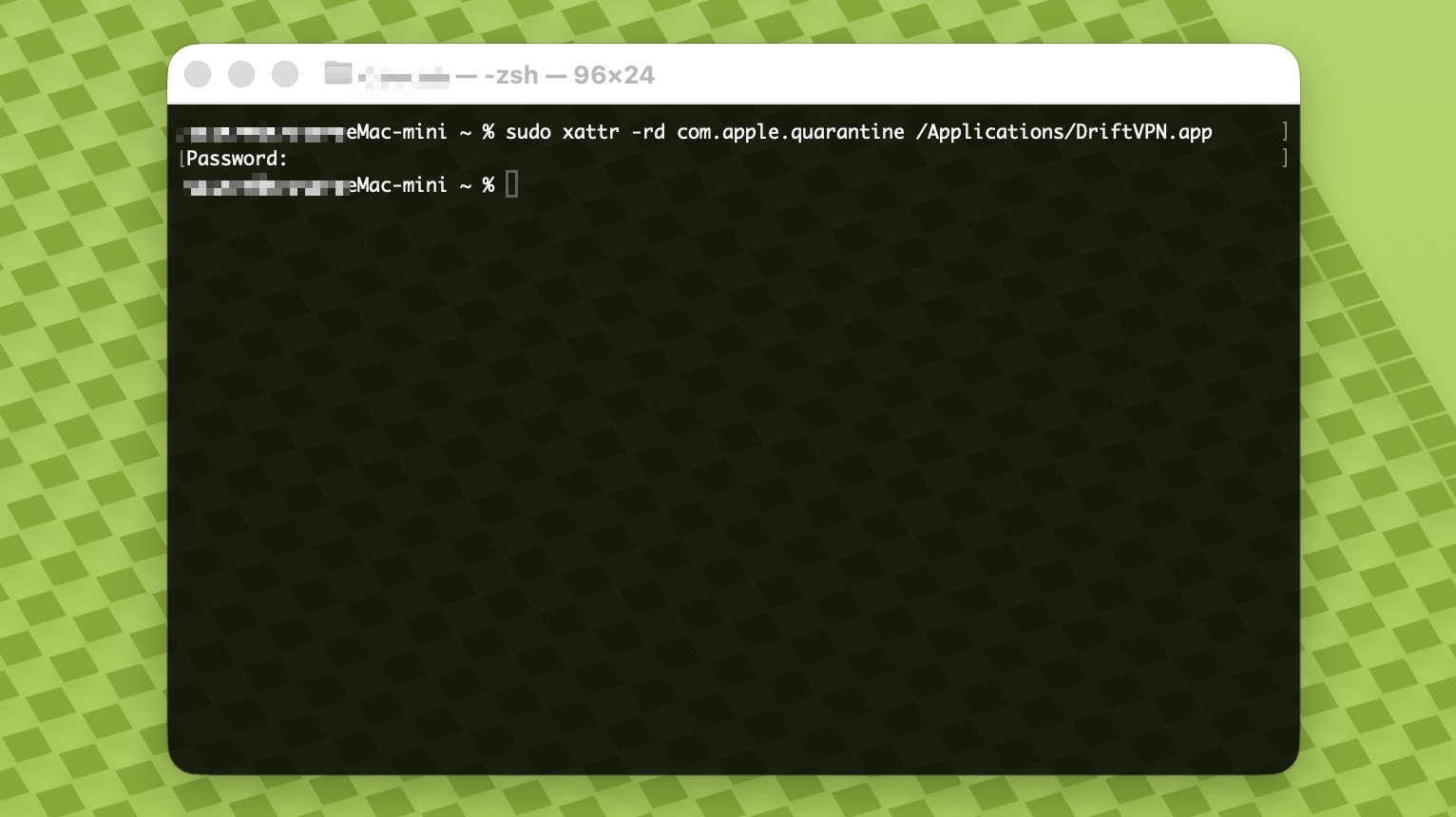
- 4.
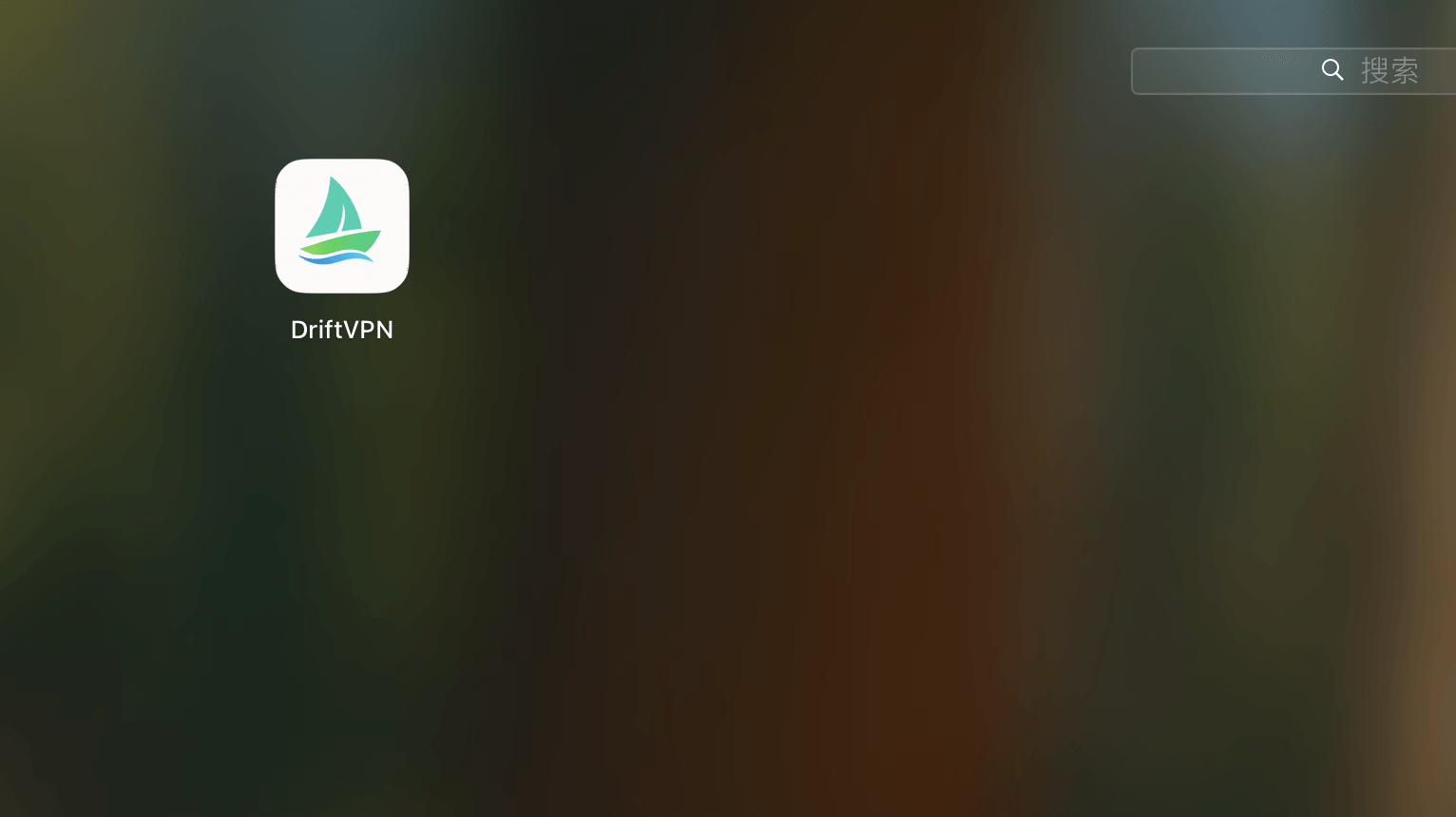
Sau khi lệnh hoàn tất, tìm kiếm VPN hoặc mở từ Applications.
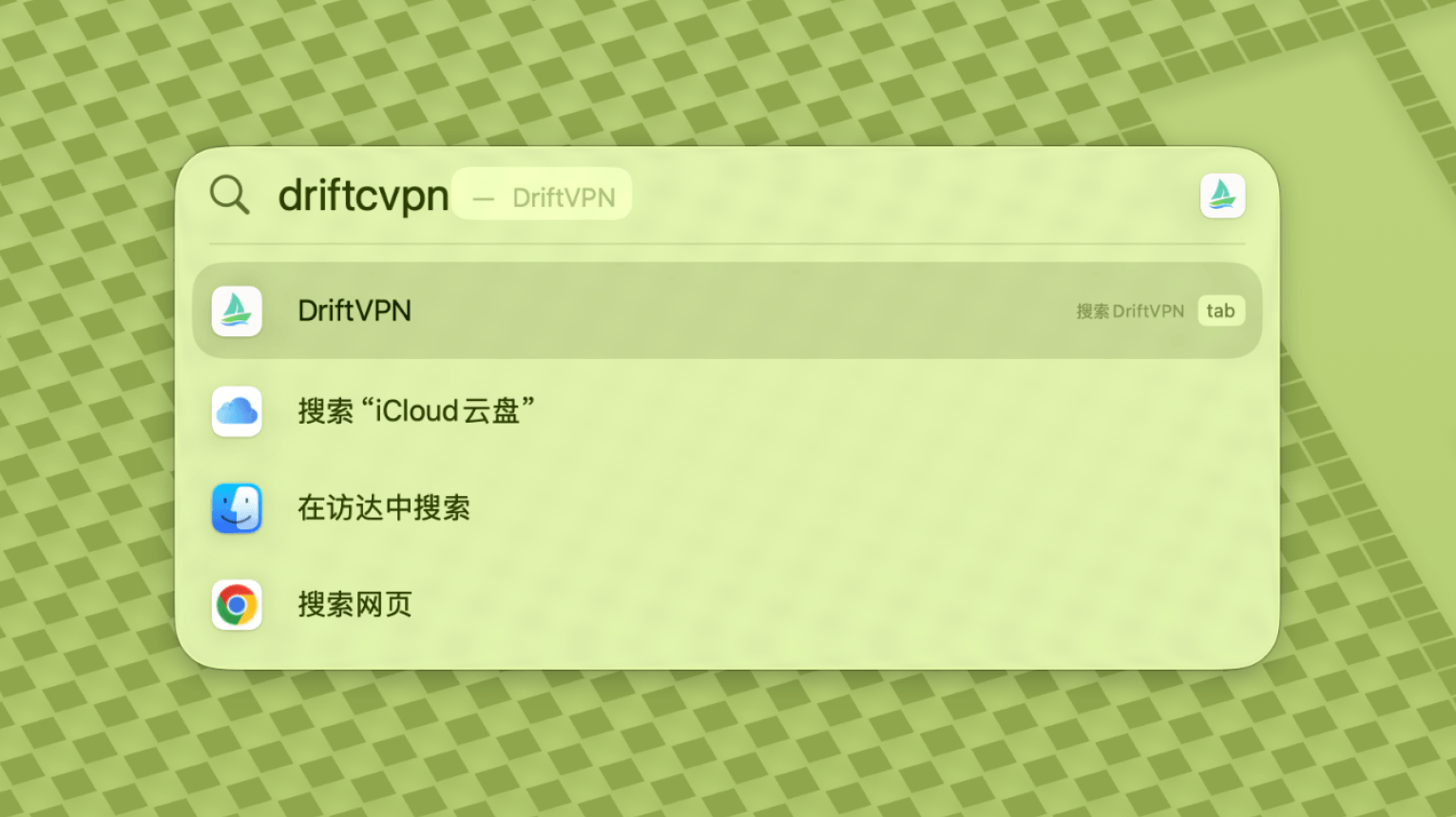
- 5.
Nếu macOS vẫn chặn ứng dụng, vào Cài đặt Hệ thống → Quyền riêng tư & Bảo mật và nhấp Vẫn mở trong phần Bảo mật. Nếu thông báo ứng dụng bị hỏng, hãy tải lại trình cài đặt mới nhất và lặp lại lệnh trên.
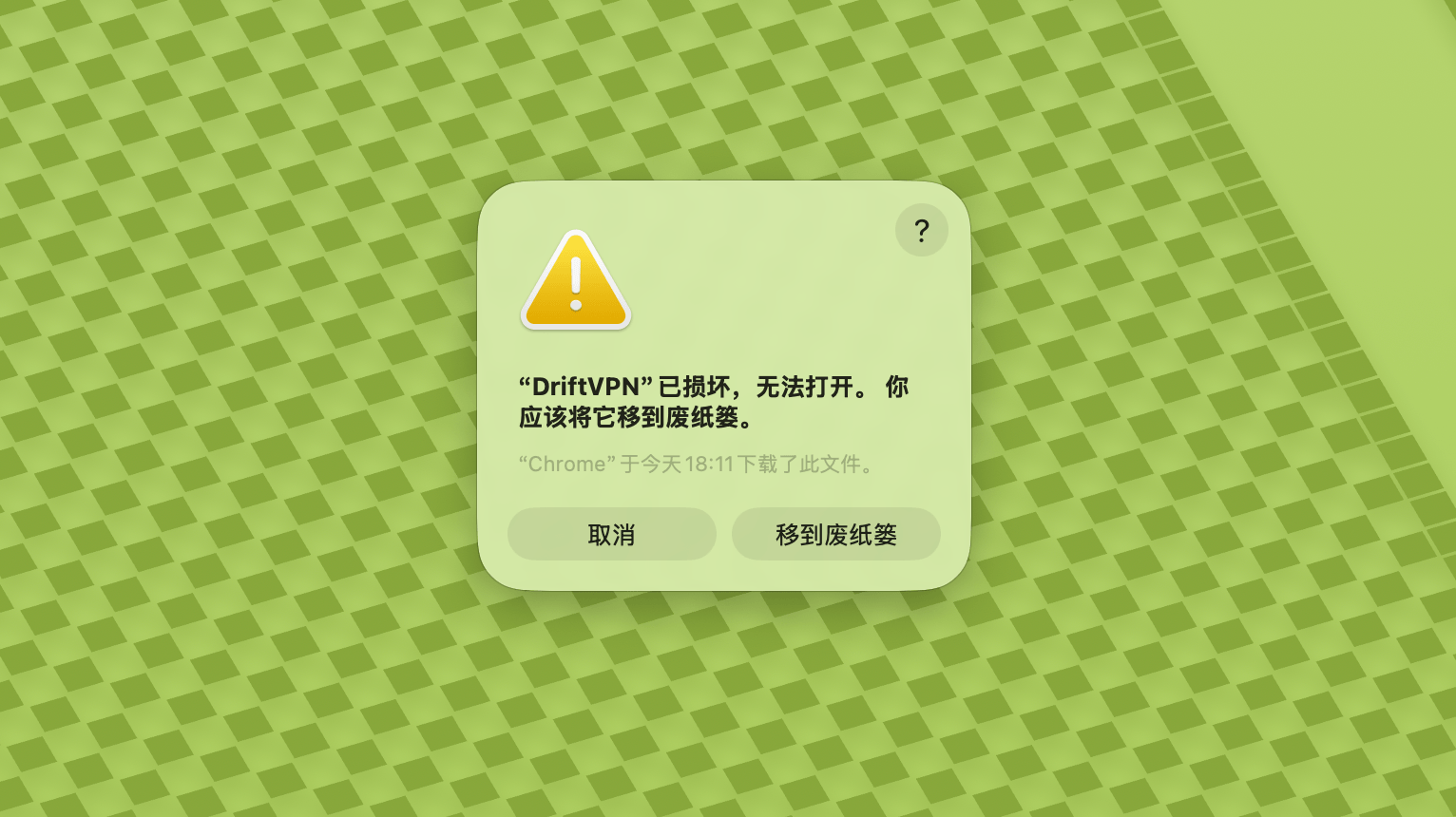
Nếu bạn không thể mở VPN trên macOS, hãy vào Cài đặt Hệ thống → Quyền riêng tư & Bảo mật, cuộn đến phần Bảo mật và nhấp Vẫn mở.
Để xác nhận xem máy tính Windows của bạn có sử dụng bộ xử lý x64, ARM64 hay x86 (32 bit) không:
- Mở công cụ thông tin hệ thống. Nhấn Win + R, gõ msinfo32 rồi nhấn Enter
- Đi đến Tóm tắt hệ thống → Loại hệ thống, bạn sẽ thấy thông tin kiến trúc hệ thống
Thông báo lỗi: tệp thực thi proxy không tồn tại. Hoặc thông báo: tệp chứa vi-rút hoặc phần mềm không mong muốn tiềm ẩn. Giải pháp:
Phương pháp 1:
- Mở 'Cài đặt' → 'Quyền riêng tư & Bảo mật' → 'Trung tâm Bảo mật Windows' → 'Bảo vệ khỏi vi-rút & Mối đe dọa'
- Nhấp vào 'Quản lý cài đặt'
- Ở dưới cùng, thêm hoặc xóa ngoại lệ và thêm thư mục cài đặt Drift vào ngoại lệ
Phương pháp 2:
- Mở 'Cài đặt' → 'Quyền riêng tư & Bảo mật' → 'Trung tâm Bảo mật Windows' → 'Bảo vệ khỏi vi-rút & Mối đe dọa'
- Nhấp vào 'Quản lý cài đặt'
- Tắt 'Bảo vệ thời gian thực'
Nếu ứng dụng không thể kết nối sau khi khởi động trên Windows, thường do Tường lửa Windows Defender chặn nó. Giải pháp:
Phương pháp 1: Thêm ngoại lệ qua Control Panel
- Nhấn Win + S và tìm kiếm: Control Panel
- Vào: System and Security → Windows Defender Firewall
- Bên trái, nhấp: Allow an app or feature through Windows Defender Firewall
- Góc trên bên phải, nhấp: Change settings
- Nhấp: Allow another app
- Nhấp: Browse và chọn tệp .exe của bạn (đường dẫn mặc định: C:\Users\[user]\AppData\Local\VPN\QingZhou.exe)
- Sau khi thêm, chọn: Private và Public (nếu cần truy cập mạng bên ngoài)
- Nhấp: OK
Phương pháp 2: Tạo quy tắc trong Windows Defender Firewall with Advanced Security
- Nhấn Win + S, tìm 'Windows Defender Firewall with Advanced Security' và mở
- Nhấp 'Inbound Rules' bên trái → nhấp 'New Rule' bên phải
- Chọn: Program → Next
- Chọn 'This program path', duyệt đến tệp .exe của bạn → Next
- Chọn: Allow the connection → Next
- Đánh dấu: Domain, Private, Public (thường là tất cả) → Next
- Nhập tên (ví dụ: DriftVpn Inbound) → Finish
- Lặp lại các bước cho 'Outbound Rules' (chọn 'Outbound Rules' bên trái; luồng tương tự)
Bạn có thể tải và cài đặt VPN cho Android như sau:
- Mở trang tải xuống chính thức và chọn Android.
- Tải gói cài đặt Android về điện thoại hoặc máy tính bảng của bạn.
- Mở tệp APK đã tải từ mục tải xuống của trình duyệt hoặc trình quản lý tệp.
- Nếu Android yêu cầu quyền cài đặt ứng dụng không rõ nguồn gốc, hãy cho phép đối với trình duyệt hoặc trình quản lý tệp hiện tại, sau đó tiếp tục cài đặt.
Một số trình duyệt hoặc hệ thống có thể lưu tệp APK với phần mở rộng .zip. Xử lý như sau:
- Không giải nén tệp.
- Mở trình quản lý tệp và đổi tên tệp đã tải, thay đuôi .zip thành .apk.
- Nhấn vào tệp .apk đã đổi tên để cài đặt.
- Nếu không thể đổi tên, hãy tải lại hoặc dùng trình duyệt khác để tải APK.
Do chính sách, VPN không có sẵn trên App Store Trung Quốc. Bạn có thể tải bằng cách:
- Bạn cần một Apple ID không phải Trung Quốc (ví dụ: Mỹ, Nhật Bản, Hồng Kông, v.v.)
- Chuyển sang tài khoản không phải Trung Quốc trong App Store
- Tìm kiếm 'VPN' để tìm và tải xuống
- Nếu bạn chưa có Apple ID nước ngoài, bạn có thể tìm kiếm trực tuyến hướng dẫn đăng ký Apple ID nước ngoài miễn phí
Tài khoản
Nếu bạn quên mật khẩu đăng nhập, bạn có thể đặt lại theo các bước sau:
- Vào trang đăng nhập và nhấp 'Quên mật khẩu?'
- Nhập địa chỉ email đã đăng ký
- Kiểm tra email để nhận mã xác minh 6 chữ số (có hiệu lực 5 phút)
- Nhập mã xác minh và mật khẩu mới để hoàn tất việc đặt lại
Thanh toán
Hiện hỗ trợ các phương thức thanh toán sau:
- Visa/Mastercard
Nếu cần hủy đăng ký, trước tiên hãy xác nhận bạn đã đăng ký qua nền tảng nào. Cách hủy khác nhau tùy nền tảng, và gỡ cài đặt ứng dụng không tự động hủy đăng ký.
Đăng ký qua Website chính thức
Các bước:
- Truy cập website chính thức và đăng nhập tài khoản từ góc trên bên phải.
- Sau khi đăng nhập, nhấp vào "Tài khoản – Gói & Thanh toán" ở góc trên bên phải.
- Nhấp vào nút Quản lý bên cạnh thông tin gói của bạn.
- Hủy đăng ký trên trang Stripe.
iOS
Nếu đăng ký qua App Store trên iPhone hoặc iPad, hãy hủy qua Apple:
- Mở Cài đặt trên iPhone hoặc iPad.
- Nhấn vào tên tài khoản Apple ở trên cùng.
- Nhấn Đăng ký.
- Chọn đăng ký VPN.
- Nhấn Hủy đăng ký.
Nếu bạn dùng thiết bị iOS nhưng đã đăng ký qua website chính thức, hãy làm theo các bước "Đăng ký qua Website chính thức" ở trên.
Android
Đăng ký Android ngoài Google Play được xử lý qua Stripe. Xem "Đăng ký qua Website chính thức" ở trên để hủy.
Android – Google Play
Nếu đăng ký qua Google Play, hãy hủy qua Google Play:
- Mở Google Play.
- Nhấn vào biểu tượng hồ sơ góc trên bên phải.
- Vào Thanh toán & đăng ký.
- Nhấn Đăng ký.
- Chọn đăng ký VPN.
- Nhấn Hủy đăng ký và làm theo hướng dẫn.
Mac
Đăng ký Mac ngoài Mac App Store được xử lý qua Stripe. Xem "Đăng ký qua Website chính thức" ở trên để hủy.
Mac – App Store
Nếu đăng ký qua Mac App Store, hãy hủy qua Apple:
- Mở App Store trên Mac.
- Nhấp vào tên tài khoản.
- Nhấp vào Cài đặt tài khoản.
- Tìm Đăng ký và nhấp Quản lý.
- Chọn đăng ký VPN.
- Nhấp Hủy đăng ký.
Windows
Xem "Đăng ký qua Website chính thức" ở trên để hủy.
Sử dụng
Bạn có thể bắt đầu dùng thử VPN với các bước sau:
- Đăng ký tài khoản trên trang web chính thức hoặc trong bất kỳ ứng dụng nào
- Đăng nhập vào tài khoản của bạn trong bất kỳ ứng dụng nào
- Nhấn nút chuyển đổi trên trang chủ để bắt đầu sử dụng dịch vụ
Nếu bạn có mã kích hoạt, bạn có thể đổi thưởng sau khi đăng nhập:
- Đăng nhập vào tài khoản của bạn trên trang web hoặc trong ứng dụng.
- Nhấp Tài khoản của tôi ở góc trên bên phải, sau đó chọn Đổi mã kích hoạt từ menu thả xuống.
- Nhập mã kích hoạt và xác nhận việc đổi thưởng.
- Sau khi đổi thành công, gói hoặc quyền lợi tương ứng sẽ được tự động thêm vào tài khoản của bạn.
- Nếu không có thông báo thành công, mã kích hoạt đã được sử dụng.
- Sau khi kích hoạt, khởi động lại ứng dụng để gói hoặc quyền lợi có hiệu lực.
VPN hiện hỗ trợ các nền tảng sau:
- Android (điện thoại và máy tính bảng)
- iOS (iPhone và iPad, yêu cầu App Store không phải Trung Quốc)
- macOS (hỗ trợ cả chip Intel và Apple Silicon)
- Windows (hỗ trợ kiến trúc x64)
Một tài khoản hỗ trợ tối đa 3 thiết bị trực tuyến đồng thời. Bạn có thể cài đặt ứng dụng và đăng nhập trên nhiều thiết bị hơn; giới hạn chỉ áp dụng cho số thiết bị đang kết nối cùng lúc. Nếu vượt quá giới hạn, thiết bị kết nối sớm nhất sẽ tự động bị ngắt. Hiện ứng dụng chưa hỗ trợ ngắt kết nối thiết bị khác hoặc đăng xuất thiết bị khác bằng một lần nhấp. Để giải phóng một suất trực tuyến, hãy ngắt kết nối hoặc đăng xuất thủ công trên thiết bị đó.
Chúng kiểm soát lưu lượng nào đi qua VPN:
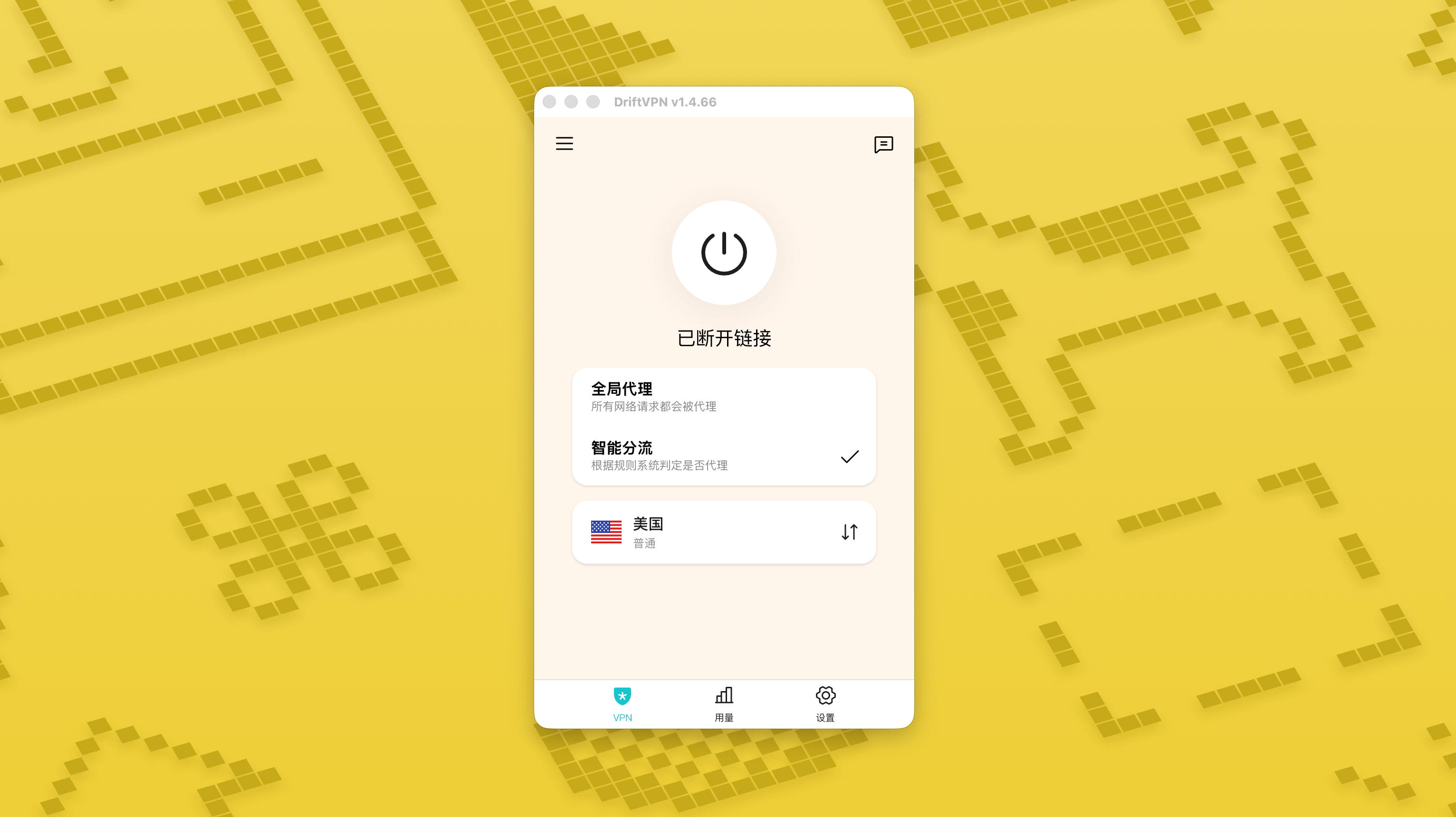
- Proxy Toàn cầu gửi hầu hết lưu lượng mạng qua VPN. Dùng khi bạn muốn tất cả ứng dụng và trang web sử dụng kết nối proxy.
- Định tuyến Thông minh chỉ proxy lưu lượng cần tăng tốc hoặc tối ưu hóa truy cập. Lưu lượng cục bộ và có thể truy cập trực tiếp vẫn ở trên mạng ban đầu, thường tốt hơn cho sử dụng hàng ngày.
- Các quy tắc VPN tích hợp sẵn đáp ứng hầu hết nhu cầu, và bạn cũng có thể thêm các quy tắc proxy của riêng mình.
- 1.
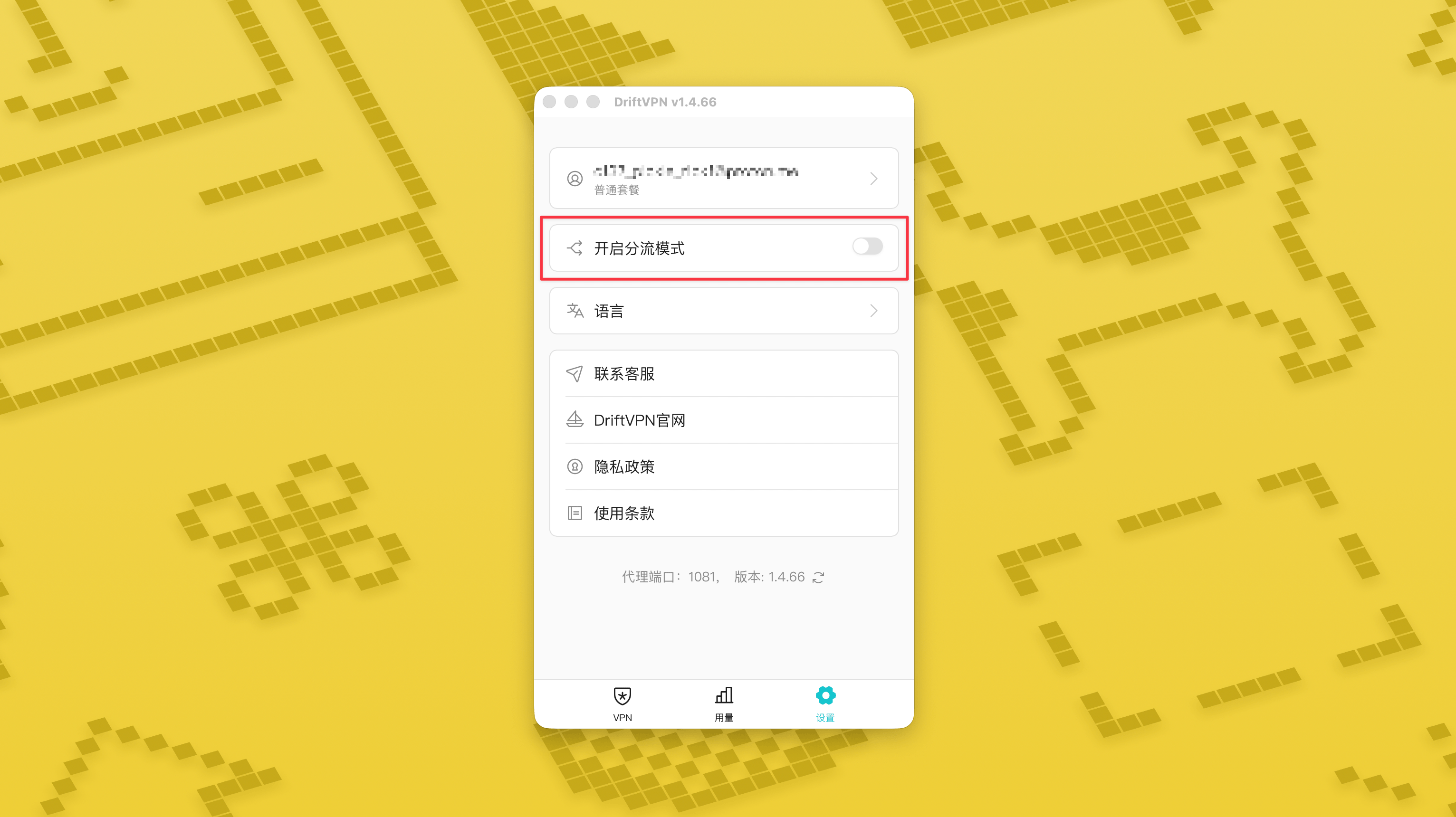
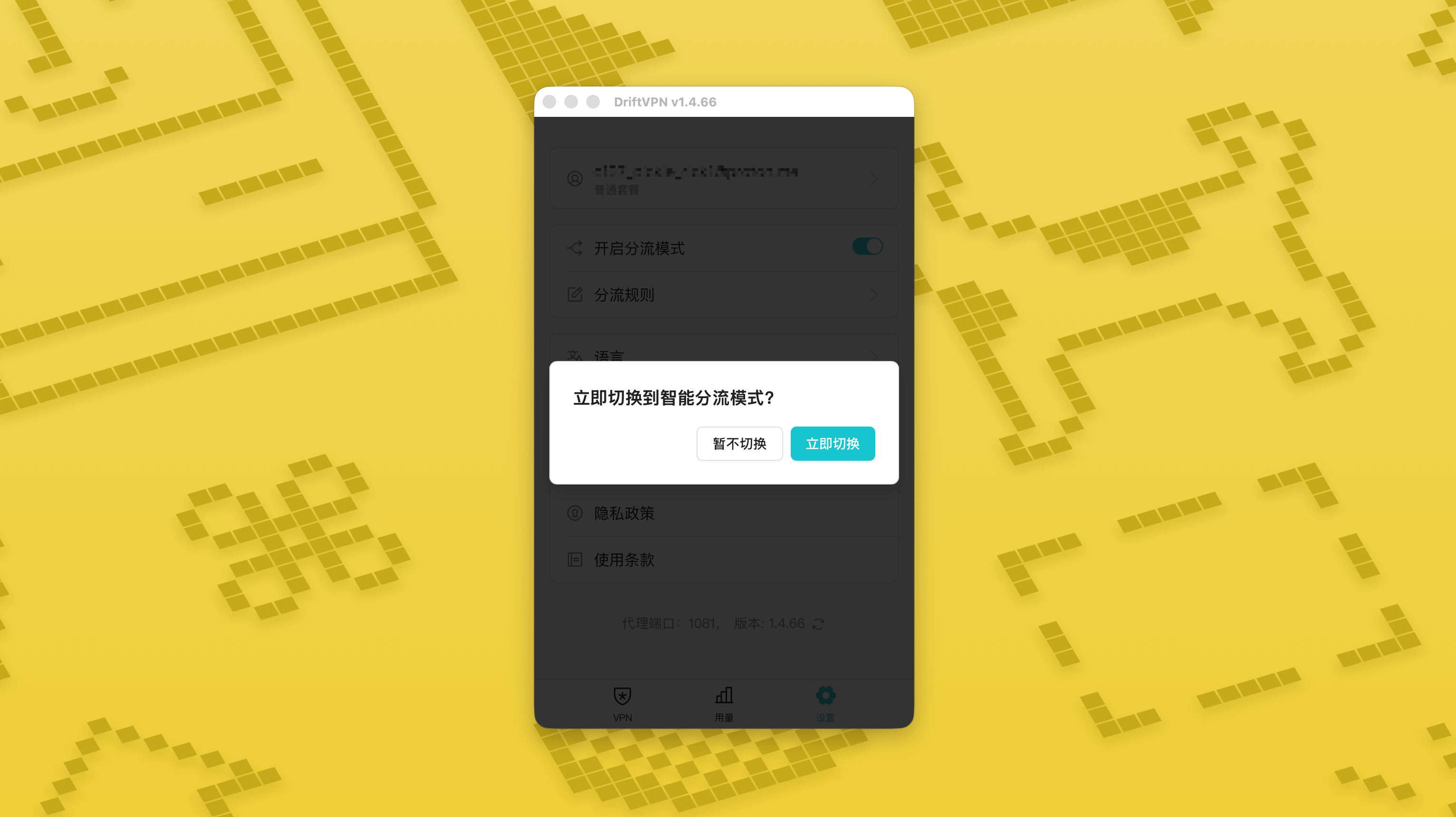
Trên trang Cài đặt, bật công tắc chế độ định tuyến thông minh rồi nhấn «Chuyển ngay» để kích hoạt.
- 2.
Sau khi bật, bạn có thể chuyển giữa «Proxy toàn cục» và «Định tuyến thông minh» trên trang chủ.
- 3.
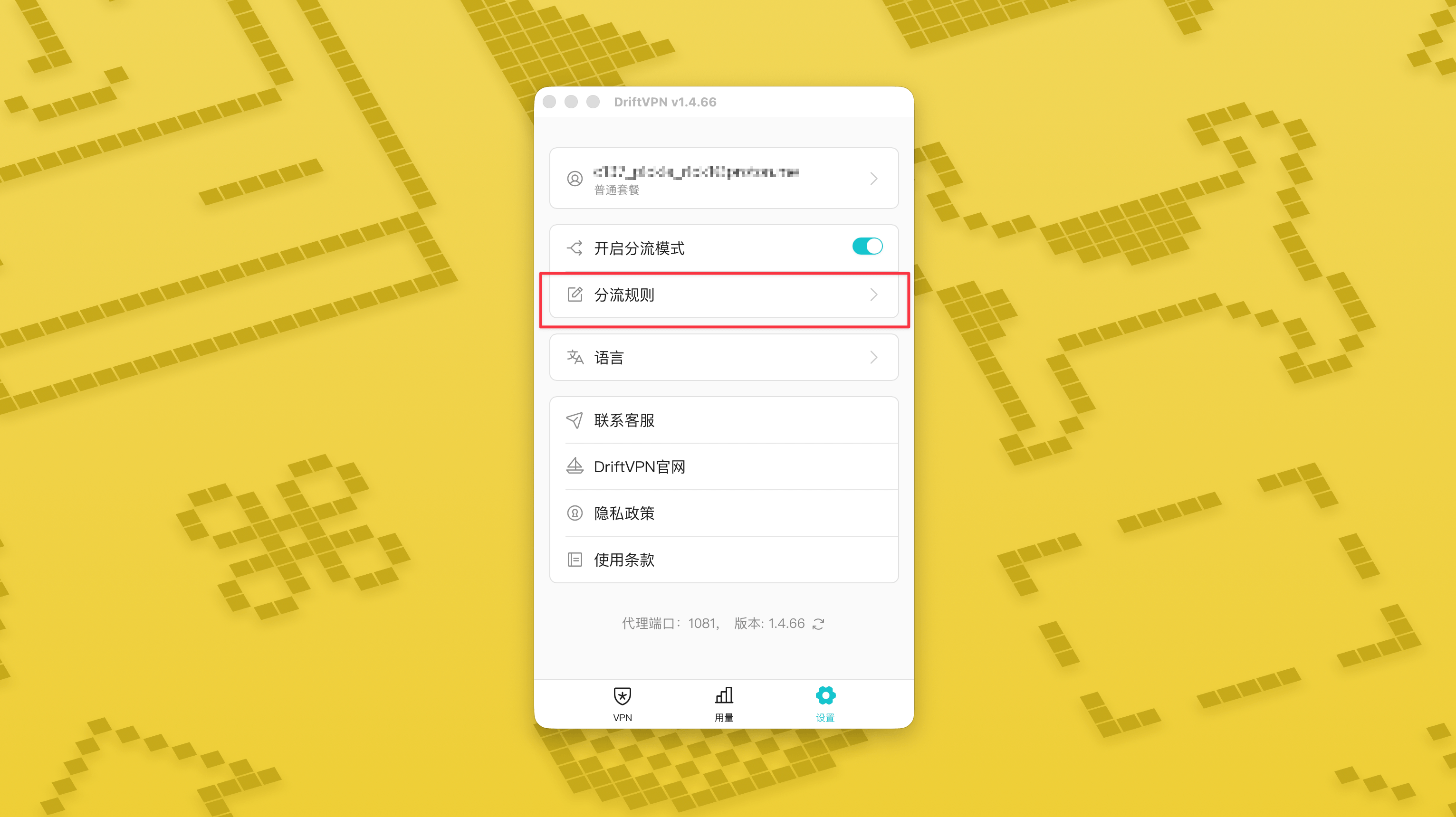
Sau khi bật chế độ định tuyến thông minh, trang «Quy tắc định tuyến» sẽ xuất hiện trong phần Cài đặt.
- 4.
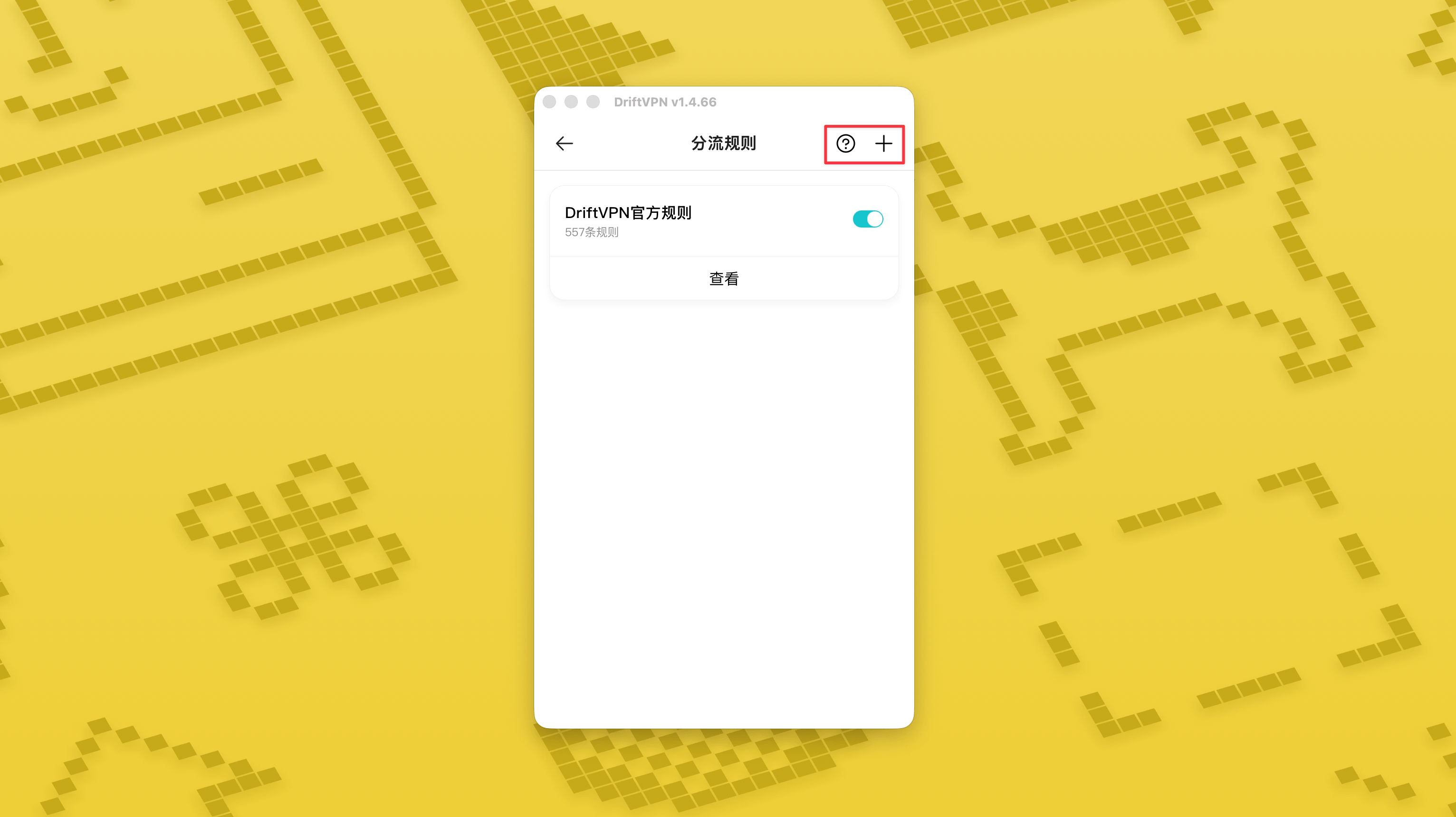
Ở góc trên bên phải của trang «Quy tắc định tuyến», nhấn nút «+» để thêm quy tắc mới và nhấn nút «?» để xem cách viết quy tắc. Mỗi nhóm quy tắc đều có thể được bật hoặc tắt bằng công tắc riêng.
Nếu bạn đang dùng công cụ proxy như Clash, bạn có thể dùng DriftVPN làm proxy đầu vào rồi kết nối đến proxy IP dân cư làm điểm thoát cuối. Phù hợp cho người dùng nâng cao cần "trước tiên thiết lập kết nối qua DriftVPN, sau đó truy cập trang mục tiêu qua IP dân cư".
Cổng proxy cục bộ mặc định của DriftVPN là . Nếu cổng đó đã được chương trình khác sử dụng, ứng dụng sẽ tự động thử cổng tiếp theo, chẳng hạn như 、. Khi cấu hình, vui lòng sử dụng cổng proxy cục bộ hiện được hiển thị trong ứng dụng (kiểm tra số cổng ở cuối trang cài đặt VPN sau khi kết nối thành công).
Lấy ví dụ dùng ứng dụng Clash / Mihomo hỗ trợ chuỗi proxy, bạn có thể cấu hình như sau:
proxies: - name: "轻舟VPN 前置代理" type: http server: 127.0.0.1 port: 9527 - name: "住宅IP落地" type: http server: your-residential-proxy.example.com port: 12345 username: "your-username" password: "your-password"proxy-groups: - name: "轻舟VPN + 住宅IP" type: relay proxies: - "轻舟VPN 前置代理" - "住宅IP落地" - name: "PROXY" type: select proxies: - "轻舟VPN + 住宅IP" - DIRECTrules: - MATCH,PROXY
Lưu ý:
- Thông tin proxy IP dân cư ở trên cần được thay bằng địa chỉ, cổng, tên người dùng và mật khẩu thực tế do nhà cung cấp dịch vụ của bạn cung cấp.
- Nếu cổng proxy cục bộ hiện hiển thị trong DriftVPN không phải là 9527, hãy thay đổi cổng trong cấu hình thành cổng thực tế.
- Loại proxy IP dân cư của bạn cần được điền theo giao thức do nhà cung cấp dịch vụ cung cấp. Các giá trị phổ biến là http hoặc socks5.
- Hỗ trợ chuỗi proxy khác nhau giữa các ứng dụng Clash. Nếu cấu hình không hoạt động, hãy xác nhận rằng nhân ứng dụng hiện tại hỗ trợ nhóm proxy kiểu relay.
- Cách dùng này phù hợp cho người dùng nâng cao quen với cấu hình Clash. Người dùng thông thường nên dùng Proxy Toàn cầu hoặc Định tuyến Thông minh tích hợp trong ứng dụng DriftVPN.
Có. Nếu truy cập không ổn định, hãy chuyển sang tuyến đường khác và thử lại.
Bạn có thể chọn tuyến đường dựa trên trường hợp sử dụng hiện tại của mình:
- Để sử dụng hàng ngày, nếu bạn không quan tâm đến độ trễ, bất kỳ tuyến đường nào cũng phù hợp.
- Nếu độ trễ quan trọng, hãy chọn nút gần bạn về mặt địa lý hơn.
- Nếu bạn cần truy cập các trang web hoặc dịch vụ có hạn chế vùng IP, chẳng hạn như nội dung phát trực tiếp độc quyền theo vùng, hãy chọn nút ở quốc gia hoặc khu vực tương ứng.
Chúng tôi chỉ hỗ trợ khách hàng cho các vấn đề sau:
- Lỗi đăng nhập tài khoản
- Vấn đề thanh toán / đơn hàng
- Dịch vụ hoàn toàn không khả dụng, chẳng hạn không thể kết nối
Các trường hợp sau không thuộc phạm vi hỗ trợ khách hàng:
- Các vấn đề trải nghiệm chủ quan như giật lag, tốc độ chậm hoặc không ổn định
- Truy cập chậm vào nền tảng bên thứ ba, như website hoặc ứng dụng
- Vấn đề do môi trường mạng cục bộ, thiết bị, nhà mạng hoặc các yếu tố tương tự của người dùng
- Vấn đề do không làm theo hướng dẫn chính thức hoặc tự thay đổi cài đặt
- Chất lượng mạng chịu ảnh hưởng lớn từ nhà mạng nơi người dùng ở và tuyến quốc tế, vì vậy nền tảng không thể bảo đảm trải nghiệm truy cập ở mọi khu vực và mọi thời điểm.
Nếu bạn gặp vấn đề, bạn có thể liên hệ với chúng tôi qua các phương thức sau:
- Gửi vấn đề của bạn qua trang 'Phản hồi', và chúng tôi sẽ trả lời qua email.Đến trang Phản hồi
- Gửi email đến địa chỉ hỗ trợ của chúng tôi:support@qz.run
- Liên hệ với chúng tôi trên Telegram:@driftvpn_offical